The Slido blog is available again
Slido's product announcements and monthly news roundups.
Most replies
Where has the year gone? We’ve welcomed November without noticing here at Slido HQ. Our team has some exciting product releases and updates coming up that you should check out before the years out 👀. 🔍 Slido for Zoom is live The wait is over, our Integration with Zoom is here 🚀Whether you want to run an all-hands Q&A, determine priorities with a poll, or run a team building quiz, you can do all of that without leaving Zoom. There will be no switching for you or your participants. Slido for Zoom is Live 🗣️ New sidebar in Microsoft Teams You will now be able to view all your polls, surveys, quizzes, and Q&A on a single screen called My interactions. By default, Q&A is enabled. With a simplified design, the new sidebar features include: Live poll editing, easier navigation, and a better user interface Accessibility and dark mode improvements Using drag-and-drop to reorder interactions In a live meeting, you can swap SlidosUse Slido’s sidebar in Microsoft TeamsUse Teams? t
As the world embraced the Winter Olympics this February, we’re inspired by the teamwork, focus and drive behind every performance. Behind the scenes, we’ve been bringing that same dedication to Slido by fine-tuning the details so your meetings run smoother, faster and more confidently. So whether you’re aiming for gold 🏅 or just looking for better conversations, we got you!Our team is always looking for ways to improve Slido, sometimes making subtle changes that work quietly in the background. 🔧 Improved performance in Present mode and Google Slides integrationWe’ve made a few adjustments to both Present mode and our Google Slides integration to help everything run faster and more reliably.As part of these updates, the option to add new polls from the Present mode control bar has been removed and the background for live Slido interactions in Google Slides will now use the default color. Additionally, edits made directly to polls on your slides will automatically sync with the sidebar
We’re taking Slido AI to the next level 🚀 Since launching our first AI features last year, we’ve helped thousands of hosts save time and create more engaging interactions. Now we’re introducing a new wave of AI-powered improvements, designed to make your meetings, events and classes even easier to run.Here’s a rundown of all the new and improved Slido AI features 👇 🤖 Generate polls instantly in Host mode Creating interactions on the fly just got even easier. With AI-generated polls in Host mode, you can simply describe what your next meeting or session is about and Slido will generate ready-to-use polls in seconds. Perfect for:Last-minute prep Adapting to live discussions Turning static content into engaging moments AI-generated polls based on your meeting or event details ✍️ Improve your polls with AI Writing assistant Not sure how to phrase a question? We’ve got you covered. The AI Writing assistant helps you refine your poll questions so that they’re clear, engaging and easy to
Calling all event and conference organizers 📣 The brand new Slido Event Self-Service Hub is the perfect resource for organizing engaging and impactful events and conferences – with the help of Slido. The hub includes a six chapter learning course complete with curated videos, downloads, blog articles and more, all designed to walk you through the entire process step-by-step. You’ll be guided through everything from selecting the right slido plan, to customizing everything to fit your needs and putting on your actual event. And the best part is…The course is self-guided so you can move at your own pace. And even though the course content is designed to be viewed in order, you’re never stuck. It’s super easy to skip any sections that aren’t relevant to your needs 👍 So what are you waiting for? Get started today 🚀
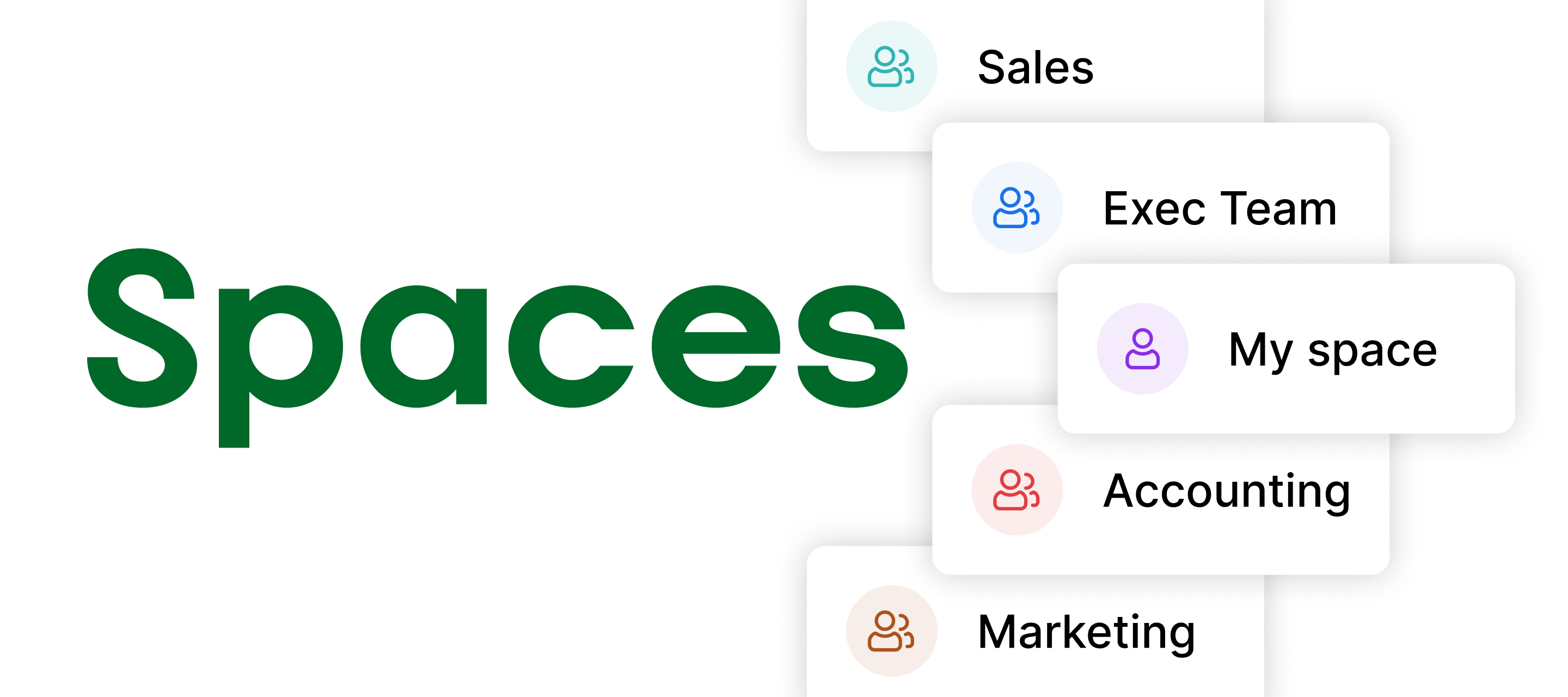
We’re thrilled to introduce our easiest collaboration feature yet: Slido Spaces. Spaces allow you to categorize and share meetings with your colleagues automatically - without the hassle of inviting everyone manually. What’s more, you can say goodbye to an endless list of slidos in your dashboard. Spaces let you organize your slidos based on a meeting type, project, team or client – whatever suits you best. So, how does it work? Create a space and give it a name, e.g. All-hands meetings or Execs Invite the relevant members of your organization into this space Create and work on slidos all with the same access rights What can you do in Spaces? Categorize your slidos based on a team, meeting, project, client etc. Easily collaborate on recurring meetings without having to share access every time Benefit from space-specific analytics, templates, settings and more (Coming in future) Who can use Spaces?Spaces are available to all customers on our Enterprise and Institution plans.
Slido Elevate is back with a new webinar on December 2nd 🚀 With AI accelerating change in the workplace, leaders today face a new challenge: How can they guide their teams in a way that reduces anxiety and builds trust when everything surrounding AI is moving so fast? 📅 Join us on Dec. 2nd when Slido Elevate presents:Leading in the Age of AI: Why Being Human Matters More Than Ever This 60-minute session is for leaders and professionals looking to advance AI initiatives without losing sight of what matters most – authentic, human-centered leadership. 👉 Register today During this webinar, we’ll be discussing:Human leadership qualities that matter most as AI reshapes the workplace. Actionable strategies that you can implement right away to foster an environment of trust, connection and engagement. How to facilitate impactful team discussions that surface and address concerns while collaboratively embracing AI's potential. Real-world examples demonstrating how interactive tools l
Got an idea for improving Slido? Or spotted one you’d love to see come to life? 👉 Now’s a great time to head over to our Wishlist. Our product teams will soon begin planning for the next fiscal year. And your input plays an important role in shaping what comes next. Why the Wishlist matters The Wishlist is where you can:Share your ideas and feature requests Discover what other users are asking for Upvote the ideas that resonate with you most What you can do 💡 Submit your ideas – Tell us what would make Slido even better for you👍 Upvote existing ideas – Support the ones you’d love to see implemented Even if you don’t have a new idea, your vote helps highlight what’s most valuable to you. Ready to get involved? 👉 Visit the Wishlist: https://community.slido.com/wishlist The Wishlist is always open, and we’re always listening. But with planning just around the corner, now is a great time to make your voice heard. We’re excited to see your ideas and feedback. Thanks for helping shape th
April brought a new round of Slido updates designed to make great meetings feel a little easier. And with Slido AI helping you get there faster, it takes even less work to turn ideas into interaction. Let’s take a look at what’s new.👇🏻 Let Slido AI do the work for you Updates to Slido for PowerPoint More accurate Organization Analytics 🪄 Let Slido AI do the work for youWe’ve moved the option to create your polls with AI to the top of the interaction tiles in Host mode, so it’s easier to get poll ideas for your next meeting or event. Just enter a few details and AI will come up with suggestions tailored to your needs.And that’s not all. In May, we’ll also give you the option to upload your meeting agenda, notes or presentation so Slido AI can suggest even more relevant interactions for your session. 🚀 New placement of AI-generated polls from prompt in Host mode 🧩 Updates to Slido for PowerPointWe’ve released new versions of Slido for PowerPoint on macOS and Windows to help keep
Welcome to 2026! We hope you’re looking forward to another year with Slido 🎉Every meeting is a chance for participants to feel heard and included, and we’re happy to be part of it.To kick things off, here’s a quick look at what we worked on in January, plus we also sneaked in some updates from December, too 🙌 Updates overview: Slido AI in Host mode Emojis have arrived in open text polls Bulk actions in Team management Automatic access to a slido for external Webex Webinar panelists Slido for PowerPoint updates Changes to Present mode Sunsetting Slido mobile app for iOS and Android 🪄Slido AI in Host mode AI-generated polls now available for everyoneBefore the end of 2025, we rolled out AI-Generated polls from prompt in Host mode to all our customers. To start, click the AI button in the Interactions sidebar, share a few details about your meeting or event like goal, type or size and instantly receive poll suggestions. If you want more ideas, you can refresh the list. Ai-Generated po
Good meetings often depend on the little things: setting things up quickly, getting input at the right moment and keeping the discussions productive. That’s exactly what this month’s Slido updates are designed to help with. Brainstorm like a pro with Slido Ideas AI-generated polls in video integrations and mobile Dark mode in Slido for PowerPoint 💡 Brainstorm like a pro with Slido IdeasGreat ideas don’t always arrive in a neat order, especially when everyone has something to say. That’s where our brand-new Ideas poll comes in. You can use it to brainstorm with any group – from team meetings to larger sessions. Your participants can add ideas and react to others with emojis, while you get a quick sense of what resonates.Once the ideas are in, AI can help group them into categories, so you can spot common themes and guide the discussion without sorting everything manually. Slido Ideas in Host mode with Participant mode opened on the right Ideas are currently available for Basic plans in
August brings updates designed to make it easier for participants to share focused ideas and give the Q&A more room on Professional and Enterprise plans.Whether you are collecting input, answering questions or going through a presentation these improvements help keep the conversation moving. Here's what's new:💡 One idea at a time: participant reminder 💬 Q&A character limit is now 300 on Professional and Enterprise 💡 One idea at a time: participant reminder To help participants submit clearer ideas, Participant mode now shows an inline reminder encouraging them to submit one idea at a time. This makes each idea easier to understand and vote on individually.The reminder appears when a submission contains more than 60 characters, a line break, a semicolon, an ampersand (&), a plus character (+), a bullet, a pipe (|), a numbered list, an alphabetical list or an asterisk bullet. Ideas in Participant mode 💬 Q&A character limit is now 300 on Professional and Enterprise We
Summer is fast approaching but not even the warm weather could slow down our dedicated teams. Check out how we improved Slido during June and let us know what you think 😎 Integrations 🔎 Showing survey results now possible in WebexMeeting hosts can now easily display survey results, one question at a time, in the Webex integration 🙋♀️ Participants can launch polls in Webex Any participant in a Webex meeting can now launch Slido and create polls This was previously only possible for meeting hosts 🖼 Images in polls can now be enlarged in Webex No more squinting at your screen! It is now possible to enlarge images in polls directly from the Webex sidebar Enlarging image polls on Webex Live polls 🧑💻 Participant names now visible in Open text polls Open text polls now show participant names so everyone can see who contributed each submission If you don’t want to show participant names, this feature can be disabled or participants can always submit as anonymous Displaying pa
Hello August! 👋Whilst we wonder where this year has gone 💨, here's our August product news with the latest improvements and releases! 📊Share your event analytics for longer You asked, we listened! The share link for event analytics is now valid for up to 60 days. This means any participants or colleagues you choose to share your data reports with have plenty of time to get up to speed with the insights after an event has passed. Choose when your share link expires to AnalyticsTo share and set your expiry for the link, Select the green Share Analytics button from the right hand side of the Analytics tab in your event. A pop up like the above visual will appear on the left. Now you’re all set! 🚀 Slido Spaces is here!With Slido Spaces, you can now organize your events into teams, meetings, projects or clients. A simpler way to collaborate on recurring meetings without having to share access every time. Find out more about how you can bring teamwork and collaboration to another level
June marks the halfway point of the year—a perfect time for fresh energy and new goals! This month, we’ve focused on delivering updates to our PowerPoint integration, including one you definitely don’t want to miss: the ability to remove a Slido session from a presentation when the linked Slido isn’t accessible.We’ve also been working hard on under-the-hood improvements to ensure an even smoother experience across the platform. ⛓️💥 Remove a slido from a PowerPoint presentationGood news! You can now easily remove a slido from your presentation, making it so much simpler to deal with situations where the linked slido isn’t accessible for you.This is especially helpful if your presentation is linked to one Slido account but needs to be used with a different one (e.g. work vs. personal) or if you’re working with shared or duplicated presentations linked to a slido you can’t access.And don’t worry—this won’t remove the Slido integration from PowerPoint itself. Removing a slido from a Powe
Good meetings are easier to run when the little details are clear. This October, we’ve made poll counts easier to understand and fine-tuned when Ideas reminders are sent.We’ve also strengthened password sign-in, allowed polls to keep running after you’ve moved on in your slide deck and made service updates more relevant to the part of Slido you’re using. Here’s what’s new: 📊 Clearer poll counts 💡 A more focused one-idea reminder 🏃Keep polls running 🔐 Stronger password protection 🔔 More helpful status banners 📊 Clearer poll counts Poll counters now name what they’re counting. Open text, Word cloud and Ideas polls show responses. Polls that collect votes show votes, while quizzes show participants.For example, if one person submits three ideas, the Ideas counter shows three responses. You can see the amount of input collected at a glance. Poll counters show responses or votes, depending on the interaction. 💡 A more focused one-idea reminder We’ve fine-tuned the “Please send on
March flew by in a flash, so it's time to look back at the latest updates we've introduced this month. As we continue to roll out the features you've been waiting for in the new Host mode, there are only a few left to add! Plus, we've updated the Slido placeholder slide for PowerPoint on macOS. 🎛️ Host mode improvements before May 27As we prepare to fully switch to the current Host mode on May 27, we want to share some useful details about what to expect in the coming weeks. If you're still using the previous Host mode, this information is especially helpful for you: 💡 Poll templates are back—better than ever!If you liked our previous Poll templates, you'll love them in the new Host mode! 💚 They've come back improved and with a fresh look, helping you create polls faster and find inspiration for various meeting types at any stage.Here’s what’s new: Reorganized categories Most popular category Poll type filter Instant search Preview screen Improved poll templates 🥶 Freeze a qu
Good meetings leave room for everyone to take part. This month, we’ve made it easier to keep polls running while you present and join the conversation in Webex.You can also take a step back from AI-generated categories in Ideas whenever you want to see every submission again. Here’s what’s new:🤖 AI Polling Agent in Webex ↩️ Undo categories in Ideas 💬 Participate from the Webex sidebar 📊 Slido for PowerPoint updates 🤖 AI Polling Agent in Webex Ever find yourself wishing you’d asked the room a question at just the right moment? The AI Polling Agent follows the conversation in a Webex meeting and suggests a relevant Slido poll when audience input could help. The host can review the suggestion and launch the poll during the meeting.The feature is off by default. Your organization admin needs to enable Slido, AI Assistant and AI Polling Agent in Control Hub and the host needs to turn on AI Assistant during the meeting. It works when at least five participants are present and currently
July's been hot across Europe and in Slido HQ, and the sunshine may be to blame for the slower pace! But don't worry, we've still got some cool updates to share that we think you'll love. 😊🌟 Improvements to the new Slido experienceAs more of our customers explore the new Slido Host mode via the "Try new Slido" button, we've brought some of the beloved features from the old interface and added some extra improvements. 🔧 Organization settings in the new SlidoWe've finalized the Organization settings, ensuring you can set defaults across your organization just like before. From Participant Privacy to Polls, Q&A, and Present mode settings, all in one place. Here’s what we added: Q&A moderation Multiple answers for polls Hide live results for polls Organization settings in new Slido Curious about what else is on the horizon? Take a peek at our feature continuity article to see what's coming up next. 🗑️ Simplified poll deletionTo make the deletion of the no-longer-needed polls
With September behind us, here’s what we introduced at Slido over the past month: the brand-new Wishlist, our latest Slido for PowerPoint on Windows update and an onboarding tour for admins and owners. And the big news—our Product Event is just around the corner! 🎉 Join us for the Product Event on October 28 Be part of the excitement and join us for the Slido Product Event. You’ll get a sneak peek at what’s new, hear directly from our Product Managers, enjoy live demos and have the chance to ask your questions in real time.We can’t wait to show you what we’ve been working on! 👉 Register now to save your spot 👈 💫 New onboarding tour for Admins and OwnersIf you’re an Admin or Owner on a Professional, Enterprise, Webex or Institution plan, you can now take a quick walkthrough in Slido Host mode to easily get familiar with all the options available to you.The tour helps you explore key features and organization-level settings. You’ll see where to:Invite and manage members on your li
October brings global celebrations and transitions - from Diwali’s triumph of light over darkness to Halloween’s playful traditions. It’s also a time for reflection and progress, which helped inspire our latest updates at Slido: Simplified team management Quick polls in presentation integrations A new way to get answers faster We also hosted our annual Product Event - thank you to everyone who joined! Stay tuned for the recording and slides, coming soon. For admins of Enterprise, Webex and Institution customersSimplified email updates for SCIM-managed users Managing licenses with SSO and SCIM provisioning is now easier. Update a user’s email in your directory and it automatically syncs with the Slido organization - no more manual steps! Simplified deprovisioning of deleted Webex usersAlso, we’ve got some good news for Webex admins! When you delete a user in Control Hub, that user and their data are also removed from Slido. Any slidos owned by the deleted user then automatically trans
We’re updating how some new customers purchase Slido plans. Starting September 14, 2026, a limited group of new US-based customers will complete their purchase through Cisco Store.This change brings Slido into Cisco’s central purchasing system and provides a more unified way to buy and manage a subscription. What’s changing? How can I tell which purchasing system I use? Why are we making this change? What are the benefits? What about invoices? When are things changing? What’s changing? Customers included in the initial release will automatically be directed to the Cisco Store when they purchase a paid Slido plan for the first time.The Slido product itself will continue to work in the same way. The main difference is where the purchase is completed and where billing and subscription details are managed.If you’re an existing Slido customer or aren’t included in this initial release, nothing changes for you. You’ll continue using the existing Slido checkout and your current plan, pricing,
Happy Holidays and an amazing New Year! 🎉 Thank you for your continuous support in 2022. Enjoy your time off, relax & recharge.We look forward to seeing you in 2023 💚
The weather is starting to cool down so snuggle up and keep warm with our hot-off-the-press product news. Check out how we improved Slido during October and let us know what you think by commenting below 🤗 Live polls 🎨 Word cloud animationThe word cloud is now even more magical with its smooth, animated movement ⚙️ Rating poll now customizable When setting up a rating poll, you can now choose whether you want participants to send their ratings as stars or emojis and you can also set labels for low and high scores Using emojis in a rating poll ⚡️ Multiple choice poll improvements Marking an option as correct in a multiple choice poll is now even easier as you just need to click on the circle next to the option Marking an option as correct in a multiple choice poll Integrations 💬 Typing indicator available in Webex The Webex integration sidebar now shows when participants are typing their responses in live polls 🔥 Webex sidebar improvements The Webex sidebar also allows you
🧩 Integrations Cohost support for WebexYou can now add your colleagues as collaborators to your Slido in the web Admin For collaborators in Webex, all they need to do is click Apps button in a Webex meeting or event and the admin view will be displayed. 📊 Live polls + Q&A New layout of image poll in Present modeYou can now choose if you want to show the image side by side next to the poll results or separately in the Present mode. Emoji support in Q&A profanity filterWe’ve added certain emojis to our profanity filter for Q&A This means that if your participants submit a question containing these emojis, it’ll be automatically filtered out and archived 🔒 Privacy Hide from search and Passcode for all plansPrivacy is one of our top priorities and so all plans are now able to hide their events from search and protect their events with a passcodeImproved privacy awarenessWe’ve also added new privacy tooltips, descriptions and icons to our Create event modal, Event privacy
This month’s updates are super quick as our team has been enjoying the summer by taking some well-deserved time off 🌴 We’ll be back in full-swing soon! Integrations 👉 New placeholder slides design in our Google Slides integrationWe’ve added handy poll icons to every placeholder slide to make is much simpler to see where your Slido slides are and what type of poll you’ve added to each slide. ⚠️ Clearer notifications when using our PowerPoint integration offlineWe’ve revamped our notification screen and sidebar to make it clearer when Slido is not available for you when you work on your PowerPoint slides offline Other 🤝 Collaborators for our Basic users are now enabled Event collaborators are now available for our Basic plan users Please note that there is a limit of max. 10 people you can invite to help you with your Basic event 🎥 Remote meetings video updates in Slido AcademyWe’ve added some great new videos on improving your remote meetings setup to our Slido Academy! Let us kno
Already have an account? Login
Enter your E-mail address. We'll send you an e-mail with instructions to reset your password.