

Question

top words not showing on Word Cloud

  • March 6, 2025
  • 3 comments
  • 75 views

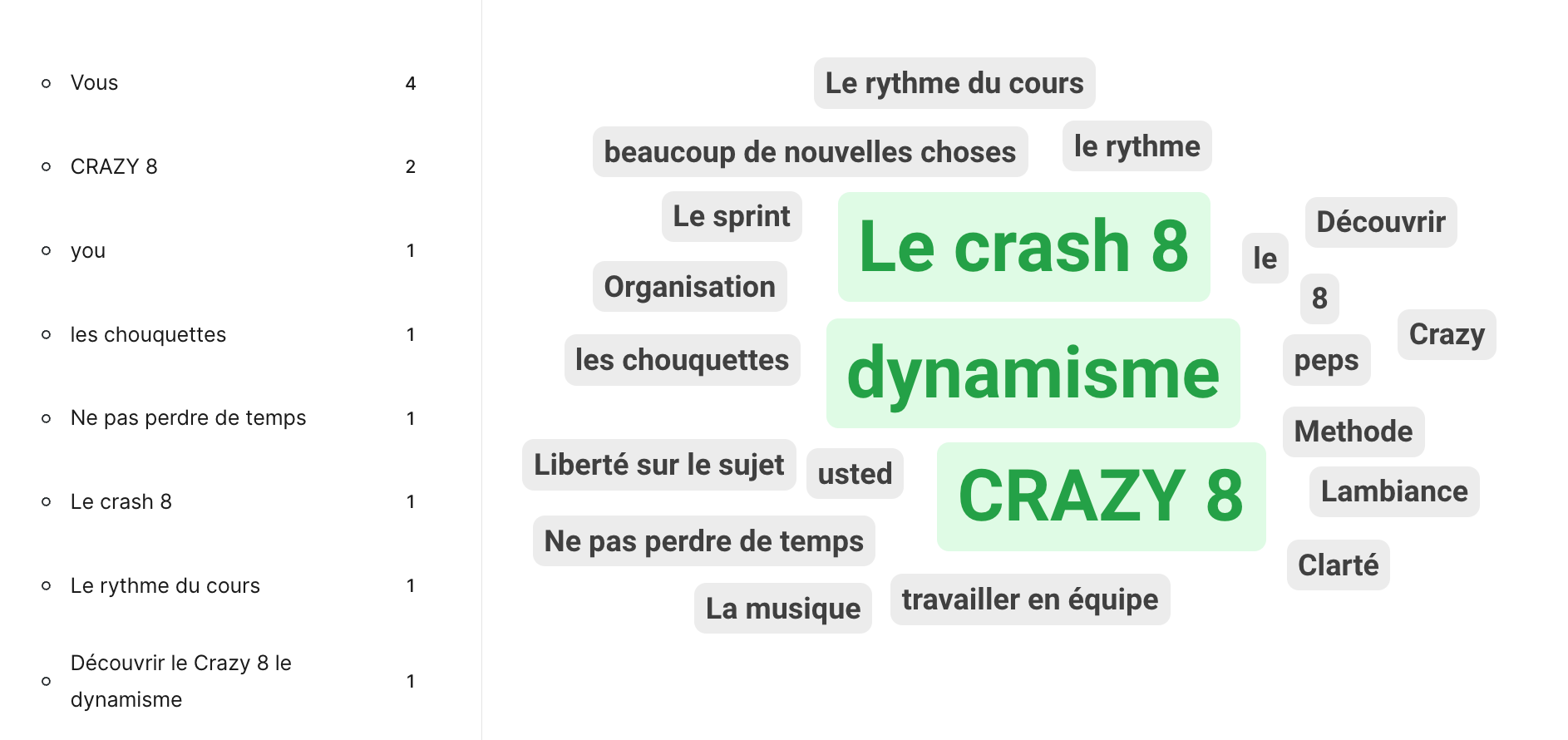
Hello - when I present the top words have been left off the word cloud - seemingly taken for “filler words” but I only see them in admin mode and can’t add them in to the wordcloud. This seems like something we should have control over - can we toggle it on or of a bit like the profane language?

In my example, I asked the class what they liked the most: “Vous” was written 4 times, “You” was written once  and “Usted” once. Vous and You have been left off and I couldn’t react to that in my class - I noticed too late when I looked at the admin panel list of words much later.
 

3 replies

Forum|alt.badge.img

@MariaHD 

Correct, the Word Cloud will block out “filler” words from displaying, although it will still show as submitted to your data. 

The stop word list is currently not editable and it is not possible to manually add them to the Word Cloud yourself but I will forward your feedback to the team.  

Hope this helps.


Agree this is extremely problematic.  Not only is it blocking filler words, it is also not allowing “no,” “best,” “ok” and other similar words.  We should be allowed control over which words are excluded.  Please correct IMMEDIATELY.  Not user friendly.  


Mika from Slido
Forum|alt.badge.img

Hello ​@O'Melveny Team 

Mikaella here from Slido -  happy to help! 

So sorry to hear about your experience, I know you’ve already reached out to us at support@slido.com and we would like to look into your slido session right away. 

Let me know if you have anymore questions! 
My best, 
Mikaella from slido
