



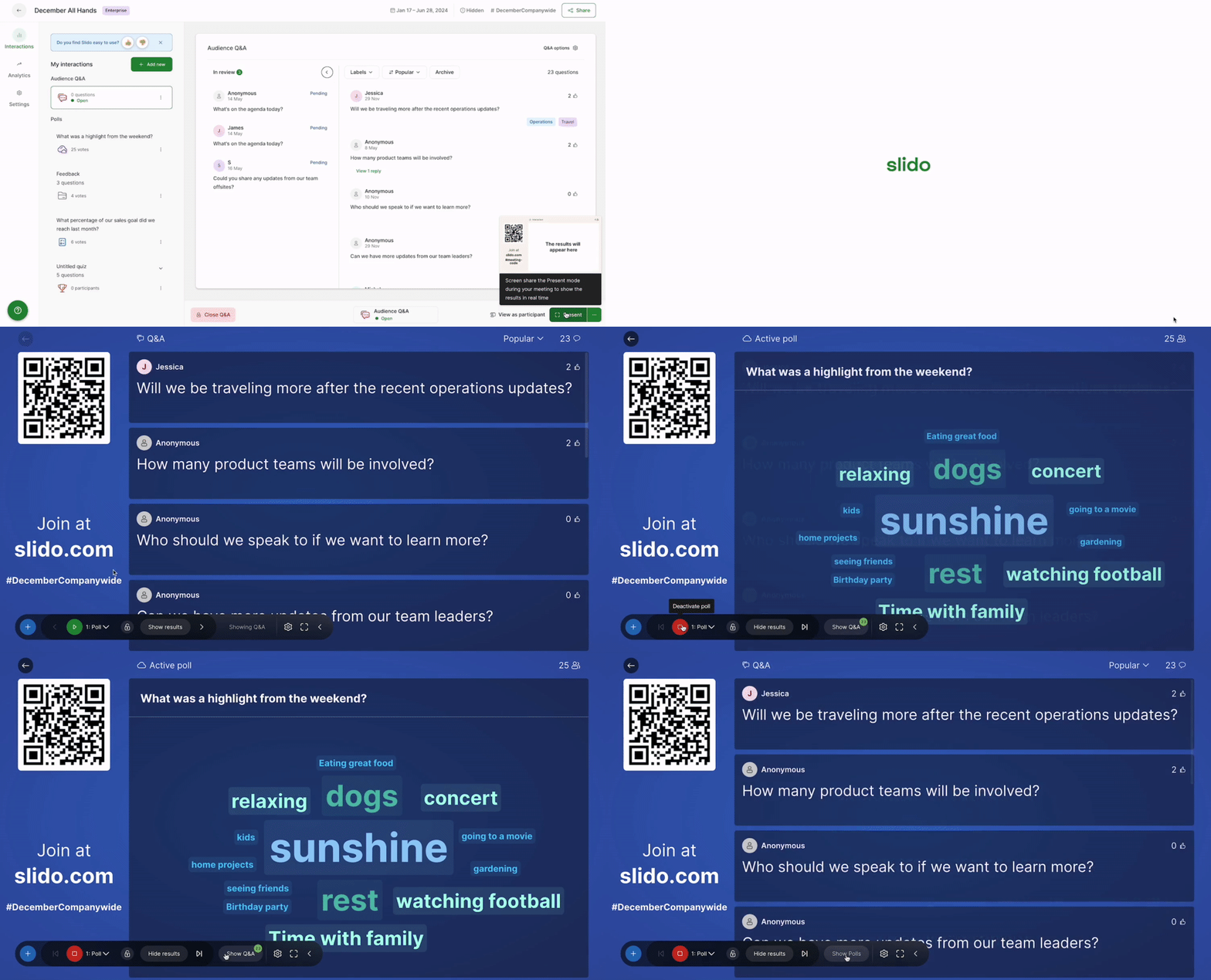
Sometimes it’s helpful to have a poll running in the background while you’re presenting your Q&A. Using the control bar in Slido Present mode, you can do just that.
- Open Present mode via the green Present button
- Start your poll using the green play button in the control bar
- Select Show Q&A from the control bar
Notice that the poll is not stopped. It will remain live for your participants on their devices until you select the red stop button.
Curious about more?