



In this article, you can learn about the limitations of our Google Slides integration which can be removed by installing our free extension for Google Chrome.
The extension provides a seamless integration, without the need to switch between Google Slides and Slido. It also ensuring that videos, animated transitions, and GIFs work as they should when you present.
If you’re having any issues with the Google Slides integration, please check out the Troubleshooting section of our Use Slido with Google Slides article.
Limitations
These Google Slides features will only work if you have our Chrome extension installed:
- Animations on slides
- Transitions between slides
- GIFs
- Hyperlinks
The following limitations apply to our Google Slides integration in general:
- It's not possible to unlink a slido from the Google Slides presentation, but you can reuse the slido or add a new one to your presentation.
- The Google Slides Integration is not compatible with iPads or any other tablets.
- You can use your PowerPoint presentation (.pptx) in Google Slides, however you have to relink your slido and add your polls and Q&A again.
- When using the Chrome browser, you must be logged in to the same Google account in both Chrome and Google Slides. If you are not, you may encounter the below error.
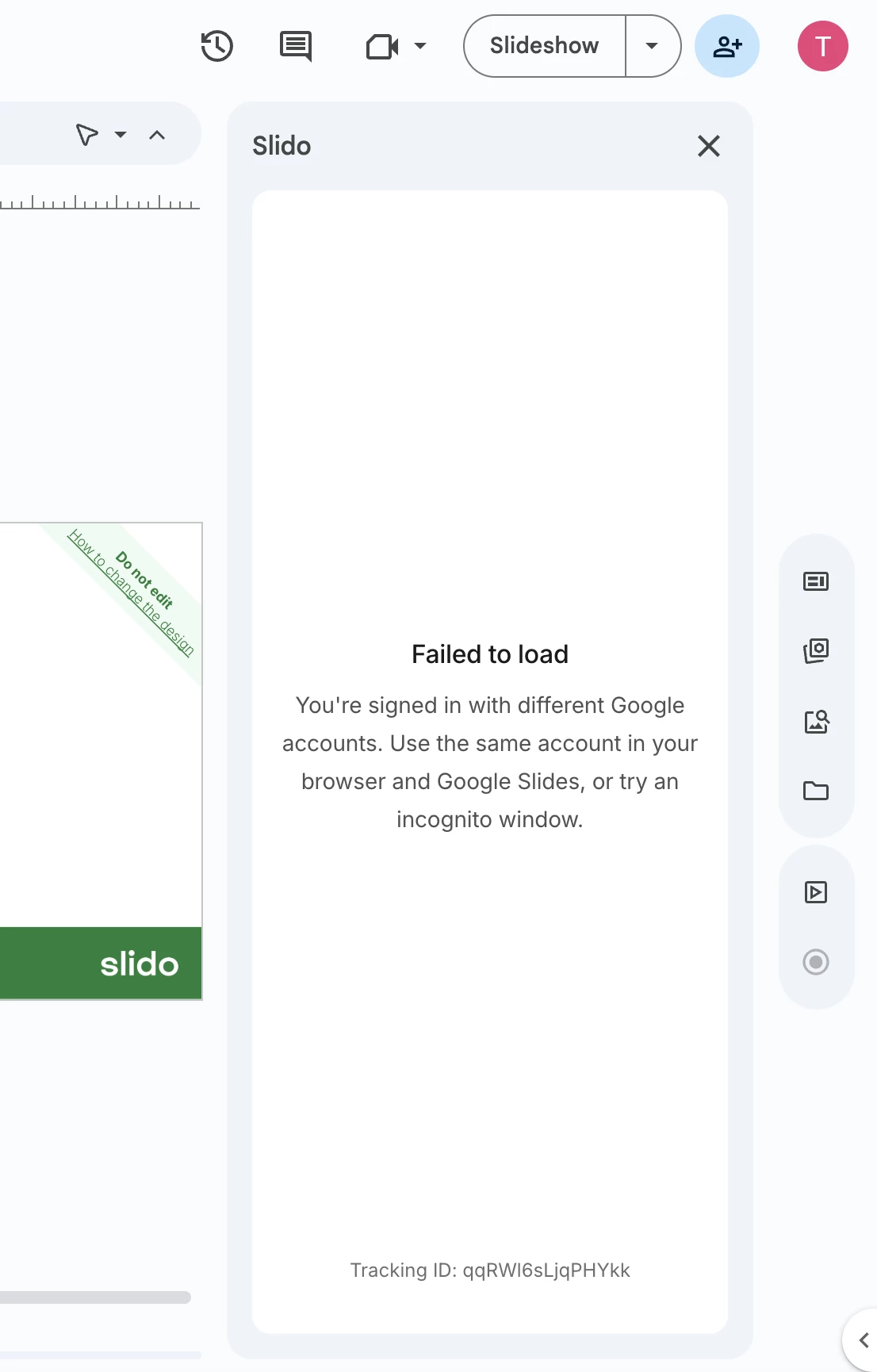
Error message when your Chrome browser and Googles Slides are not logged in with the same Google account.
Curious about more?