Open to voting

Company branding of placeholder slides

Related products:PowerPoint IntegrationGoogle Slides IntegrationPolling
  • September 16, 2025
  • 3 comments
  • 93 views

It would be wonderful to be able to edit the placeholder slides for color and background. Right now, our PPTs are branded in our company color palette but the Slido placeholder slides are not, making for an odd visual contrast. Having the ability to only edit the live polls is insufficient to create a seamless visual experience. That’s my wish!

3 replies

Forum|alt.badge.img

Hello ​@Carmen2u, thanks for the suggestion! 

Just wondering, could this feature that already exist meet your needs? 

You can also set it up for default on your account so you don’t need to change it each time. 

If these don’t work, it would be great to get some more information on what you’re looking for! Thanks so much


  • Author
  • Participant
  • December 3, 2025

Hi Jo,

You are confusing the Slido with the PPT slide itself. The slido can be edited for color/branding, but not the placeholder slide in PPT. It is the PPT slide that I would like to be able to edit. Thanks for your consideration.


Carmen


Forum|alt.badge.img

Hi Carmen, 

Sorry, I’m still not sure I understand which part you would like to change. Let me use some visual examples of different slide types - can you help direct me towards the part that you mean?

This would be a content slide that you’ve created, this would be down to you to adjust and we don’t interact with this slide’s design


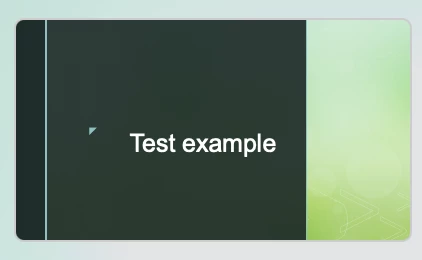
This is the view when we add a poll as the placeholder slide. This can’t be customized or changed because this is just a placeholder for us to know that you would like to call and bring Slido up at this point in time. As far as we are concerned, this slide should never be viewed by the audience you are presenting to


Once you move your presentation into the present view, this above slide should turn to this view which can be customised into the colors you would like following the steps I shared previously: 


Thanks so much!


  • Author
  • Participant
  • December 3, 2025

Hi Jo,

On Sept 26, we did a test with your colleague, Jennifer, with whom we invited to our webinar that showcased the issue.  Our panelists and our attendees could see the placeholder slide, so that remains a sticking point. Given that we cannot edit the placeholder slide, we do not use that functionality in PPT. Rather we build a slido and launch it in WebEx without the placeholder slide. If you ever allow for editing of the placeholder slide, let us know. That remains on our wish list.


Carmen