



If you've created individual polls but would actually like to have them grouped under a survey instead, you can merge them with a few simple clicks.
Available with any paid plan
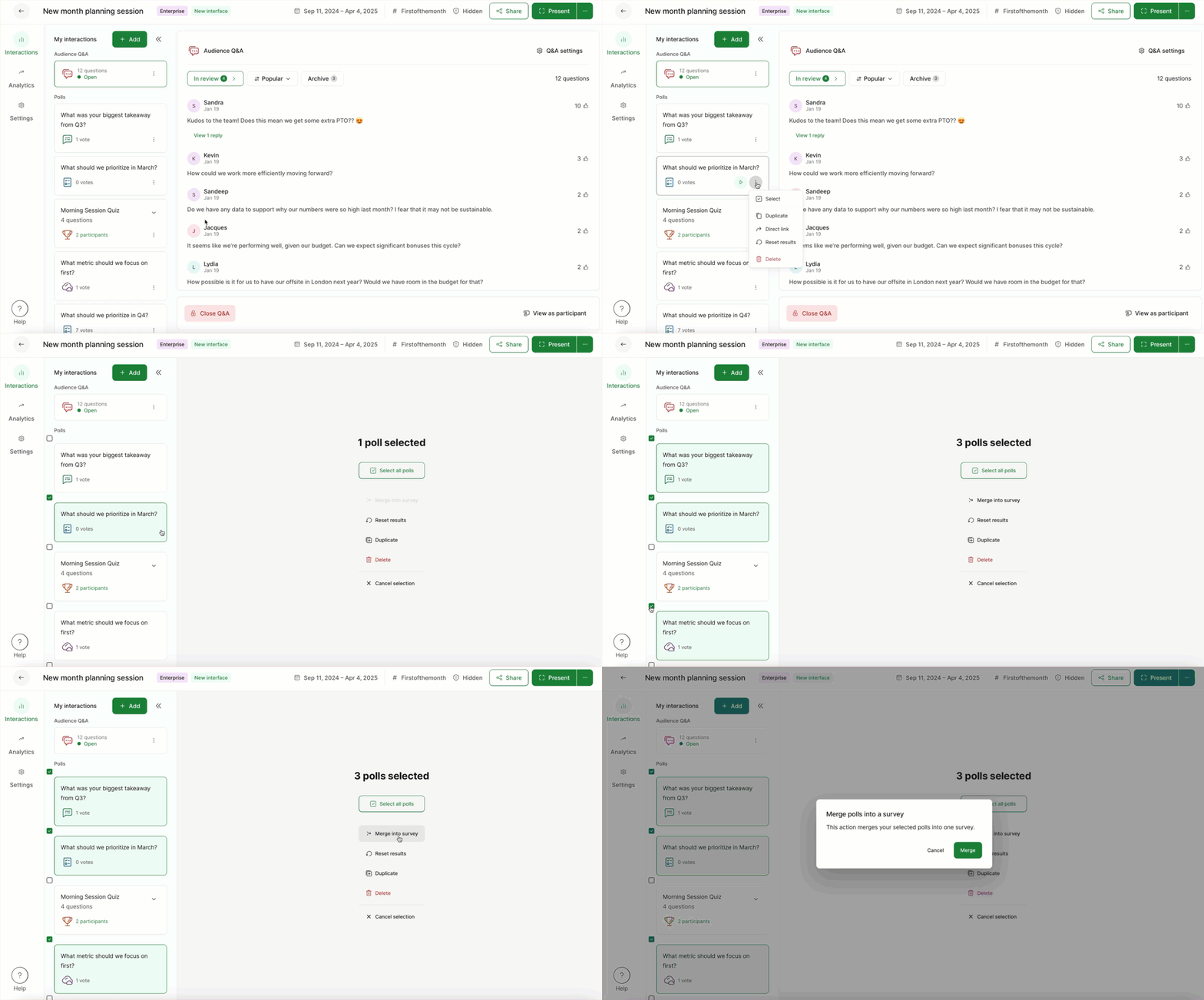
To merge your polls into a survey, make sure that all polls are deactivated and then follow the below steps.
- Select the three dot menu next to one of the polls
- Click Select
- Tick the boxes next to every poll you’d like to include
- Select Merge into survey and confirm
Note that all data gathered in your individual polls will also carry over to the newly created survey.
The newly created survey will be untitled. Click on it to give it a proper name.
Curious about more?