



You can add the “other” option to a multiple choice poll by using a survey. This gives your audience the freedom to submit their own response to your poll question.
Available in our Engage plan and higher.
To include the “other” option for your multiple choice poll, see the below steps for creating a survey:
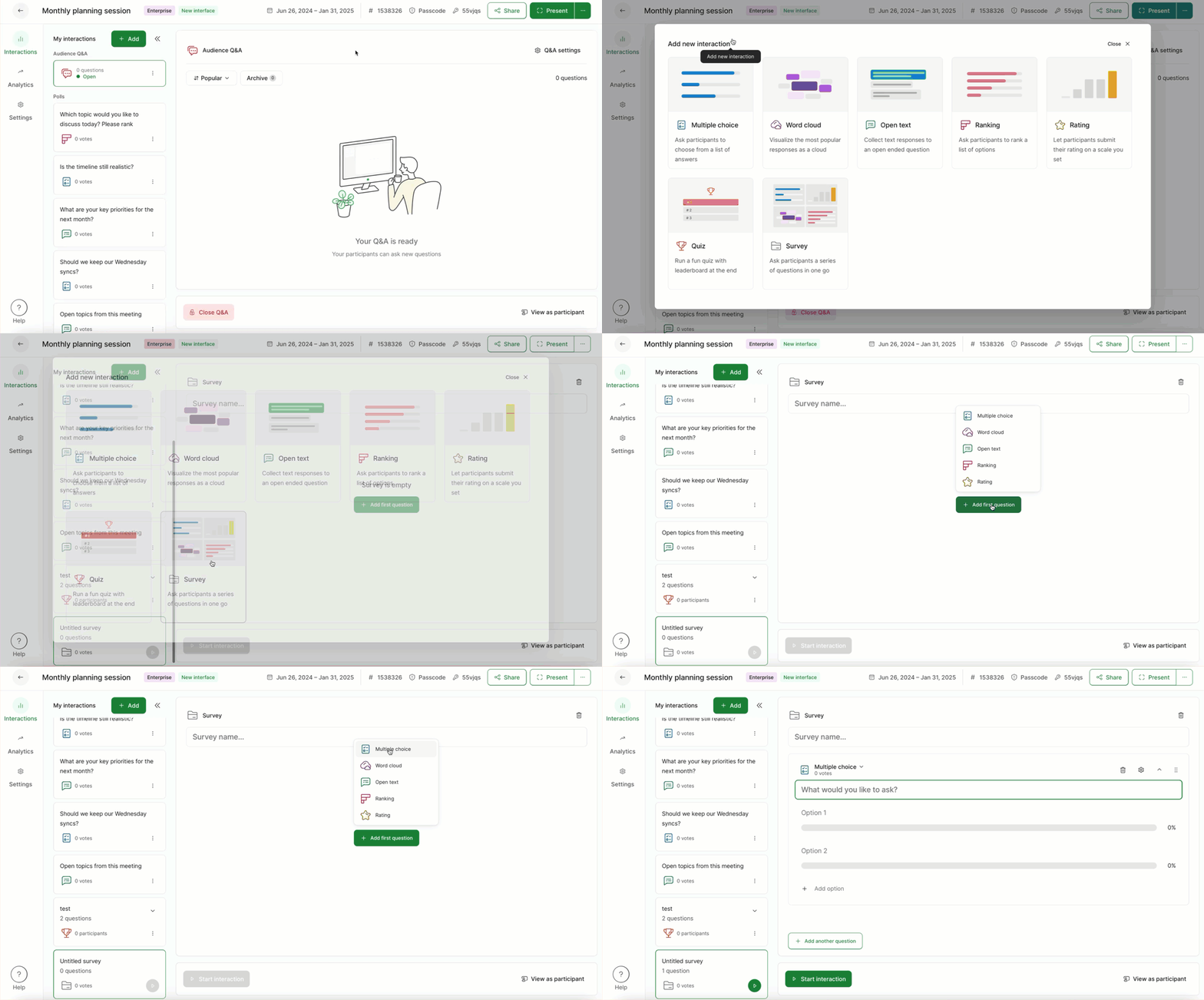
- Click + Add and select Survey
- Name the survey if you wish, or simply click + Add first question
- Choose Multiple choice
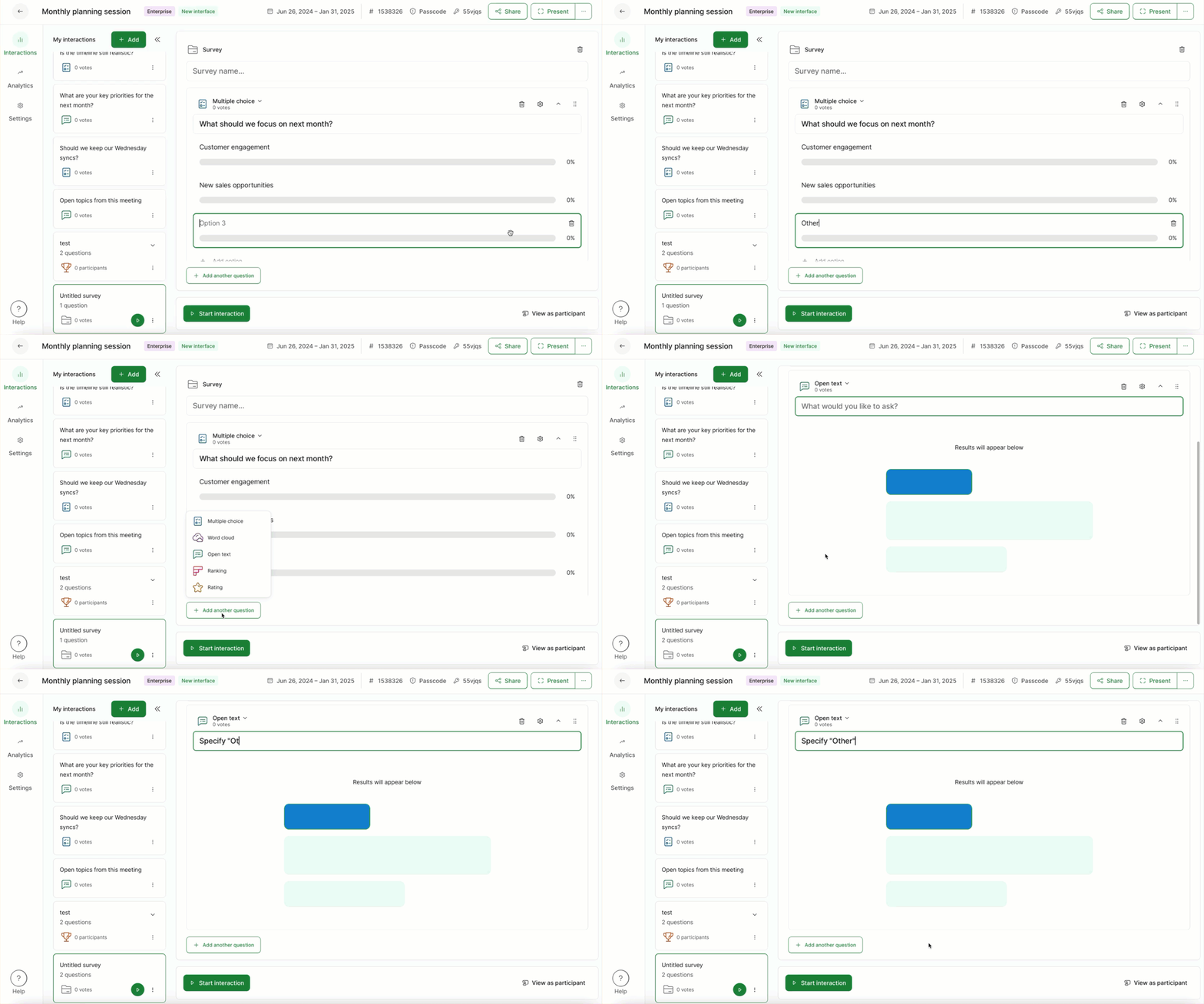
Next, enter your poll:
- Enter your multiple choice poll with the last option being Other (please specify)
- Select + Add another question and choose Open text
- For the Open text poll, enter Specify “Other”
- Your survey will save automatically
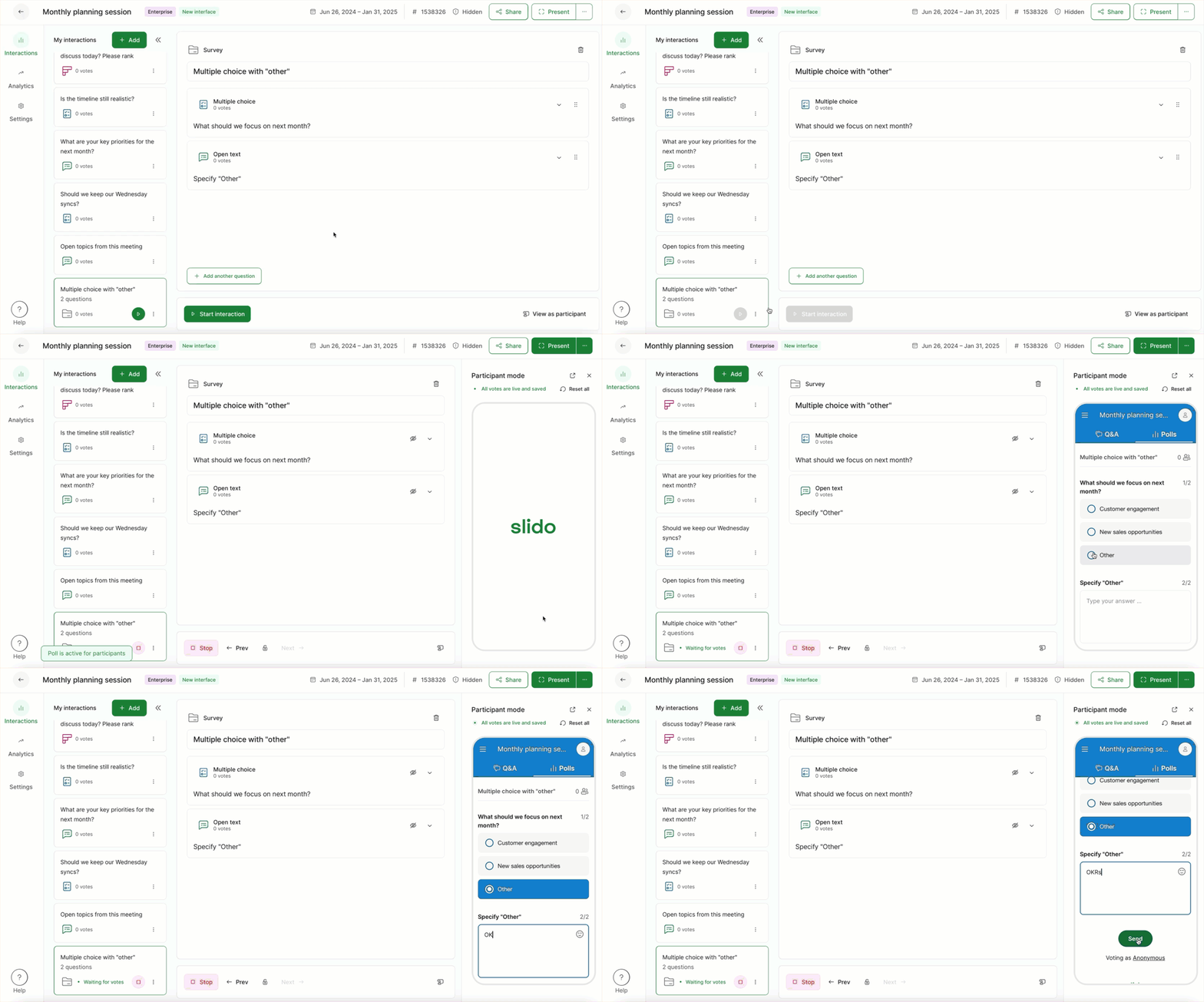
Now you’re all set. To see how it will look for participants, start your survey and select View as participant.
What if I’ve already created my multiple choice poll?
If you already have your multiple choice poll, you can create the open text poll and merge the two together.
Curious about learning more?