



If you've created a survey but would actually like to have it as individual polls instead, you can split it with a few simple clicks.
Available with any paid plan
All data you gathered in your survey will carry over to the individual polls.
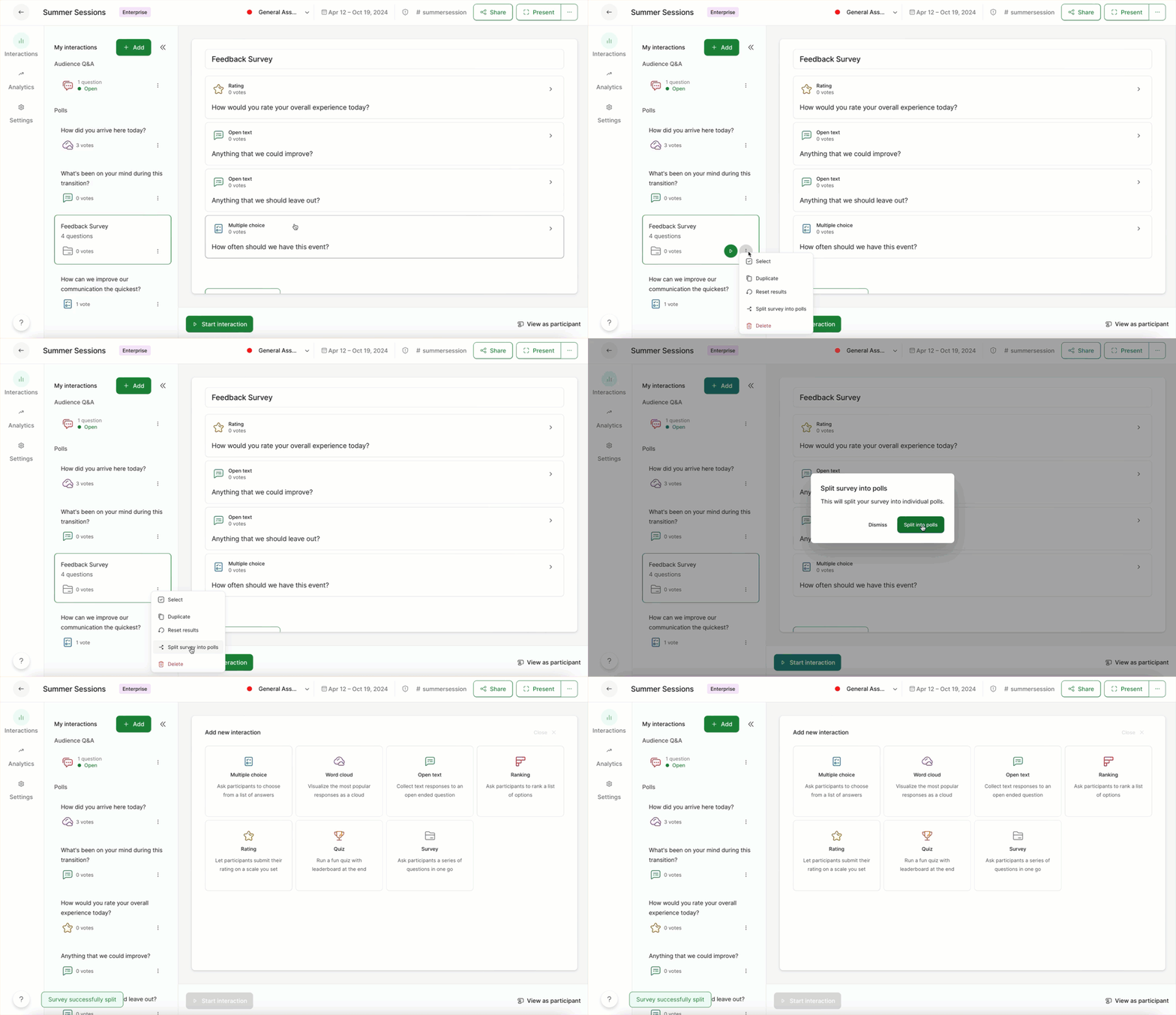
- Open the three-dot menu next to your survey
- Select Split survey into polls
- Confirm by clicking Split into polls
Keep in mind that live surveys cannot be split. If you’ve started your survey, you’ll be prompted to stop it first.
Pro tip: If you only want to split some polls from your survey, you can split it and then merge the polls you want back together.
Curious about more?