




Welcome to 2026! We hope you’re looking forward to another year with Slido 🎉
Every meeting is a chance for participants to feel heard and included, and we’re happy to be part of it.
To kick things off, here’s a quick look at what we worked on in January, plus we also sneaked in some updates from December, too 🙌
Updates overview:
- Slido AI in Host mode
- Emojis have arrived in open text polls
- Bulk actions in Team management
- Automatic access to a slido for external Webex Webinar panelists
- Slido for PowerPoint updates
- Changes to Present mode
- Sunsetting Slido mobile app for iOS and Android
🪄Slido AI in Host mode
AI-generated polls now available for everyone
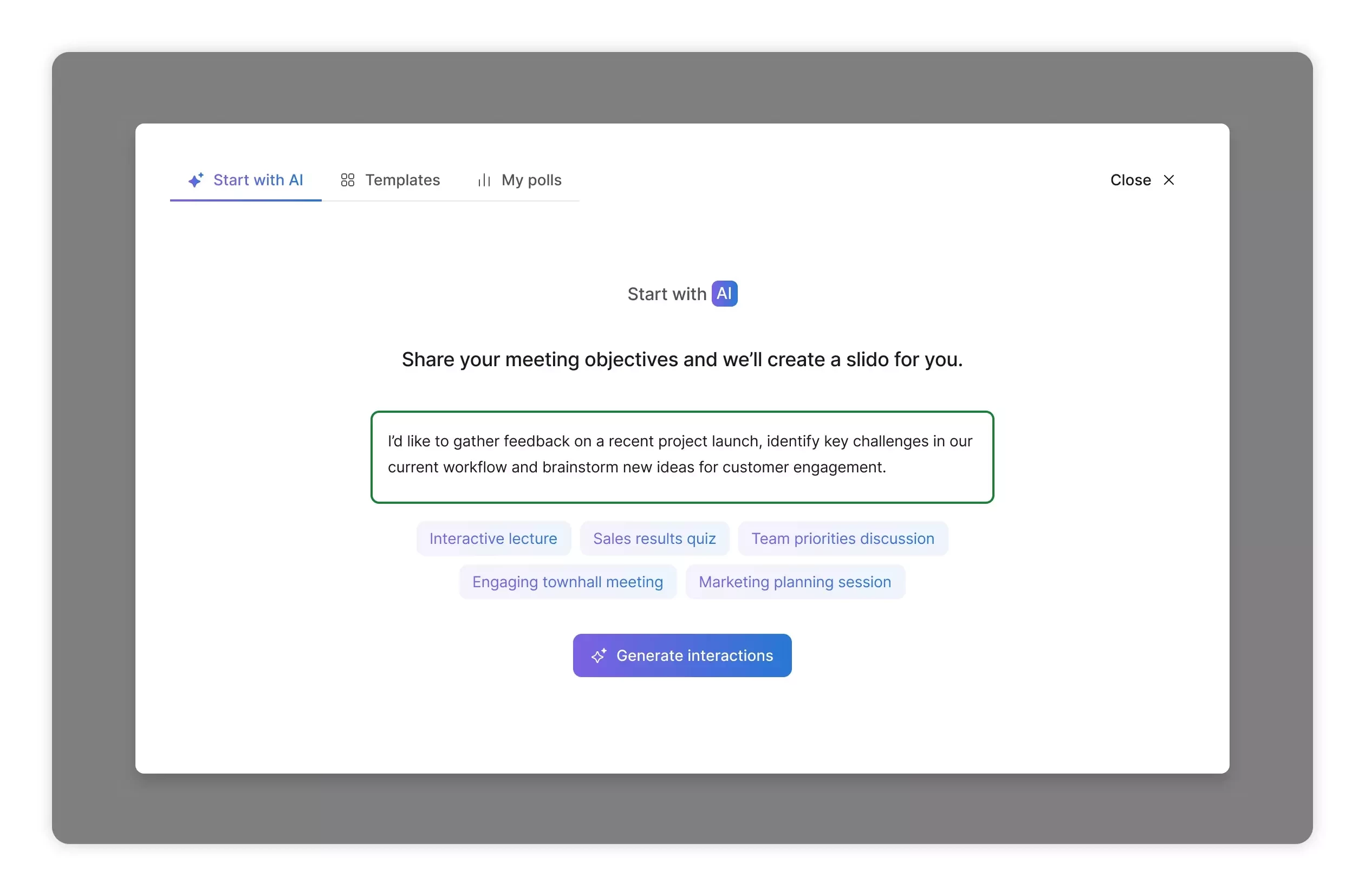
Before the end of 2025, we rolled out AI-Generated polls from prompt in Host mode to all our customers.
To start, click the AI button in the Interactions sidebar, share a few details about your meeting or event like goal, type or size and instantly receive poll suggestions. If you want more ideas, you can refresh the list.
Improve your poll questions with Slido AI Writing Assistant
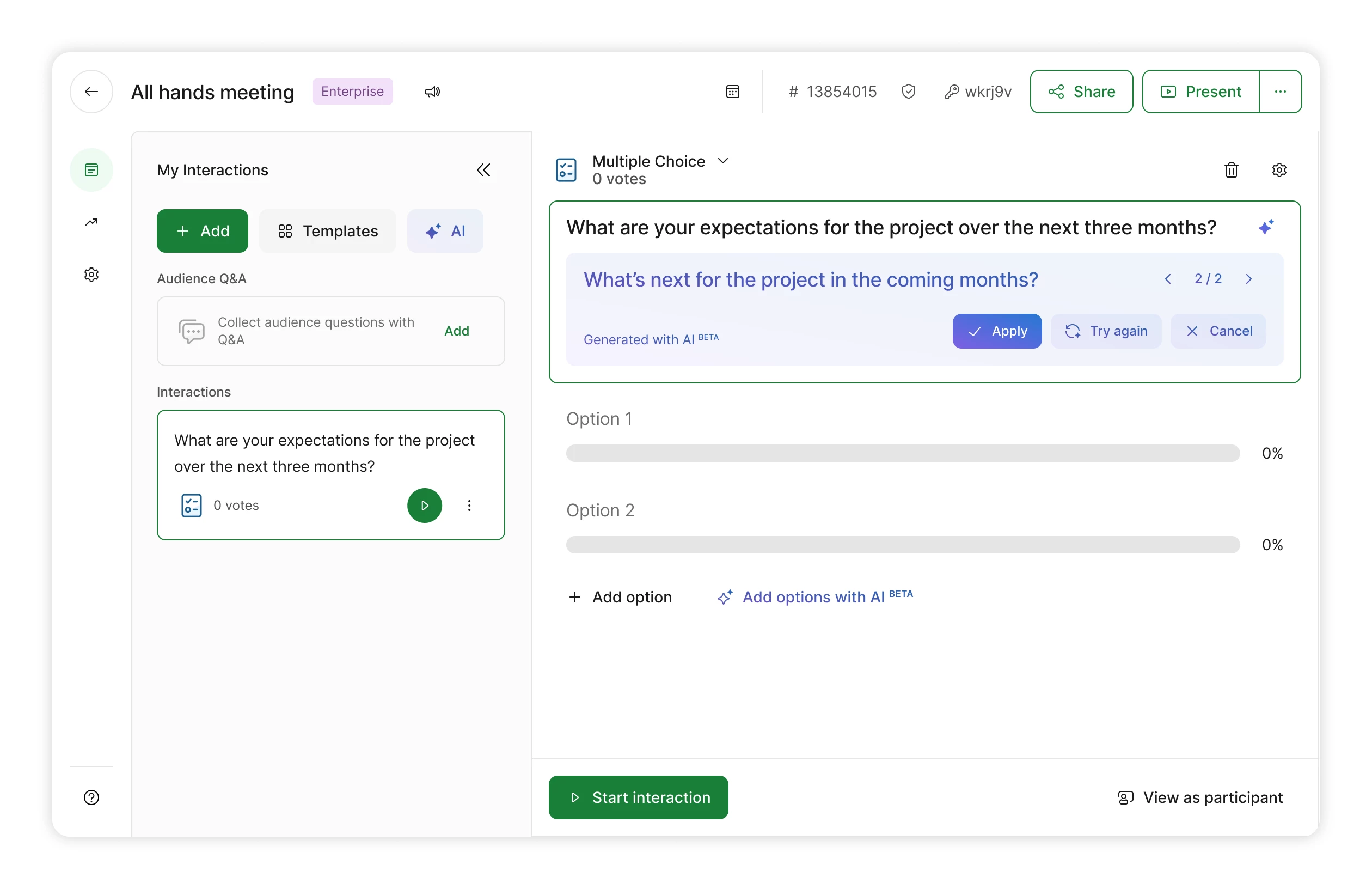
We also rolled out the AI-Writing Assistant for polls to all users in January 💪🏼 It helps write better questions and generate answer suggestions for multiple choice and ranking polls.
Just click the AI star icon to rewrite a question or use the "Add options with AI" button for answers. Remember to mark any correct answers manually.
💡 Enable AI features for your organization members
If you’re an admin or owner of Enterprise or Webex organization, you can now enable all Slido AI features for your users from Organization settings.
🖖🏻 Emojis have arrived in open text polls 🤗 😎 😇
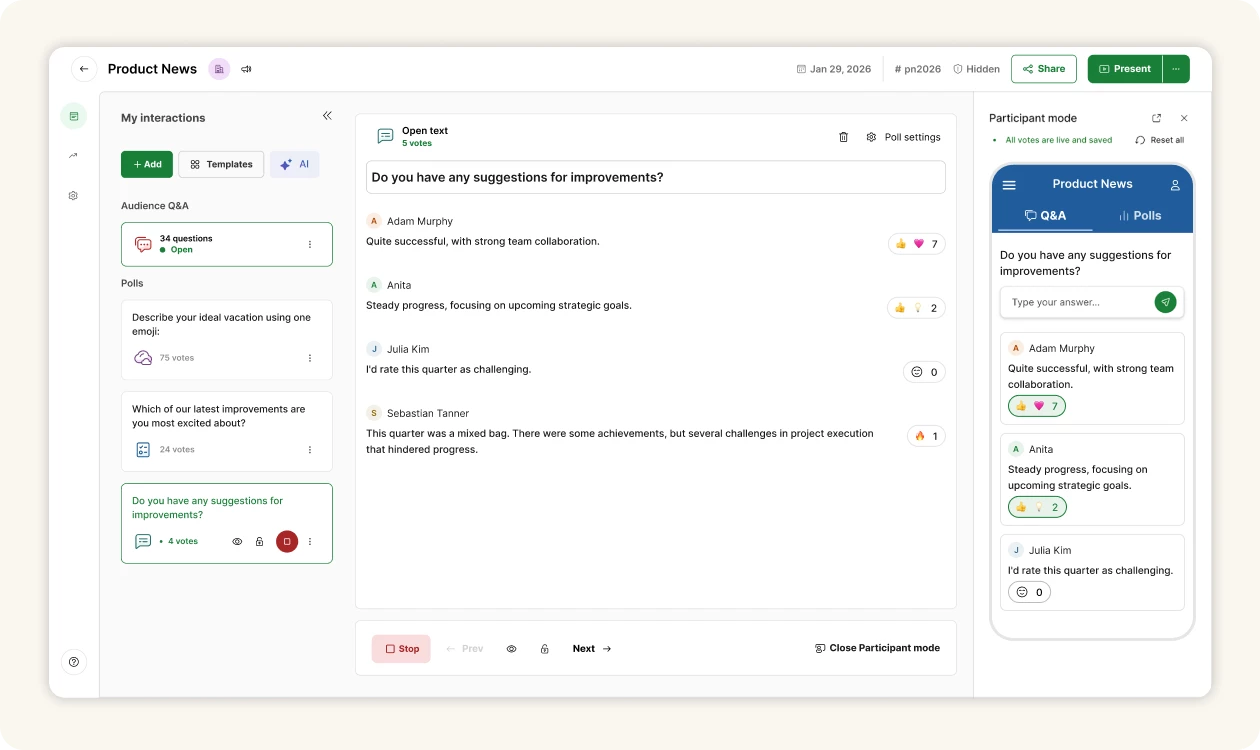
You can turn these on in Poll settings and once enabled, your participants can react to each other’s answers with emojis. It’s a quick way to get an overview of which responses resonate most with your audience. Emoji reactions show up in every mode, be it Participant, Host or Present mode.
We’ve also given open text polls in Slido a fresh look. Each submission now appears in its own box, so it’s easier to read what everyone has to say.
👥 Bulk actions in Team management
If you’re an admin or owner of a Slido organization, you can now easily manage multiple users and save time with bulk actions.
Select multiple organization members using checkboxes to assign roles or remove users. Plus, you can upload a .csv file to add or update users in no time.
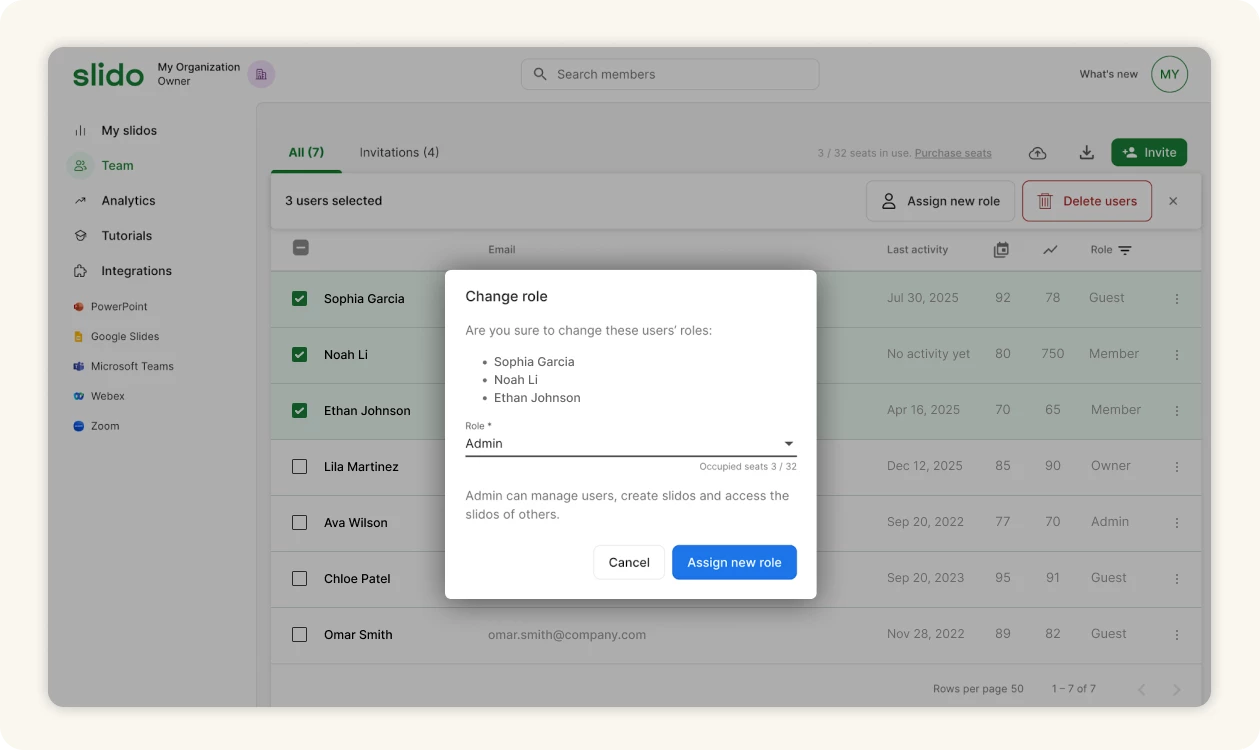
*Please note that this feature is not available for Webex organizations as their users are managed in Control Hub.
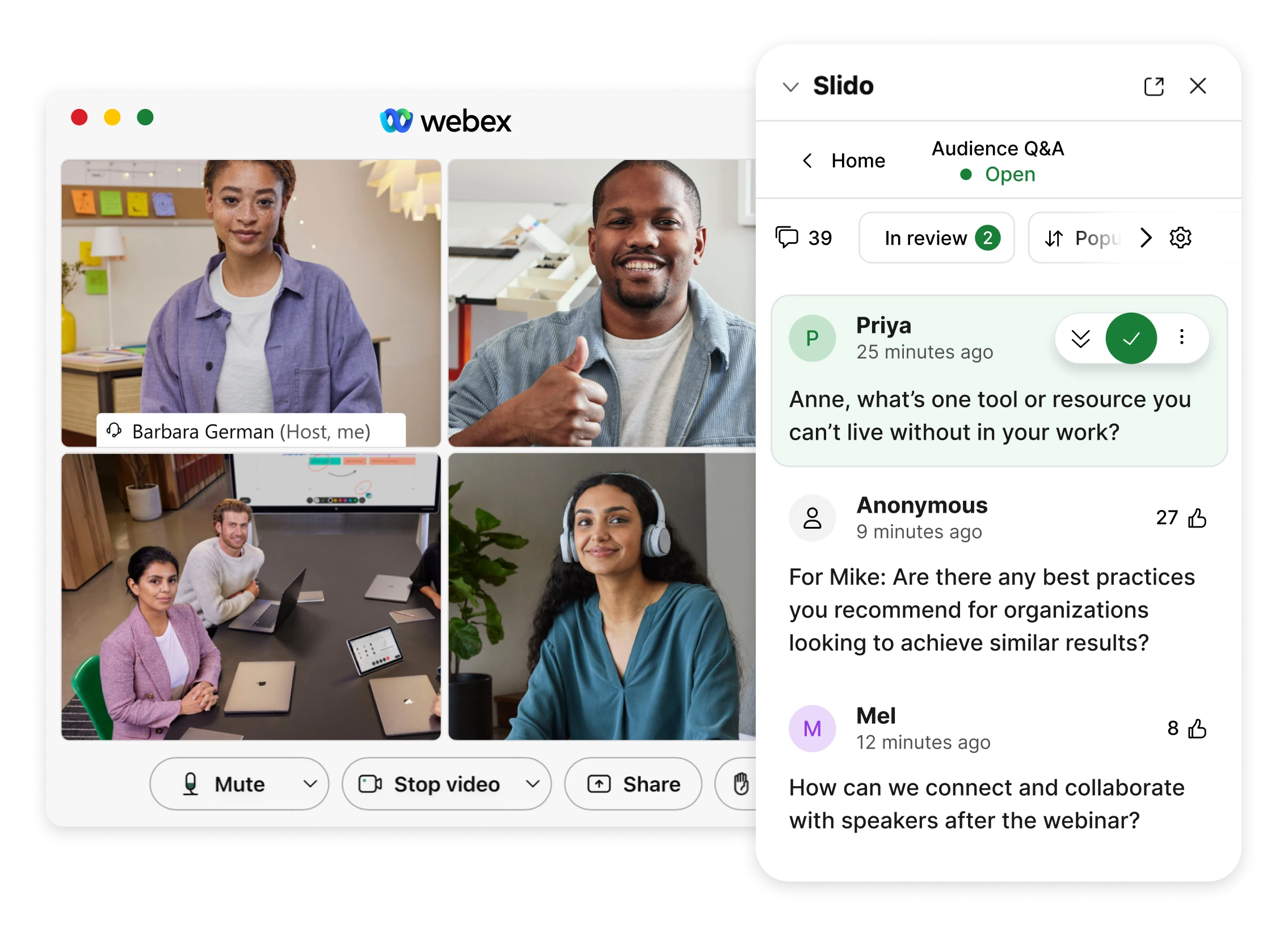
🔐 Automatic access to a slido for external Webex Webinar panelists
We’ve made it easier for external panelists in Webex Webinars to answer and manage audience questions. Once the host enables Q&A or activates a poll, panelists outside of the host’s organization will automatically see Slido Host mode.
There’s no need for the host’s organization admin to enable the “Exclude guests” option in Organization settings. External panelists will have co-host access to the slido for as long as the webinar is running.
Panelists from the same Slido organization can request access during the webinar or the host can invite them in advance.
🧩 Slido for PowerPoint updates
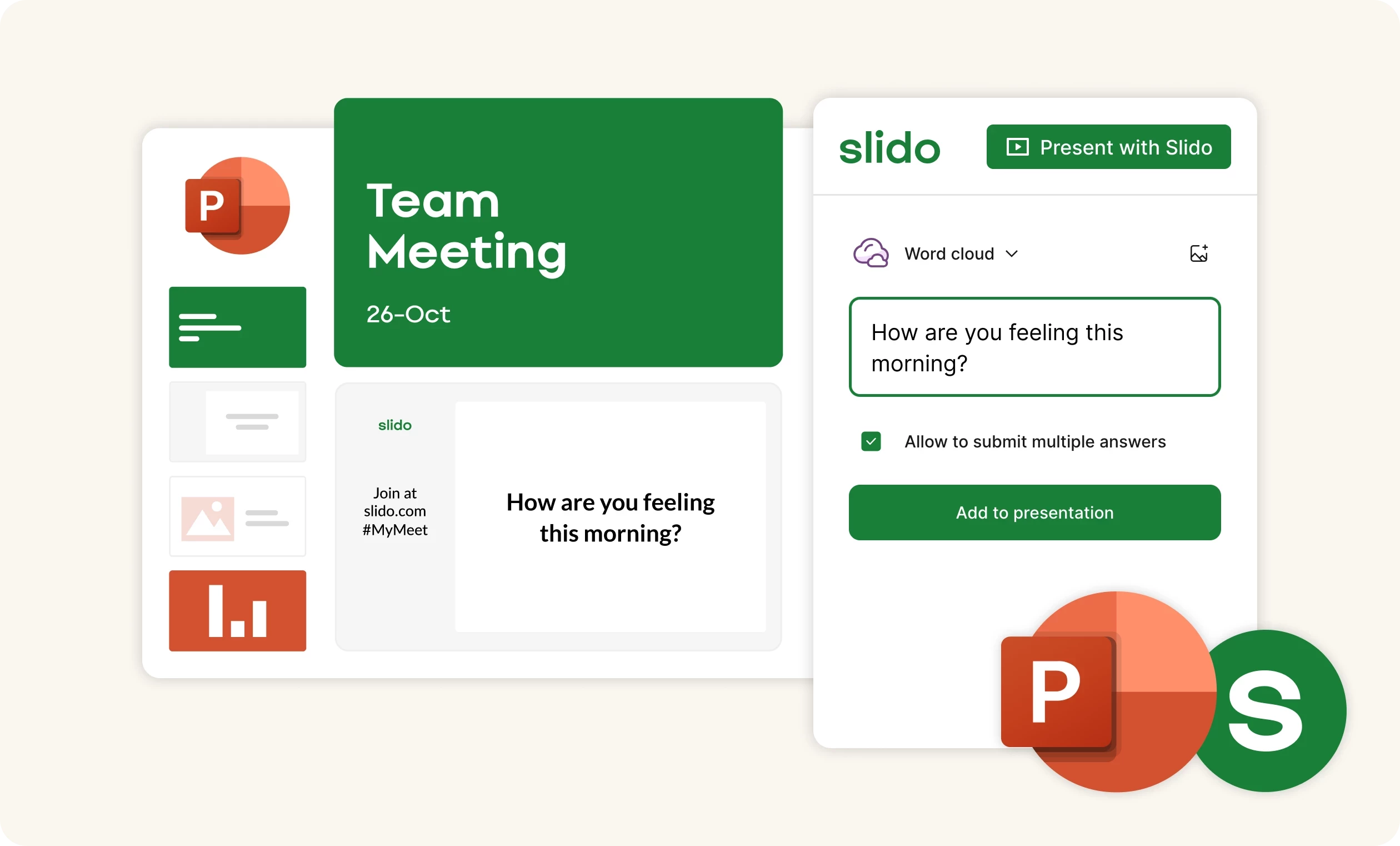
In the last couple of months we rolled out new versions of Slido for PowerPoint on macOS (v.1.11.1) and Windows (1.20.0), which introduced performance improvements and minor fixes.
For details and updates history check our changelog articles:
Download the latest versions below:
- Slido foe PowerPoint on Windows v1.20.0: Basic installer
- Slido for PowerPoint on Windows v1.20.0: Admin installer
- Slido for PowerPoint on macOS v1.11.1
🖥 Changes to Present mode
On February 20, 2026, we’ll discontinue the option to add new polls directly from the control bar in Present mode.
This update will affect only a small number of users, but it will help us make behind-the-scenes improvements to keep Present mode running smoothly. You can continue to create polls in Host mode or through our integrations as usual.
👋🏻 Sunsetting Slido mobile app for iOS and Android
We’re retiring the Slido mobile participant app on March 30, 2026, as most of our participants find it easier to join and engage with Slido through a desktop or mobile browser or via video conferencing platforms. The apps are already gone from the app stores, so you can’t download them anymore. If you have the Slido app installed on your mobile device, you can use it until March 30.
After that, join Slido on your phone by simply opening your browser and going to slido.com.

For more details read the article below:
That's all for our January updates - we hope you're as excited about them as we are! Don't forget to subscribe to our Product News and Announcements to stay in the loop on all things Slido. 📩
Got feedback? We're all ears! Share your thoughts with us at experience@slido.com 👋