




Creating the right interactions for your meeting should feel simple, even when you’re starting from a blank page. And once you’re live, running Slido should be just as natural. This month, we made it easier to get better poll suggestions with Slido AI and keep Q&A and polls running smoothly in PowerPoint.
Here’s what’s new:
🤖 Upload files to create AI-generated polls
Need poll ideas that match what you’re about to discuss? Add your meeting agenda, notes, slides or class content and get even more relevant suggestions from Slido AI.
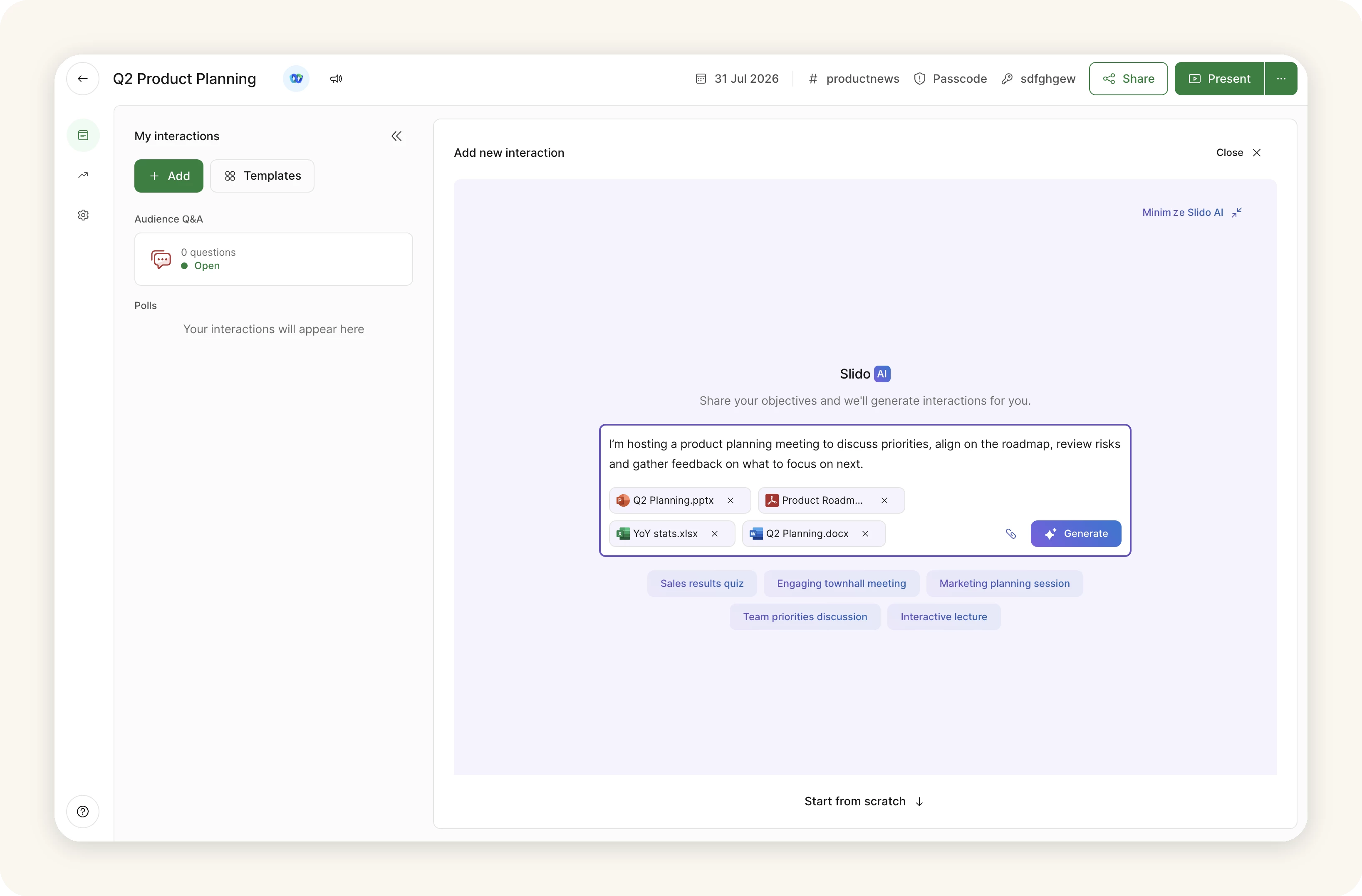
We support txt, .csv, .pdf, .pptx, .docx and .xlsx, with each one up to 25 MB.
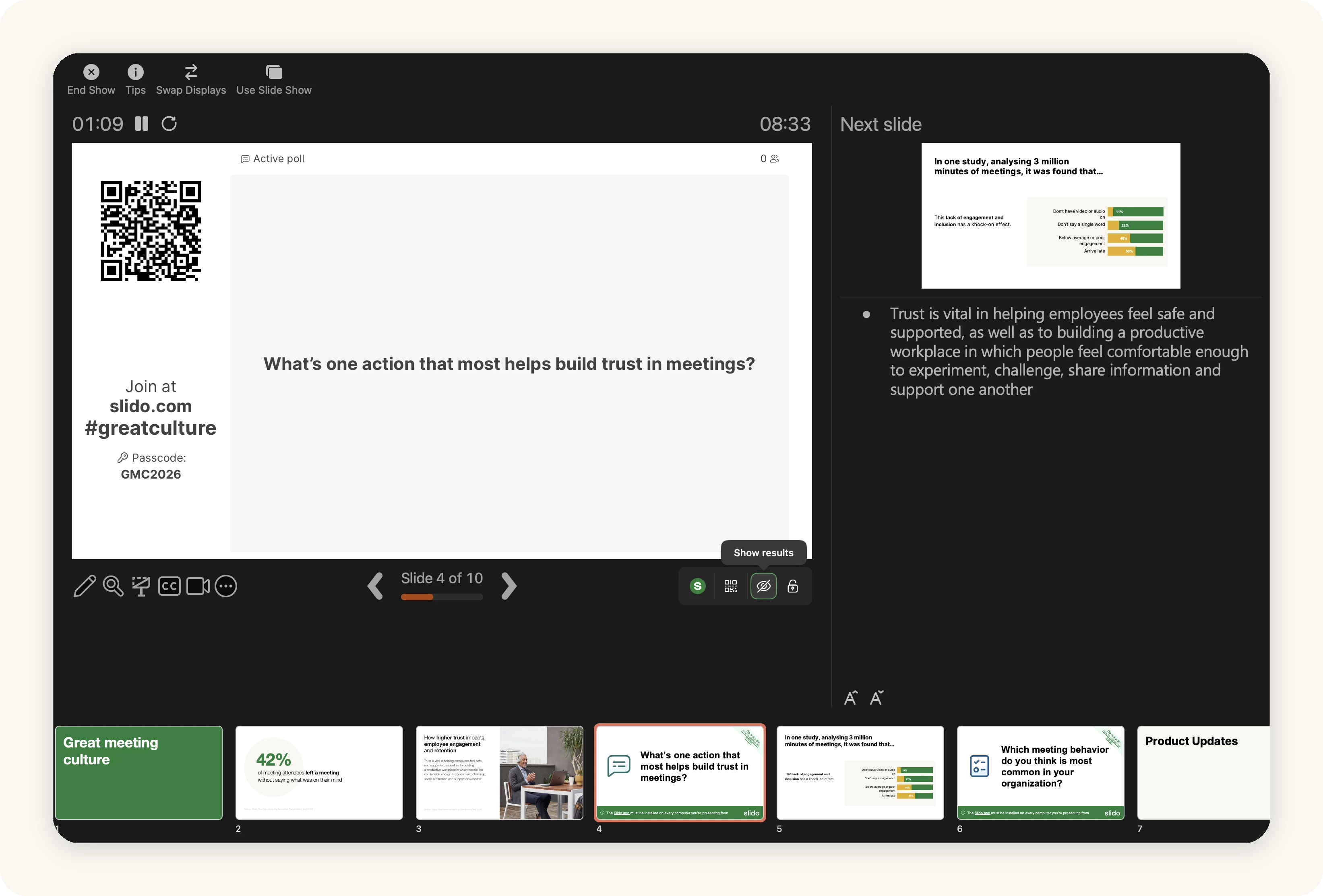
🧩 Slido controls in PowerPoint Presenter view
The Slido Control bar in PowerPoint Presenter View is now available to everyone using the integration on Windows or macOS. You can manage Q&A and polls from one place while presenting, without switching screens or reaching for another device. 🎉
We’ve also released new Windows and macOS versions with fixes and improvements.
On Windows, version 1.22.4 improves compatibility with other PowerPoint add-ins, helping Slido run more reliably alongside the tools you already use. For more details, check our changelog article.
Download the latest version below:
- Slido for PowerPoint on Windows v1.22.4: Basic installer
- Slido for PowerPoint on Windows v1.22.4: Admin installer
On macOS, version 1.13.0 makes Slido fit more naturally into PowerPoint. Placeholder slides now support the dark theme, the sidebar has a refreshed design that better matches PowerPoint and the release includes security improvements. See what else changed in the changelog article.
That's all for our July updates - we hope you're as excited about them as we are! Don't forget to subscribe to our Product News and Announcements at the top of the page to stay in the loop on all things Slido. 📩
If there’s something you’d like to see in Slido, share it in our Wishlist.🤞💚