




June marks the halfway point of the year—a perfect time for fresh energy and new goals! This month, we’ve focused on delivering updates to our PowerPoint integration, including one you definitely don’t want to miss: the ability to remove a Slido session from a presentation when the linked Slido isn’t accessible.
We’ve also been working hard on under-the-hood improvements to ensure an even smoother experience across the platform.
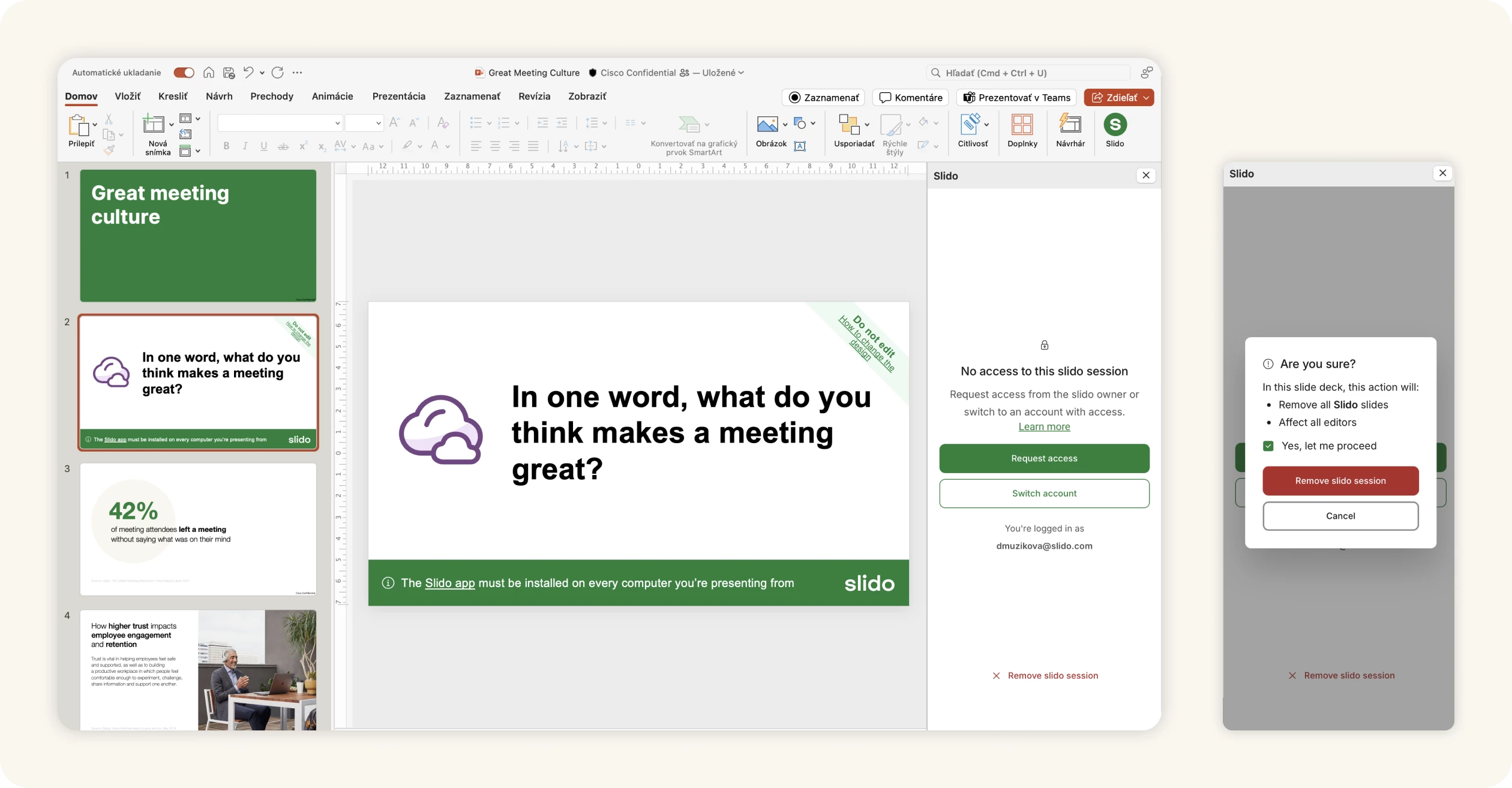
⛓️💥 Remove a slido from a PowerPoint presentation
Good news! You can now easily remove a slido from your presentation, making it so much simpler to deal with situations where the linked slido isn’t accessible for you.
This is especially helpful if your presentation is linked to one Slido account but needs to be used with a different one (e.g. work vs. personal) or if you’re working with shared or duplicated presentations linked to a slido you can’t access.
And don’t worry—this won’t remove the Slido integration from PowerPoint itself.
📥 New version of Slido for PowerPoint on Windows 1.17.0
We’ve released a new Windows version of Slido for PowerPoint with several key updates. These include bug fixes, a new format for poll icons and uninstall steps that now link to our Community page for additional support.
For enhanced security, the embedded Chromium browser (CefSharp) has also been updated to version 136.1.40 / Chromium 136.0.7103.93
Download the latest Windows version:
See our change log for all previous version updates:
That's all for our June updates—we hope you're as excited about them as we are! Don't forget to subscribe to our Product News and Announcements to stay in the loop on all things Slido. 📩
Got feedback? We're all ears! Share your thoughts with us at experience@slido.com 👋