




Halfway through the year, there’s usually plenty to discuss, decide and wrap up. Our June updates are here to help you keep things moving, whether you’re in the middle of a meeting or coming back to the results later.
Here’s what’s new:
- Fresh updates to Slido Ideas
- Emoji reactions in Open text polls enabled by default
- Slido for PowerPoint updates
💡 Fresh updates to Slido Ideas
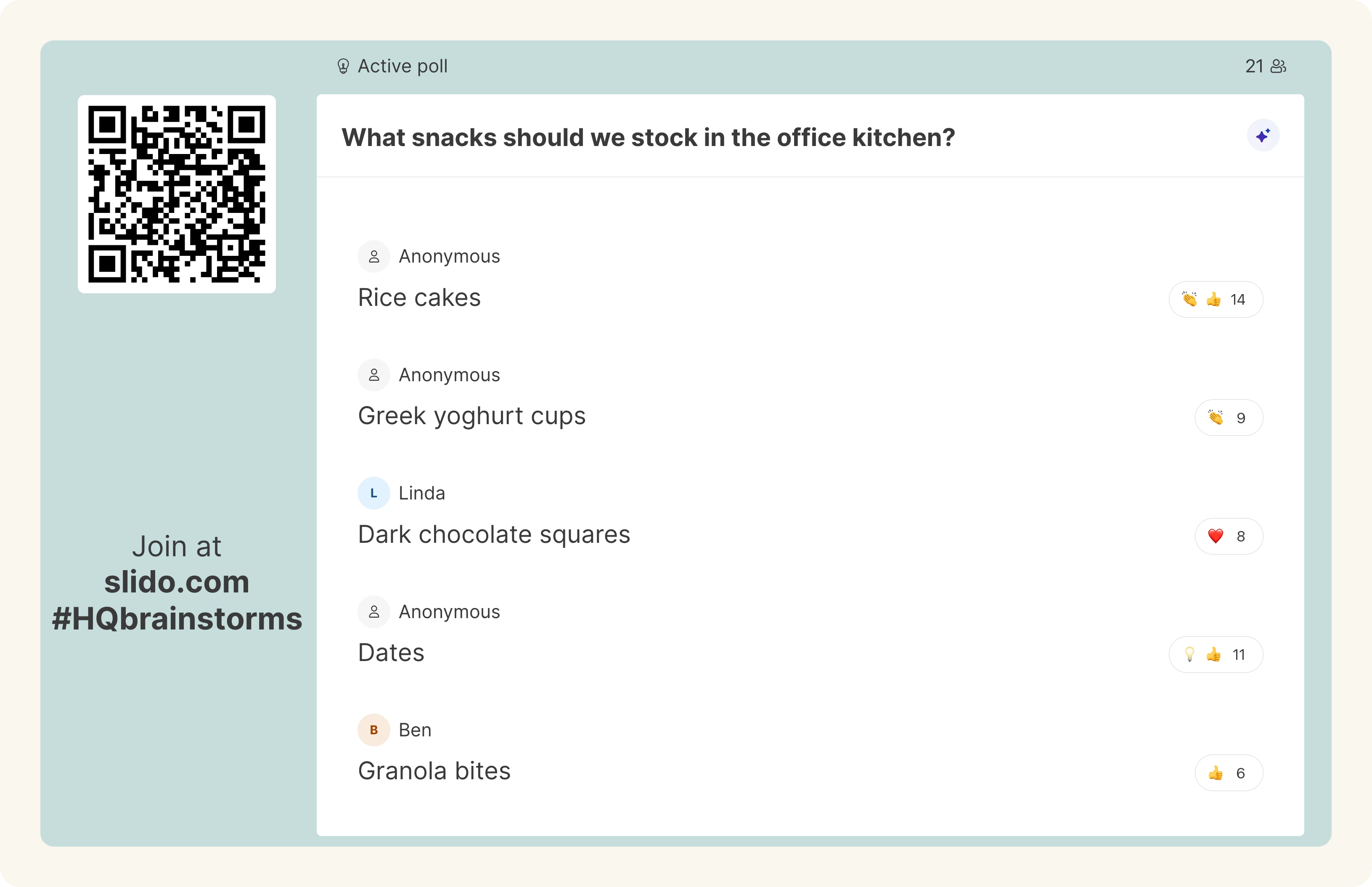
Slido Ideas are available for everyone! 🎉 Simply open your slido, activate a brainstorming topic and let all your participants submit their ideas.
To make it an even more seamless experience, you can use AI categorization also in Present mode, so it’s easier to group similar ideas while presenting. And if more ideas come in, you can recategorize them from Present mode too.
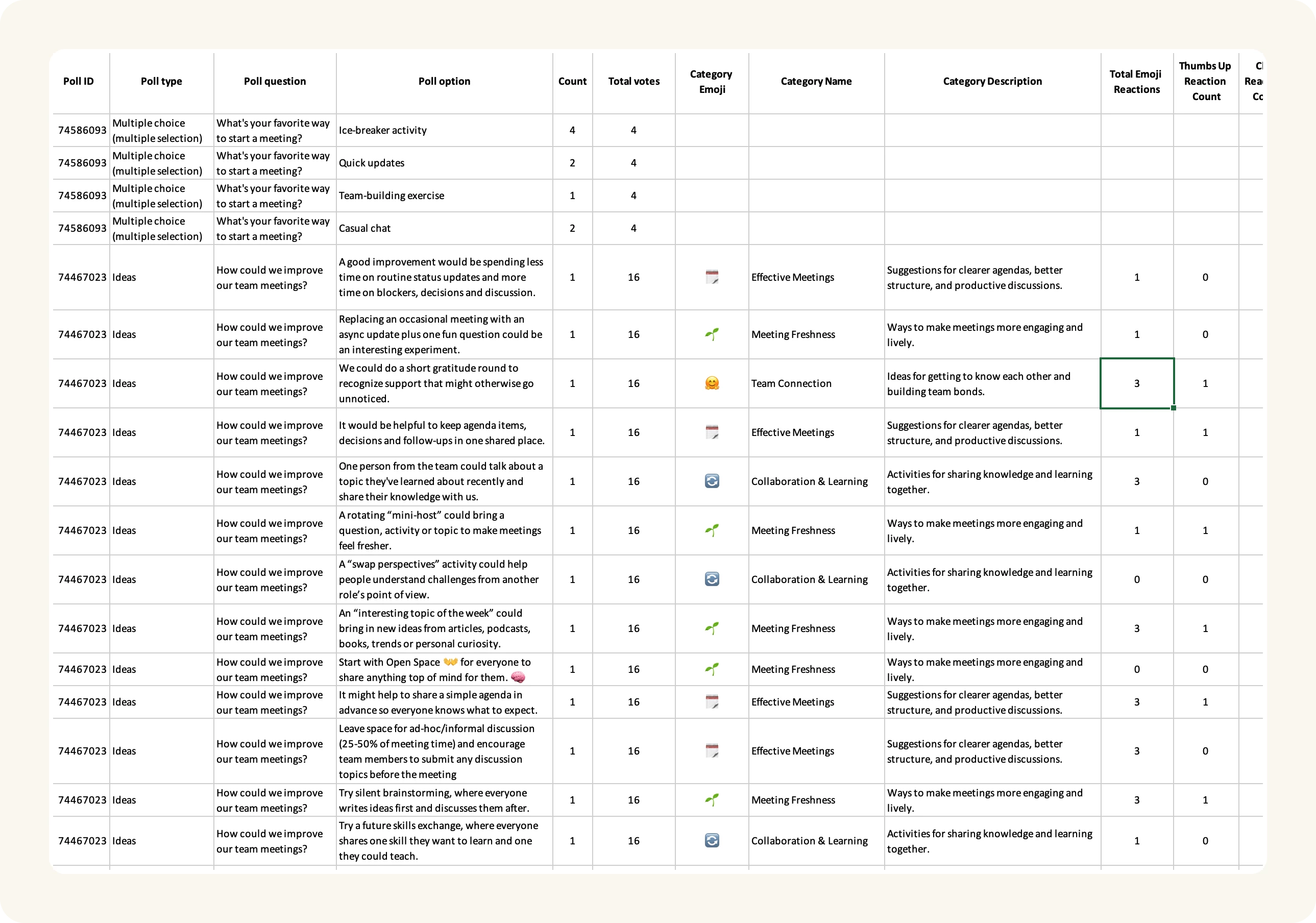
Plus, we’ve added Ideas to Excel (.xls) poll exports. The file now includes each idea, its count, category if it belongs to one and emoji reactions, so you can review, share and work with your ideas after the session.
We also plan to add the option to export results as PDF exports and add Ideas into Analytics soon.
👏 Emoji reactions in Open text polls enabled by default
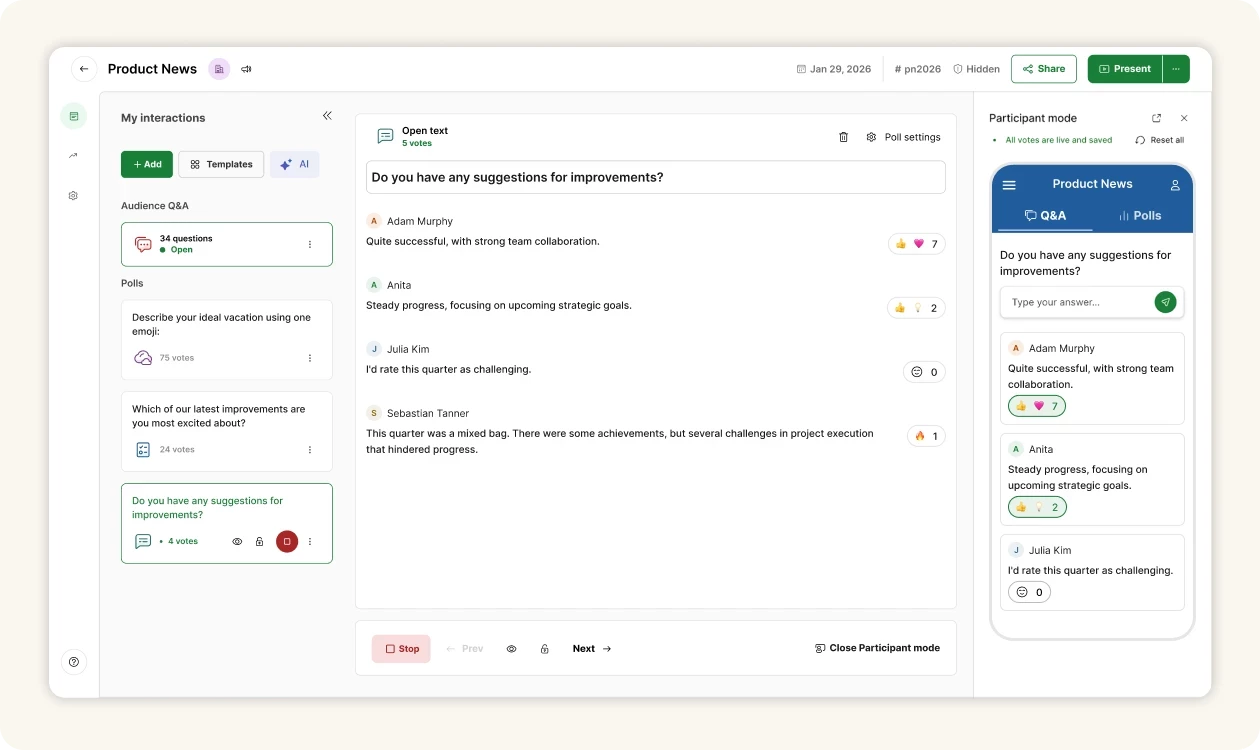
Emoji reactions are now turned on by default for open text polls, so participants can quickly show agreement, support or excitement without adding another response.
You can turn reactions off anytime in Poll settings.
🧩 Slido for PowerPoint updates
For Windows users, Slido for PowerPoint versions 1.22.1–1.22.3 brought bug fixes and security improvements to make the experience more reliable.
See the details in our changelog article.
The latest Slido for PowerPoint version is available for download below:
- Slido for PowerPoint on Windows v1.22.3: Basic installer
- Slido for PowerPoint on Windows v1.22.3: Admin installer
We also released PowerPoint add-in service 3.1.0 for macOS users, which helps generate the add-in file PowerPoint needs for Slido to work properly.
That's all for our June updates - we hope you're as excited about them as we are! Don't forget to subscribe to our Product News and Announcements at the top of the page to stay in the loop on all things Slido. 📩
If there’s something you’d like to see in Slido, share it in our Wishlist.🤞💚