




Good meetings often depend on the little things: setting things up quickly, getting input at the right moment and keeping the discussions productive. That’s exactly what this month’s Slido updates are designed to help with.
💡 Brainstorm like a pro with Slido Ideas
Great ideas don’t always arrive in a neat order, especially when everyone has something to say. That’s where our brand-new Ideas poll comes in. You can use it to brainstorm with any group – from team meetings to larger sessions. Your participants can add ideas and react to others with emojis, while you get a quick sense of what resonates.
Once the ideas are in, AI can help group them into categories, so you can spot common themes and guide the discussion without sorting everything manually.
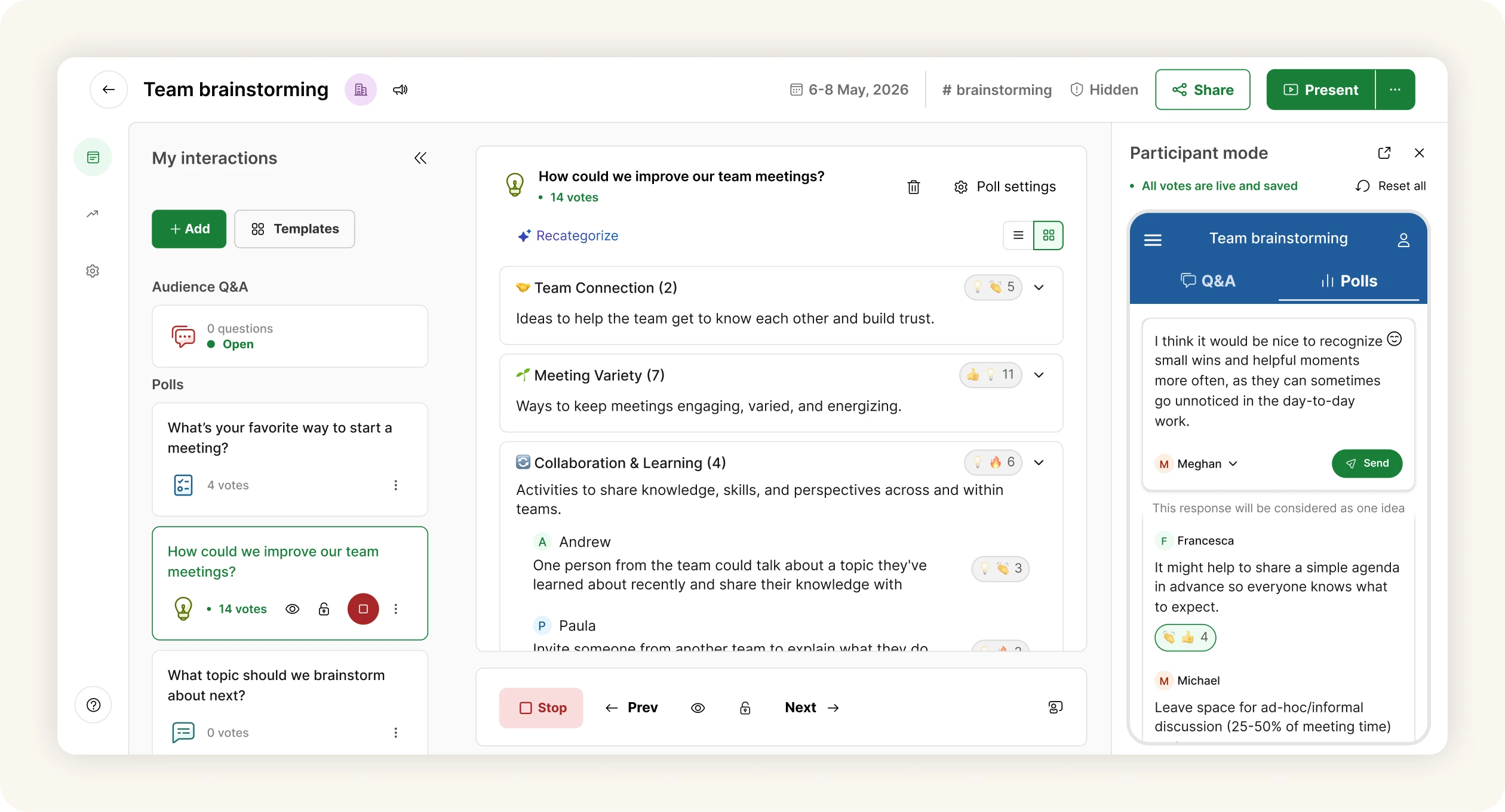
Ideas are currently available for Basic plans in Slido Host mode and video integrations and will be rolled out to everyone throughout June.
🤖 AI-generated polls in video integrations and mobile
Slido AI has made its way to video integrations and mobile, so you can create your polls faster. Just type a short prompt with a few details about your meeting, class or event and AI will suggest tailored interactions in seconds.
It’s perfect for last-minute prep, live meetings or those moments when you know you need a poll but your brain has already opened 37 tabs.

🌙 Dark mode in Slido for PowerPoint
We’ve got also good news for everyone who likes their workspace a little easier on the eyes: Slido for PowerPoint now supports dark mode on both Windows and macOS.
There’s nothing extra to set up. Slido follows your PowerPoint theme automatically, so when PowerPoint is in dark mode, the Slido sidebar will match it too.
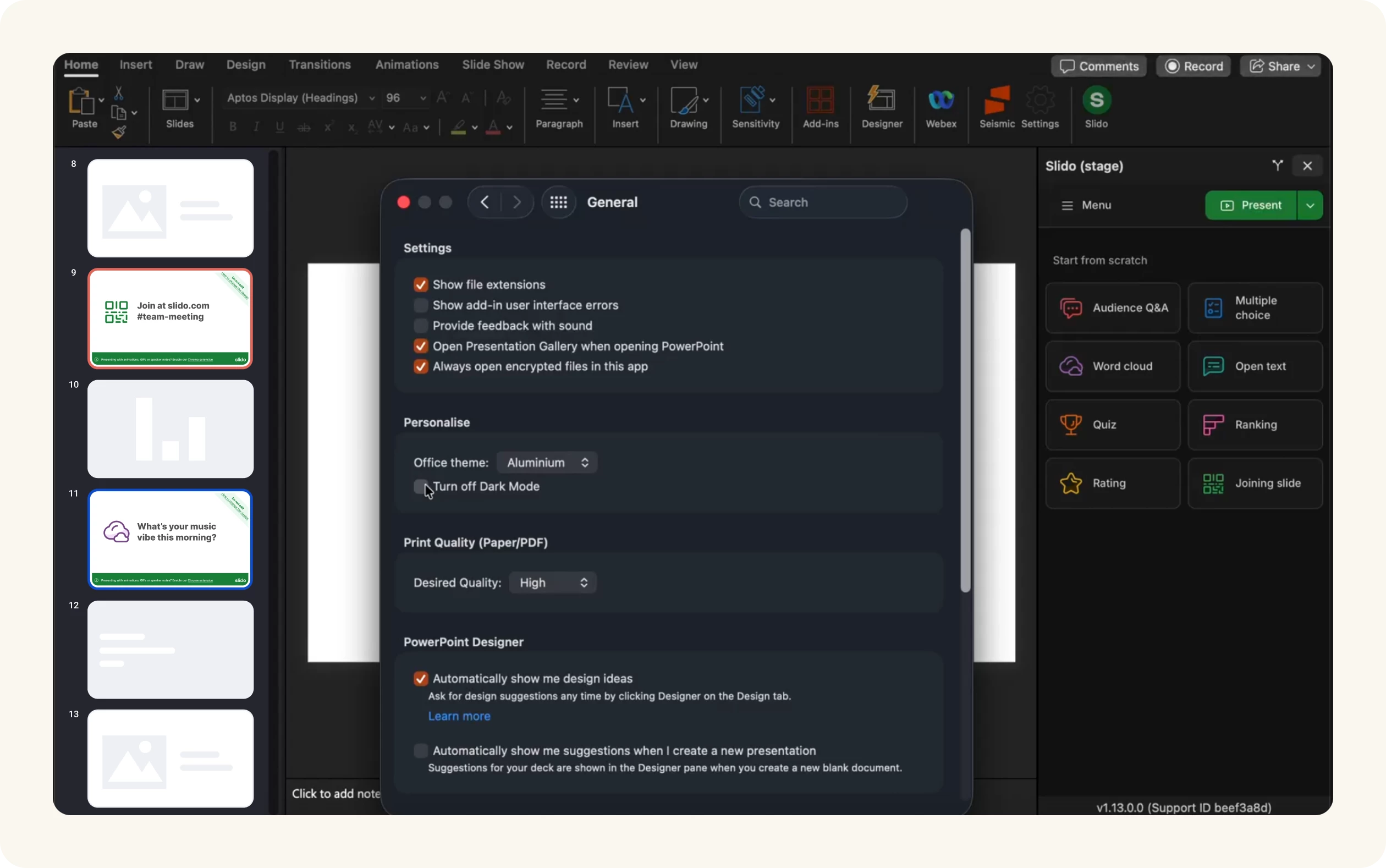
This improvement comes with the new version of Slido for PowerPoint on Windows 1.22.0, which also fixed a sign-in issue that could prevent some users from logging back into Slido properly.
Download the latest Slido for PowerPoint versions below:
- Slido for PowerPoint on Windows v1.21.0: Basic installer
- Slido for PowerPoint on Windows v1.21.0: Admin installer
That's all for our May updates - we hope you're as excited about them as we are! Don't forget to subscribe to our Product News and Announcements at the top of the page to stay in the loop on all things Slido. 📩
If there’s something you’d like to see in Slido, share it in our Wishlist.🤞💚