


Good meetings are easier to run when the little details are clear. This October, we’ve made poll counts easier to understand and fine-tuned when Ideas reminders are sent.
We’ve also strengthened password sign-in, allowed polls to keep running after you’ve moved on in your slide deck and made service updates more relevant to the part of Slido you’re using.
Here’s what’s new:
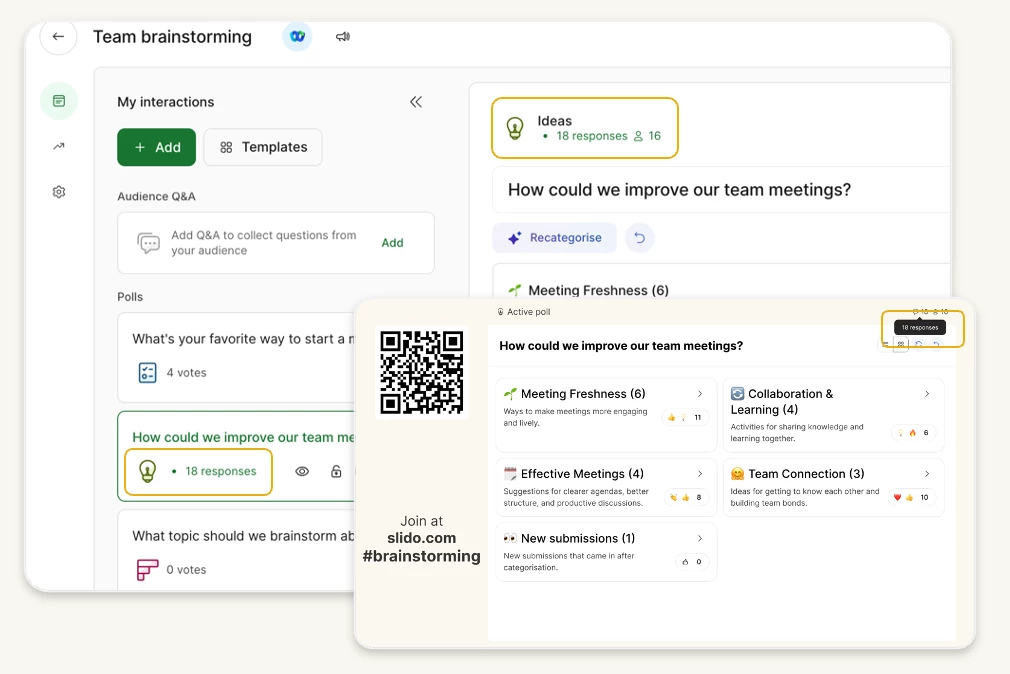
📊 Clearer poll counts
Poll counters now name what they’re counting. Open text, Word cloud and Ideas polls show responses. Polls that collect votes show votes, while quizzes show participants.
For example, if one person submits three ideas, the Ideas counter shows three responses. You can see the amount of input collected at a glance.
💡 A more focused one-idea reminder
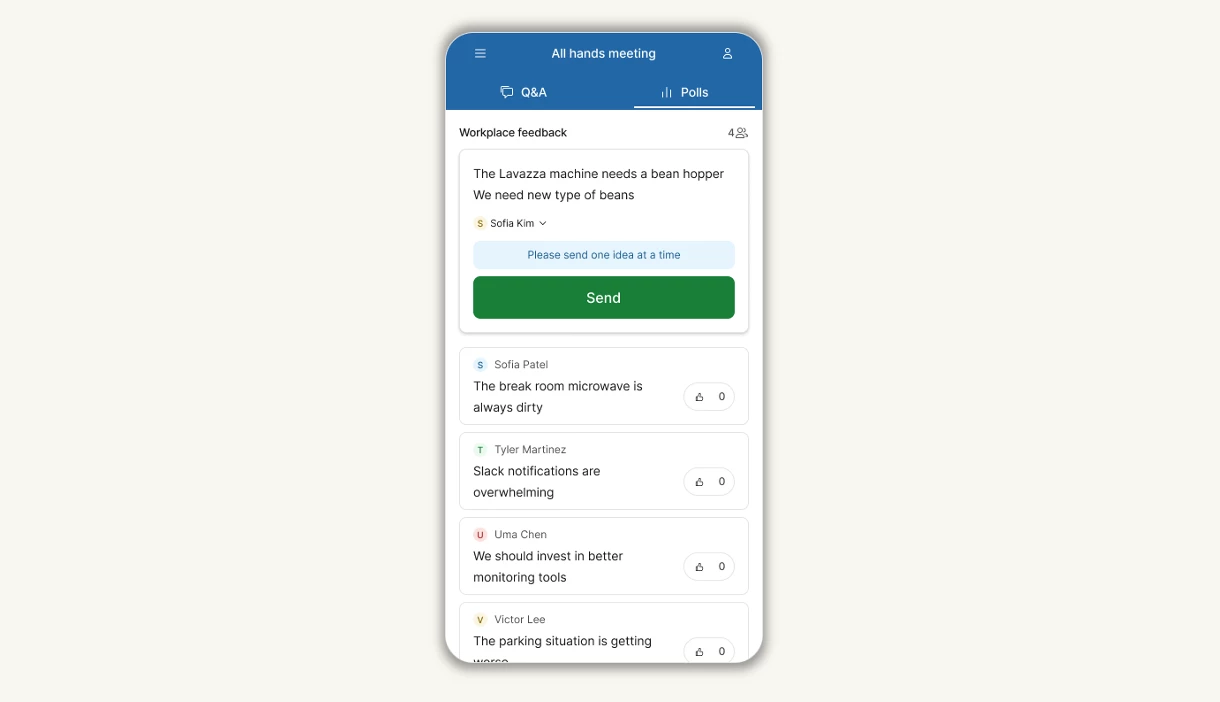
We’ve fine-tuned the “Please send one idea at a time” reminder in Ideas. It now appears when a response looks like a list, such as one with line breaks, semicolons, bullet points, pipes or numbered or lettered lists.
The reminder no longer appears just because an idea is over 60 characters or includes an ampersand (&), plus sign (+) or asterisk bullet. This keeps the prompt focused on responses that may contain more than one idea.
🏃Keep polls running
With Slido for PowerPoint or Google Slides, you can now leave a poll, quiz or survey open after moving to the next slide. Turn on Keep poll running, Keep quiz running or Keep survey running for each interaction and participants can keep responding while you present.
The setting is available to all customers. It’s off by default for new interactions and existing ones keep the value already saved on their slide.
🔐 Stronger password protection
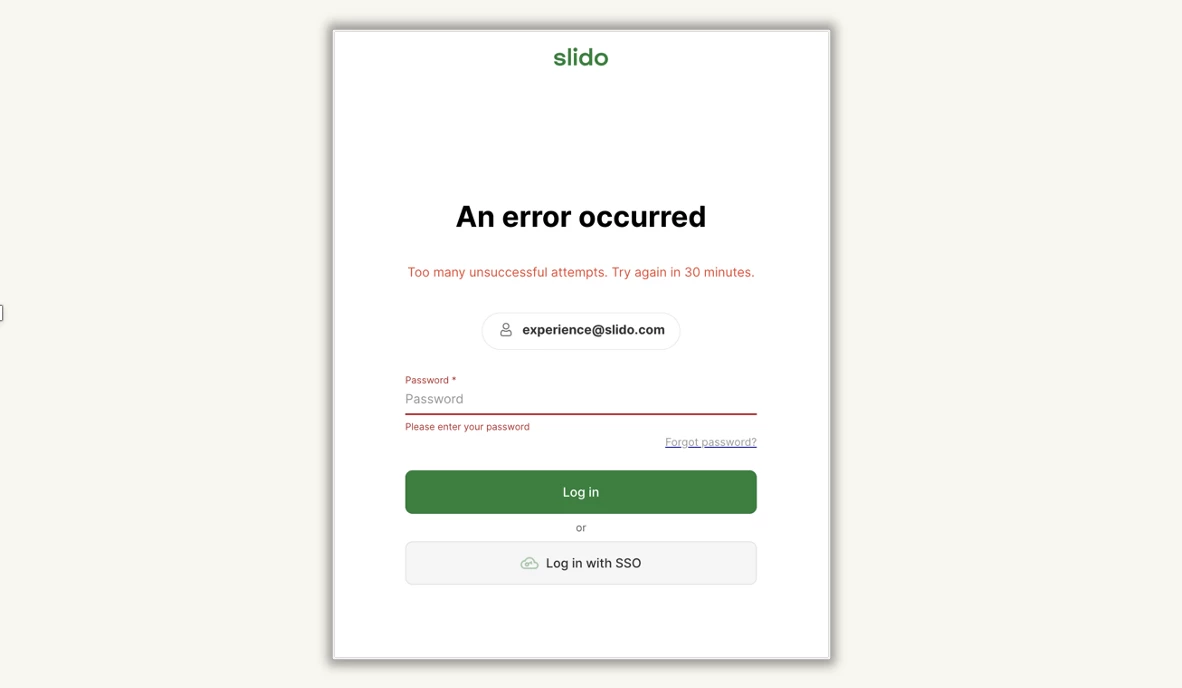
To help protect accounts from repeated password guesses, Slido now pauses password sign-in for 30 minutes after 10 incorrect attempts within five minutes. A countdown shows when you can try again.
Need to sign in sooner? You can reset your password immediately or use Google, Webex or SSO sign-in if those options are available to you.
🔔 More helpful status banners
When there’s a service issue, status banners in Slido Host mode now show the incident title so you can quickly see what’s happening. The banner appears only in the part of Slido affected by the issue. For example, an issue limited to the PowerPoint integration won’t show a banner in Host mode.
If two separate issues happen at the same time, Slido can show more than one banner.
That’s all for October. We hope these updates make Slido a little clearer and easier to use, whether you’re hosting or taking part.
Follow Product News & Announcements for more updates, or share an idea in the Wishlist.