



Good meetings leave room for everyone to take part. This month, we’ve made it easier to keep polls running while you present and join the conversation in Webex.
You can also take a step back from AI-generated categories in Ideas whenever you want to see every submission again.
Here’s what’s new:
🤖 AI Polling Agent in Webex
Ever find yourself wishing you’d asked the room a question at just the right moment? The AI Polling Agent follows the conversation in a Webex meeting and suggests a relevant Slido poll when audience input could help. The host can review the suggestion and launch the poll during the meeting.
The feature is off by default. Your organization admin needs to enable Slido, AI Assistant and AI Polling Agent in Control Hub and the host needs to turn on AI Assistant during the meeting. It works when at least five participants are present and currently supports English only.

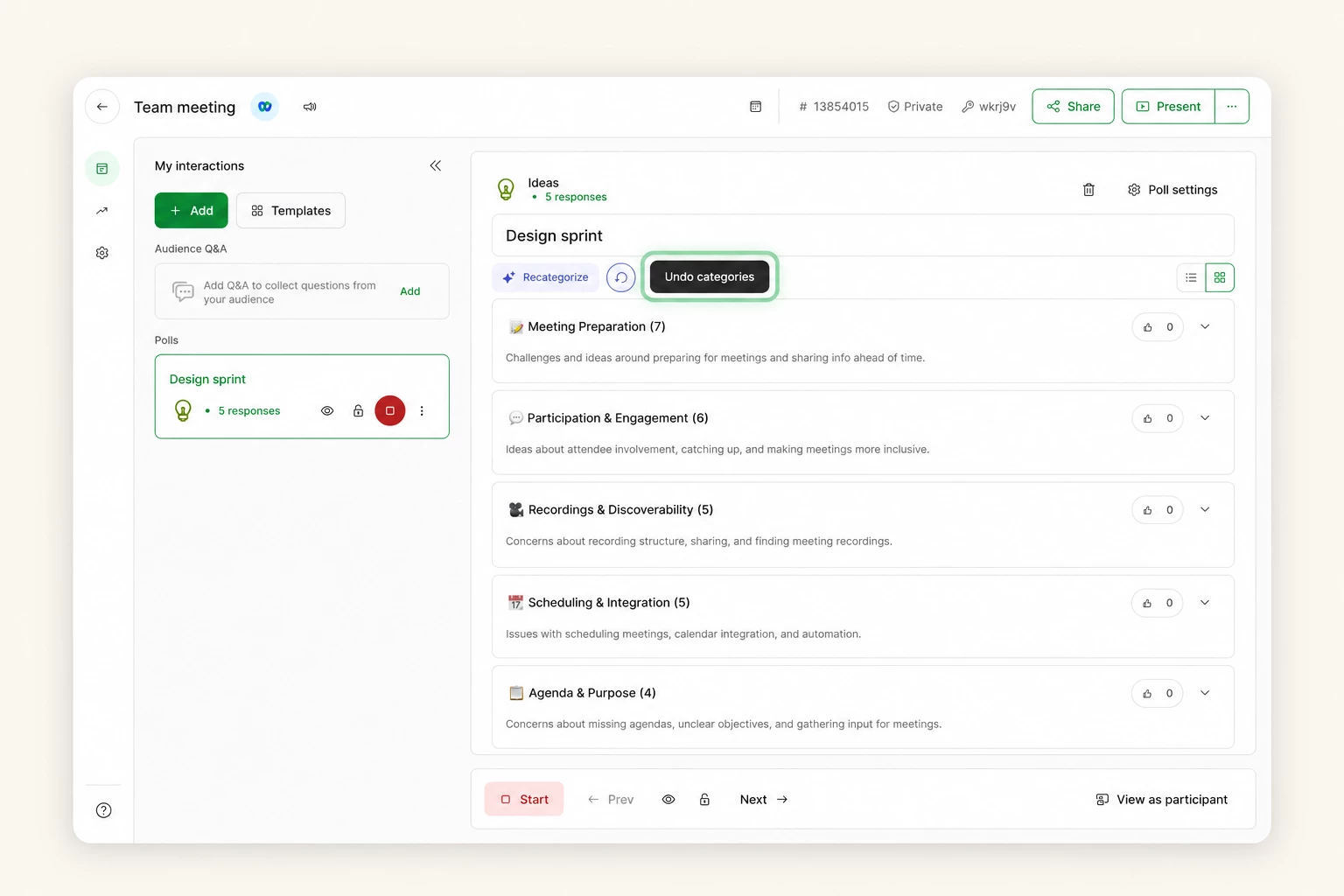
↩️ Undo categories in Ideas
Want to see the individual Ideas again? Hosts can now undo AI categorization and return to the original list of submissions. Choose Uncategorize in Host or Present mode. On smaller screens, including mobile and Microsoft Teams, you’ll find it under the Categorize dropdown.
If you want to keep the categories for later, switch to List view instead. You can return to the grouped view whenever you need it.
💬 Participate from the Webex sidebar
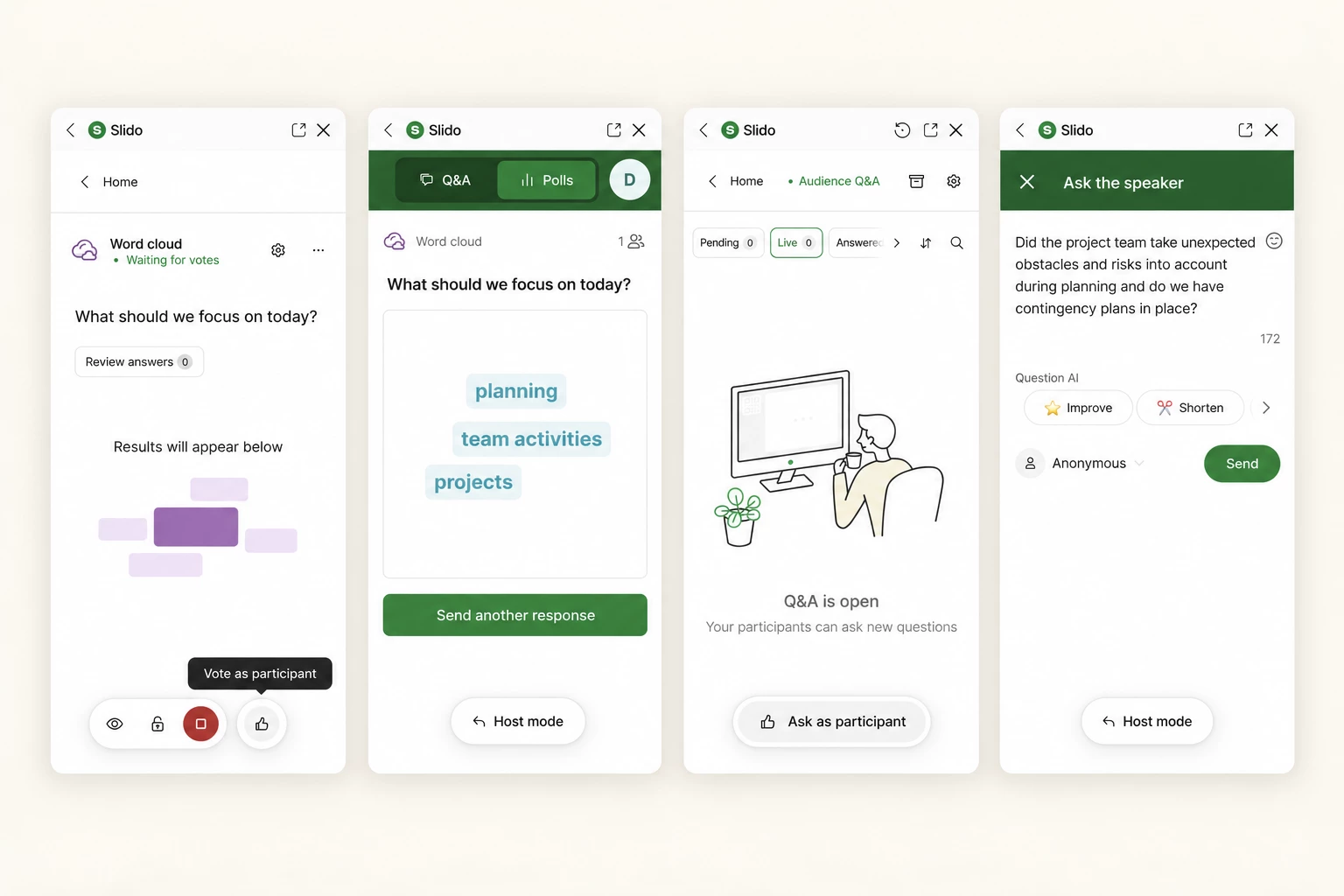
Hosts, meeting cohosts and webinar panelists can now answer polls and ask questions in Slido without leaving the Webex sidebar. You can also see Slido from a participant’s perspective while staying in the meeting.
When a poll is live, select the thumbs-up icon to open Participant mode, respond, then switch back to Host mode. In Q&A, use the Ask button to submit a question and return to the host view.
📊 Slido for PowerPoint updates
Windows (version 1.23.0)
Slido slides now look great on dark PowerPoint themes and your interaction previews update to show your latest changes. Want a poll to keep collecting responses after your slideshow ends? You can now choose that slide by slide and a small notification will let you know it's still open.
If your Microsoft Office Trust Center settings block the add-in, we'll now show you clearly what to do. We've also fixed issues that could freeze PowerPoint, crash the add-in or leave Present mode blank. Plus, Slido now recovers more smoothly after sign-in or access changes, works better alongside other add-ins and collects diagnostic logs more reliably.
Mac (version 1.14.0)
Slido now supports macOS 27 Golden Gate and comes with a new onboarding presentation to help you get started. We've also strengthened data protection between Slido and PowerPoint.
In case you missed it, version 1.13.1 made it easier to update Slido right from PowerPoint and lets you keep polls active as you move through your slides.
That’s all for September. We hope these updates help you keep the conversation moving, wherever you use Slido.
Follow Product News and Announcements to stay up to date with the latest Slido updates.
Have an idea for Slido? Share it in the Wishlist.