



If you ever need to change the name and/or email address associated with your account, you can update both in your profile menu.
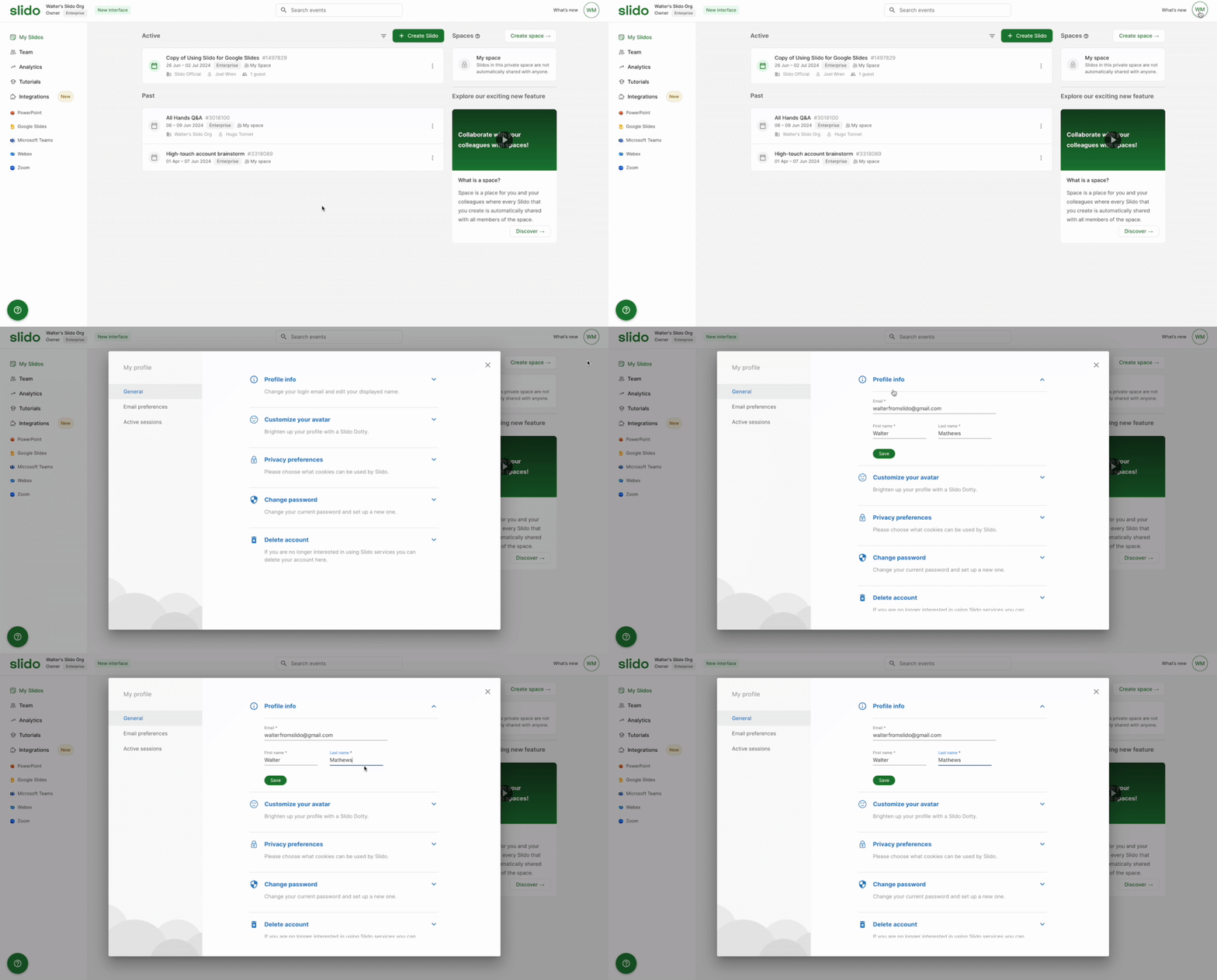
To update your name and/or email:
- Log in and click the icon with your initials in the upper right corner
- Select Edit next to your name
- Click Profile info
- Make your changes and select Save
We will send a verification email to your new email address. Once you confirm that, you’ll be all set.
Alternatively, if you’re a license owner with at least 2 seats, you can transfer your license to somebody else.
If your account is linked to Google or SAML SSO, you cannot change your email address in Slido. Reach out to our support team if you need any assistance.
Curious about more?