



If you don't want to receive any new questions, you can close your Q&A. While your participants won't be able to submit any new questions, you can still display and discuss the ones which have already been asked.
Close Q&A
- Hover over Q&A under My interactions
- Click the red lock icon
- Select Close Q&A to confirm
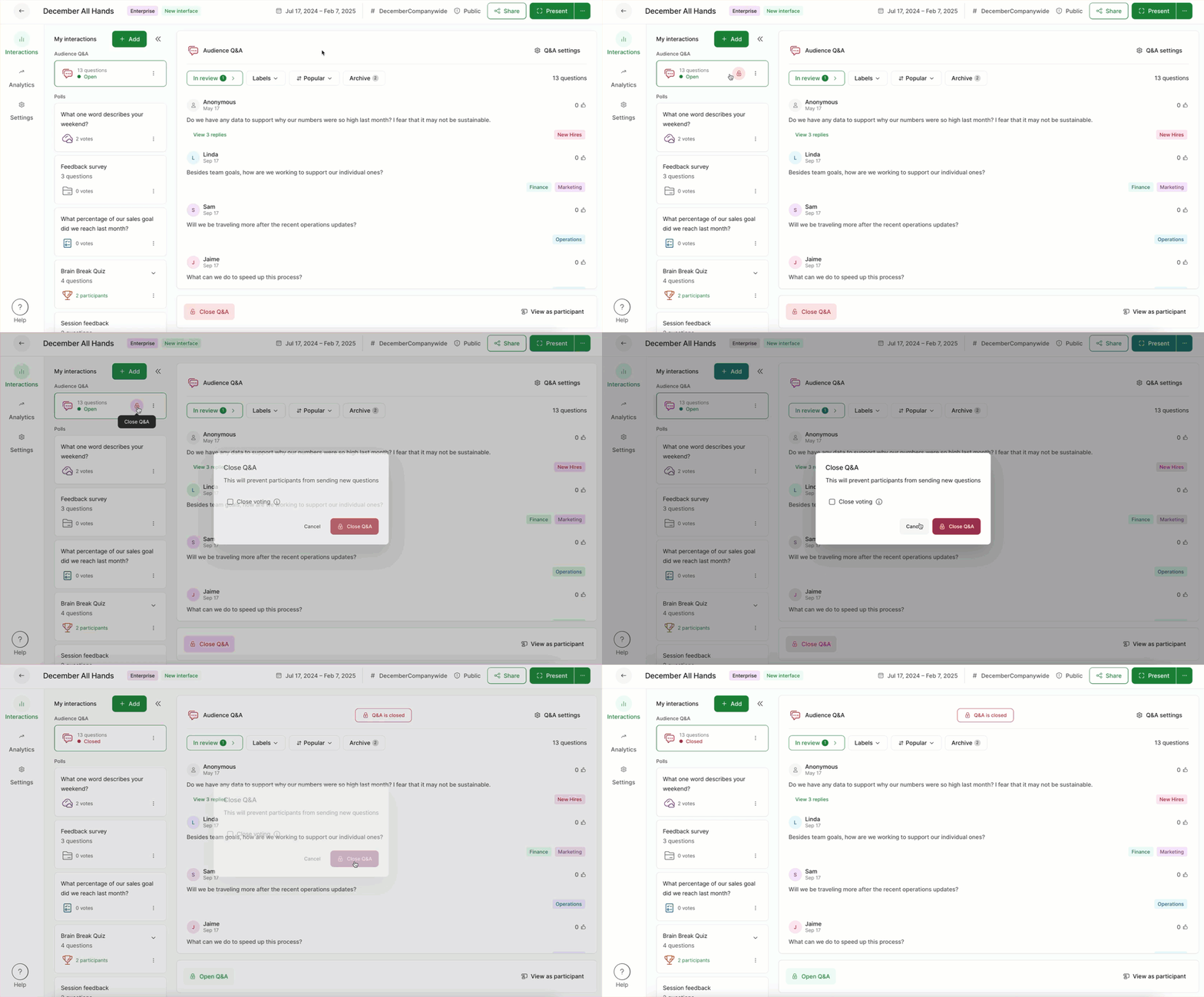
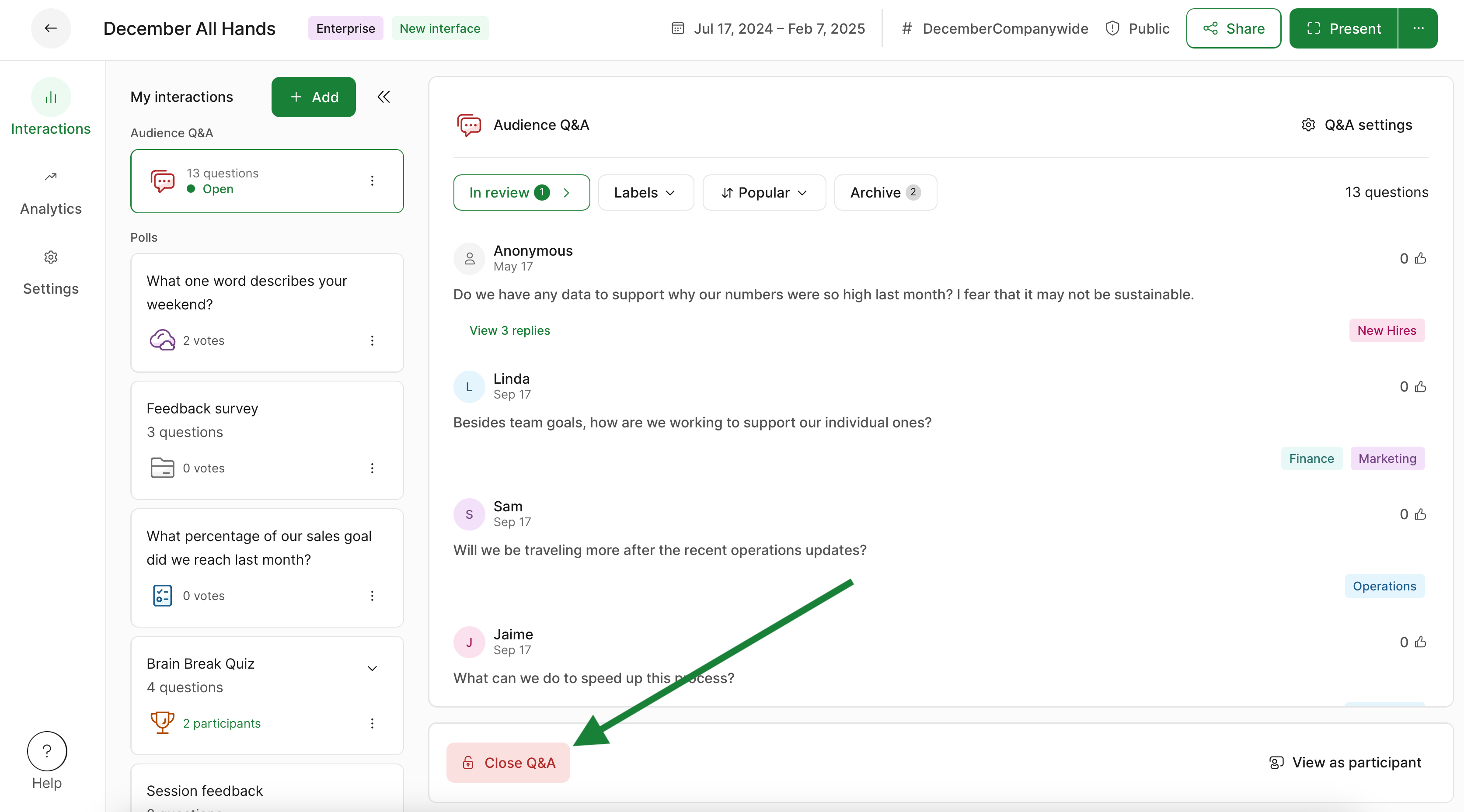
You can also close the voting by selecting Close Q&A from the control bar at the bottom of your Host mode.
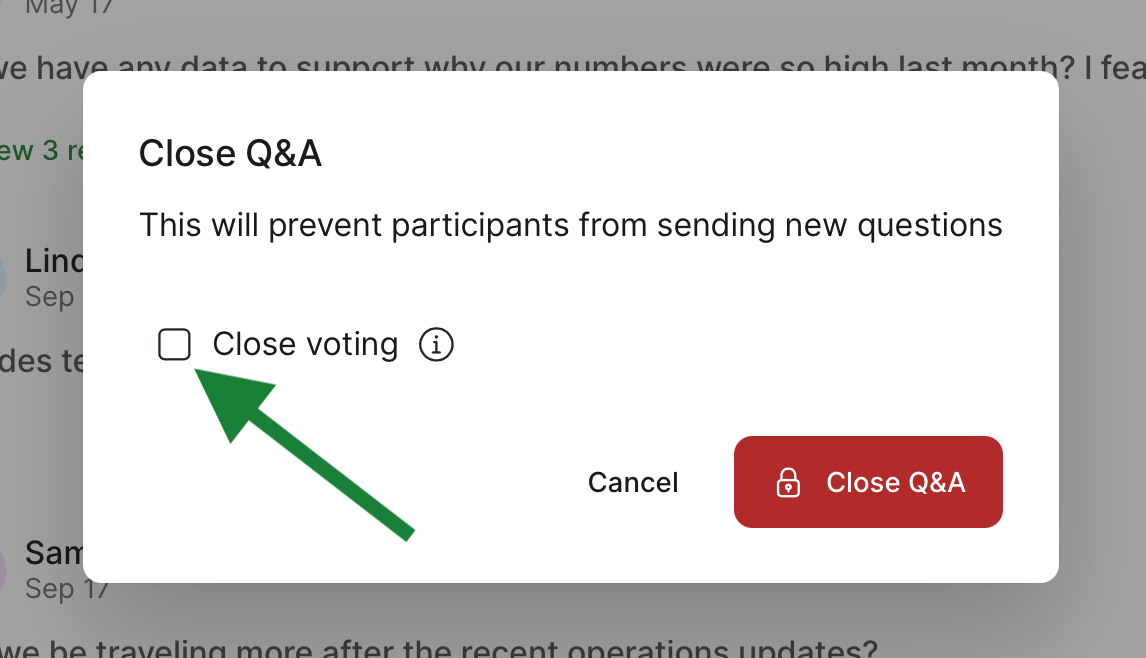
When Q&A is closed, participants can view and upvote questions, but cannot ask more.
To reopen your Q&A, simply click the lock icon again or the Open Q&A option in the control bar.
Close voting
Available in Professional and Higher plans
When closing your Q&A, you can also choose to close the voting. This makes it so no one can upvote or downvote any of the questions. Participants will still see the Q&A, but with a disclaimer reading, “Questions and voting closed.”
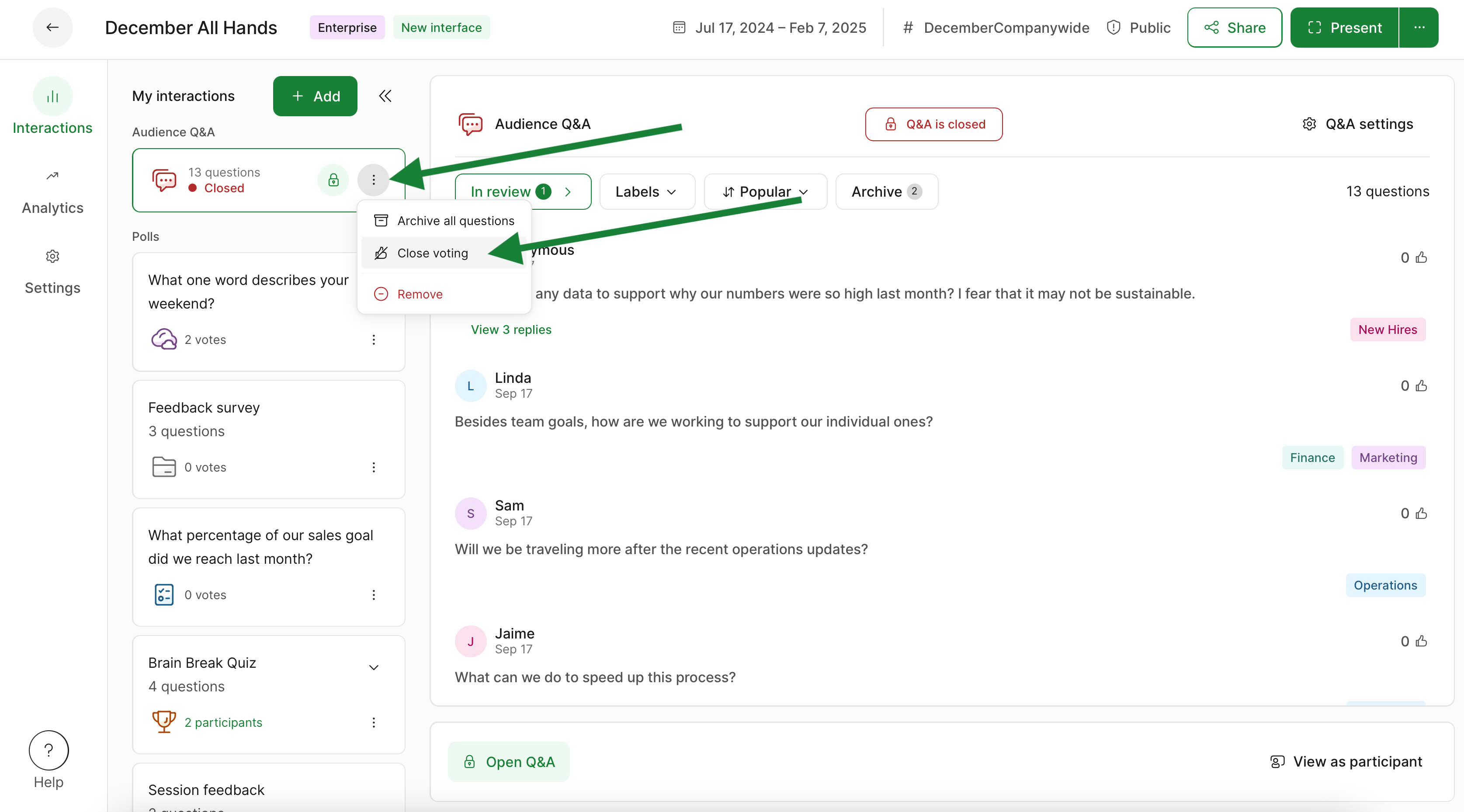
If your Q&A is closed, you can always close or open the voting using its three dot menu under My interactions.
Please note that if you are using Multiple rooms in your slido, closing Q&A in one room will close it in all rooms.
Learn more: