Question

Need assistance with incorporating Slido to PowerPoint

  • August 6, 2025
  • 6 comments
  • 297 views

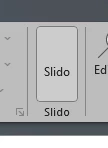
Please assist, as I have installed the Slido for PowerPoint, but when opening PowerPoint, I do not have the green Slido option to continue?

 

6 replies

Adrian from Slido
Forum|alt.badge.img

Hi ​@Elisabeth Visagie

If you do not see the Slido S button, it could be that the addin has been disabled by PowerPoint. 

Here’s how to check:

  1. Go to PowerPoint and click File
  2. Select Options and then Add-ins
  3. Pick “Disabled” from the drop-down at the bottom and click Manage
  4. Select Slido in the list, click Enable and Close.
  5. Click File, select Options and click Add-ins again
  6. Go back to the drop-down below and select “COM Add-ins”
  7. Check off Slido and click OK
  8. Find the Slido button under Home tab

🎥 Watch this how-to video


Hi ​@Adrian from Slido 


I really appreciate your reply and assistance.


Unfortunately I have restarted my computer twice and tried the steps as per your instructions. My slide is enabled, but the Slido option in my bar is white and not green, I am not able to use the slido in PowerPoint. This is so odd, as I have used Slido so many times in the past. I have also watched the video to make sure I follow all correct steps. Please advise if you can add any additional comments, as I need to present next week Tuesday with the slido function :) Many thanks in advance.


Mika from Slido
Forum|alt.badge.img

Hello ​@Elisabeth Visagie,

Mikaella from Slido - happy to help!

I’m really sorry you’re not seeing Slido in your PowerPoint. May I kindly ask if you can share the below logs to support@slido.com, so we can share this with our tech team.

CheckMe Logs

Logs 

• Could you copy the folder at this address, and send it to us? You might need to archive it using zip or rar kind of file : C:\Users\USERNAME\AppData\Local\Slido\Slido for Windows.

We’re looking out for your email! 

My best,

Mikaella from Slido Customer Care 


  • Participant
  • August 8, 2025

I am actually experiencing the exact same problem.  I will send my logs to support as well.  I’d like to use Slido for a presentation coming up on Tuesday morning, so I appreciate any help you can provide.


  • Participant
  • August 12, 2025

We are having the exact same issue with multiple devices. It seems to work on certain hardware (Lenovo T480, Lenovo L13 2-in-1, Surface Laptop 4, but our Dell Latitude devices, we experience the same issues. Latest office updates, latest Slido PowerPoint version. Will also raise a ticket with support.


Joel from Slido
Forum|alt.badge.img

Hi everyone 👋

If anyone else runs into this issue again, please make sure you’ve downloaded the latest Slido for PowerPoint version (get it here). And if you still have problems with the button not displaying, double-check that you’re not also running the bluebeam add-in. That particular add-in is known to interfere with ours and you may need to disable it.

Otherwise, please contact our support team if any issues persist.


Thanks!