Question

Slido v1.22.0.7725 not loading in Powerpoint

  • June 1, 2026
  • 3 comments
  • 28 views

Hi all

I updated Slido for Powerpoint to version to v1.22.0.7725 this morning but it then Slido refused to open at all which was incredibly frustrating as I had an online lecture which used Slido throughout. (Home computer running Windows 10 and Powerpoint then sharing the window in Teams). I had to keep switching to the present mode in a Chrome tab to make use of the features which completely defeats the point of having Slido in the first place.

I have uninstalled, reinstalled, tried the admin version with no success. It appears Slido for Windows is not loading up in COM Add-ins and unchecks itself / there is a run time error. I have repaired and reinstalled .NET frameworks. Nothing is working.

I have just checked my laptop (Windows 11) and Slido works fine on there but I have declined the update so far. 

Can I have a link for the previous version whjch I can use on my desktop please?

I have never had an issue with Slido not working before and need it as I present frequently as a university lecturer.

Thanks

Richard


3 replies

  • Participant
  • June 1, 2026

Same thing is happening on my end. I’ve done the exact steps you were describing with no luck. For now, I open my Slidos from the website where they are saved and hit “present” in the top right corner. It’s not ideal, but at least I have access to them and I’m still able to use them in my presentations. Hopefully there’s a solution soon.


Same thing is happening on my end. I’ve done the exact steps you were describing with no luck. For now, I open my Slidos from the website where they are saved and hit “present” in the top right corner. It’s not ideal, but at least I have access to them and I’m still able to use them in my presentations. Hopefully there’s a solution soon.


I managed to find an old installer on my laptop for a previous version and transferred that across to my main PC. Installed no issues and Slido is working again in Powerpoint no issues. The latest update is clearly buggy unfortunately. Thanks for confirming my suspicions! 


Michal from Slido
Forum|alt.badge.img

Hello ​@Richard Armstrong and ​@learningteam

We have released a new update last night after hours. Could you try whether it works now?

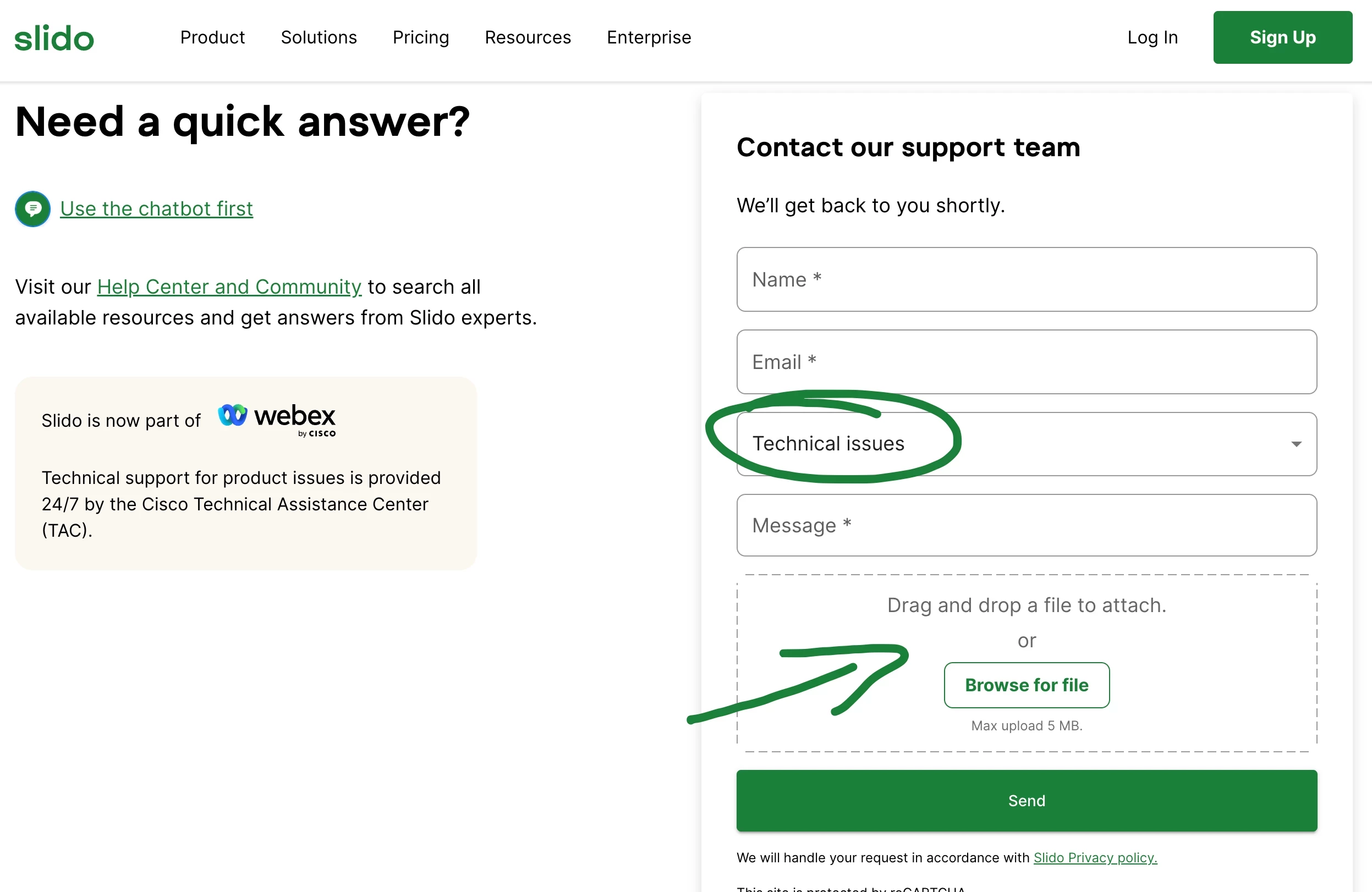
If this does not help, please contact our tech support team from the contact us page. Sellect the Teachnical issue category, and upload your log files (here is how to get and upload your log files).

Reaching out to our technical team from the contact us page