



Are you having trouble logging in? Don't worry, it happens to the best of us. Click the following link to reset your password.
If you signed up for Slido with your email and a password, you can easily reset the password anytime you have trouble remembering it.
- Visit slido.com and click Log in
- Type in your email and then select Forgot password?
- Click Reset password and then check your email for a reset link
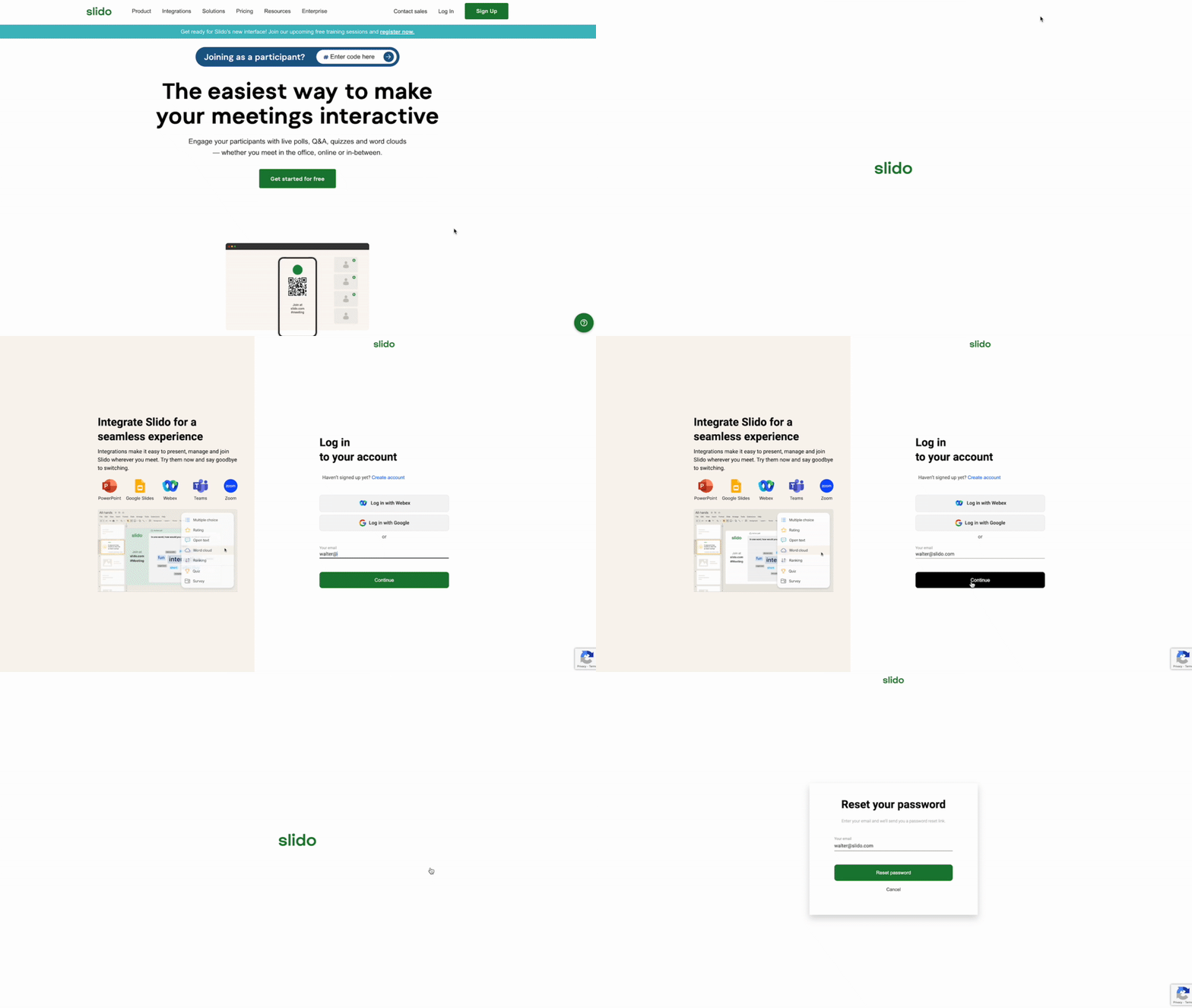
The password reset link in your inbox will be active for three days.
If you know your password, but still want to change it, you can do so in your profile settings menu.
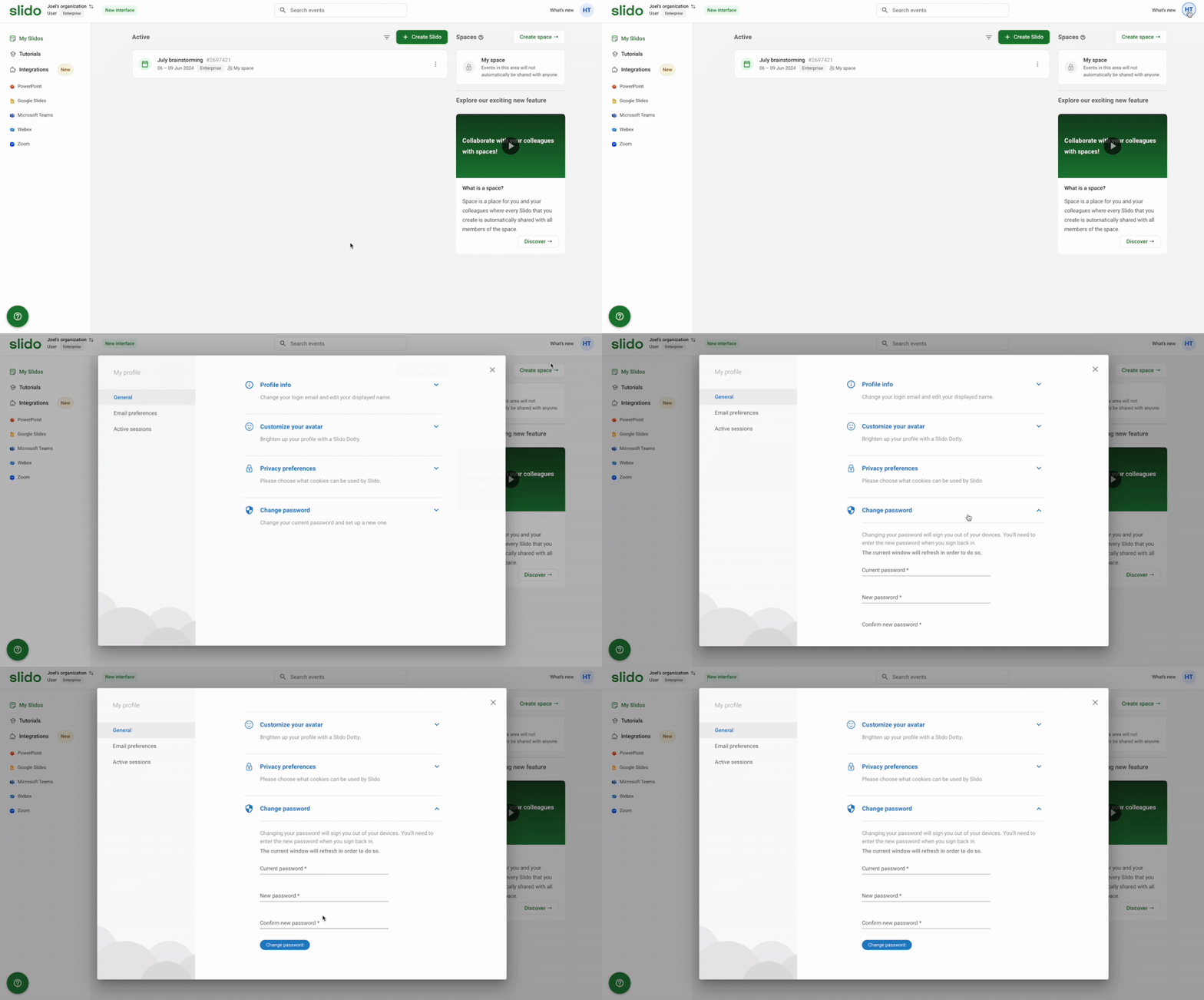
Please note that if your account is linked to Google, you can only change or reset the password in your Gmail settings. If you sign in using SAML SSO, you’ll need to change the password for your identity provider or ask your IT team for assistance.
Useful information and troubleshooting
- I didn’t receive my password reset email
It takes about 2 minutes for the email to arrive in your mailbox. Sometimes, company network restrictions prevent our automated emails from coming through. Please make sure your IT person allows the slido.com domain in the network settings.
Or there might be a typo in the email you signed up with, meaning the reset password link can't reach the correct address.
Please send an email to support@slido.com if you need assistance.
- I don't want to use Google password for my account anymore – can I change to a regular password?
If you don't want to log in with your Google credentials, we can delete your account allowing you to sign up again using a standard password.
Just send an email to support@slido.com from the email address associated with your account and request its deletion. We can then help with the account deletion and transfer of your license and slidos if needed
- I’m seeing a login error: “User with the email address exists already. Unfortunately, we encountered an error while trying to log you in. If the problem persists, please contact our support team.”
This typically means that you have an expired invitation to join Slido as a co-host or member. Contact support@slido.com for assistance.
**If this is urgent, please create a new Slido account using a different email address.
Curious about more?