



If you wish to export the list of participants who joined your slido, you can do so in the Analytics tab.
Available in any paid plan
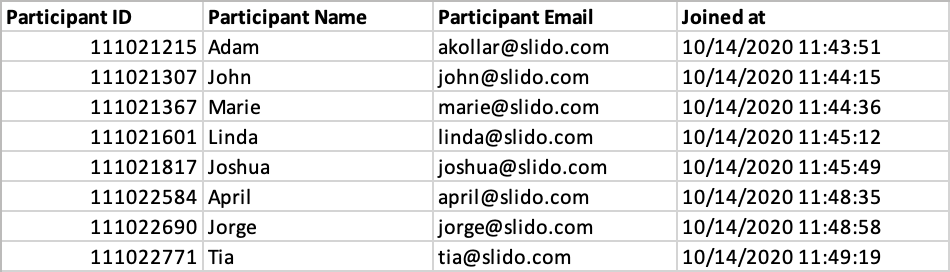
This is especially useful if you require your audience to enter their name and/or email address when joining your slido. Otherwise, the export will display Anonymous values.
The list includes every person who joined your slido - including those who didn’t interact with it.
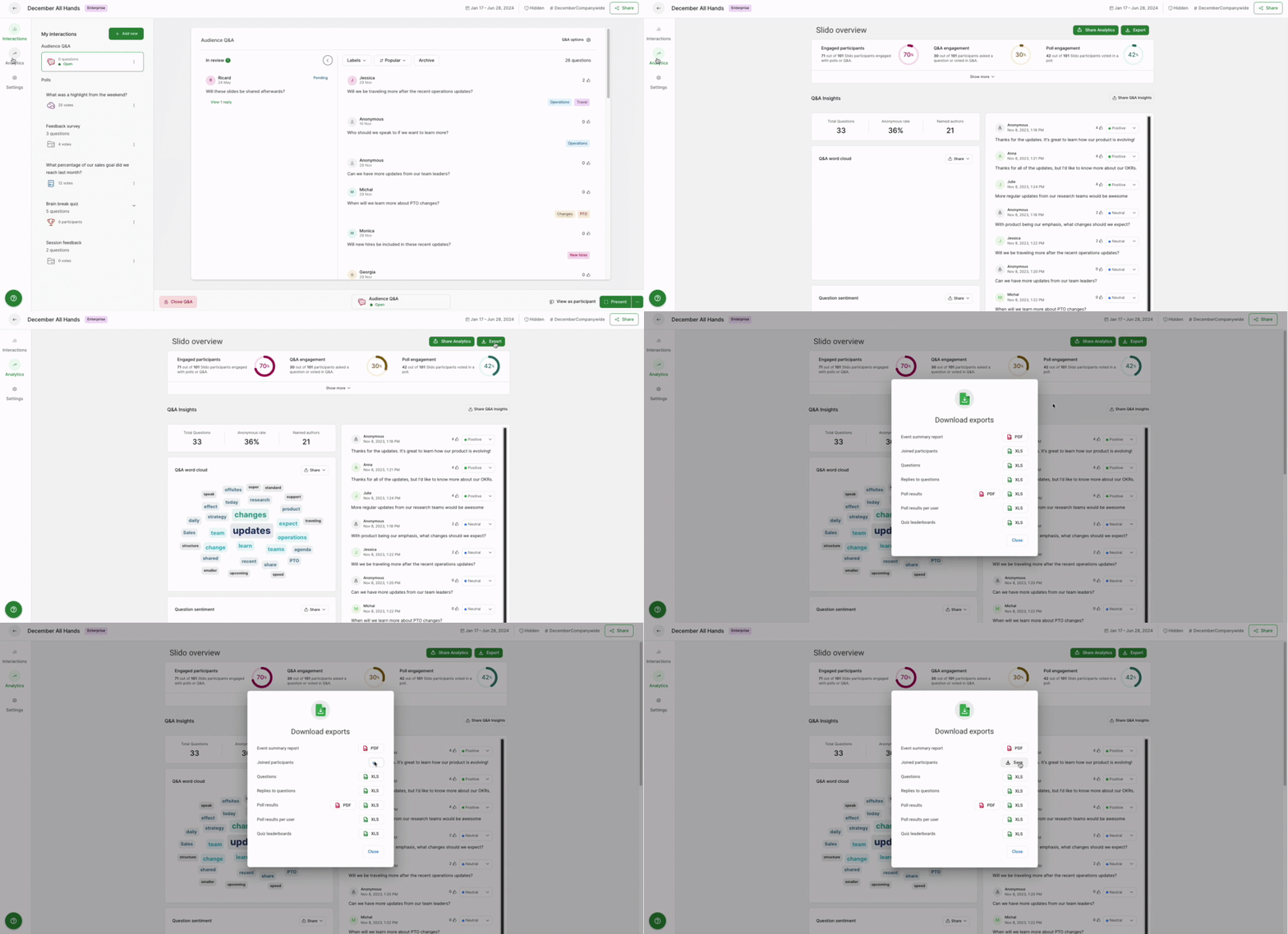
To get the list of joined participants:
- Open the Analytics tab from host mode
- Select Export next to Share Analytics and Download export
- Choose Joined participants from the pop-up
The export file will look something like this :
To ensure optimal performance of Slido, there’s a limit of 5000 joined participants for your event analytics to load and for you to export the list yourself. Please contact support@slido.com or your dedicated account manager, and they can assist you with the export.