



Share Analytics is an easy-to-share visualization of the data collected during your meeting or event. It allows you to share the statistics with your broader audience.
To generate the Data Report:
- In your slido, click the Analytics tab
- Click on the green Share Analytics button in the top right
- Choose which insights you’d like to include and set a limit for how long your link will be valid
- Select Create public share link
- Then choose to copy the link to share it with others, or select open to open the report in a new browser tab
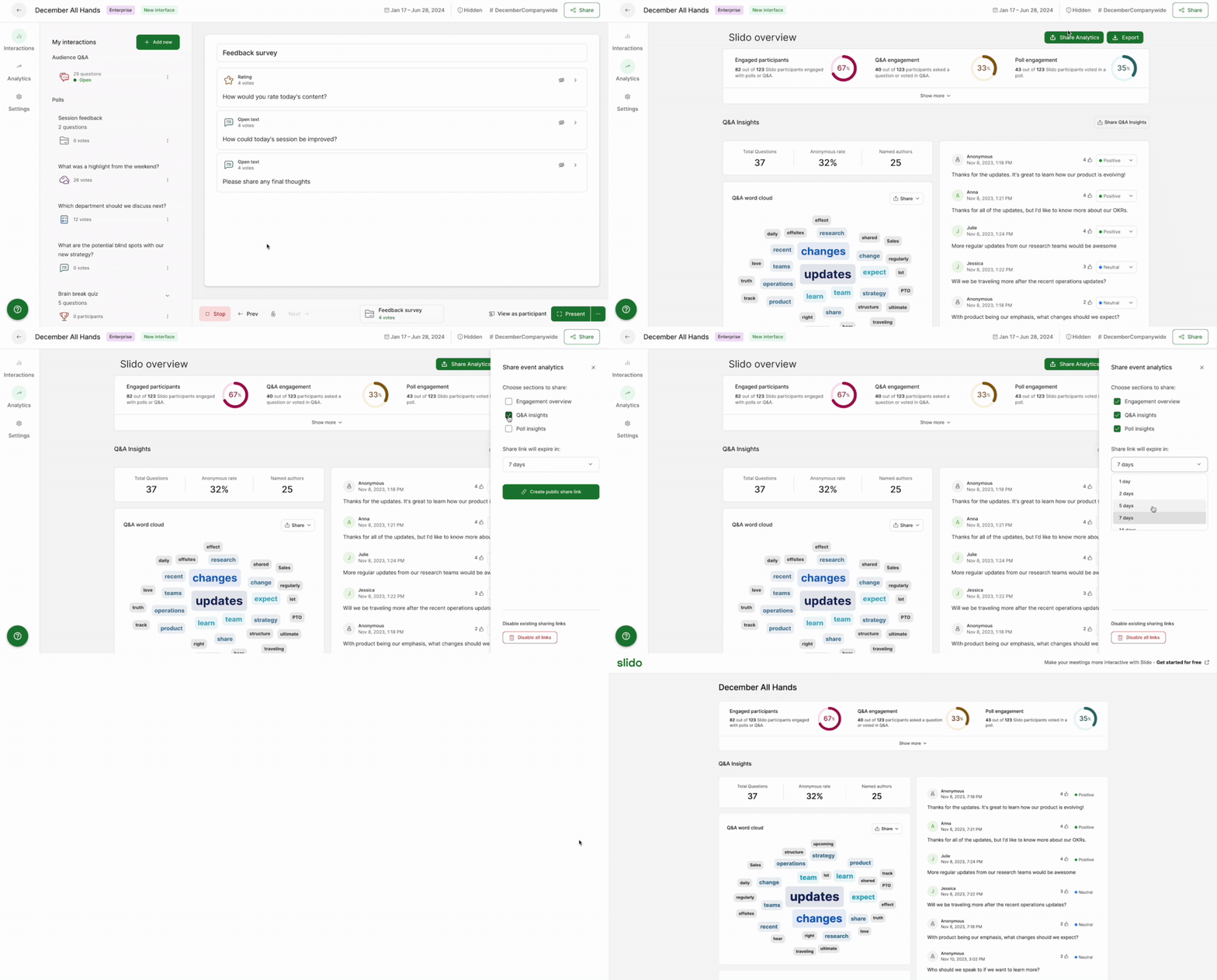
Data included in your Share Analytics report:
- An overview of your question sentiment and the percentage of anonymous questions
- A word cloud of the main topics discussed through Slido Q&A
- The most popular questions submitted based on their upvotes
- An overview of your polls and responses
Curious about more?