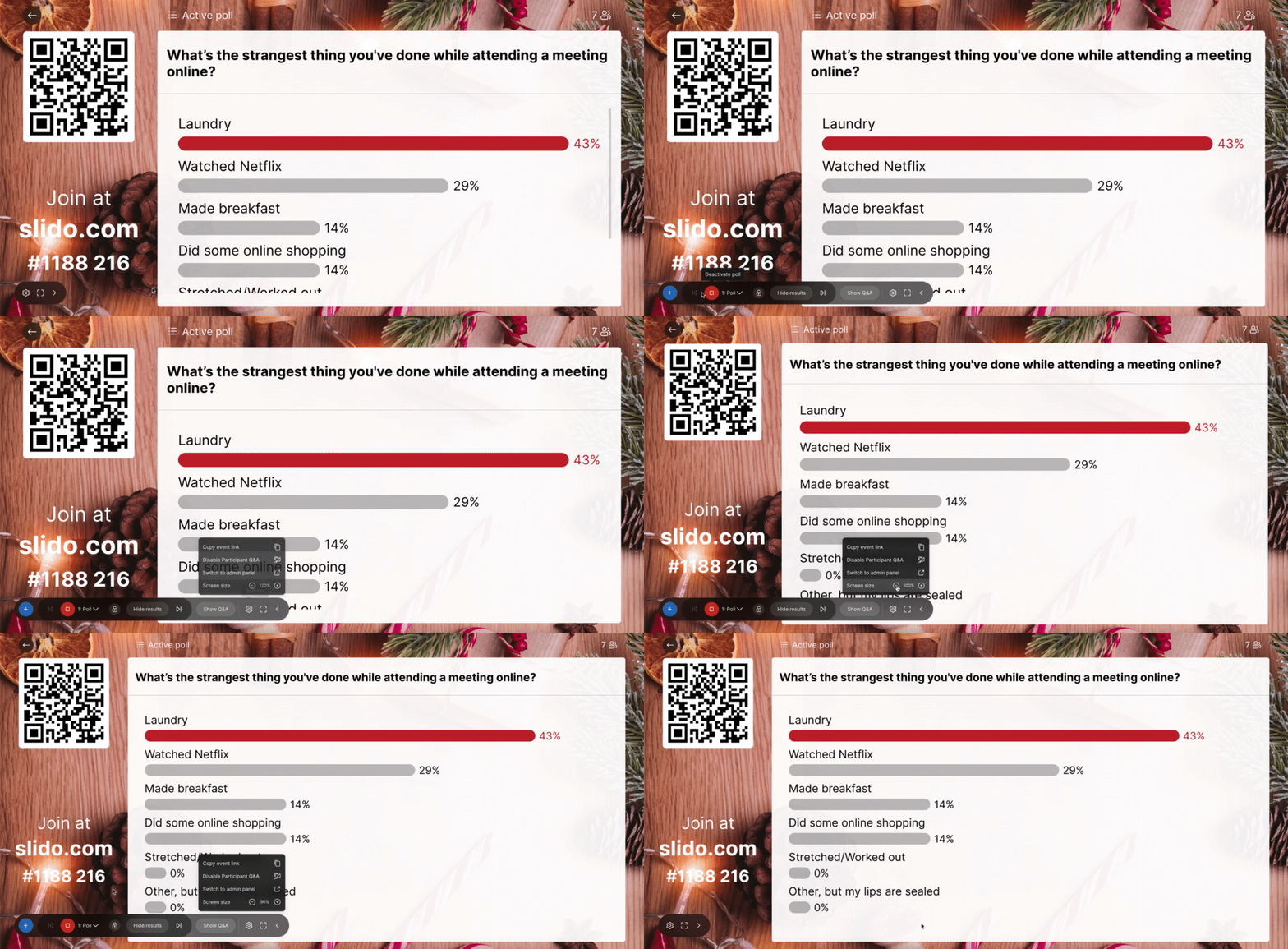
When displaying the results of a multiple choice poll, the choices and bar charts do not resize to fit the screen, and I have to scroll through the results. It doesn’t make for a clean presentation when you are displaying them on a screen. Is there any workaround for this?
Thanks!
Best answer by Meggie from Slido
Hey @HCIWebcasts,
I wanted to let you know that you can now zoom in/out in present mode. This should help make sure all of your poll options are visible when presenting.To use this feature:
I wanted to let you know that you can now zoom in/out in present mode. This should help make sure all of your poll options are visible when presenting.To use this feature:
Meggie - what if you are presenting in Powerpoint? Resizing in “Present mode” in the online platform doesn’t seem to affect the size of the question displayed on the Powerpoint slide?
This is an important question. There seems to be no way to show the entire poll results unless switching out of PPT and into the Slido App - Can you provide an update? Is it possible to allow the creator to reduce the font size in the poll?
We very much appreciate the feedback here. For better or worse, there is no direct way to zoom in/out when presenting Slido in PowerPoint right now. However, I’d highly suggest you submit this to our Slido Wishlist. That’s the best place to share your thoughts with our Product teams.
Is there a solution to this yet? It would be great to show all poll answer options without scrolling when using Slido in PowerPoint. We currently have 8 options and the screen only shows 7 without having the option to reduce the font size or zoom out.
These are all workarounds that do not provide a solution to the core display issue regardless of screen size. Having to scroll, change slide sizes, or zoom in or out is not a seamless experience for engagement and the purpose of audience engagement. I’m usually not presenting to then have to go up and zoom out in the middle of a poll makes no sense.
Mentimeter.com doesn’t have this issue from the feedback colleagues have provided.
Thank you for the feedback and I apologize that these workarounds haven’t worked well for you. If you haven’t already, please do visit our Wishlist to upvote or submit this idea to our product teams.