Answer

increase time to answer questions

  • February 6, 2025
  • 5 comments
  • 444 views

how do I increase the time allowed to answer multiple choice questions

 

Best answer by Julia from Slido

Hi ​@T. Fournier

To change the timer for a question, you can open your Quiz in host mode, click on the question you want to adjust, then click on the current timer (20 sec by default) and select a new time. I’ve attached a couple of screenshots below to guide you.
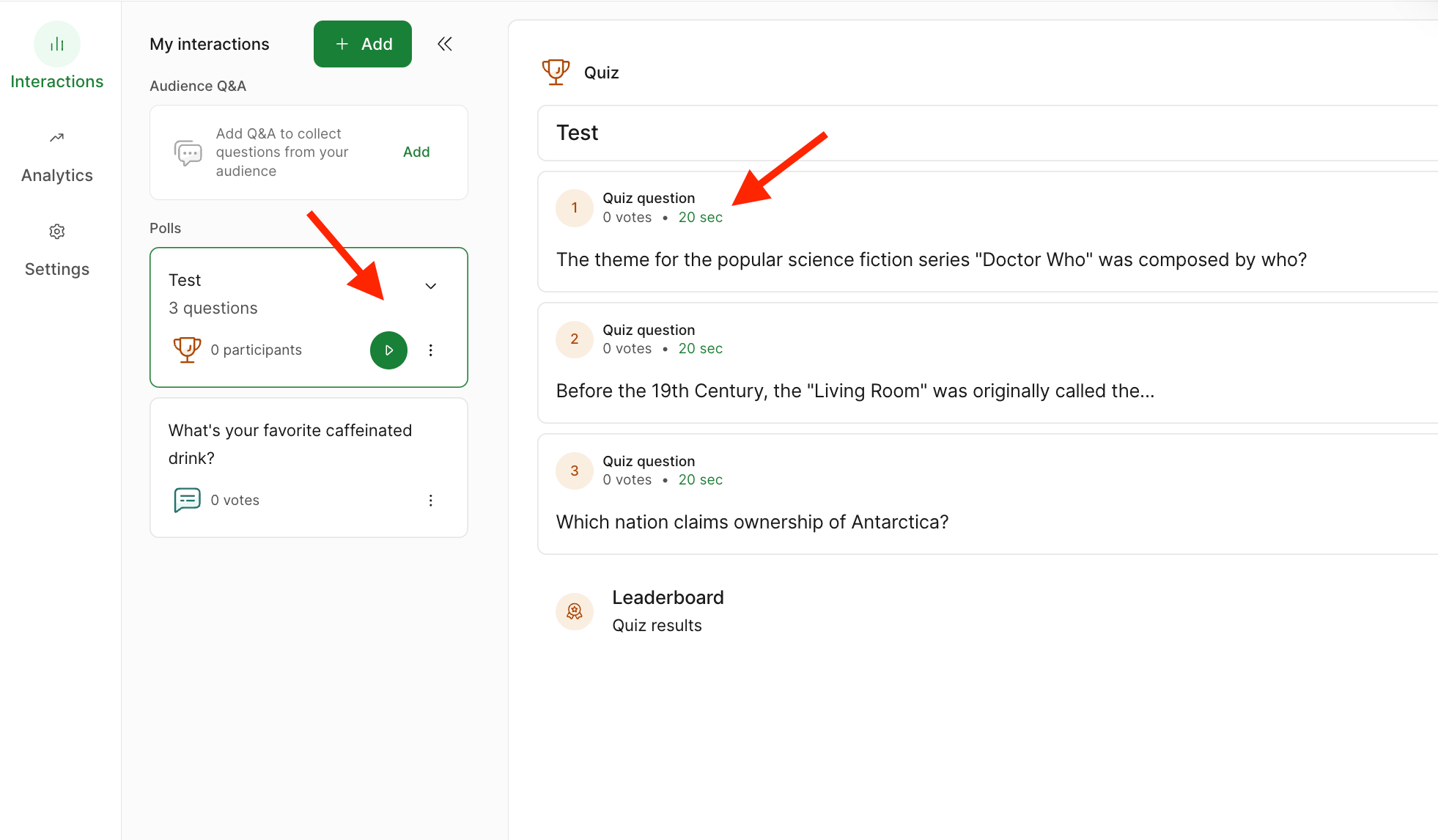
Click on the Quiz, then select the question you want to adjust.


Click on the default timer to change it.

Hope this helps!

5 replies

Julia from Slido
Forum|alt.badge.img

Hi ​@T. Fournier

To change the timer for a question, you can open your Quiz in host mode, click on the question you want to adjust, then click on the current timer (20 sec by default) and select a new time. I’ve attached a couple of screenshots below to guide you.
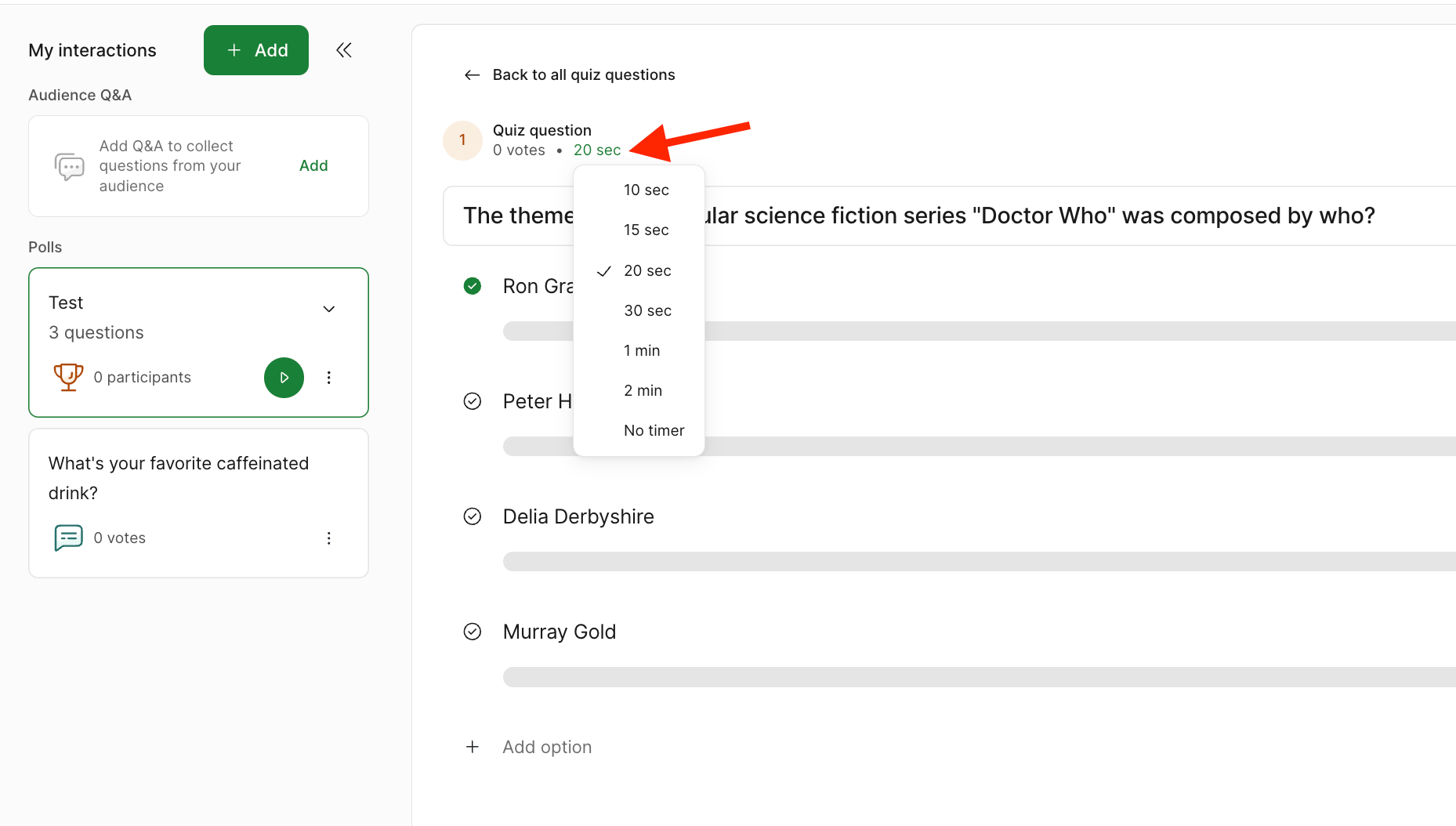
Click on the Quiz, then select the question you want to adjust.


Click on the default timer to change it.

Hope this helps!


  • Participant
  • June 17, 2025

Please allow us to change the default timer for all questions


Forum|alt.badge.img

Hi ​@ProfRoger.

You can change the timer under each of the quiz question’s Poll settings.  It is a pain to change it manually for each question, and I’ll be happy to share this feedback with our team. 


  • Participant
  • July 22, 2025

Hi ​@ProfRoger.

You can change the timer under each of the quiz question’s Poll settings.  It is a pain to change it manually for each question, and I’ll be happy to share this feedback with our team. 

The OP is asking for a setting to universally set our own default timer for Quizes. 


Adrian from Slido
Forum|alt.badge.img

Hi ​@IDBR

Thanks for your message. That’s the feedback that Jennifer passed along to our product team. The ability to set a default timer for Quizzes. At the moment, however, that is not on our product roadmap. 

All the best,