Integrate Slido with your PowerPoint presentation to include live polls, quizzes, and Q&A directly in your slides. The Slido sidebar allows you to create and edit your interactions without ever leaving PowerPoint.
The Slido for PowerPoint integration is available in all Slido plans (including Basic)
In this article:
If something’s not working for you, please see the current limitations and check out our troubleshooting guides (Windows or macOS)
System requirements
We only support PowerPoint versions with the latest security and quality updates installed. Please make sure that your computer meets the following requirements so that Slido for PowerPoint runs properly.
Windows:
- Windows 10 22H2 or later
- Microsoft PowerPoint 2016 or later with October 2024 updates applied
If you’re a Windows administrator for your organization, check out our specific guide for admins. This includes more detailed system requirements, plus instructions for installing Slido for PowerPoint on Windows for your entire team.
macOS:
- macOS 12.0 (Monterey) or later
- Microsoft PowerPoint 2021 or later with October 2023 update (16.78) applied
We highly recommend keeping your macOS or Windows version up to date. This helps ensure that your Microsoft apps (including Slido) stay updated. If needed you can reference Microsoft’s release history for Office for Mac, Office for Windows, or Microsoft 365 for Windows apps.
Download and install the integration
- Download Slido for PowerPoint
- Install it on your computer
- Launch it
You’ll need to follow these steps on each computer you are using to create or present your presentation. For your polls to work correctly, you must first install Slido and ensure you are logged in through the sidebar.
Add Slido to your presentation
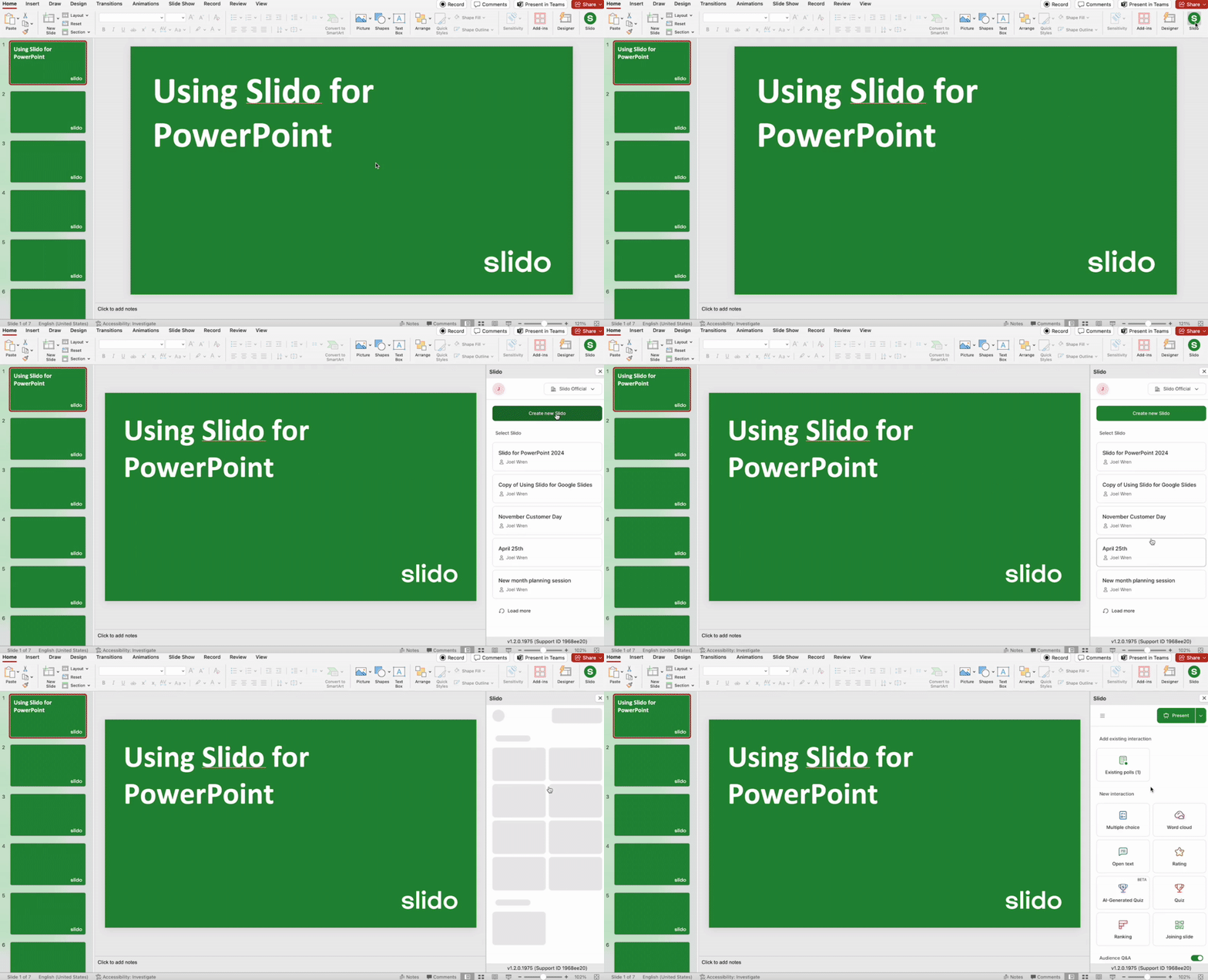
Open your PowerPoint presentation and you'll now see the Slido button under the Home tab. Don’t see the button? Restart PowerPoint.
- Click the Slido button to open the sidebar
- Log in if necessary
- Select a slido to use or create a new one
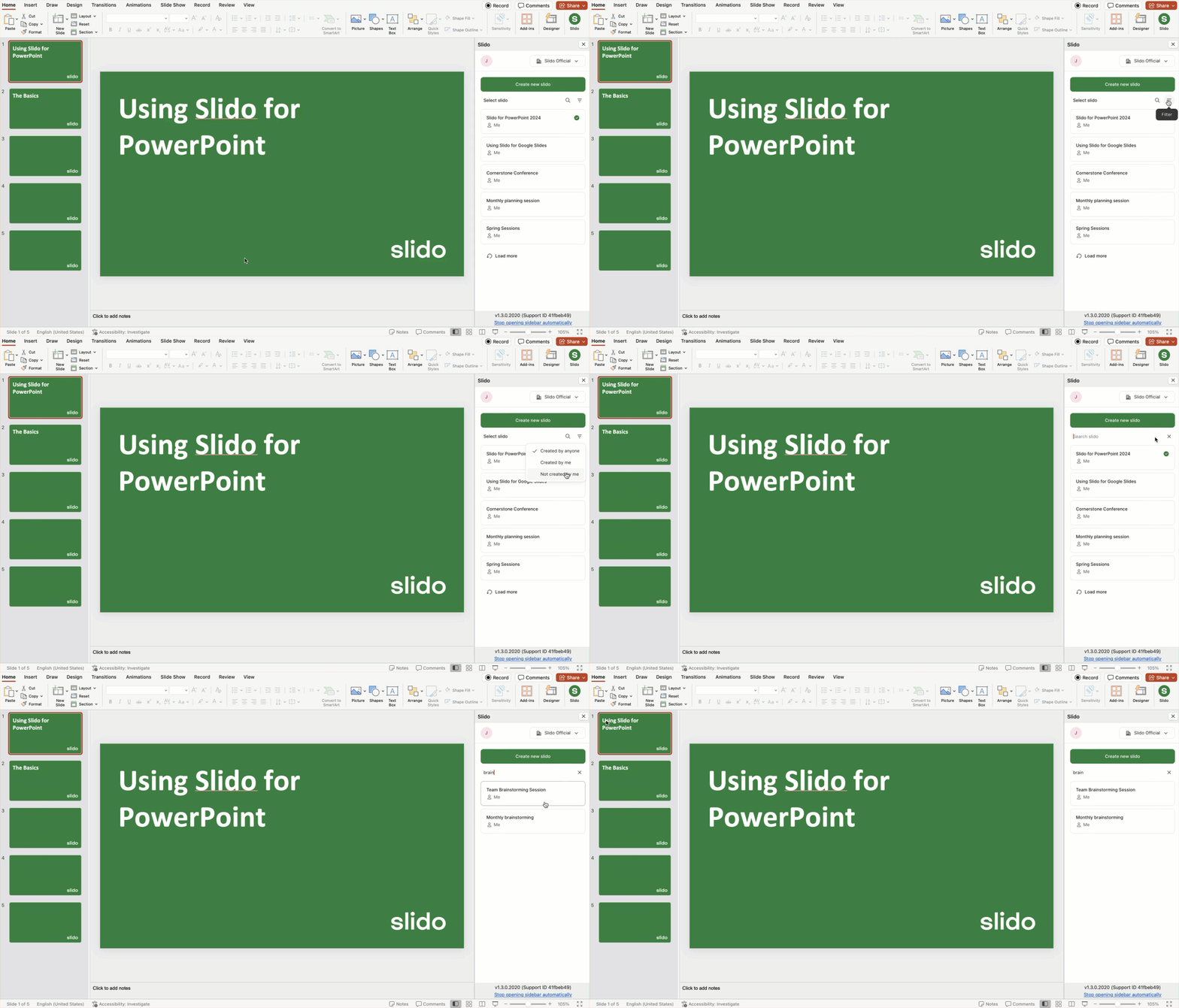
Pro tip: Use the filter and search options to find and add a specific slido. This is especially helpful if you’re a license owner, license admin, or anyone else who has access to a lot of slidos.
Add live polls and Q&A to your presentation
Adding polls:
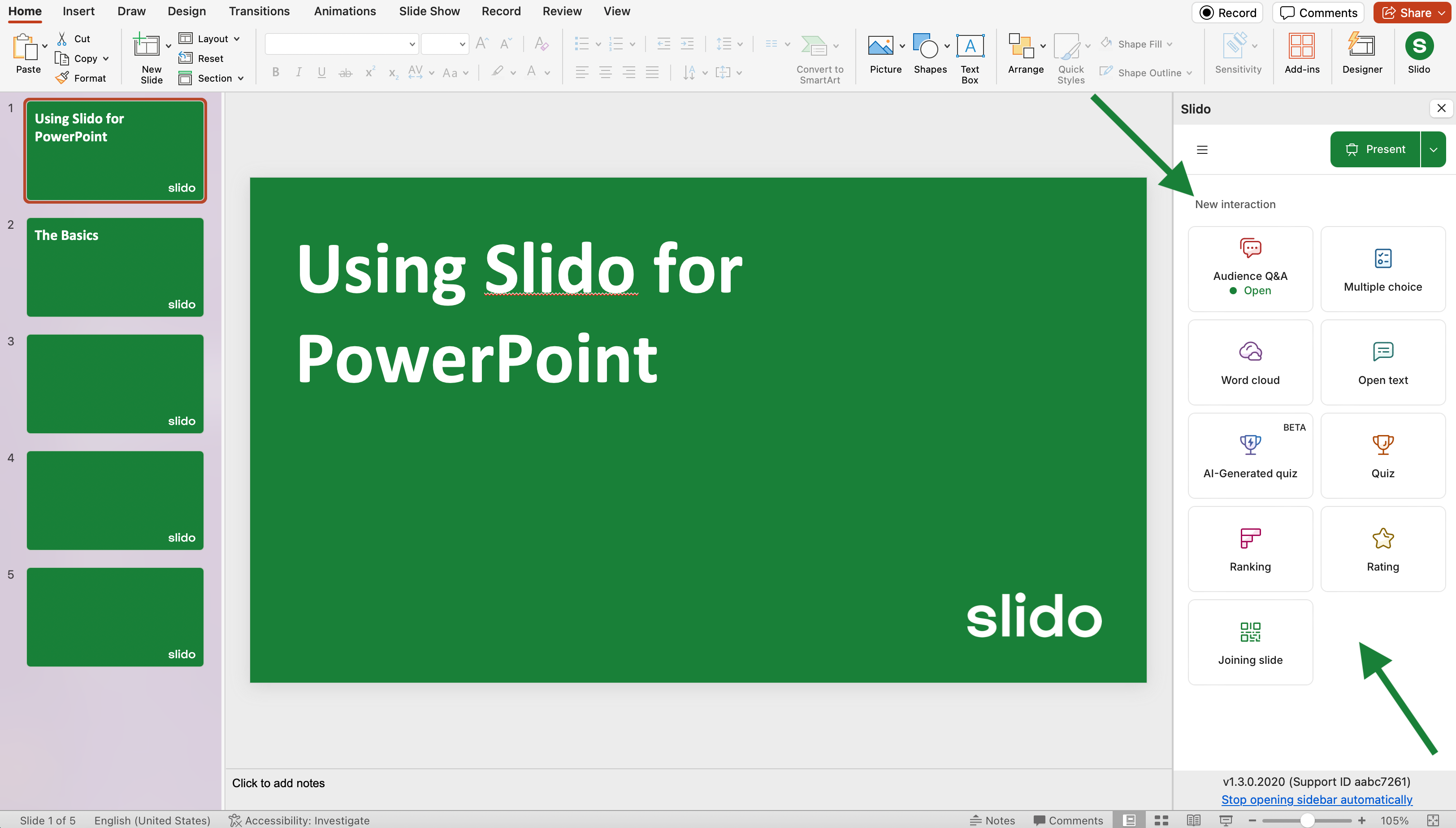
Under New interaction, choose a poll type to add to your PowerPoint presentation. Polls are added as individual slides and they run automatically as you present. This allows your audience to vote in real time.
Creating and adding polls to your presentation has never been faster or easier...thanks to Slido AI. Check out our AI tools for working within PowerPoint with Slido:
- AI-Generated Polls: Generate polls in seconds based on your presentation content
- AI Quiz: Create a Slido in quiz based on any topic of your choosing
Displaying poll results when presenting:
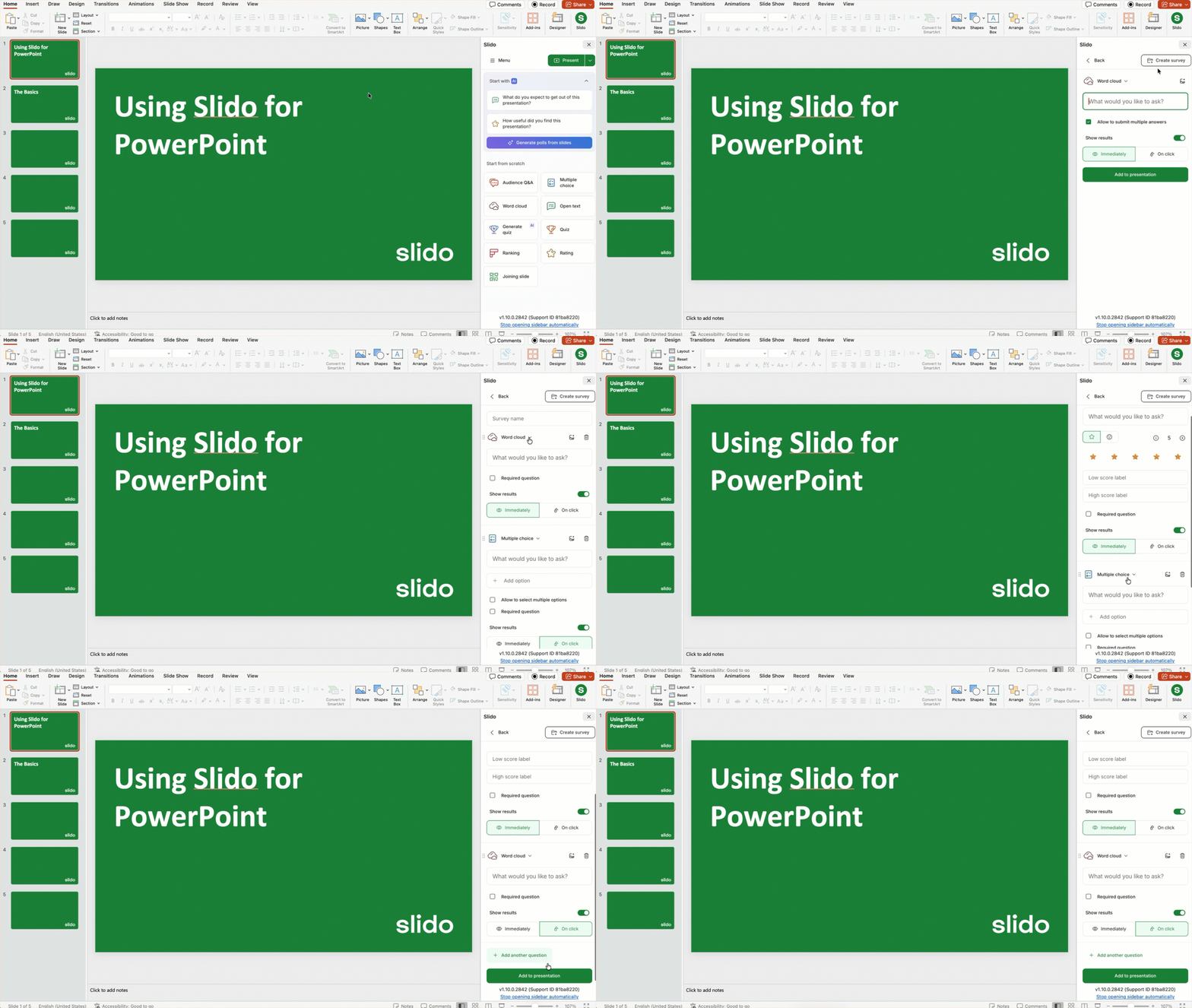
When adding or editing a poll, you can choose how to display your poll results. If you don’t want to display the results to your audience, simply toggle off Show results. When it’s toggled on, you have two options for displaying the results:
- Immediately: The poll question and results are displayed in real time when presenting the slide.
- On click: The poll question is displayed first when presenting the slide. Advancing one more click displays the results.
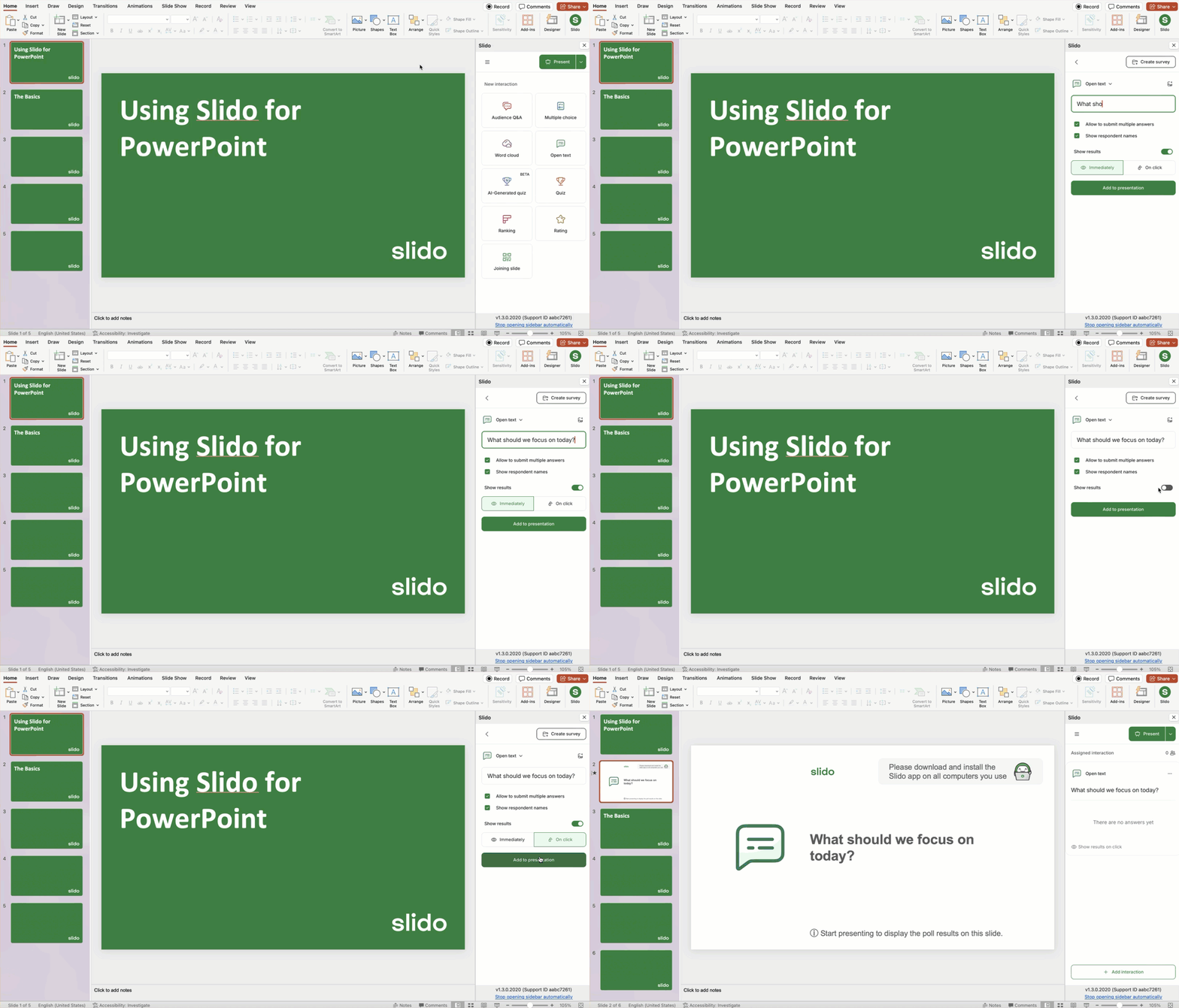
Adding a poll and choosing how to display results
Need to add a survey to your presentation?
Start by selecting your first poll type. Then notice the Create survey option in the upper right corner. Click there and you’ll be able to create your survey directly in the sidebar.
Adding Q&A:
Just like polls, adding Q&A creates a new slide. Simply select the Audience Q&A option under New interaction and you’re all set.
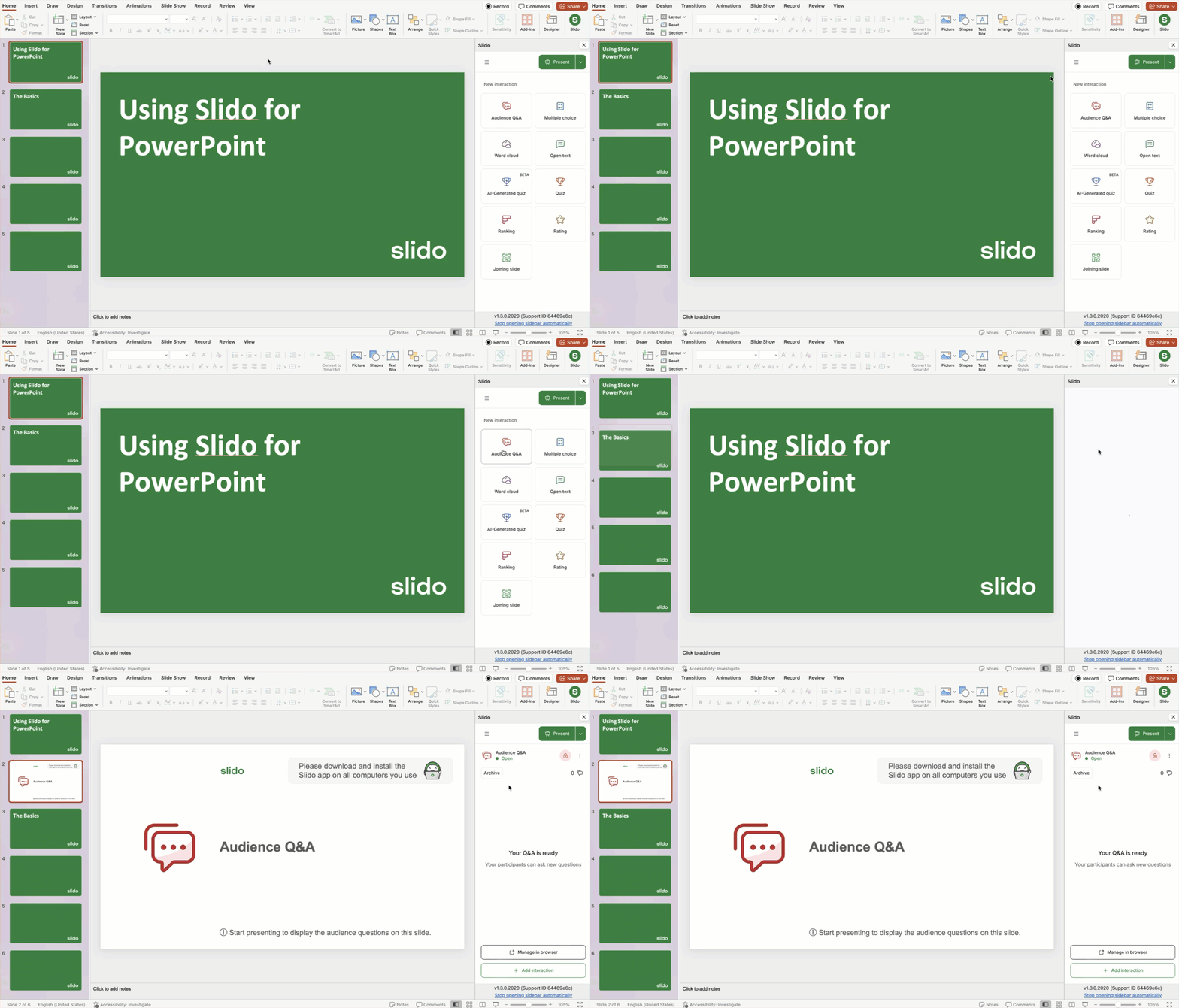
The Audience Q&A is open throughout your presentation, but the Q&A slide displays the questions directly while presenting.
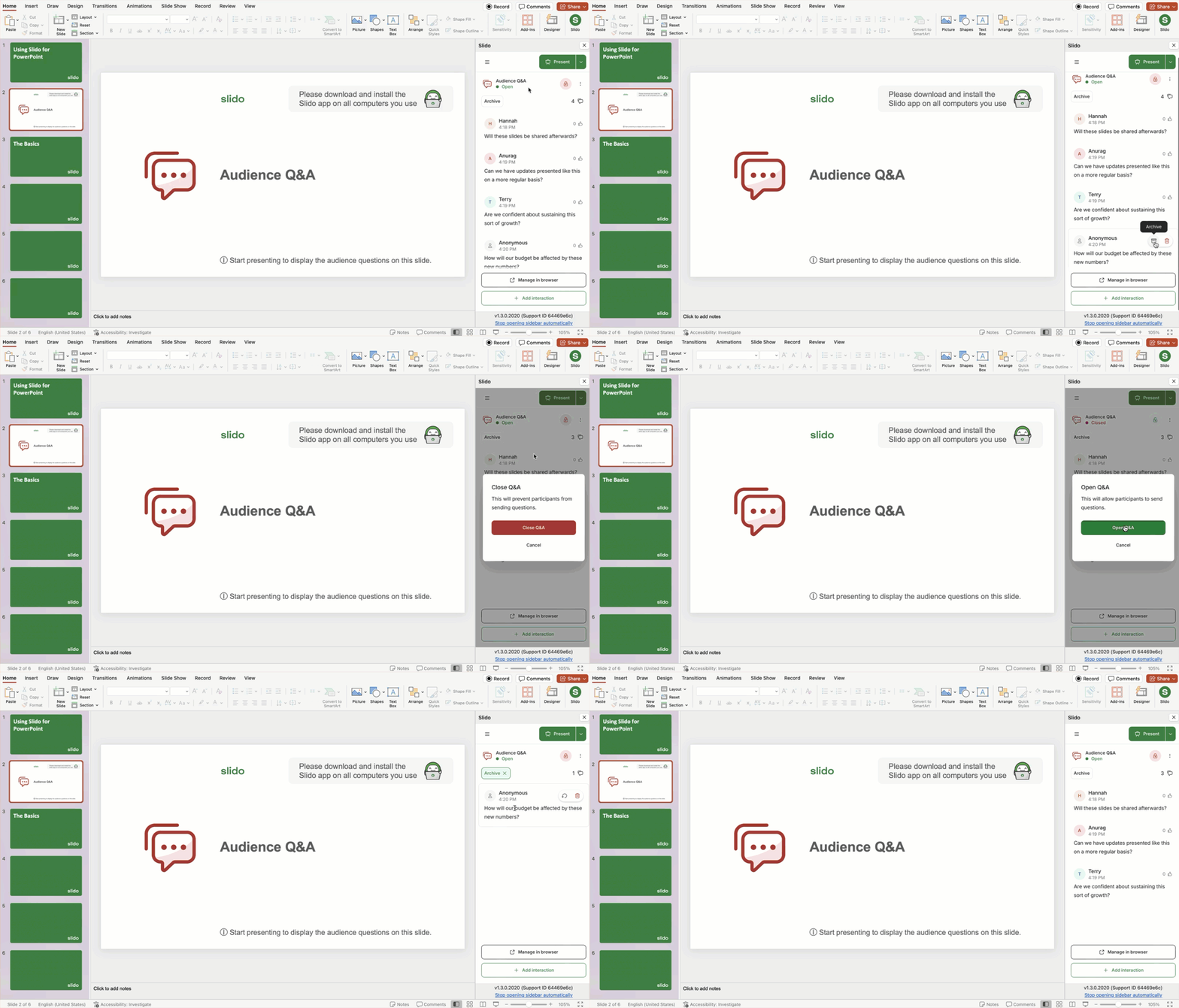
All submitted questions will appear in the sidebar. There you’ll have the following options:
- Delete or archive individual questions: Hover any question and choose either the delete or archive option.
- Close or open the Q&A: Audience Q&A is open by default when you add it to your presentation. But you can always close or reopen it using the lock icon near the top of the sidebar.
- View archived questions: Select the Archive button to view any questions you’ve previously archived.
- Open Q&A in your browser: Select the Manage in browser button to open your Q&A in a new browser window. This is especially helpful if you have a lot of questions coming in from your audience and/or you’re using Q&A moderation.
The Manage in browser option opens up your Q&A in Slido Host mode. This is also where you can set up your Q&A and polling in advance if you wish.
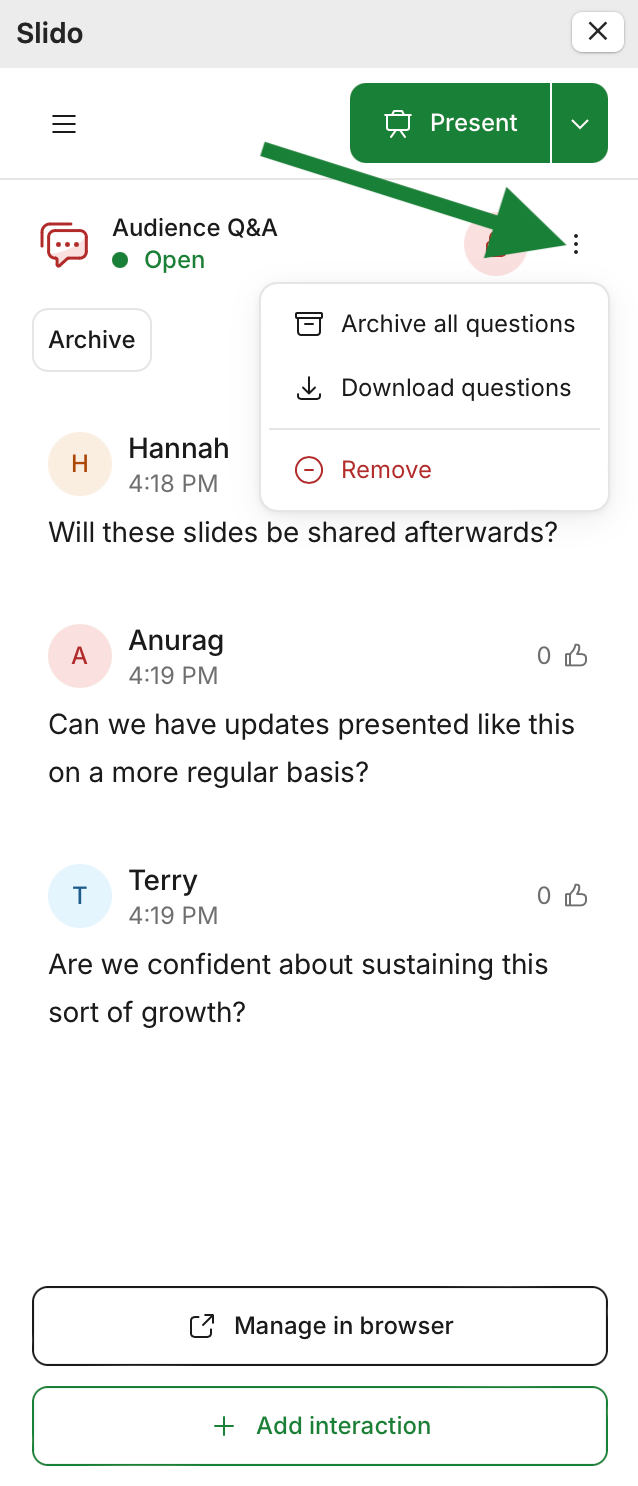
Bulk Q&A actions: Select the three-dot menu for Q&A bulk actions. There you can archive all questions, download all questions, or simply remove the Q&A from your slido entirely.
Holding slides:
Every slido interaction added to your presentation (poll or Q&A) creates a holding slide in the slide deck.
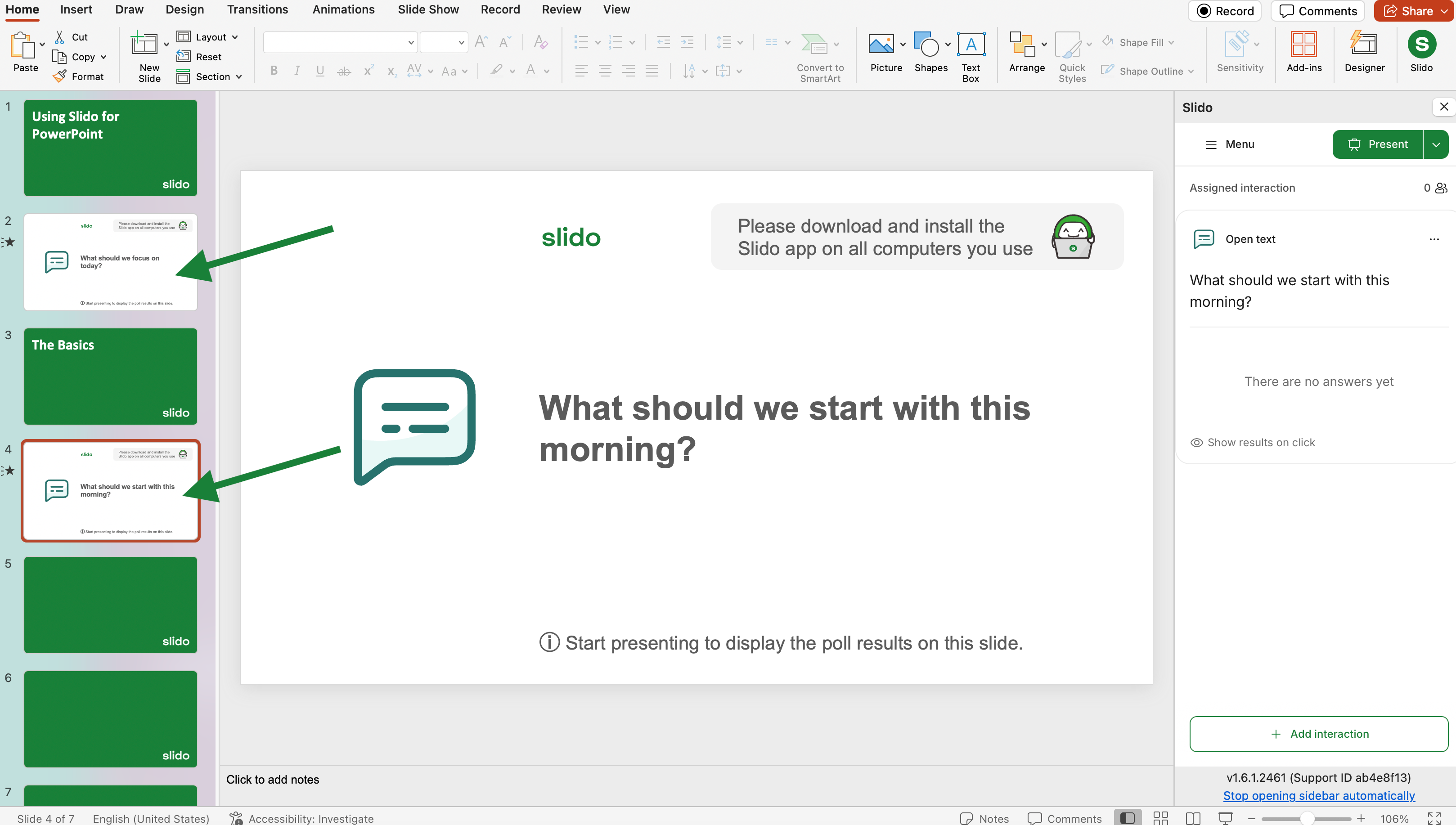
It is important that you do not edit the text, images, or background of these holding slides like you would any other slide. To change how your Slido slides appear in your presentation, see the section below for changing your Slido theme.
Holding slides contain data that ensure Slido runs smoothly throughout a presentation. Editing them like a standard slide can cause performance issues.
Change your Slido theme
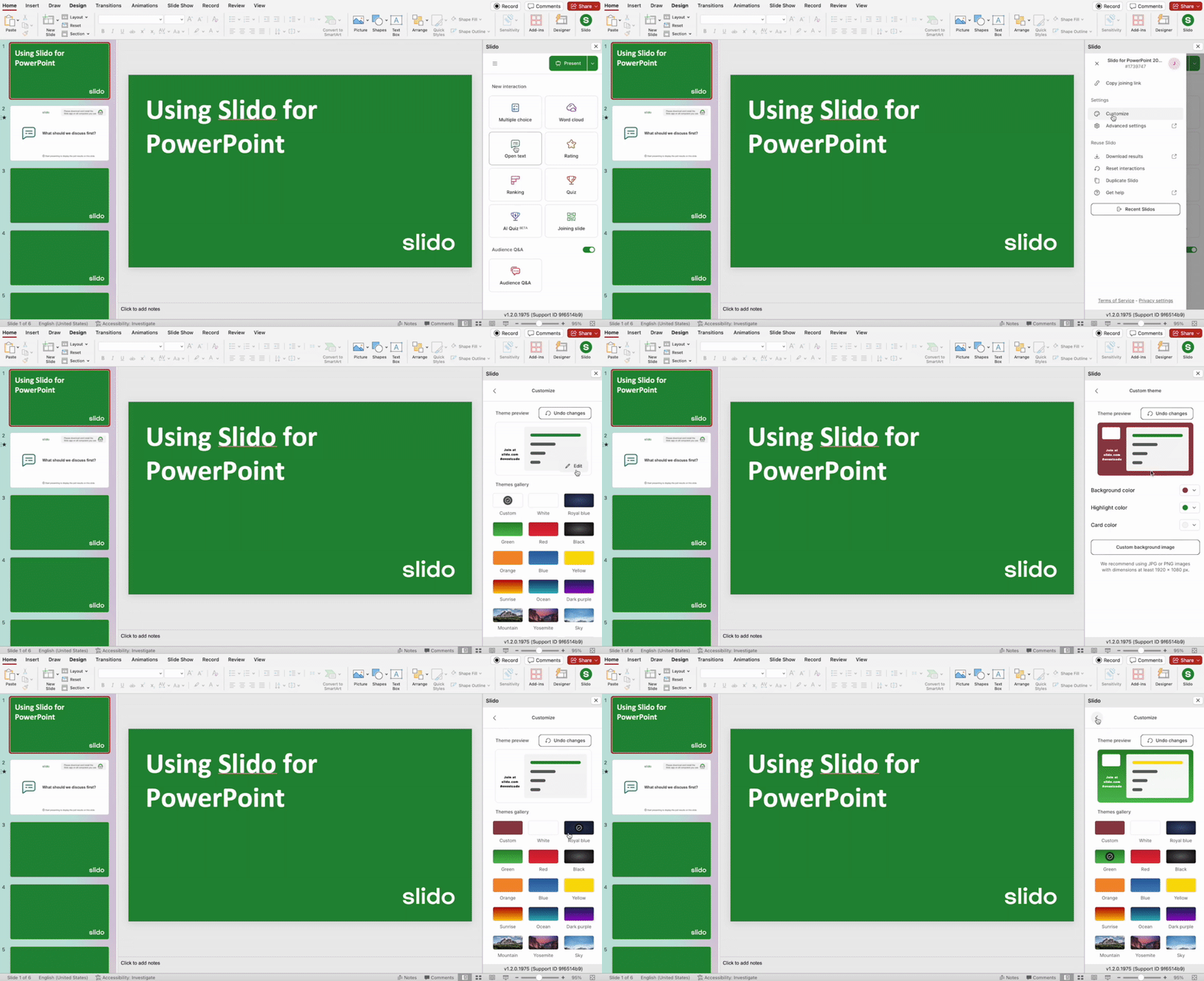
Easily change the theme of Slido slides to match your presentation. You can add your custom colors or upload a background image directly from the sidebar.
- Click on the hamburger menu icon in the top left of the sidebar
- Select Customize
Choose a theme from our gallery – or click Edit to select custom colors or upload a background image.
With a Professional or higher plan, you can also add company and partner logos to your slido. However, this specific customization needs to be done at slido.com. Learn more
Start presenting
Once you've finished preparing your slides and you're ready to go, start your slideshow.
You can begin your slideshow as normal or simply select the green Present button in the Slido sidebar.
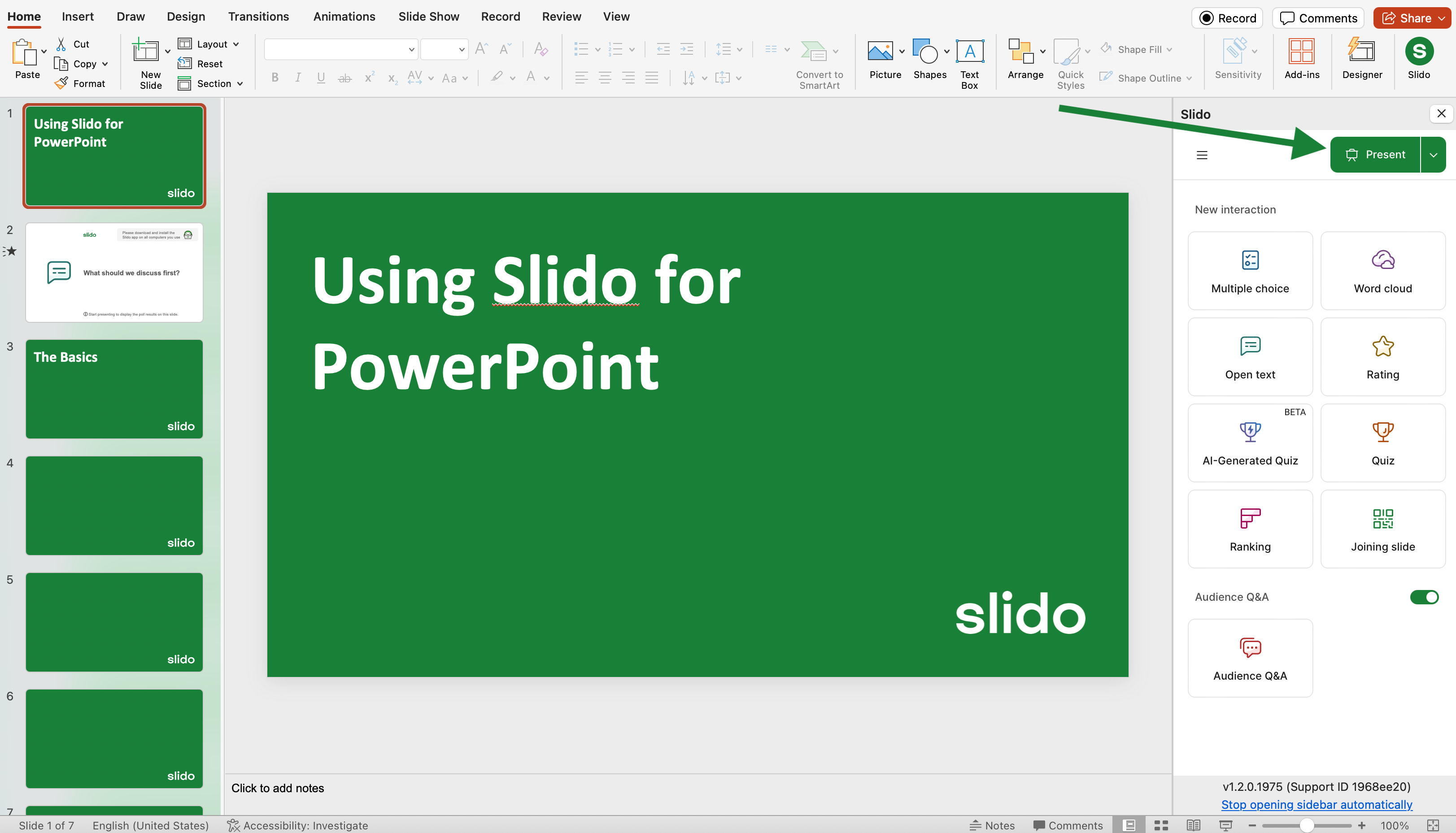
Your polls will start and run automatically as you present them. The results will update in real time on your slide and on participant devices.
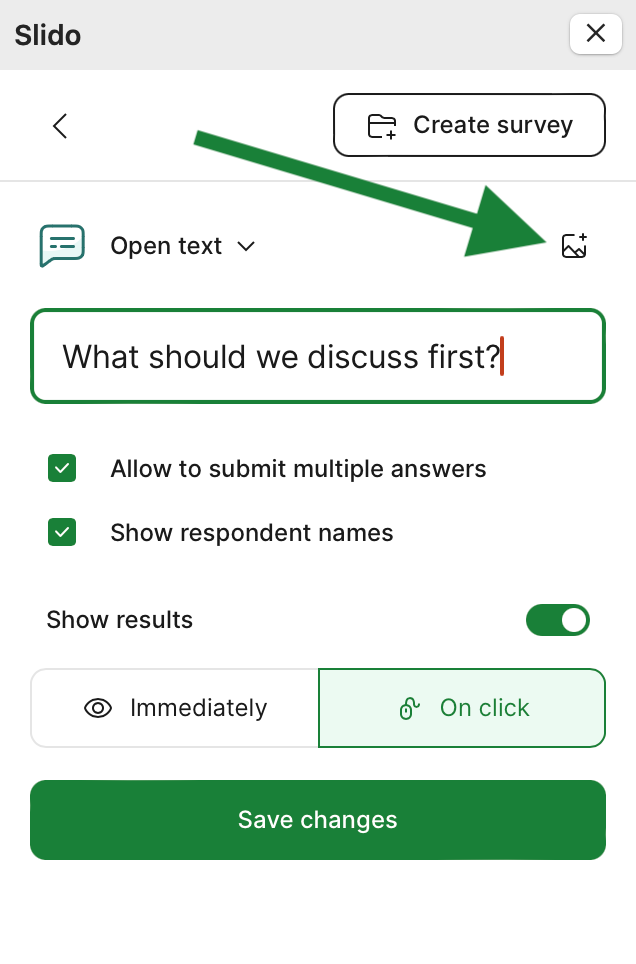
Pro tip: Use images to add context to your poll questions. Select the image icon when creating or editing a poll to upload a picture from your desktop.
Ask your audience to join
Every Slido slide will display the slido code and QR code on the left side. To join, participants can enter the slido joining code at slido.com or scan the QR code on their mobile devices.
Once they join, they can interact with your polling and Q&A.
You can also pair our PowerPoint integration with Webex, Zoom, or Microsoft Teams. This allows your meeting participants to join directly from their meeting window.
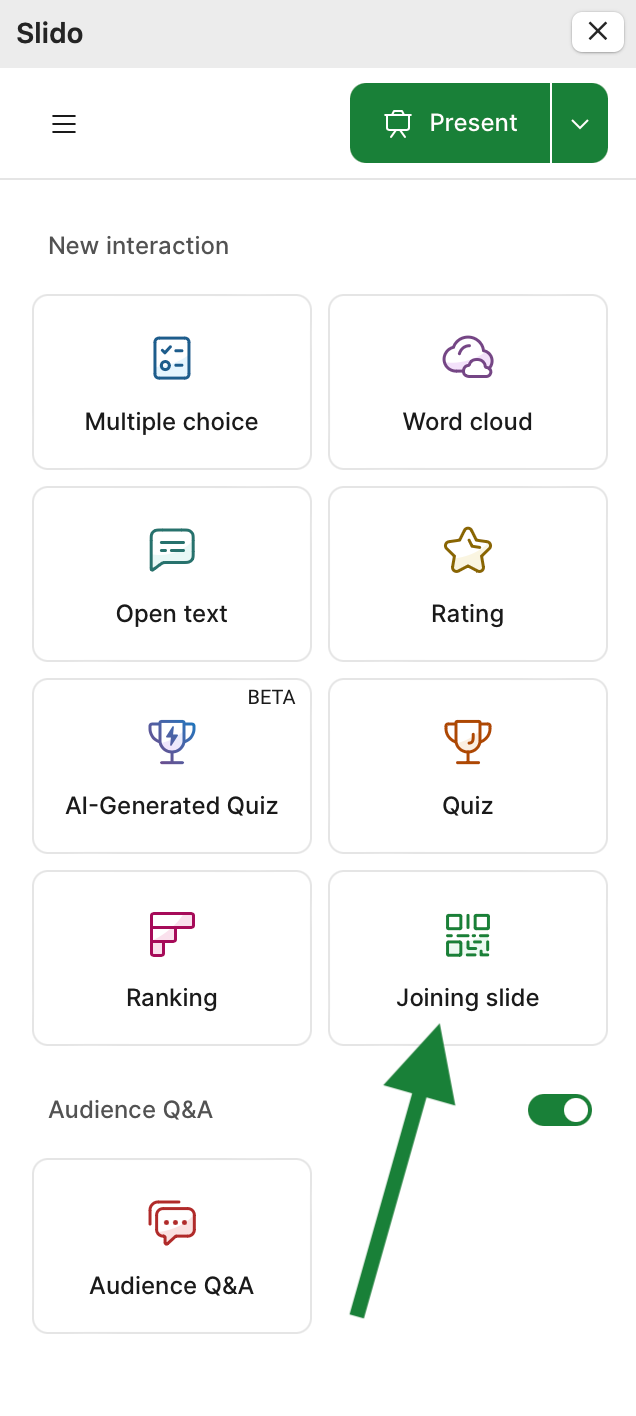
Pro tip: Add a Joining slide to your presentation. Joining slides display the joining instructions for Slido. It’s great for introducing your audience to Slido and inviting them to participate.
Collaborating on a presentation
If you’re preparing a presentation with someone else, you can grant them Slido access by adding them as a co-host. This allows them to help set up your Slido interactions.
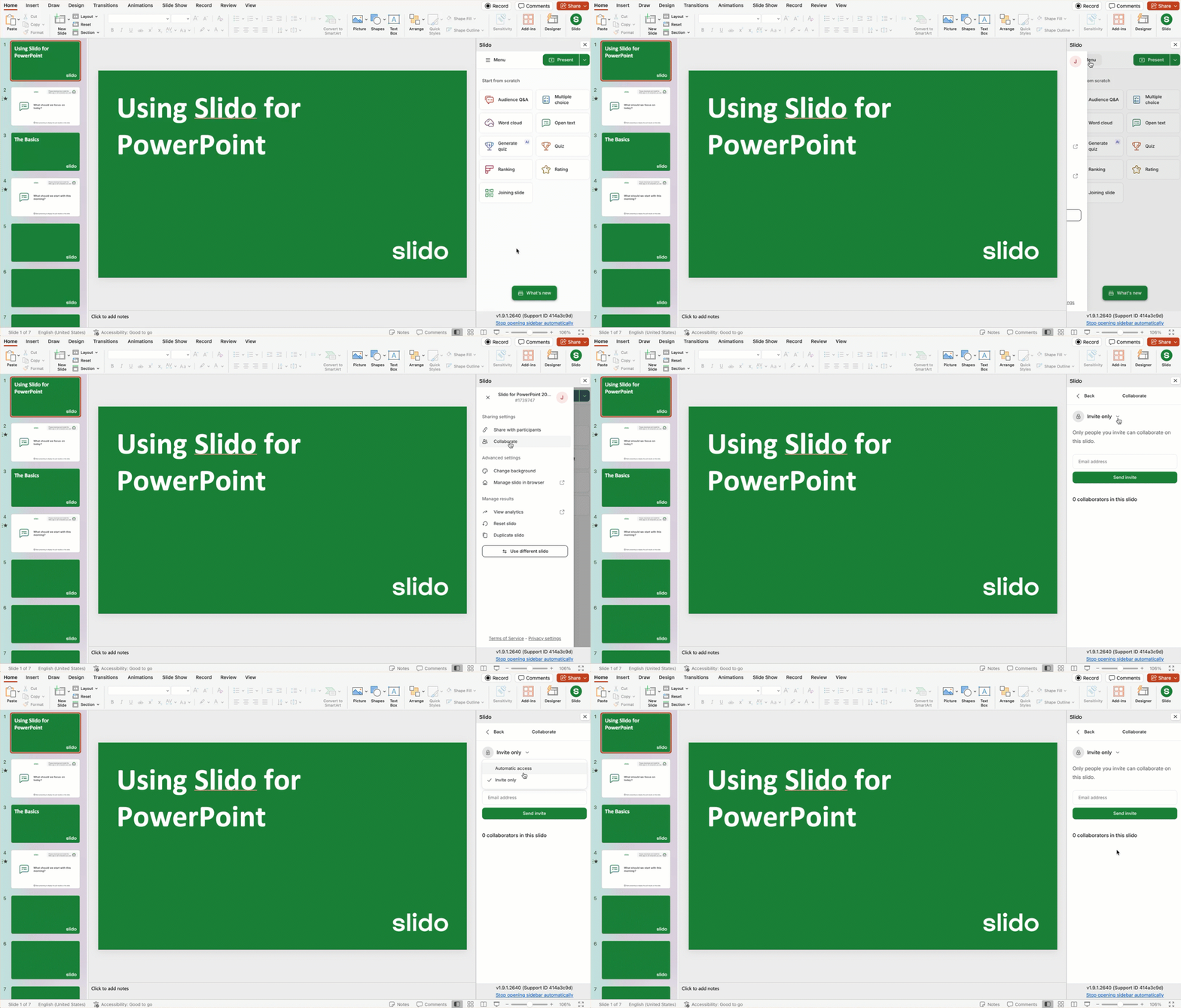
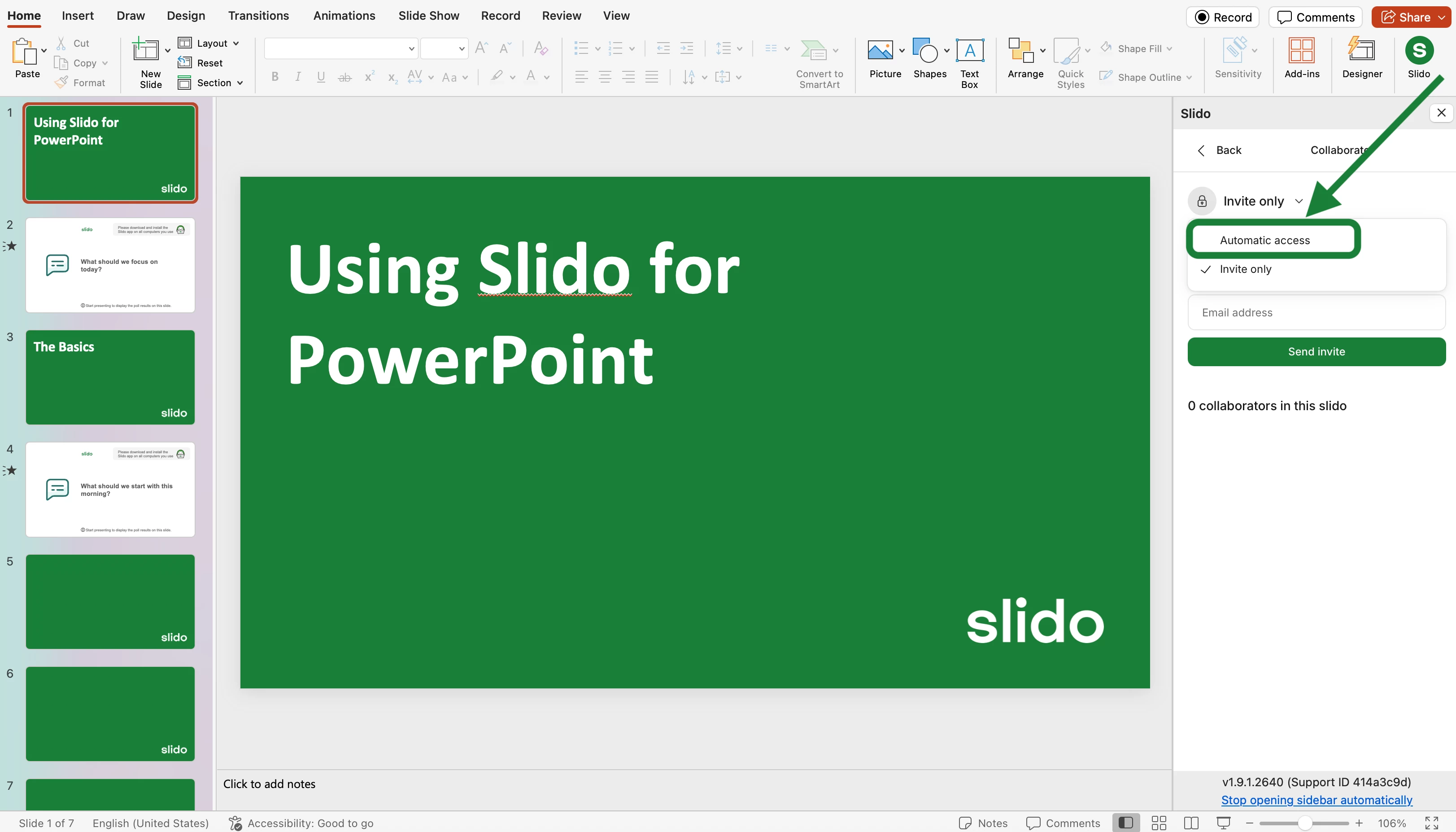
There are two options for how you can grant someone co-host access to your slido: Invite only and Automatic access.
You can view or change this option from your sidebar menu.
- Click on Menu
- Select Collaborate
- Click the dropdown menu to change your setting
Invite only
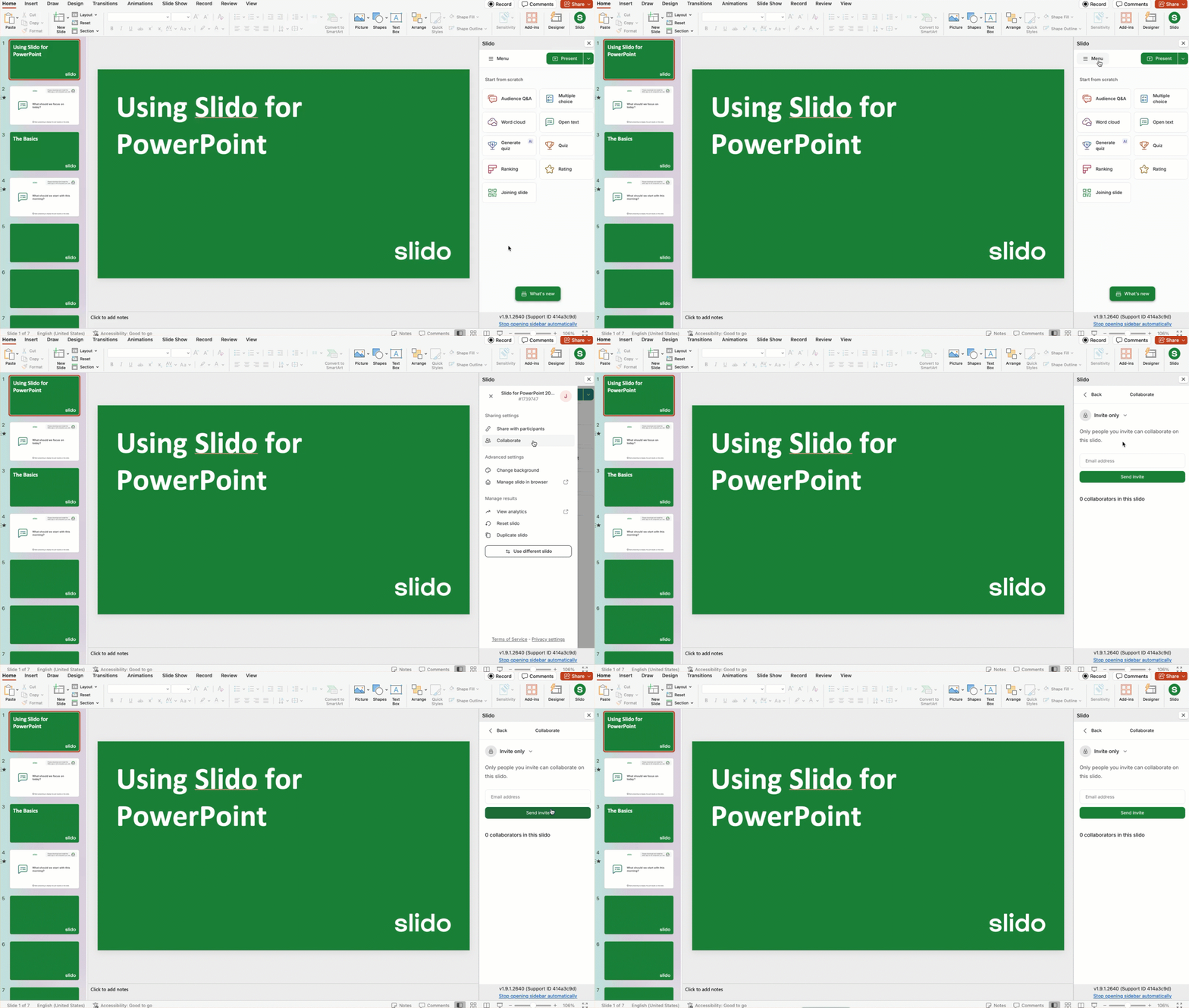
Invite only is the default setting. With this setup, you can grant someone access by inviting them to your slido.
- Click on Menu
- Select Collaborate
- Enter their email address and hit Send invite
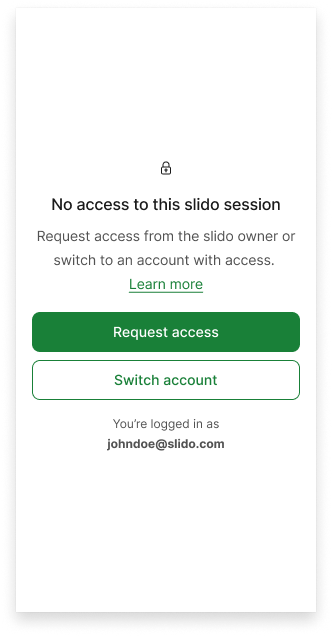
If someone is not added as a co-host, they’ll see a No access notification when opening the slido sidebar. From here, they can sign in under a different account or request access from the slido’s owner.
Automatic access
If you change your setting to Automatic access, anyone who has access to your PowerPoint file will be automatically added as a co-host. This can make for quick and convenient collaboration.
Collaboration tips:
Double-check that you have the AutoSave option enabled in PowerPoint. This will sync the file either with your OneDrive or SharePoint account. You can then share the presentation with your colleague.
In order for the presentation to run properly with Slido, make sure that:
- The person presenting has the Slido for PowerPoint app installed
- The person presenting has co-host access to the slido which is linked to the presentation. They can request this access directly from the sidebar.
Remove Slido from a presentation
If you have a shared presentation deck that has a slido linked already linked to it or you don't have access to the slido because it belongs to a different account, you can remove that slido and then add your own.
Here’s how it works:
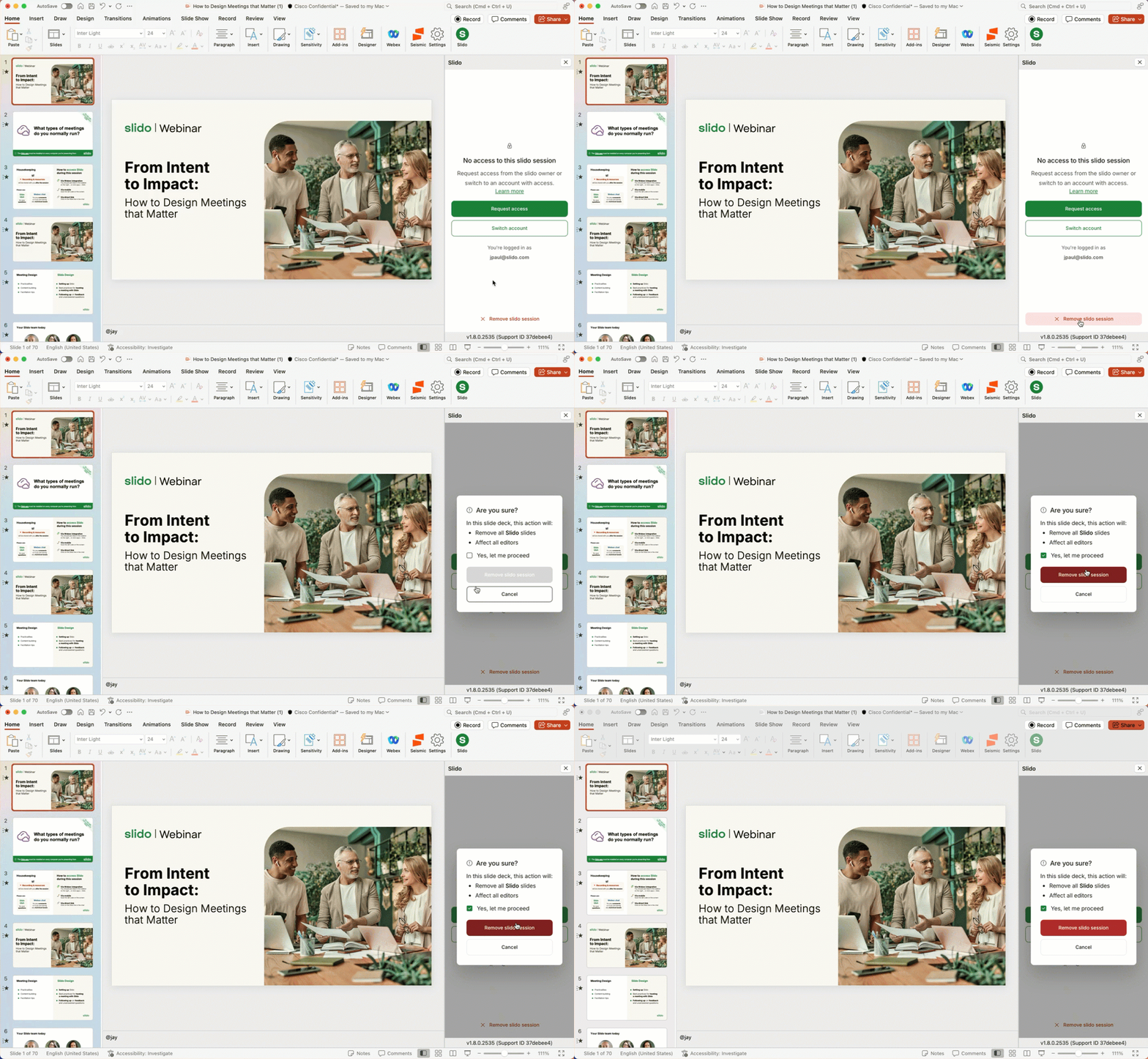
If someone is logged into a different account than the one linked to the slido in the presentation (or doesn’t have access to it), you’ll see three options:
- Request access to the Slido session.
- Switch accounts to the one with access.
- Remove slido session from the presentation.
By selecting “Remove slido session” and confirming the action, all Slido placeholder slides will be deleted from the presentation.
Here’s how to remove a slido:
- Open your presentation deck and log into Slido
- Select Remove slido session
- Confirm that you want to remove the slido and all of the Slido placeholder slides
Note: Removing a slido from a presentation deck won’t remove the Slido integration from PowerPoint itself.
Settings
Access your slido’s settings and more using the Menu in the top left corner of the sidebar. See the menu options below and learn how they can each help get the most out of your presentation with Slido.
- Share with participants: Here you can copy your slido’s direct joining link or copy/download its QR code.
- Collaborate: View and manage co-host access to your slido.
- Change background: Change the theme for your Slido slides to match your presentation.
- Manage Slido in browser: View your full settings at slido.com. Here you can adjust more complex settings such as privacy or branding.
- View analytics: This opens up your Analytics at slido.com, where you can view and download your data.
- Reset Slido: Use this option to reuse the same slido within the presentation. Poll results will be deleted and Q&A questions will be archived.
- Duplicate Slido: Use this option when you’re using the same presentation with a new audience. This will create a new slido with the same polls attached to your slide deck. Your original polls and audience questions will still be available to you at slido.com under the original slido.
- Use different slido: Select a different slido to use with your presentation.
Curious about more?
Get Inspired:
Interactive Poll ideas for your next PowerPoint presentation
See how others are using Slido