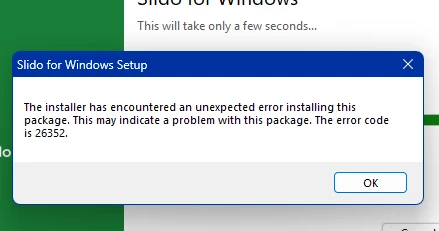
I’m very sorry you’re running into installation issues.
We are aware of this experience happening and our tech team is working on it. One of the workarounds would be either installing the previous version of slido or using a different MSI installer from your IT admin. If you are on company computer, please revert to your IT support or IT Admin, they will be able to fix the configuration for you on their side with the following steps:
Enable the user to install the certificate - this is required by latest Microsoft Security Baseline policies ( this is a guide from Microsoft Teams)
Install Slido using MSI for each user who needs the integration
In the meantime, if your slido session is urgent and you still aren't able to install Slido, I would recommend using our Slido for Google Slides or three finger trackpad trick. For Google Slides, you can ‘Import” your PowerPoint presentation into Google Slides and use our Slido for Google Slides integration instead.