



To start using polls and Q&A you first need to create a slido. Once you’ve created a slido, you can add polls, surveys, and set up audience questions.
In this article:
Create your first slido
If this is your first time using Slido, go to slido.com to create your account or log in. Then follow the steps below:
- Select Create a slido
- When the pop-up appears, pick the dates give your slido a name
- Click Create slido in the pop-up
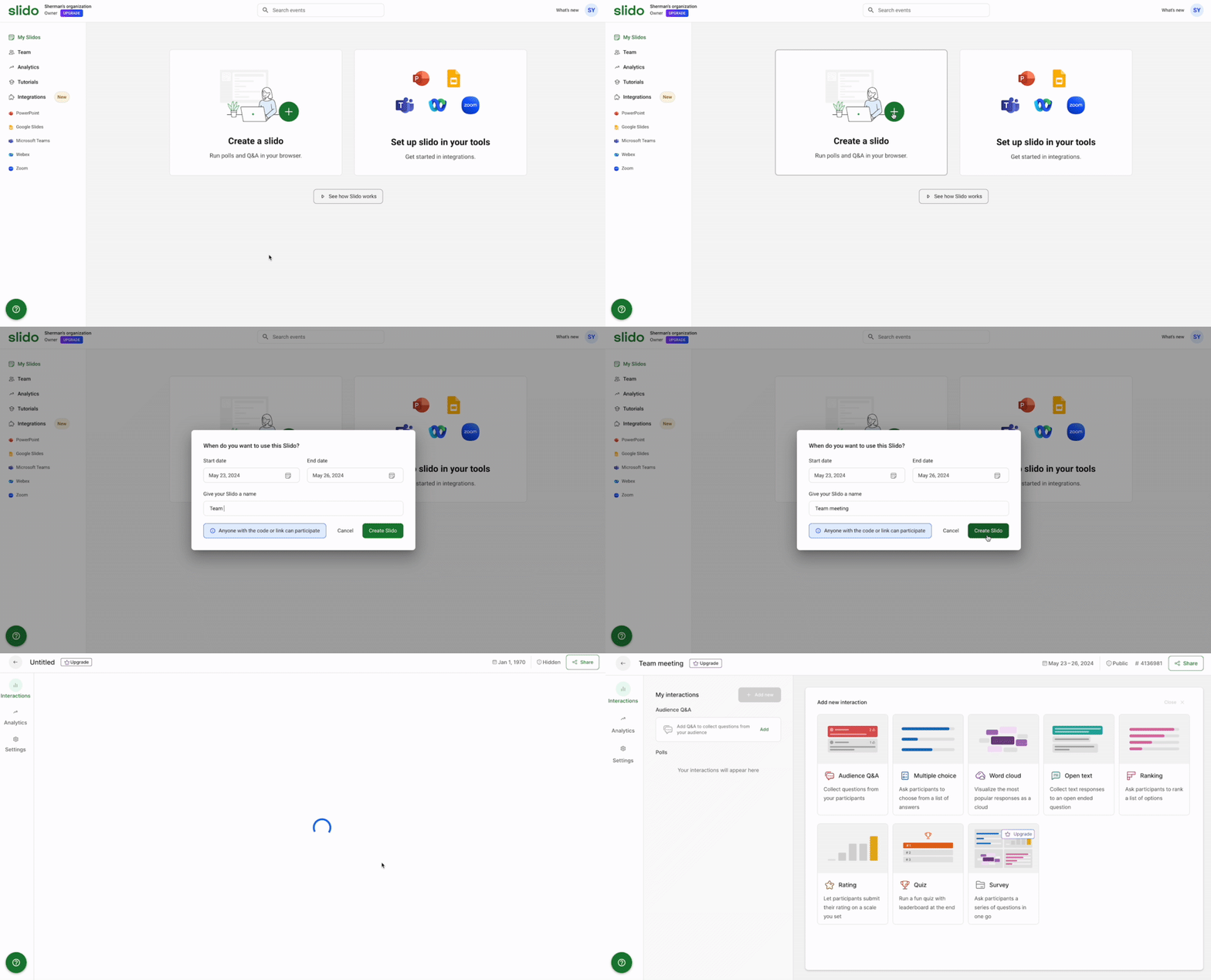
You can now create polls, quizzes, set up your Q&A and test everything before your meeting or event starts.
Create additional slidos
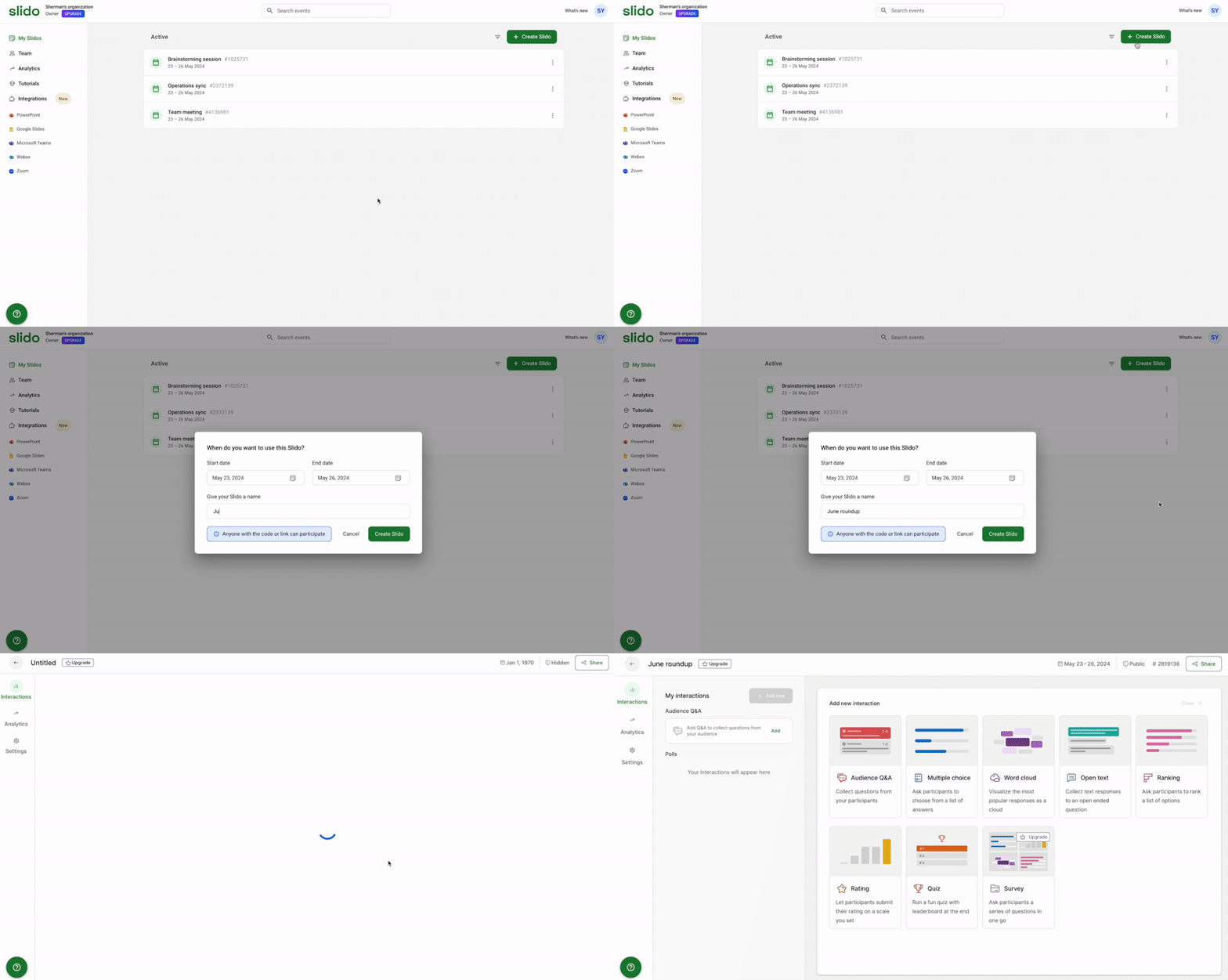
All slidos that you create can be found in your dashboard. Whenever you need to create a new one, simply click the + Create slido button.
Adjust your settings
To customize and adjust your slido, click Settings on the left side.
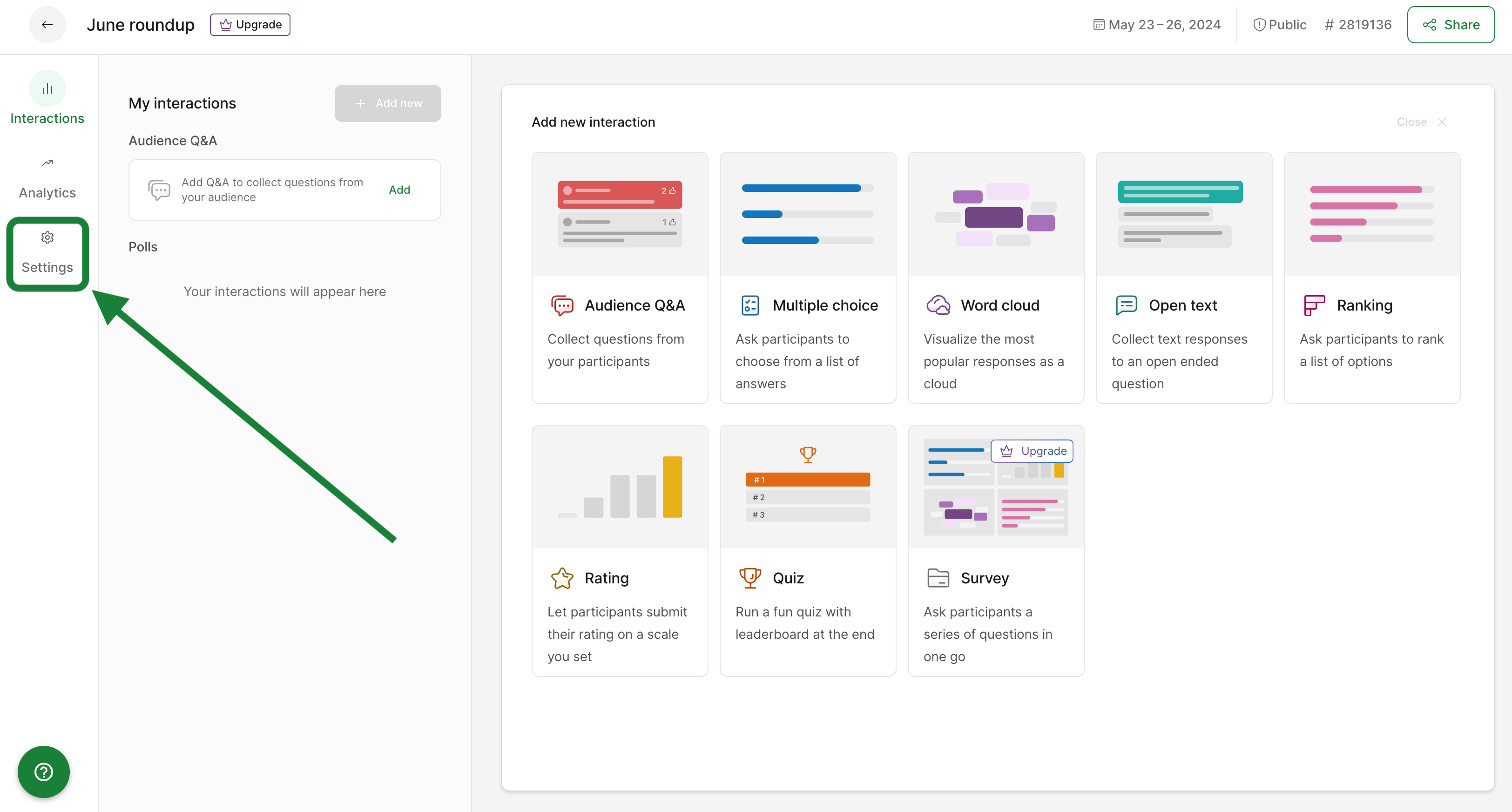
There you’ll be able to:
- Change your code
- Invite cohosts to help manage your slido
- Pick the time zone
- Set the language for participants
- Adjust privacy settings
- Enable additional options for polls and Q&A
- Plus much more
Learn more in our Slido Settings Overview
Curious about more?