



Uploading your own logo and colors to both Participant and Present mode allows you to customize how your slido looks to your attendees. It's also possible to display partner or sponsor logos in Present mode.
Available in Professional and higher plans
In this article:
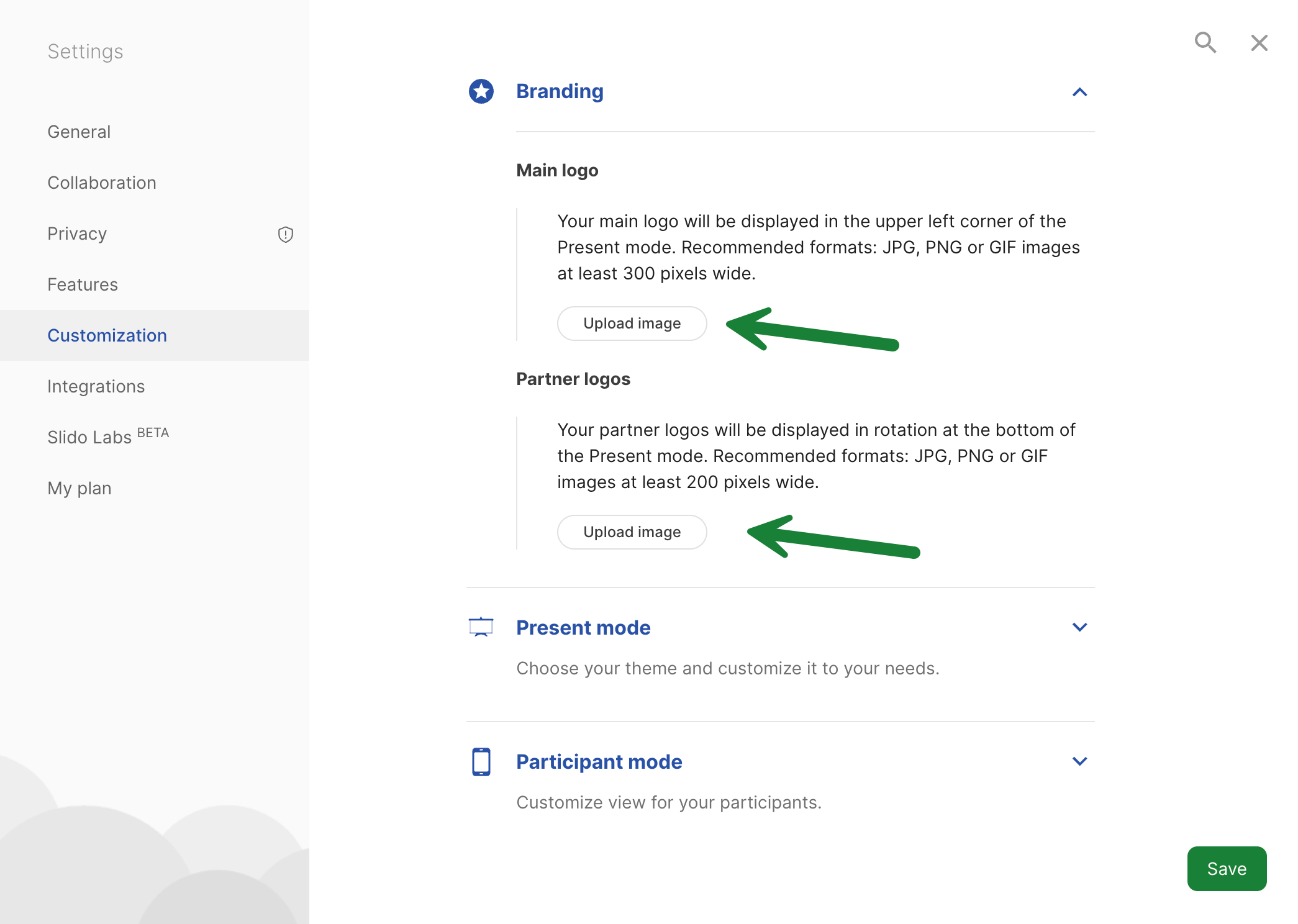
Add logos
Whether you’re running a team meeting, town hall, or a big conference, you can brand your slido with a logo. To give exposure to your sponsors or partners, you can also upload theirs.
- Go to Settings
- Select the Customization tab
- Under Branding, you’ll see two options, Main logo and Partner logos. Upload your images from there.
We recommend using JPG,PNG or GIF images. For your main logo it’s 300 pixels wide, and for partner logos, at least 200 pixels.
If you’re using a transparent image, you can choose to hide or display the white background behind your logo.
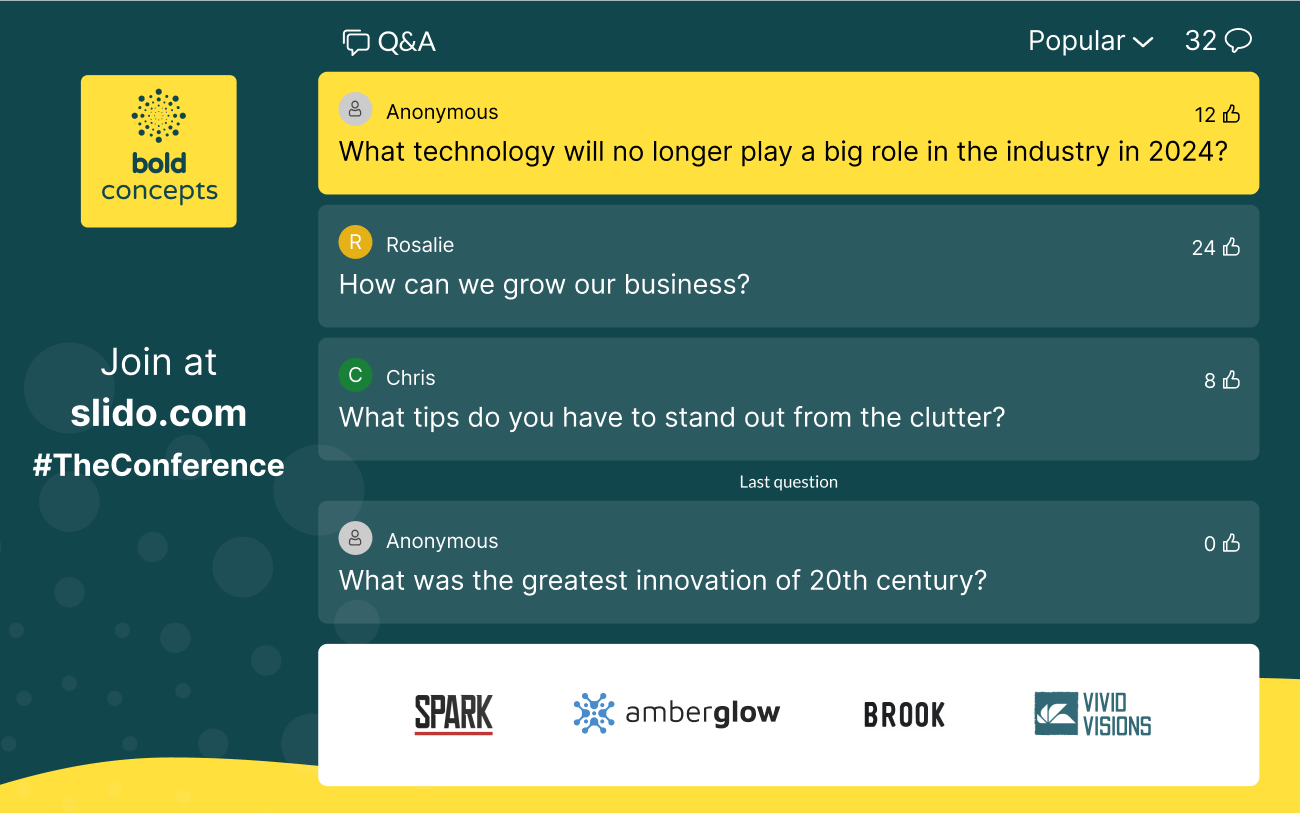
See the example below of Slido Present mode with a main logo (left) and a partner logo (bottom).

You can even add multiple partner logos. If you do, they’ll display in rotation at the bottom of Present mode.
Pro tip: Ask your design team to create a banner with a white background and multiple logos aligned on it. Then upload that as your partner logo. See an example below.

Add custom colors and/or a background image to Present mode
Visuals are powerful. Choose a color theme from our Gallery or select your own. You can use a color code or simply pick a color from the palette.
To start, go to Settings > Customization > Present mode. Then choose something from our Gallery or select Custom to add your own colors and/or background image.
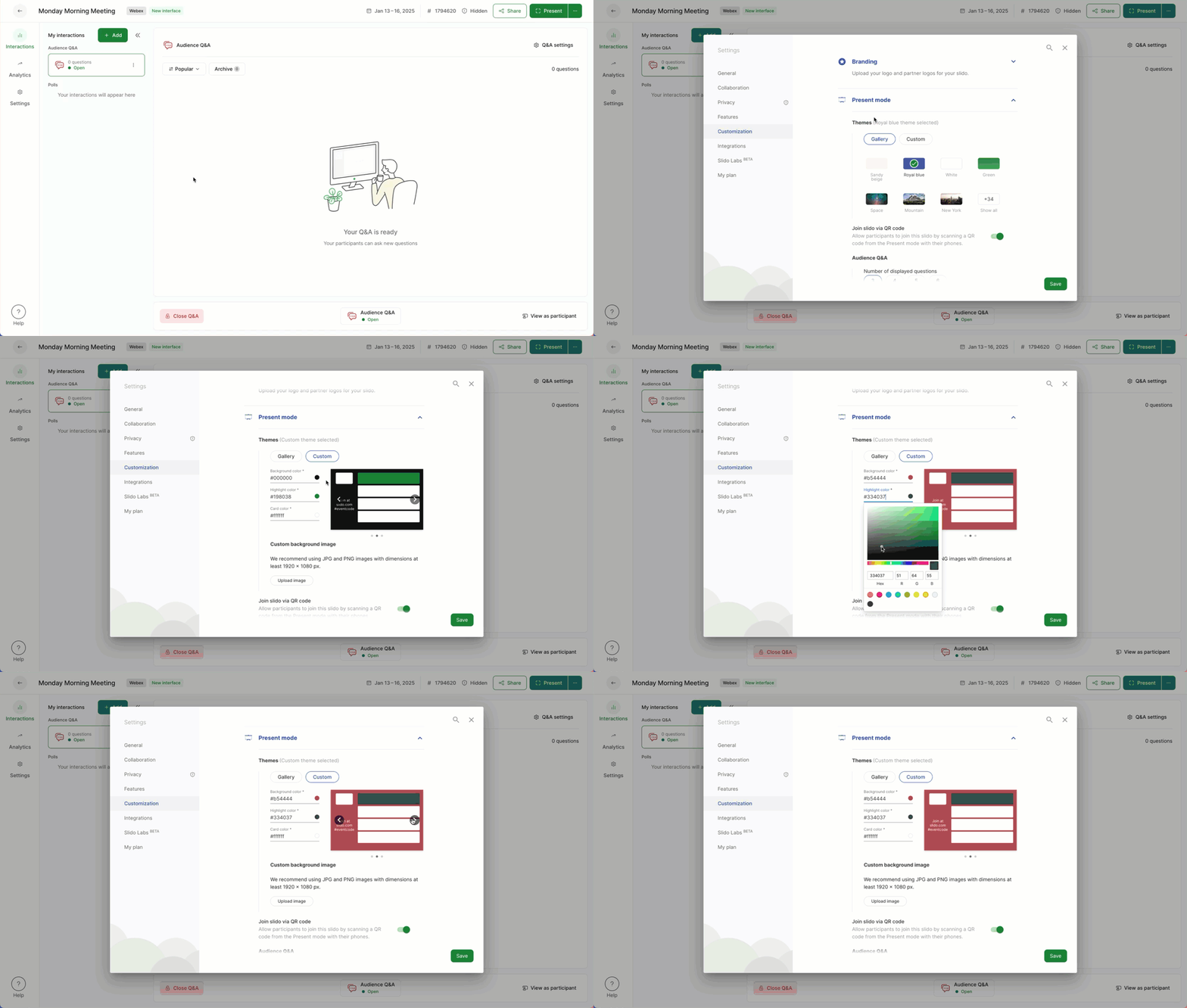
See the examples below of a customized slido in Present mode. Notice the custom background image, custom colors, main logo, and partner logos.

Can I use a GIF as a background in Present mode?
Yes, you can actually upload a .gif file up to 10MB as your Present mode background. However, we strongly recommend testing this out first. Getting a GIF to look good can be a bit tricky and you certainly don’t want your audience to be distracted by it.
Customize Participant mode
To adjust the look of your slido for participants on their devices:
- Go to Settings > Customization > Participant mode
- Toggle on Custom theme to set your colors
- If desired, toggle on a Welcome screen for attendees to see when they first join
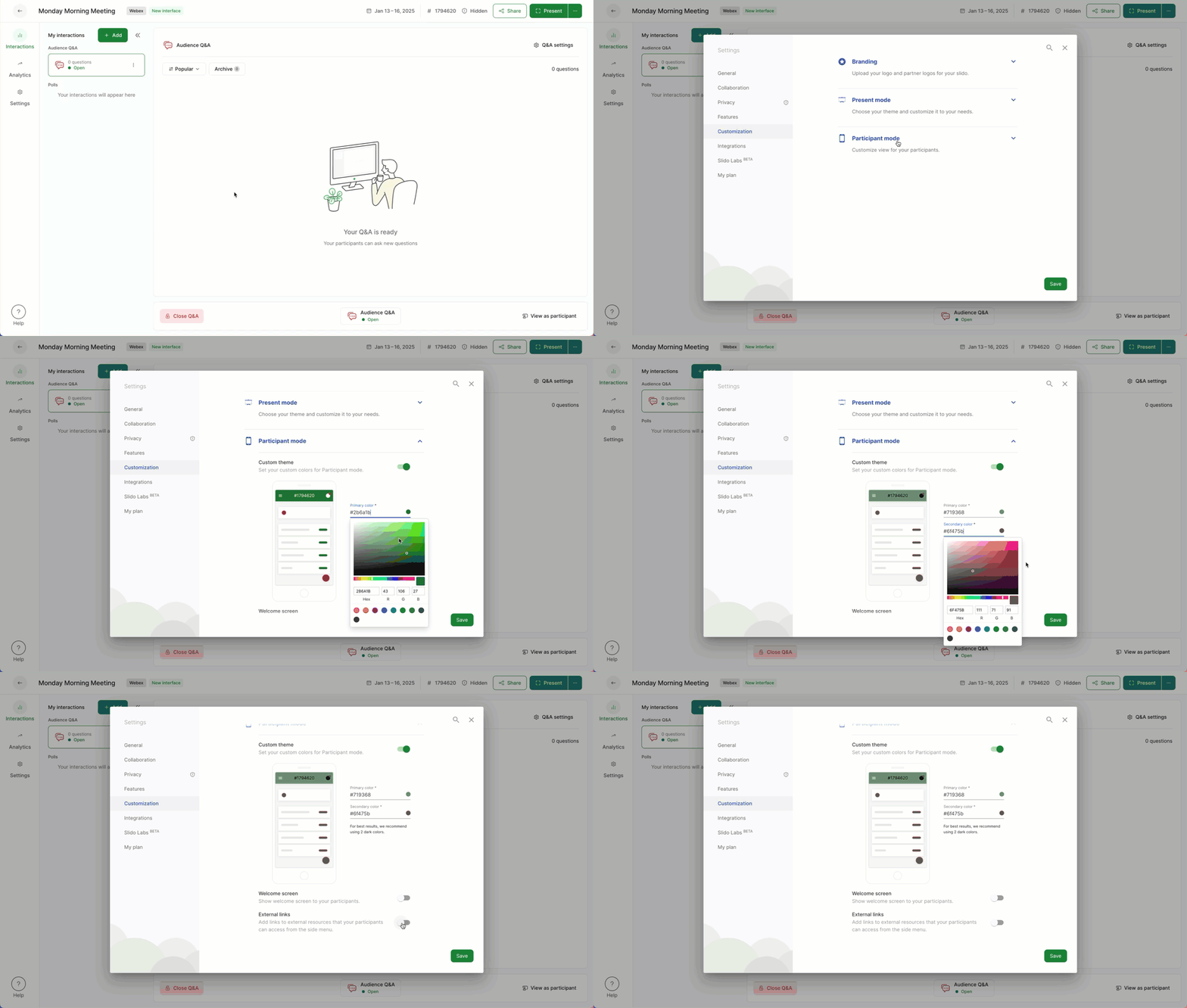
Customize your slido’s Participant mode
If enabled, the welcome screen appears for participants when they first join your slido. You can open a tab in incognito mode in your browser to test how it displays.
You can always test to see what the Participant mode looks like. Just select the View as a participant option near the bottom right. And when you’re finished, click Exit participant mode.
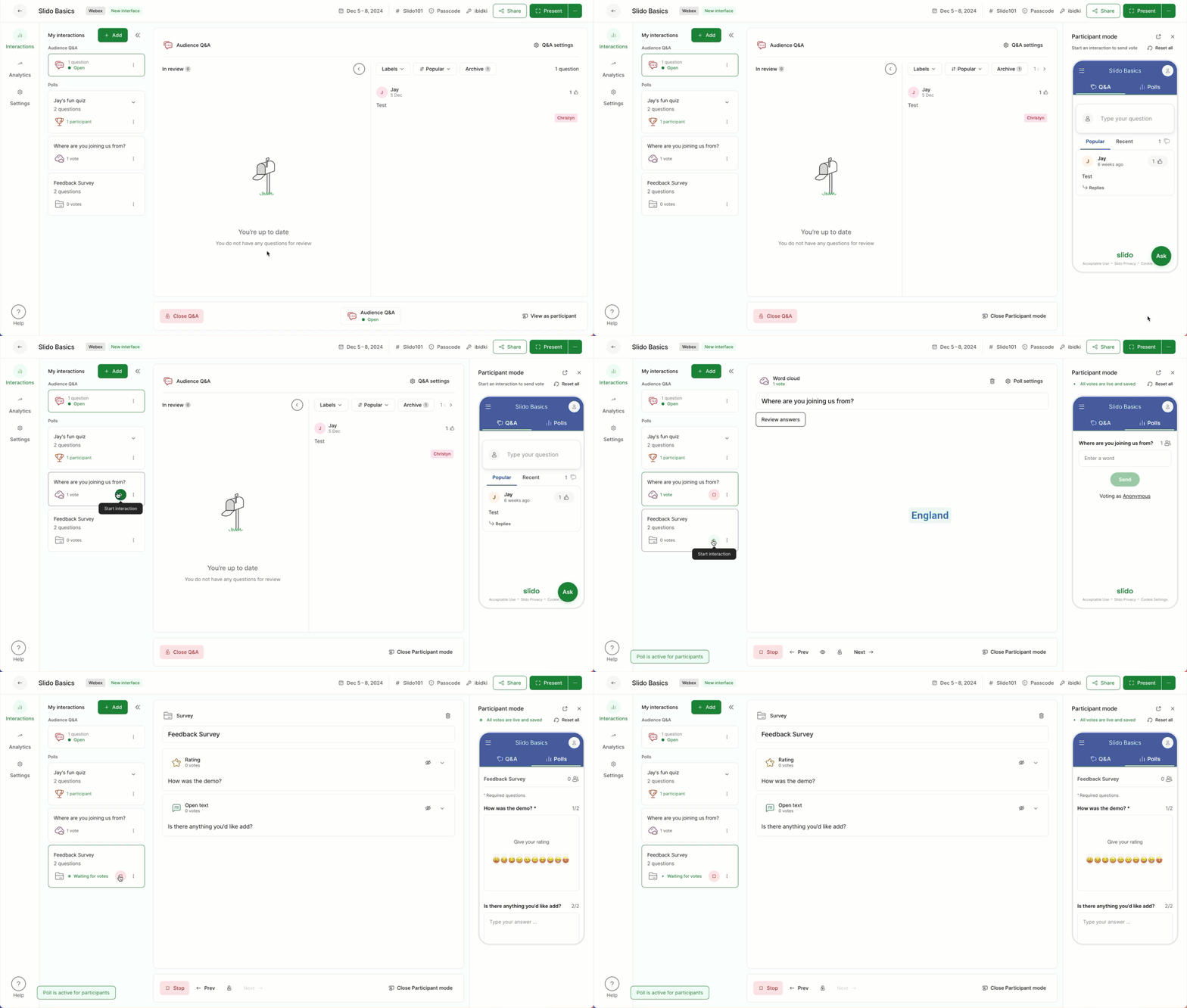
Useful tips
- Test your Present mode
Just like testing the participant experience, it’s a good idea to test the Present mode to see how your customizations will look. Open and test the Present mode at any time using the green Present button in the lower right corner.
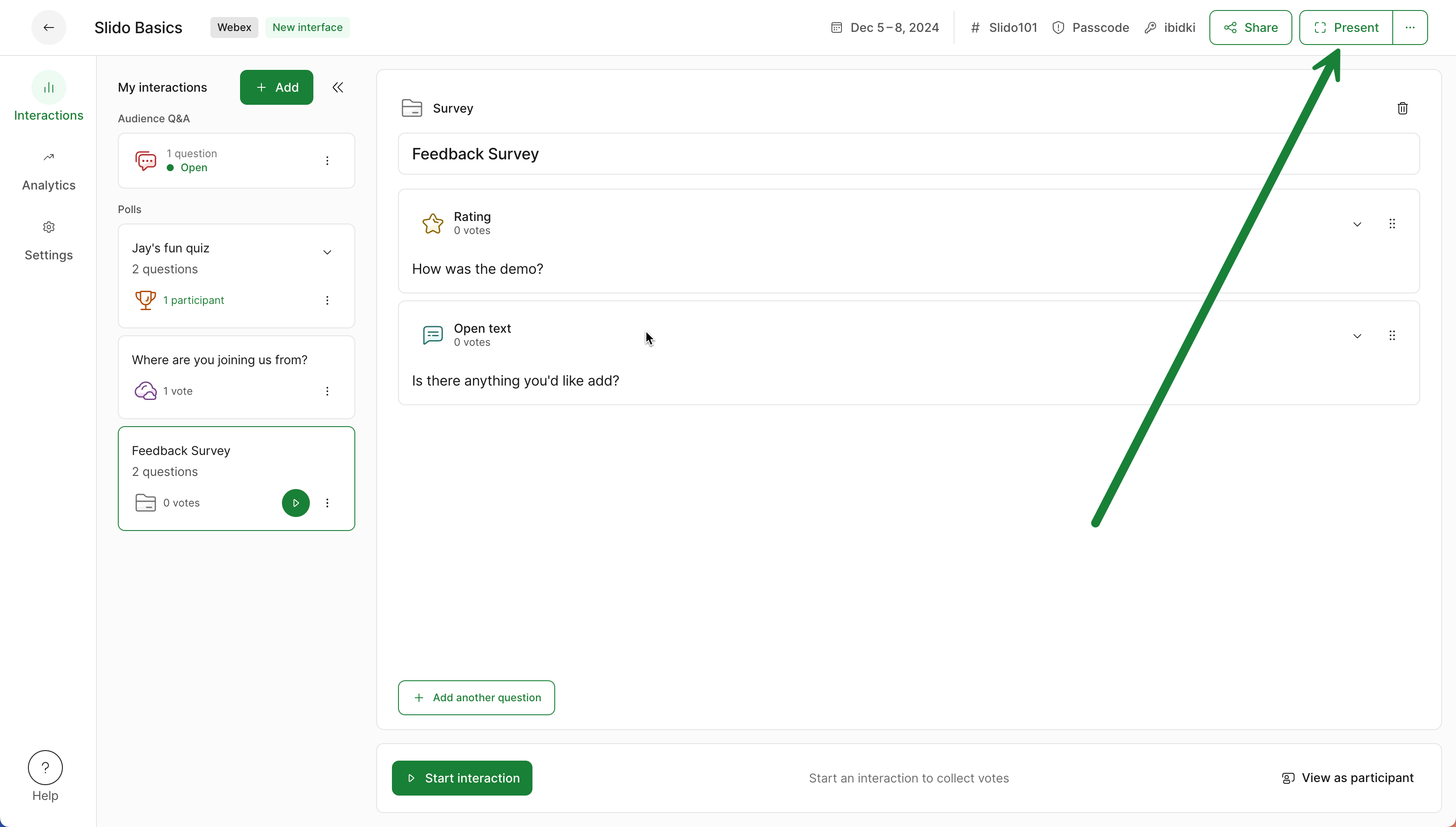
Test your Present mode
- Change the number of Questions displayed in Present mode
If you'd like to display more questions at once, disable the latest question, or show only one question in Present mode, you can do so. Just go to Settings > Customization > Present mode > Audience Q&A.
- Share resources with your participants
If you'd like to share extra materials for participants to open in their devices, you can toggle on external links under Participant mode in Customization. Add your links there and they’ll be available for participants in their Slido side menu.
- Dark mode caution
A current limitation to consider if you are using custom colors, is that they will not show if your slido is set to dark mode.
Curious about more?
