Open to voting

Slido PPT - Design Background Option

Related products:PowerPoint IntegrationGoogle Slides Integration
  • November 13, 2025
  • 5 comments
  • 32 views

There should be an option in my slido dashboard, or at least the slido event, to enable or disable the slido background graphics. Every time I insert interactions I have to go and delete at least 4 bothersome background graphics to replace them with my slide template background.

5 replies

Joel from Slido
Forum|alt.badge.img

Hi ​@EER 👋

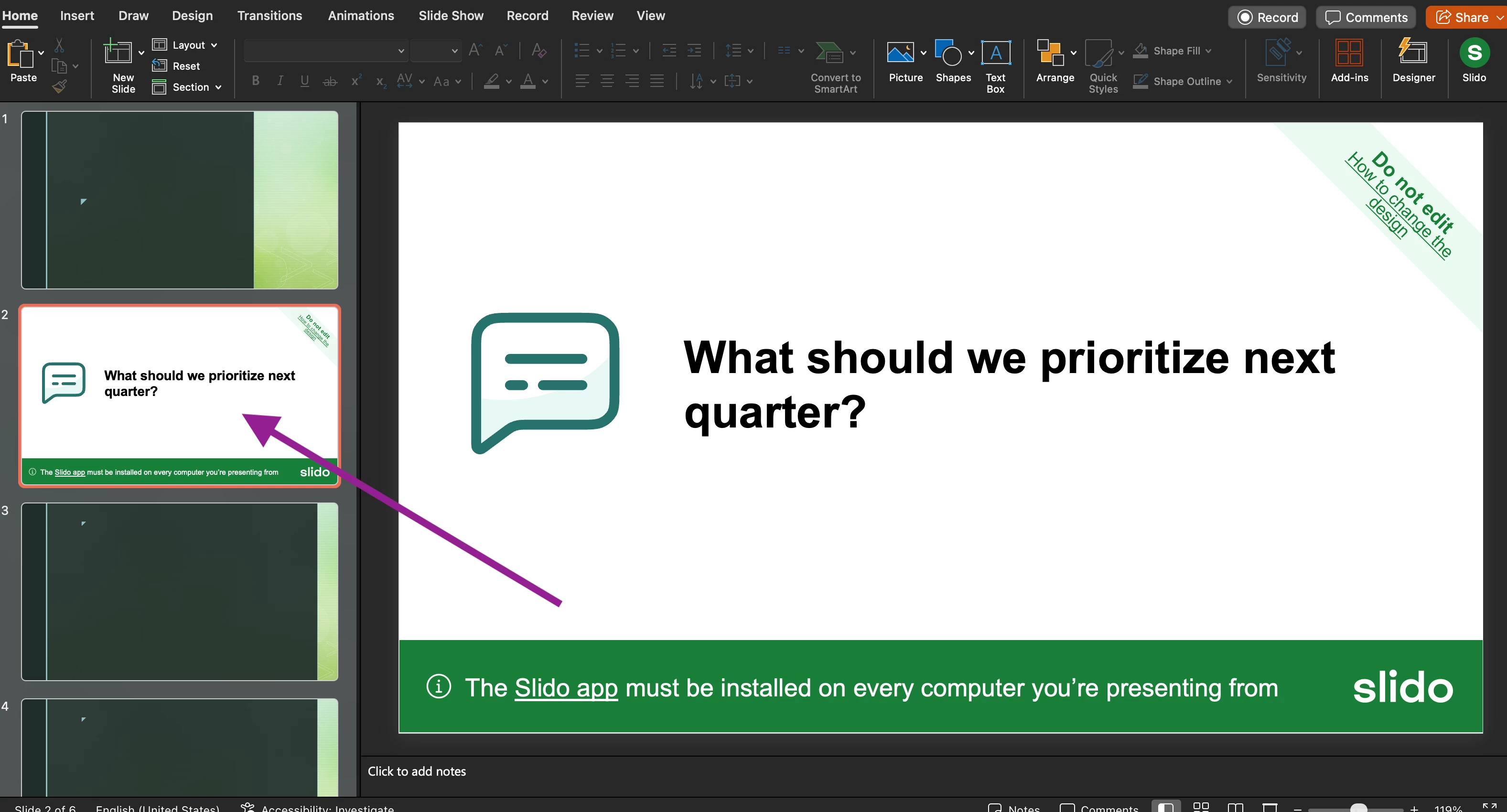
I want to make sure I’m understanding your idea correctly. Are you talking about how the Slido slides display when editing your presentation? Like in the attached picture?


If you’d like to change how the Slido slides look when presenting, you can do so in the settings. Depending on your plan type, you can add custom colors and branding there.

But if you’d like the ability to customize how these Slido holding slides look when editing, there’s an existing idea here that you can upvote.


Let me know what you think or if I’ve misunderstood your request 👍


  • Author
  • Participant
  • November 13, 2025

That’s not exactly what I’m suggesting. 

When I insert that slide for an interaction, there are four (4) graphics placed on the slide, and I don’t want them there. So, when I create an interaction in my PPT I have to go to each slide individually, select those four elements, and delete them. I then have to go to the Design ribbon, select Format Background, and uncheck the Hide Background Graphics.


Joel from Slido
Forum|alt.badge.img

Hi ​@EER 

Thanks for your screenshots. I took a look and then deleted them for privacy reasons before approving your post. I see what you mean about removing the elements and unchecking “Hide Background”. This has the Slido slide match your theme in the editing phase.

I’ve been testing a bit now and when presenting, the Slido slide still displays as a regular slido slide without the slide deck’s theme. So are you just wanting the Slido slides to match your slide deck’s theme when in the editing view or Normal view?


  • Author
  • Participant
  • November 13, 2025

I want my slide background to display in all views - editing, presenting, print. I don’t need or want the Slido elements other than the QR code and the question/interaction. 
 

thanks


Joel from Slido
Forum|alt.badge.img

Thanks ​@EER 

It sounds like in a perfect world, Slido slides would natively fit and incorporate your existing PPT theme. Is that fair to say?