



Slido’s annual plans give you unlimited slidos for a full calendar year. To make sure you don’t lose access to your paid features, you’ll want to renew your license before it expires.
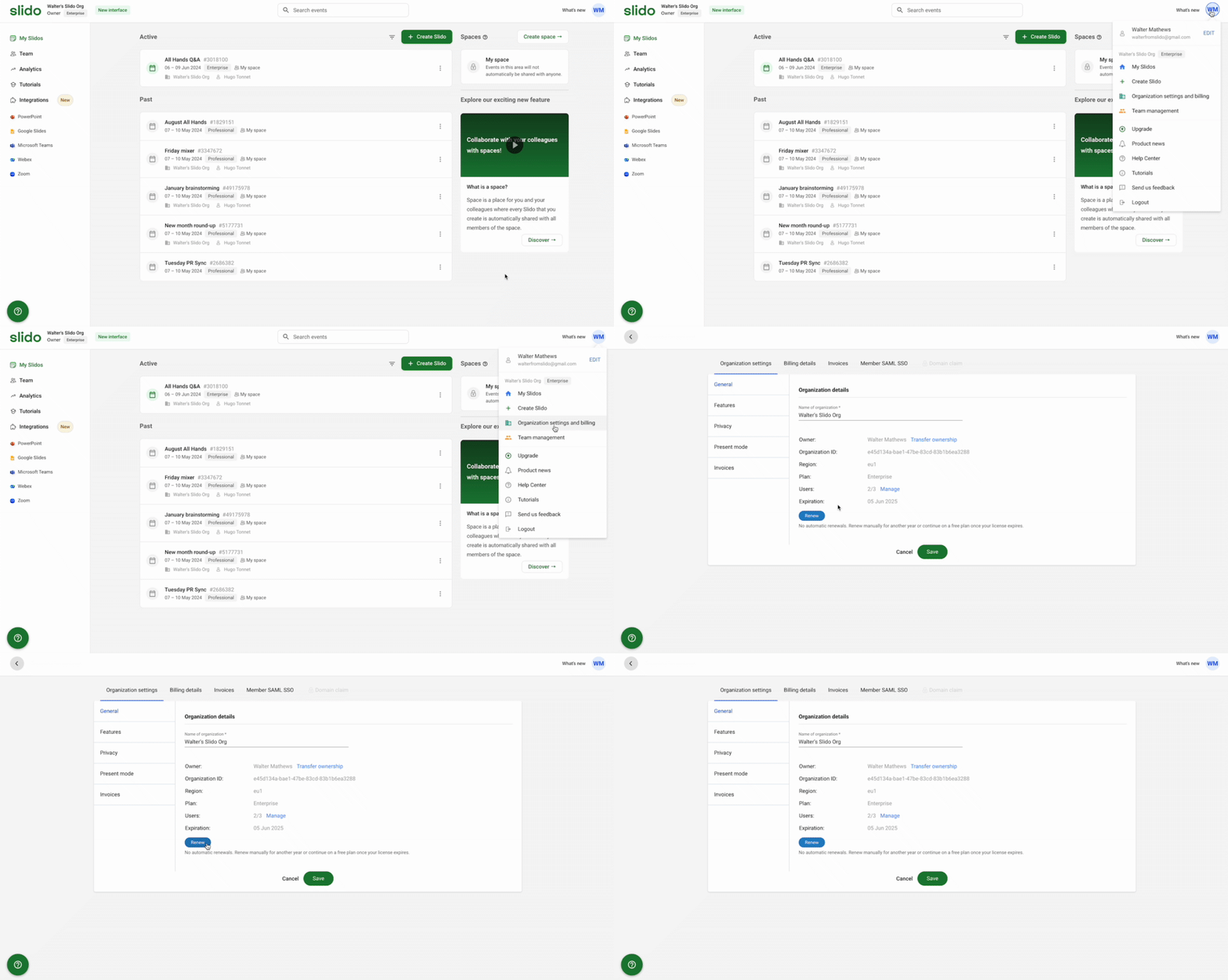
To view the expiration date from your account:
- Click your initials in the upper right corner
- Select Organization settings and billing
See your expiration date listed under Organization details and click Renew if needed.
Learn more in our Organization settings guide.
Curious about more?