By default, multiple choice poll results are displayed in percentages. However, you can change this to display the number of votes instead.
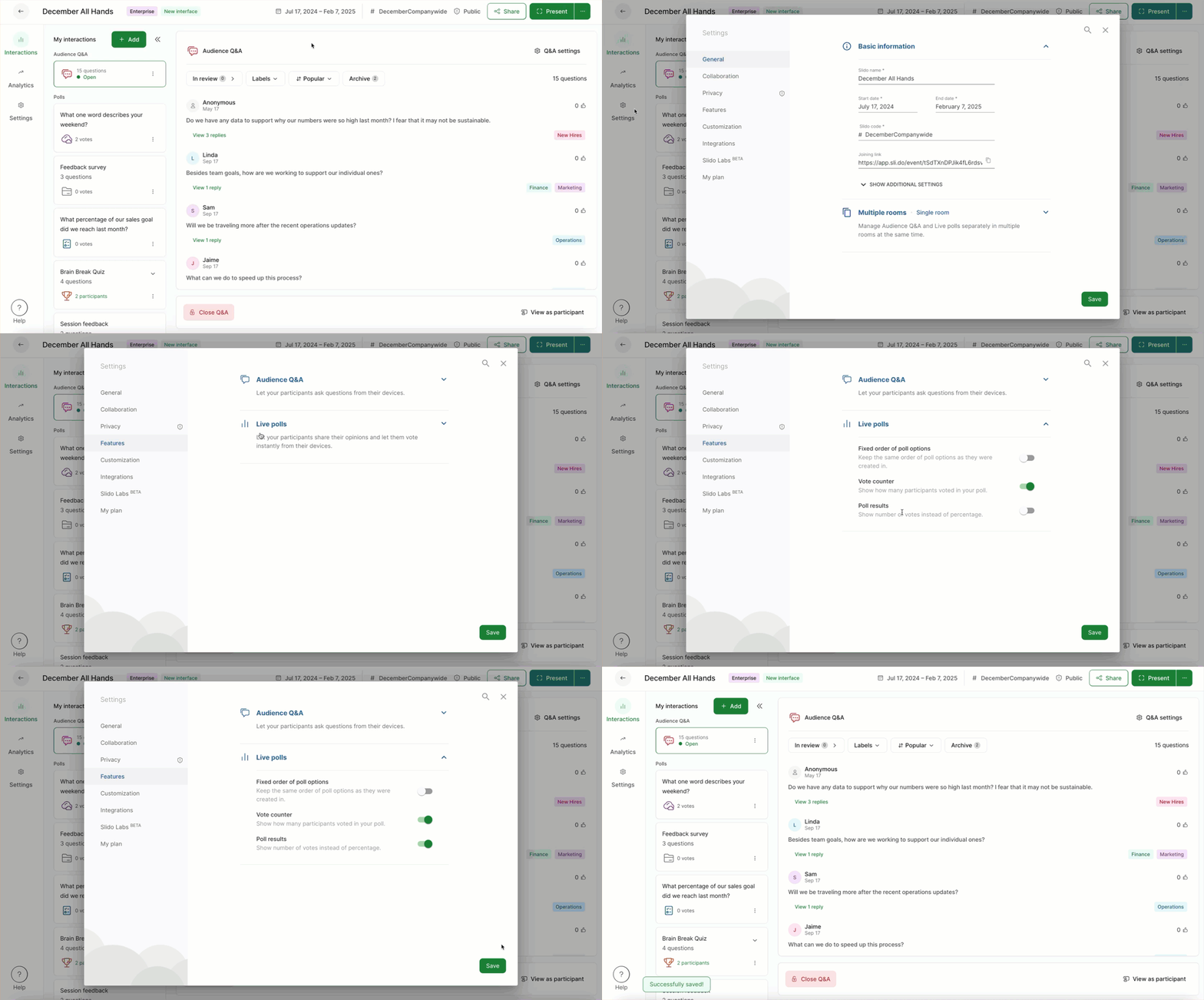
- Go to Settings
- Select Features > Live polls
- Toggle on the Poll results option and hit Save
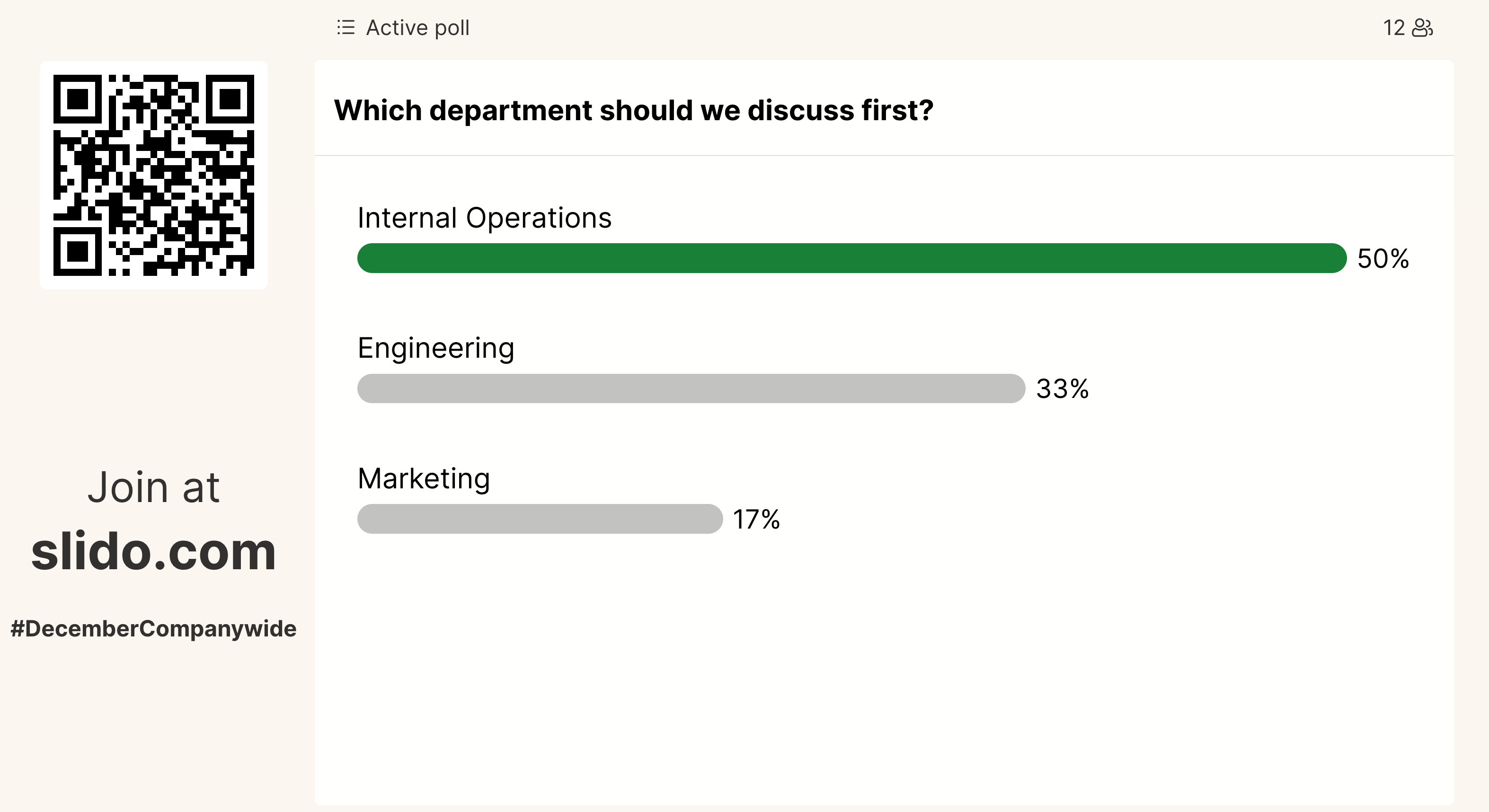
Example of poll results in percentages:
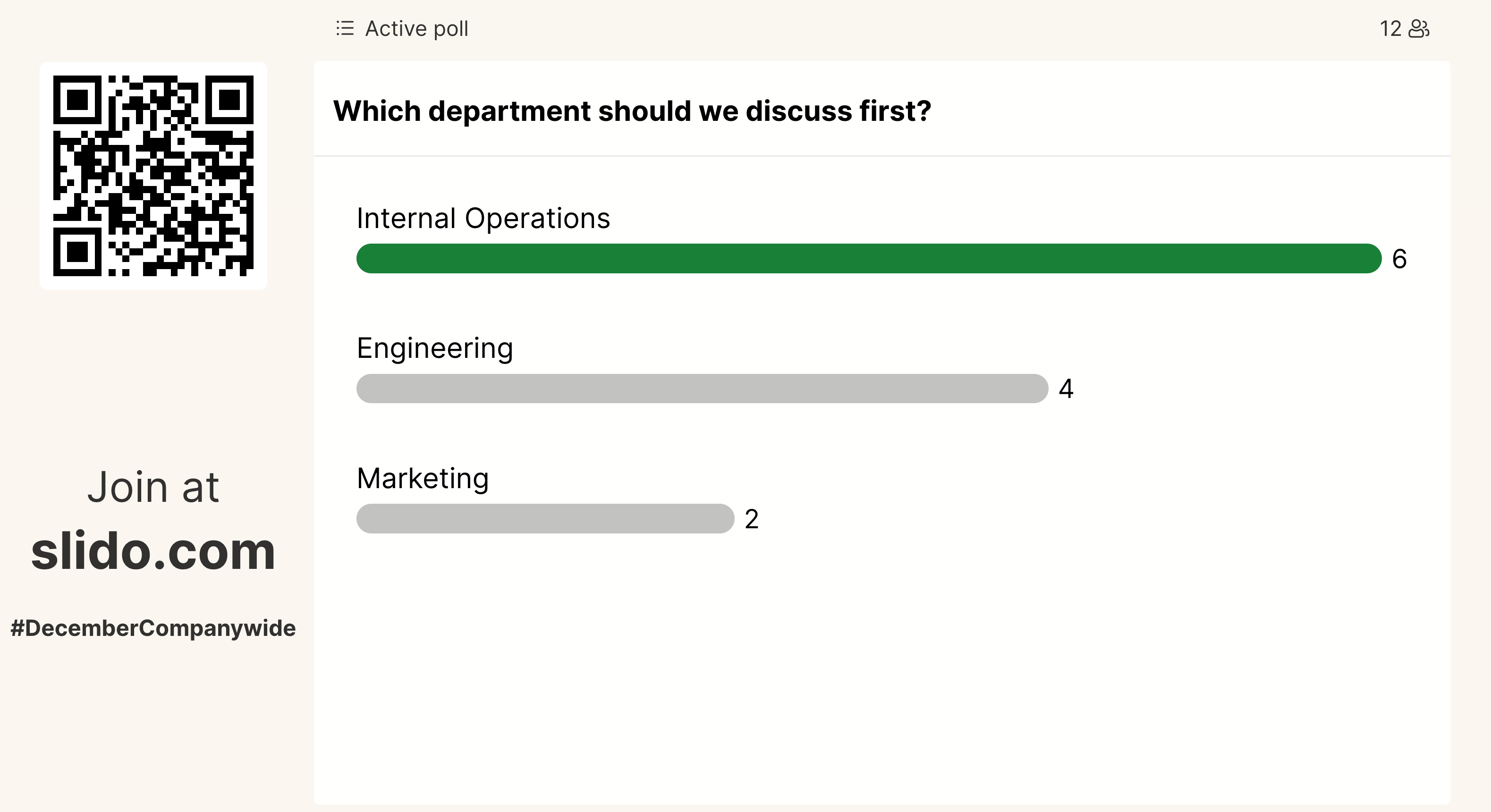
Same example with number of votes instead:
Curious about learning more?