



If you’d rather not be tied to your computer, you can easily manage your slido from a mobile phone or tablet.
Log in to Slido on your device
Just like on a desktop, open up your preferred internet browser on your device and go to slido.com. Log in using your account credentials and select the slido you’d like to manage.
Manage Slido from your device
See the examples below for managing Slido polling and Q&A on your device.
- Moderate and manage Q&A
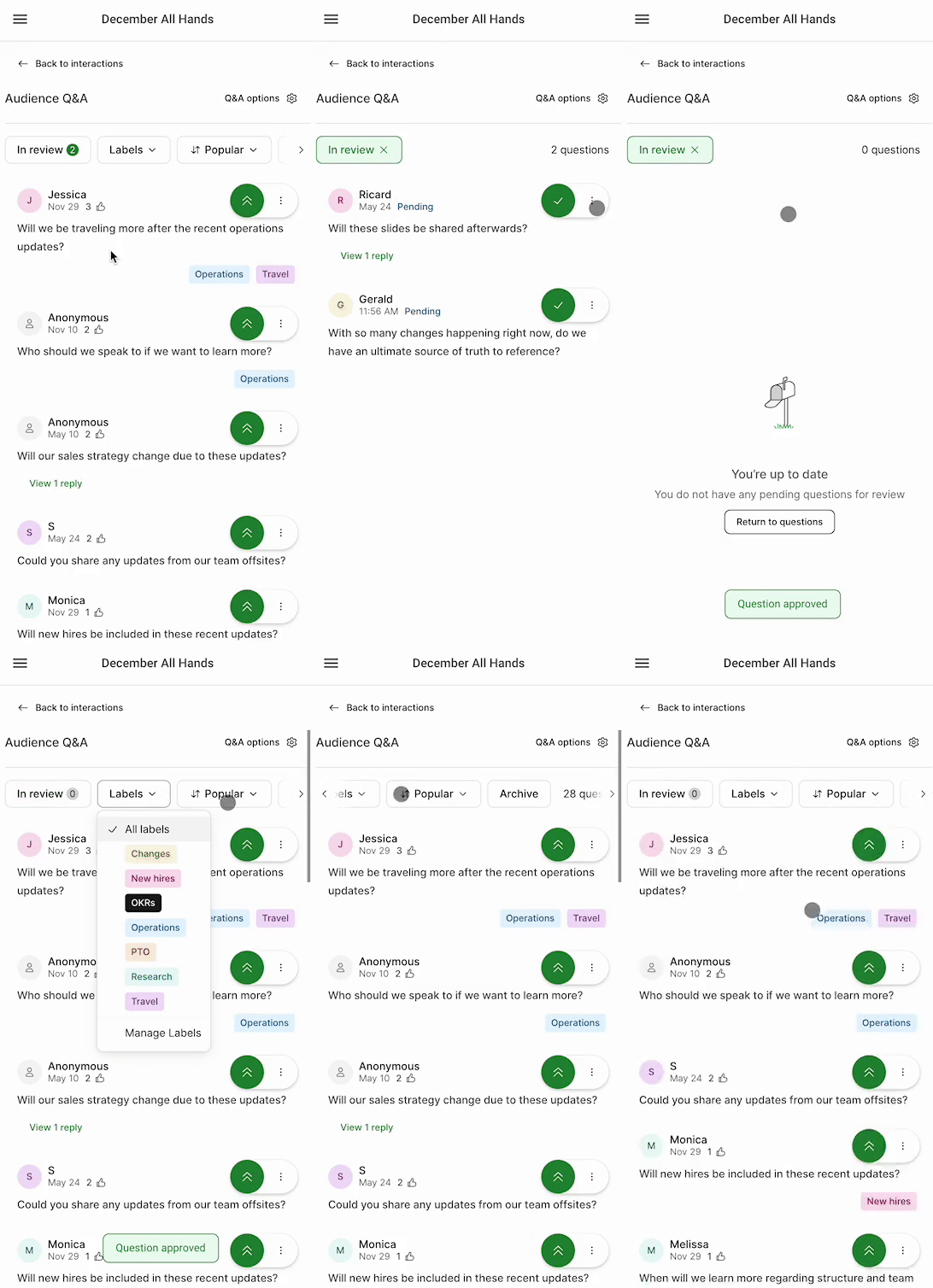
Manage Q&A from a mobile device
- Manage and run polls
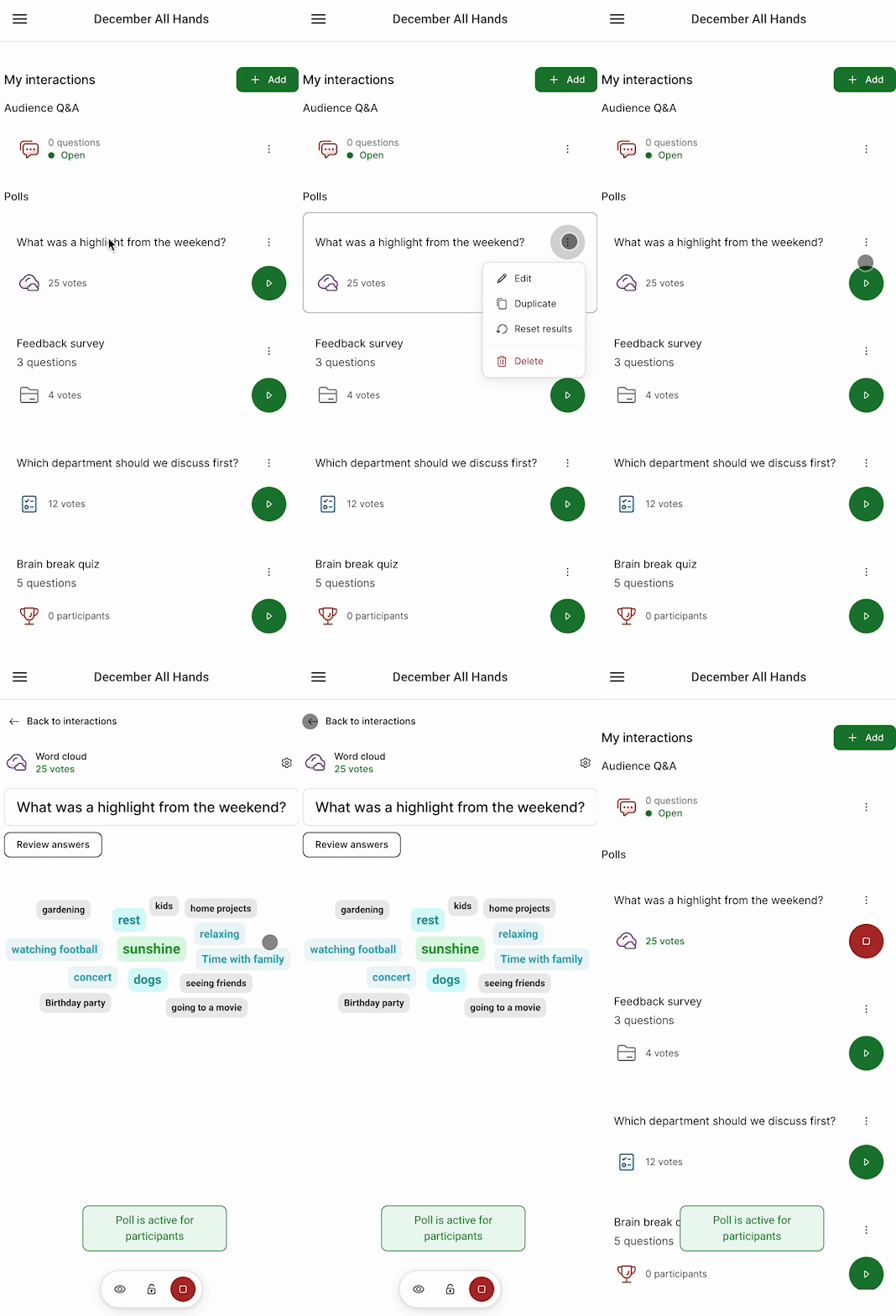
Manage polls from a mobile device
Curious about more?