



We’re taking Slido AI to the next level 🚀
Since launching our first AI features last year, we’ve helped thousands of hosts save time and create more engaging interactions. Now we’re introducing a new wave of AI-powered improvements, designed to make your meetings, events and classes even easier to run.
Here’s a rundown of all the new and improved Slido AI features 👇
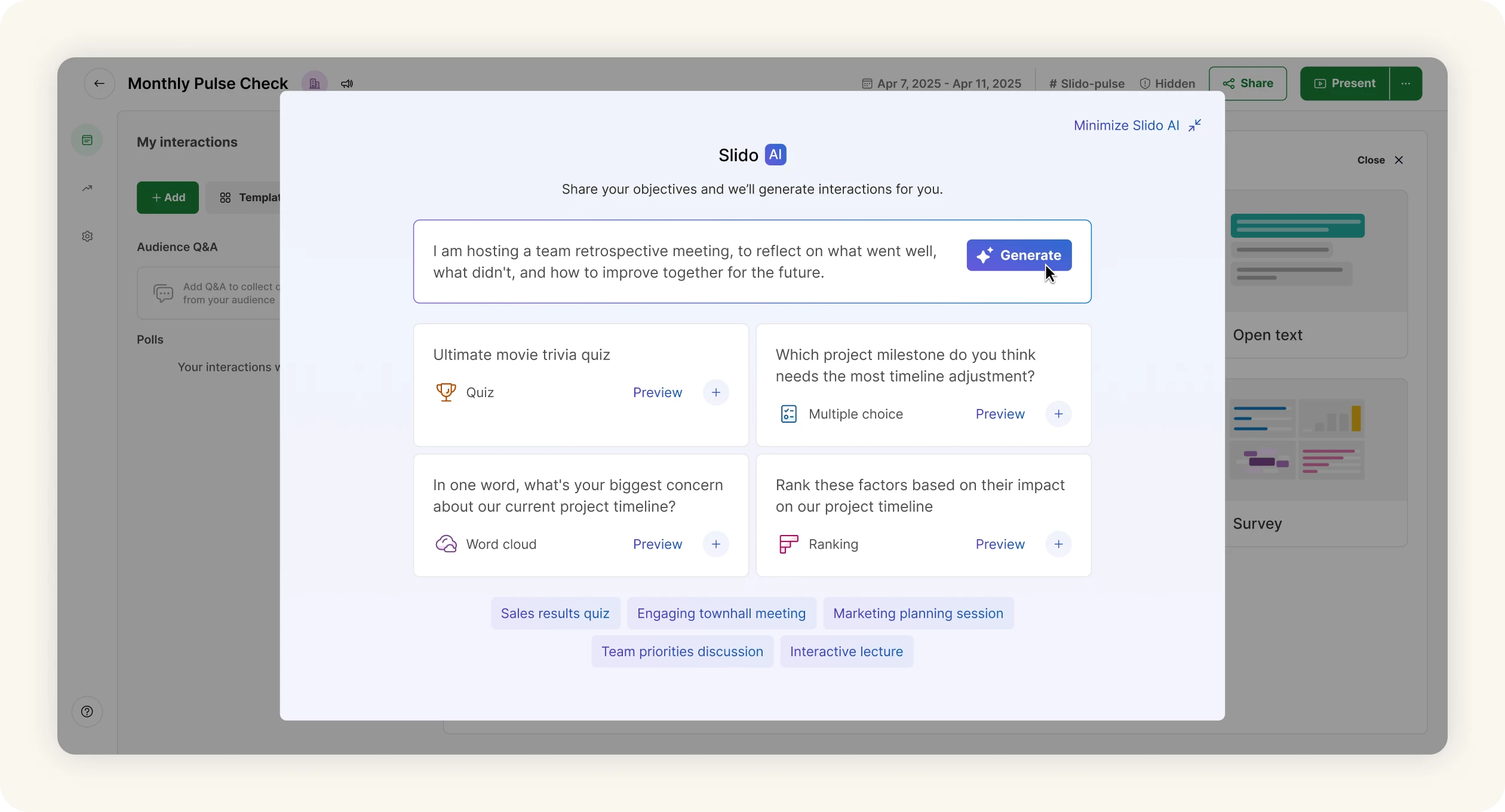
🤖 Generate polls instantly in Host mode
Creating interactions on the fly just got even easier. With AI-generated polls in Host mode, you can simply describe what your next meeting or session is about and Slido will generate ready-to-use polls in seconds.
Perfect for:
- Last-minute prep
- Adapting to live discussions
- Turning static content into engaging moments
✍️ Improve your polls with AI Writing assistant
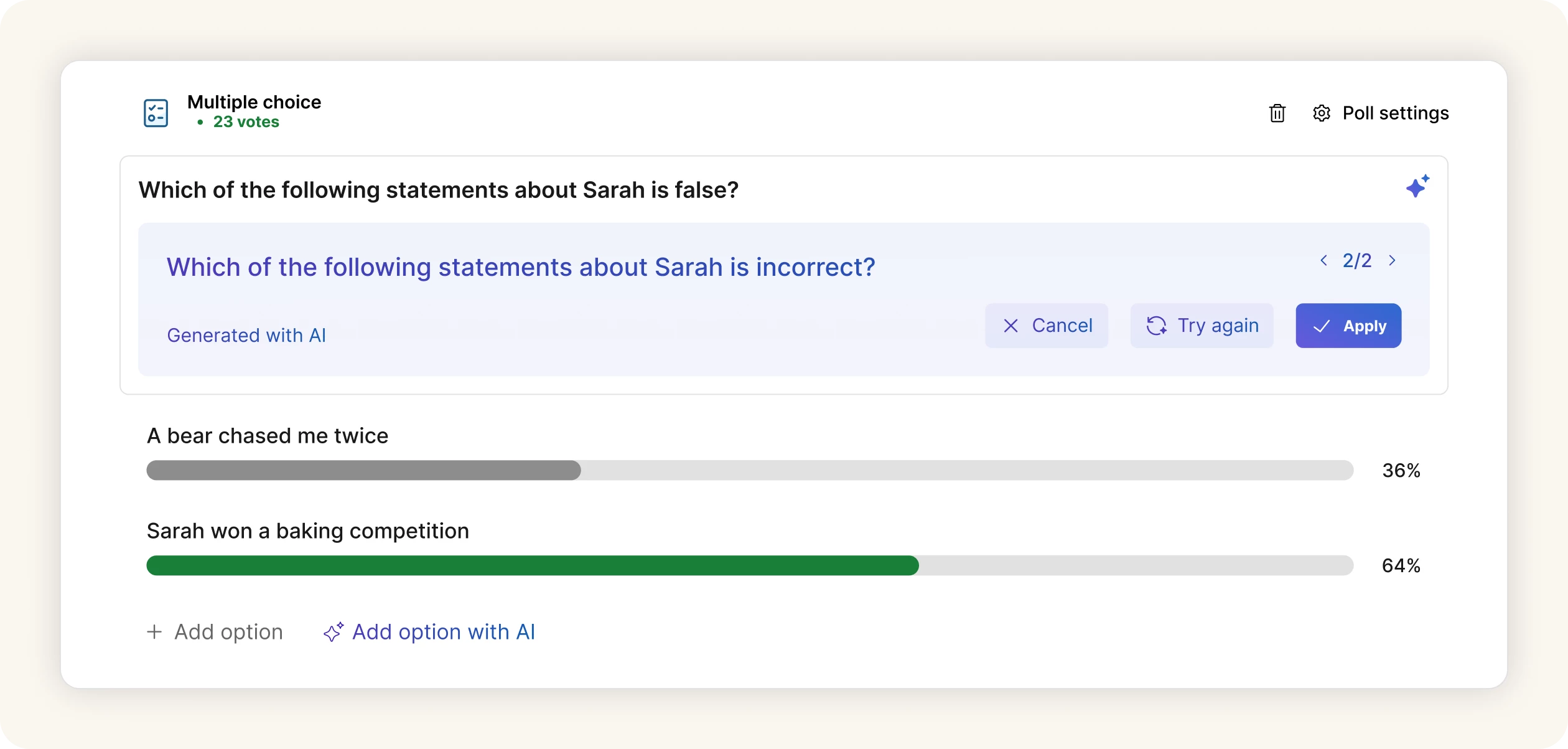
Not sure how to phrase a question? We’ve got you covered. The AI Writing assistant helps you refine your poll questions so that they’re clear, engaging and easy to understand.
Use it to:
- Rephrase poll questions
- Double-check grammar
- Suggest answer options for Multiple choice and Ranking polls
📊 AI-generated polls from your slides
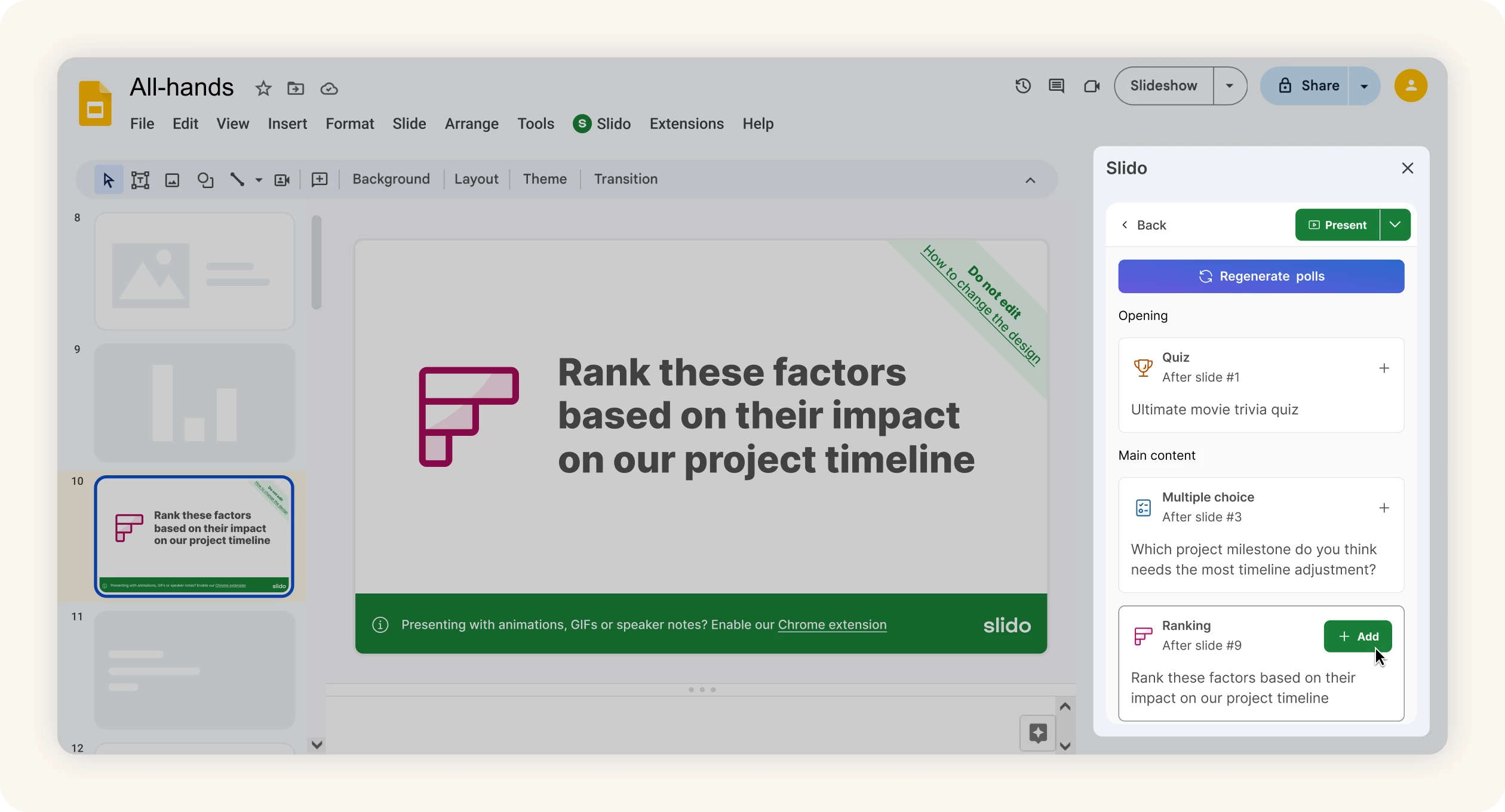
Turn your presentation into interactive moments in seconds. Slido AI can scan your PowerPoint or Google Slides presentation and automatically generate relevant polls based on your content. Plus, it inserts the interactions directly to the relevant points in your presentation, so you can engage your audience without any extra effort.
It’s a fast, seamless way to:
- Add interactions to your slides
- Keep your audience involved throughout
- Save yourself time in meeting prep
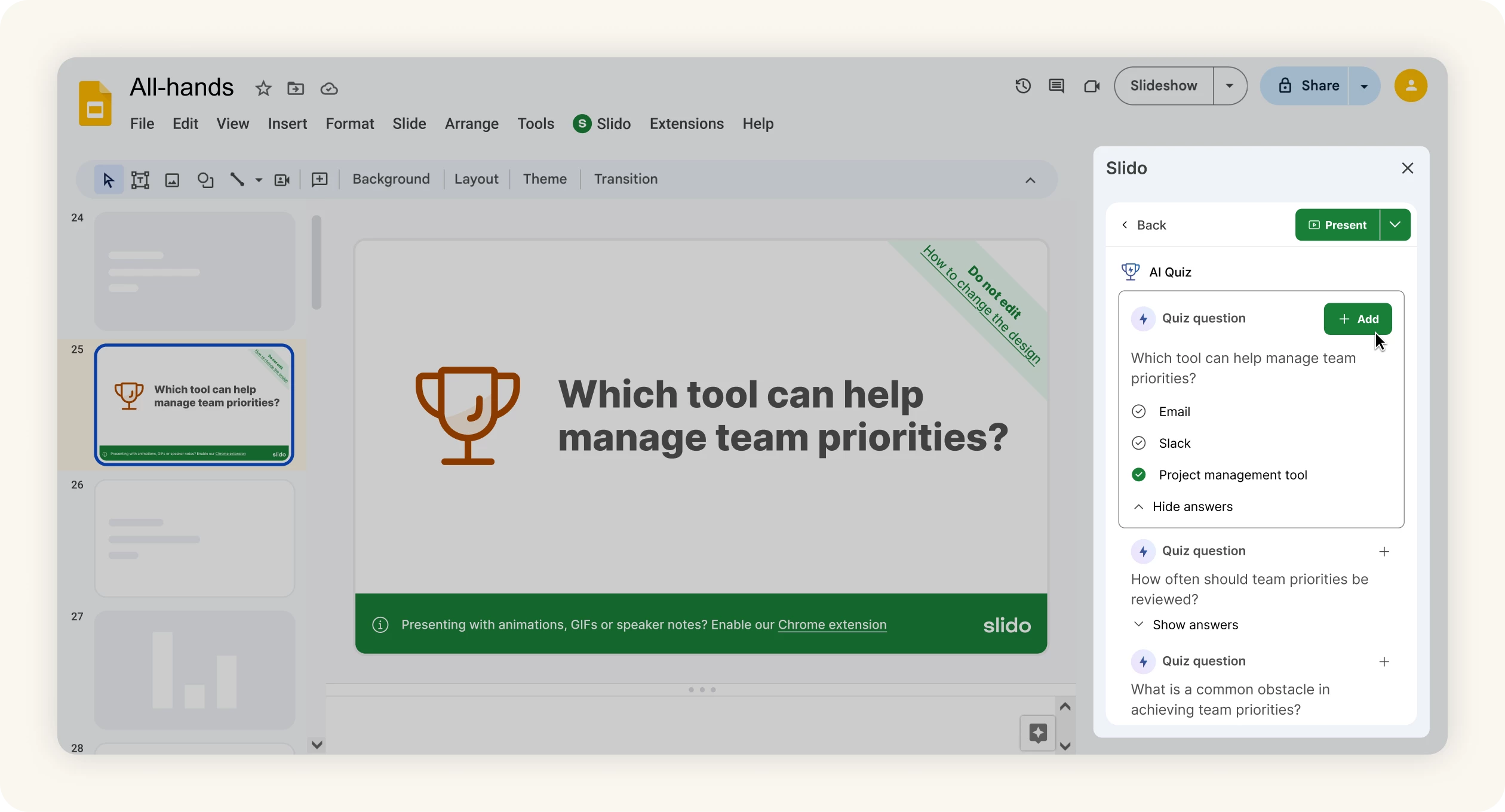
🧩 Create quizzes effortlessly with AI
Bring more energy into your sessions with AI-powered quizzes. Add a quiz to your PowerPoint or Google Slides presentation in seconds—just choose a topic and let Slido AI generate the questions for you.
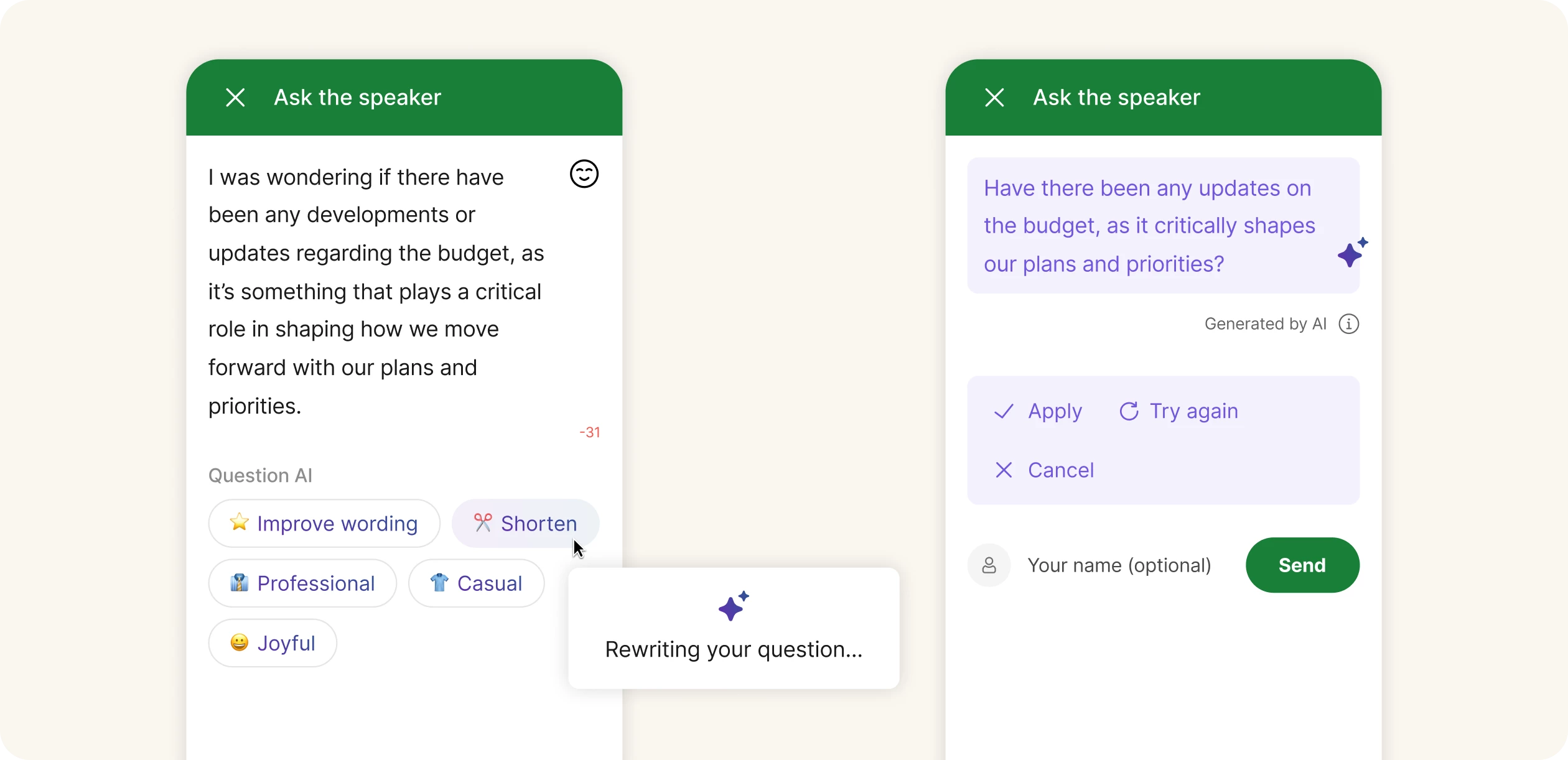
💬 Help participants ask better questions with Question AI
Question AI helps participants refine the questions they submit in Q&A by improving clarity, shortening wording and suggesting alternative phrasing before they hit send.
The result is clearer, more concise questions and smoother audience participation.
Want to learn more about how Slido AI works? Register for our free AI training on June 11 in both EU and Americas times.

FAQs
Who can use AI features?
Slido AI features are available for everyone (including Basic users). If you don’t see Slido’s AI features, ask your license administrator about enabling them for your organization.
How can I enable/disable AI features?
Owners and Admins of paid annual plans, including Enterprise, can choose which AI features they want enabled for their Slido organization members. They can do so under their Organization settings.
Learn more in our dedicated AI settings guide.
What about security?
Slido and our parent company, Cisco, are committed to the highest standards of data security and privacy (especially with AI).
You can find specific details in our Slido AI Transparency Technical Note, but we also have an AI features Enterprise Admin guide which may be helpful.
🚀 Ready to try Slido AI?
Whether you’re planning ahead or thinking on your feet, Slido AI helps you create engaging interactions faster than ever.
Give it a try in your next meeting, event or class—and see the difference for yourself.