Slido includes easy-to-use features that help you run a great Q&A. Besides highlighting, archiving, and filtering questions, you can also moderate which questions go live, add labels to questions, and reply privately to a participant.
In this article:
Manage and control questions in your Q&A
Available in our Professional and higher plans
Moderation allows you to review the questions submitted by participants before they appear live for everyone to see. This is especially useful when you have a large public audience and you don’t know exactly what to expect.
You can turn this on in your Q&A options, under Moderation.
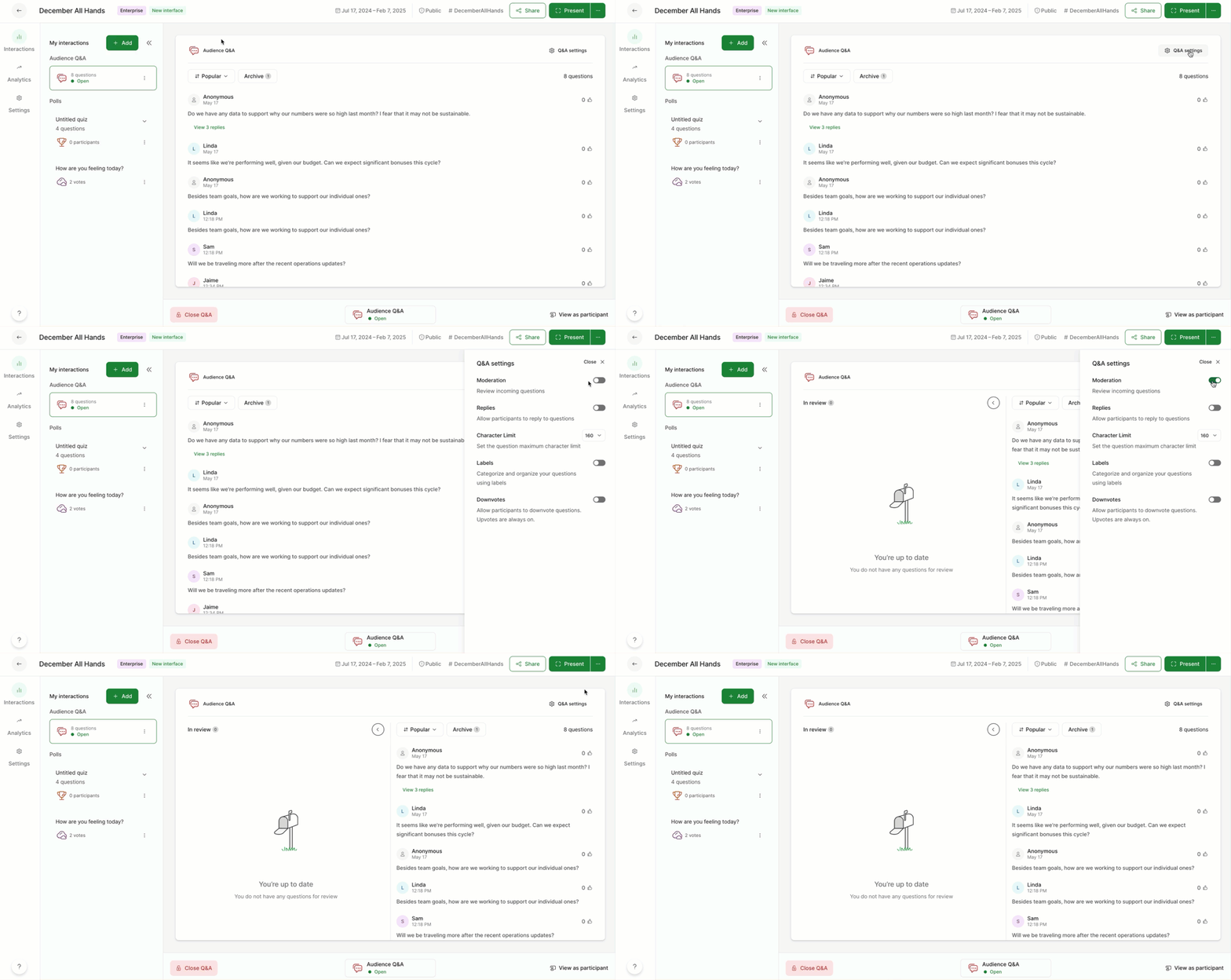
All incoming questions will appear and can be reviewed under the In review section. All approved questions are then listed in the right hand column.
To moderate incoming questions:
- Review incoming questions under the In review section
- Approve questions with the green check mark
- Dismiss questions with the X icon
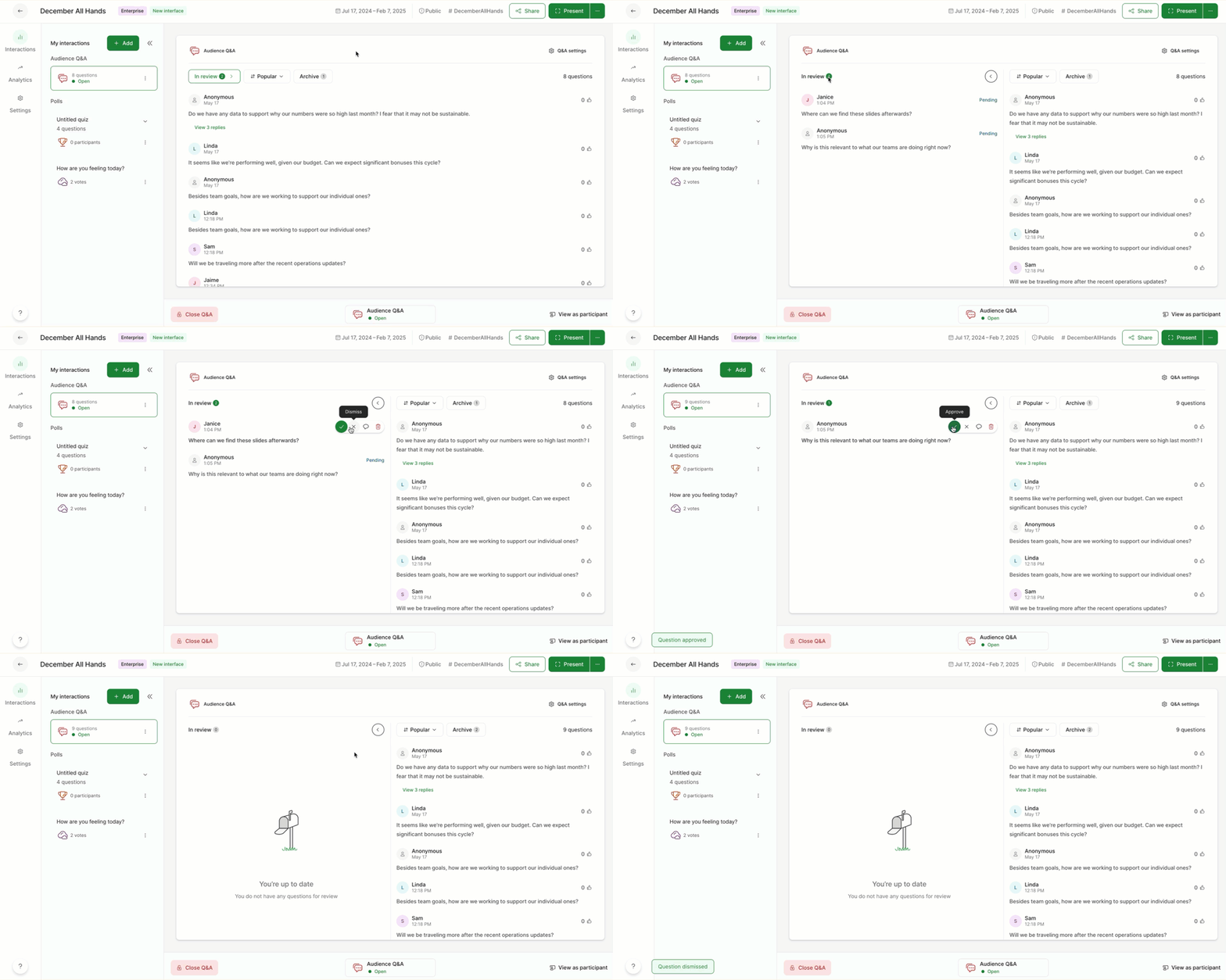
If needed, you can even approve or dismiss pending questions in bulk.
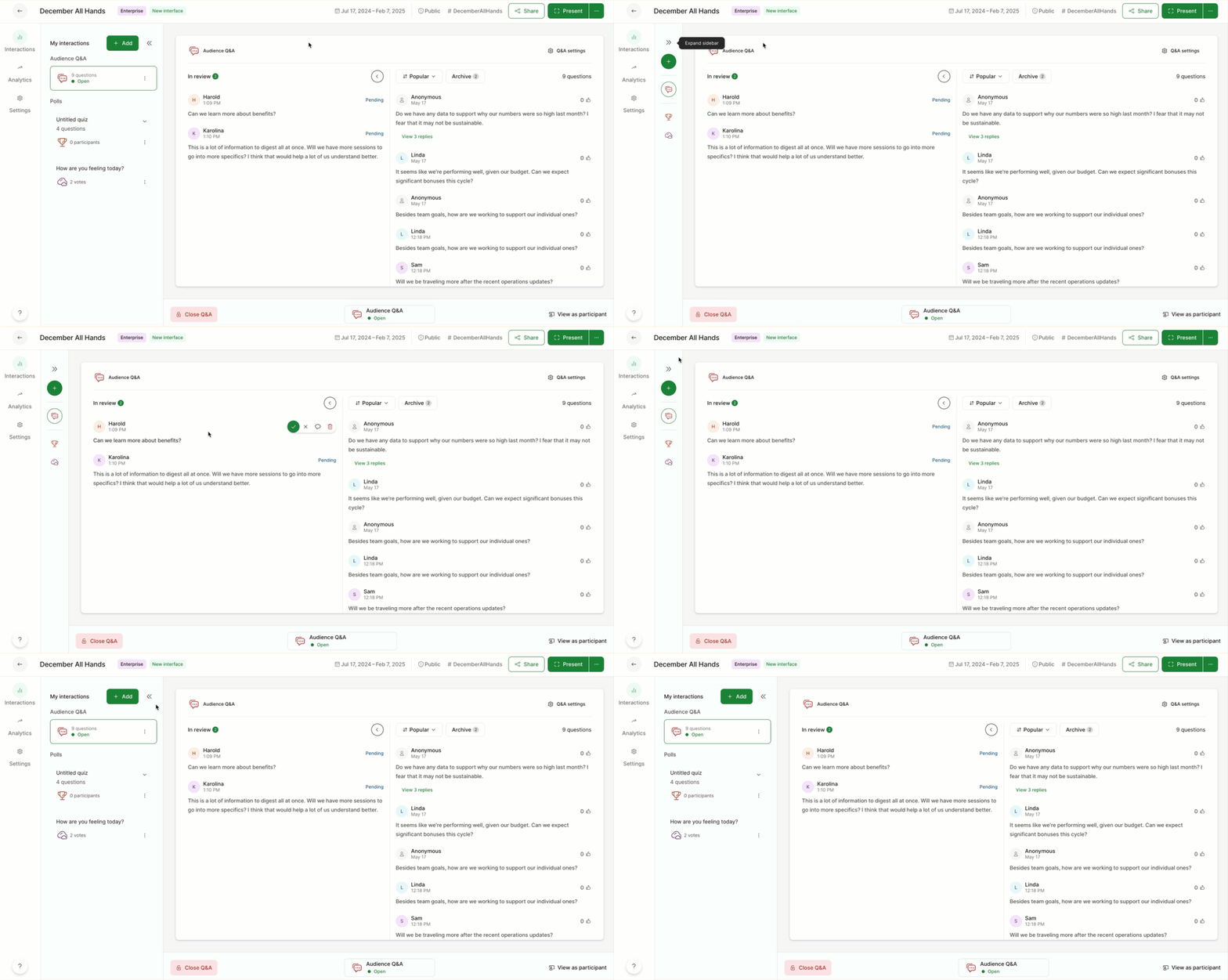
Pro tip: Use the arrow icon to minimize your list of interactions. This gives you more space to view and moderate your incoming questions.
How it works for participants
Once a participant submits their question, it appears as Waiting for review for them. They can then edit their question for up to 5 minutes after you approve it, or they can withdraw it at any point.
Edited questions will go back to the review stage for the moderator to approve once more
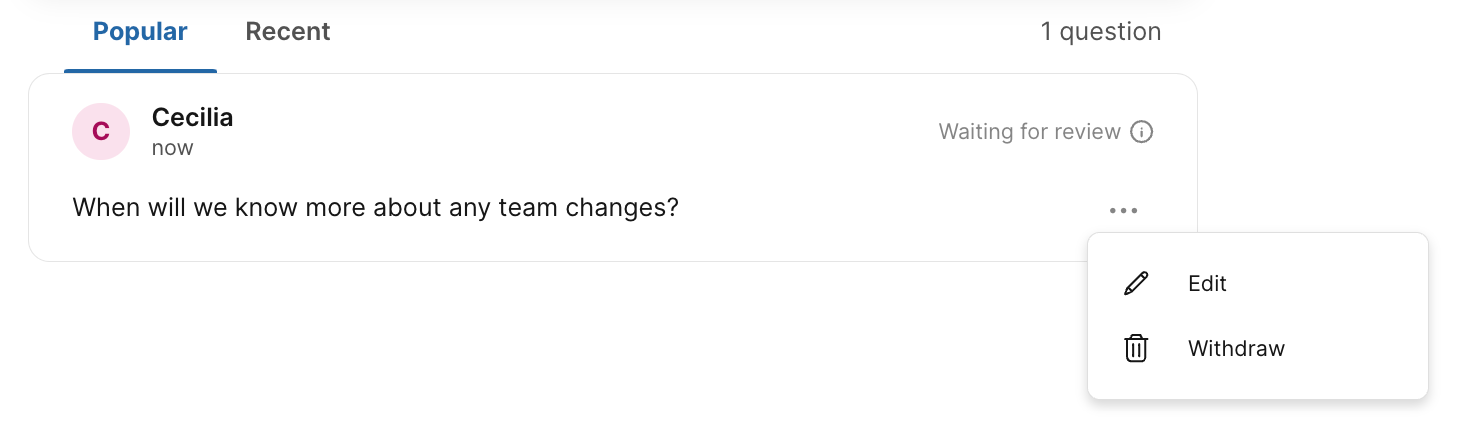
Withdrawn questions will disappear for participants. They will, however, be listed in the archive as anonymous for the moderator to see.
Add and use Q&A labels
Labels offer an easy solution to categorize and filter questions, making your meetings or Q&A sessions more structured and efficient.
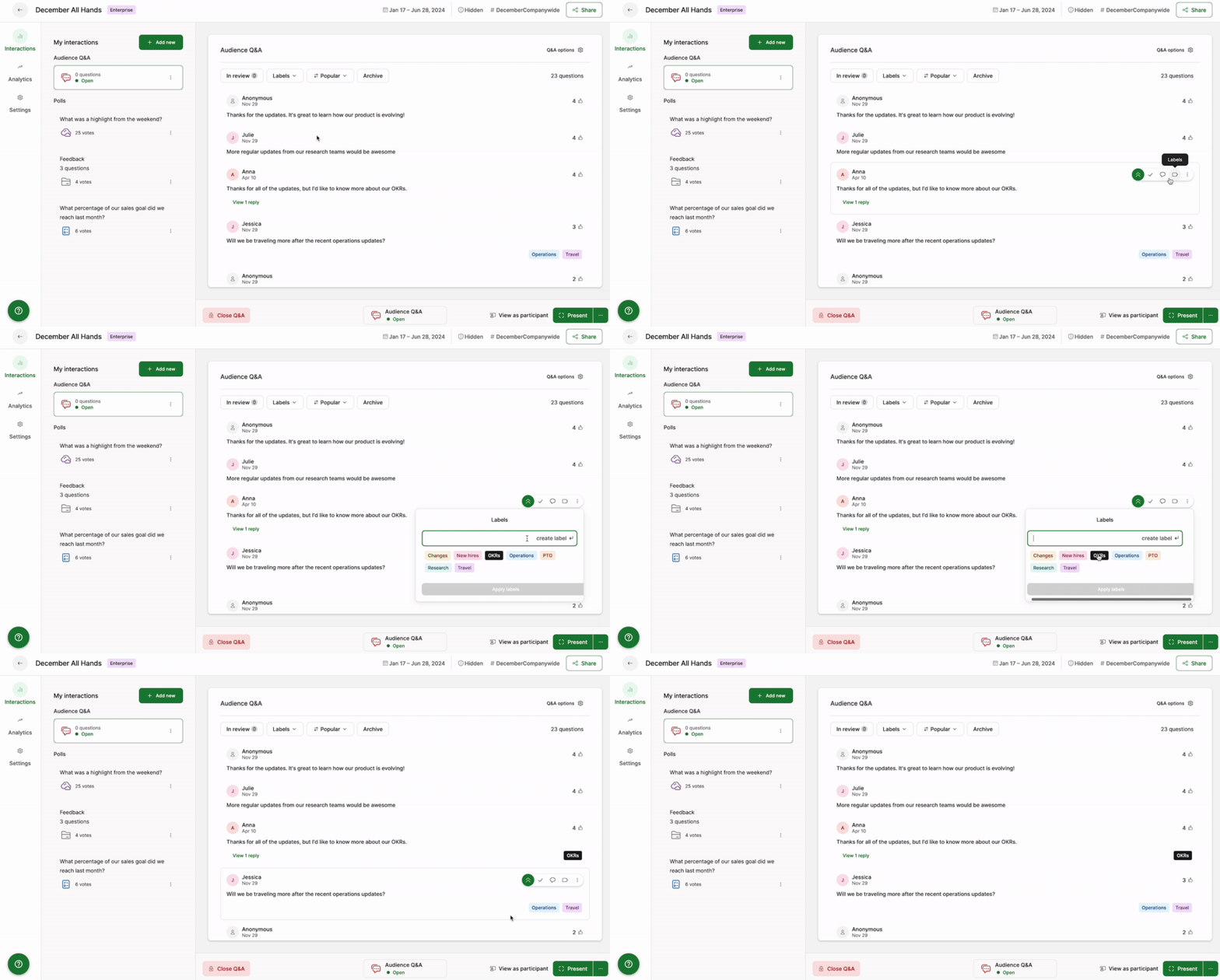
To create and/or assign a label to a question, click on the label icon and enter the label you’d like to use. Previously created labels will be there for you to choose from, or you can create a new one on-the-fly.
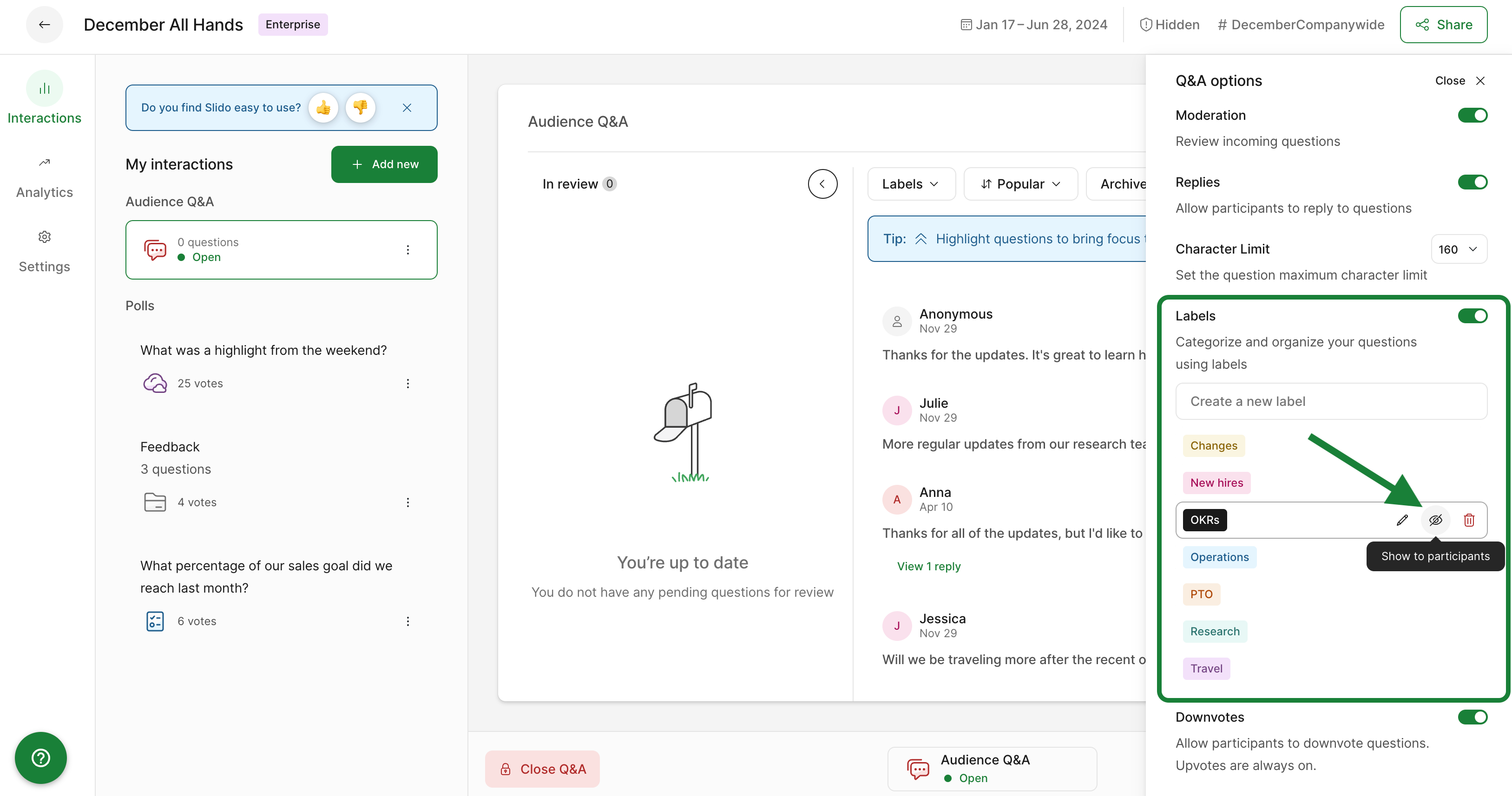
If you’d like participants to pick from your labels and assign them to their own questions, you can do so from your Q&A options.
Click on the eye icon next to each label to make them available for your audience to select.
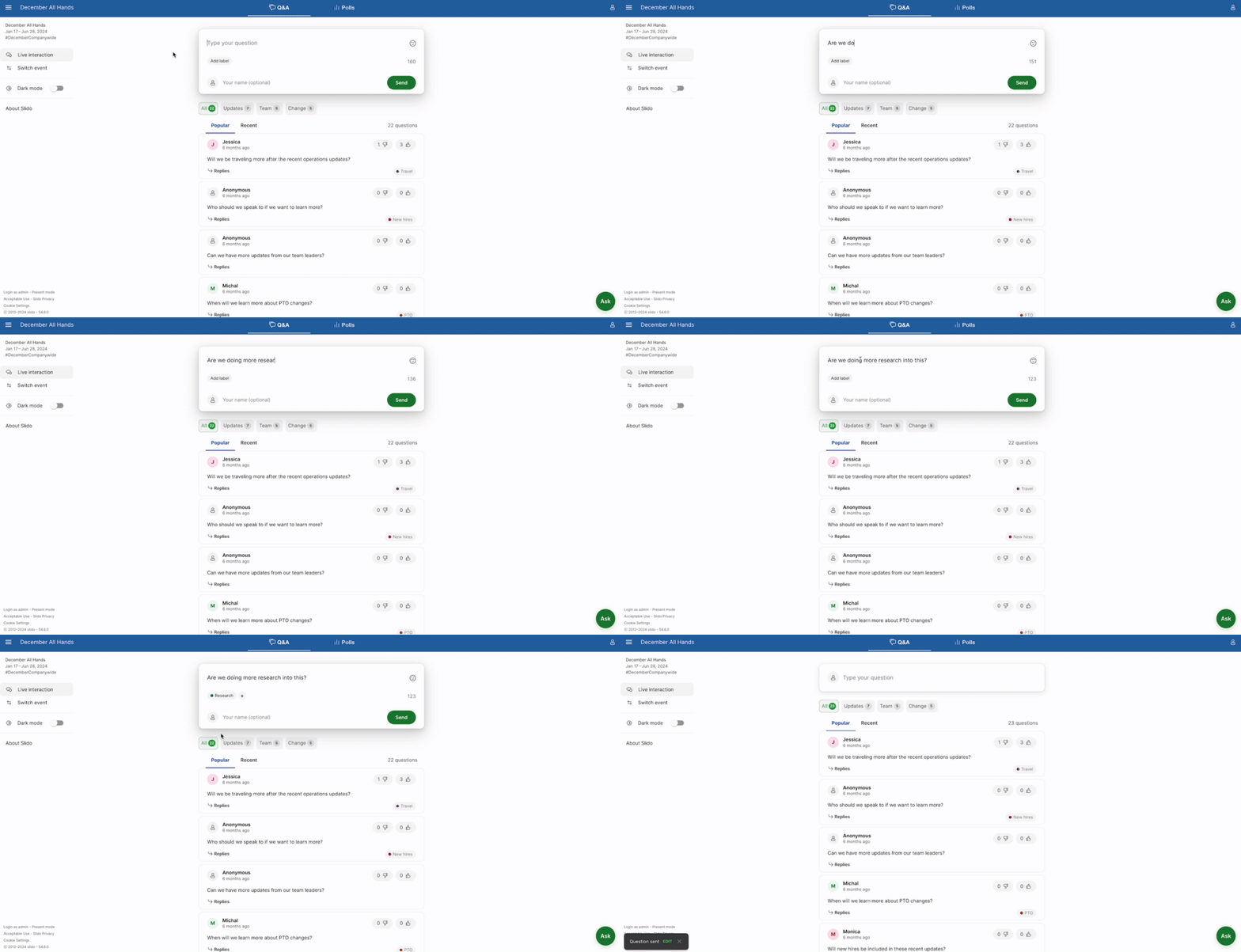
And here’s how it will look for participants:
Written replies to submitted questions
Sometimes you may receive questions that you’d like to answer, but aren’t necessarily relevant to the current discussion. As the moderator, you add a written reply to any question. And you can also reply privately to questions in the review stage.
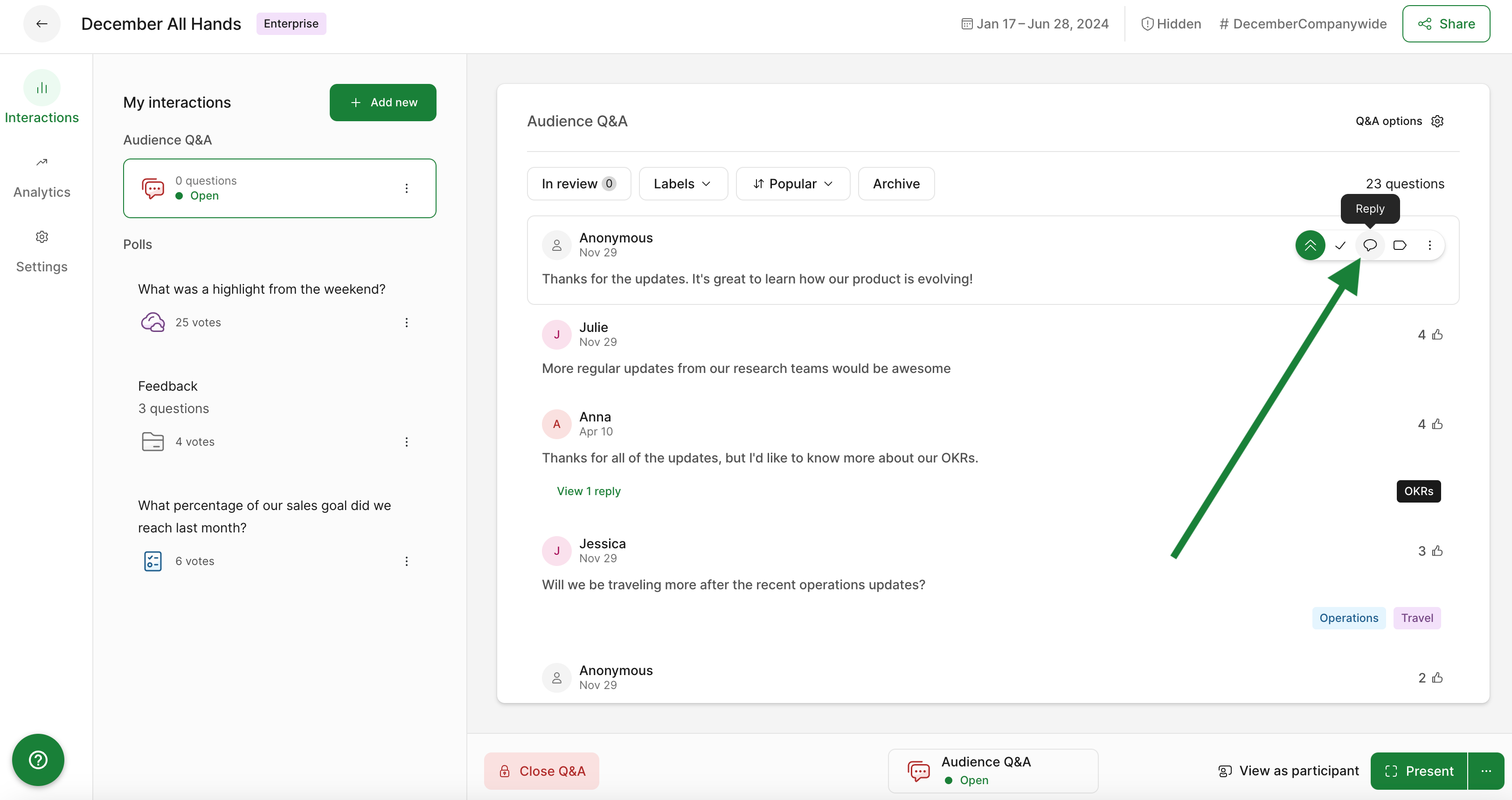
Click on the reply icon next to any live question to add a public reply. Any participant will then be able to see both the question and your reply.
To reply privately to a question under the In review section:
- Click the reply icon next to the question
- Enter your response and click Send
- Notice that there is a reply listed under the question, yet it is still under review.
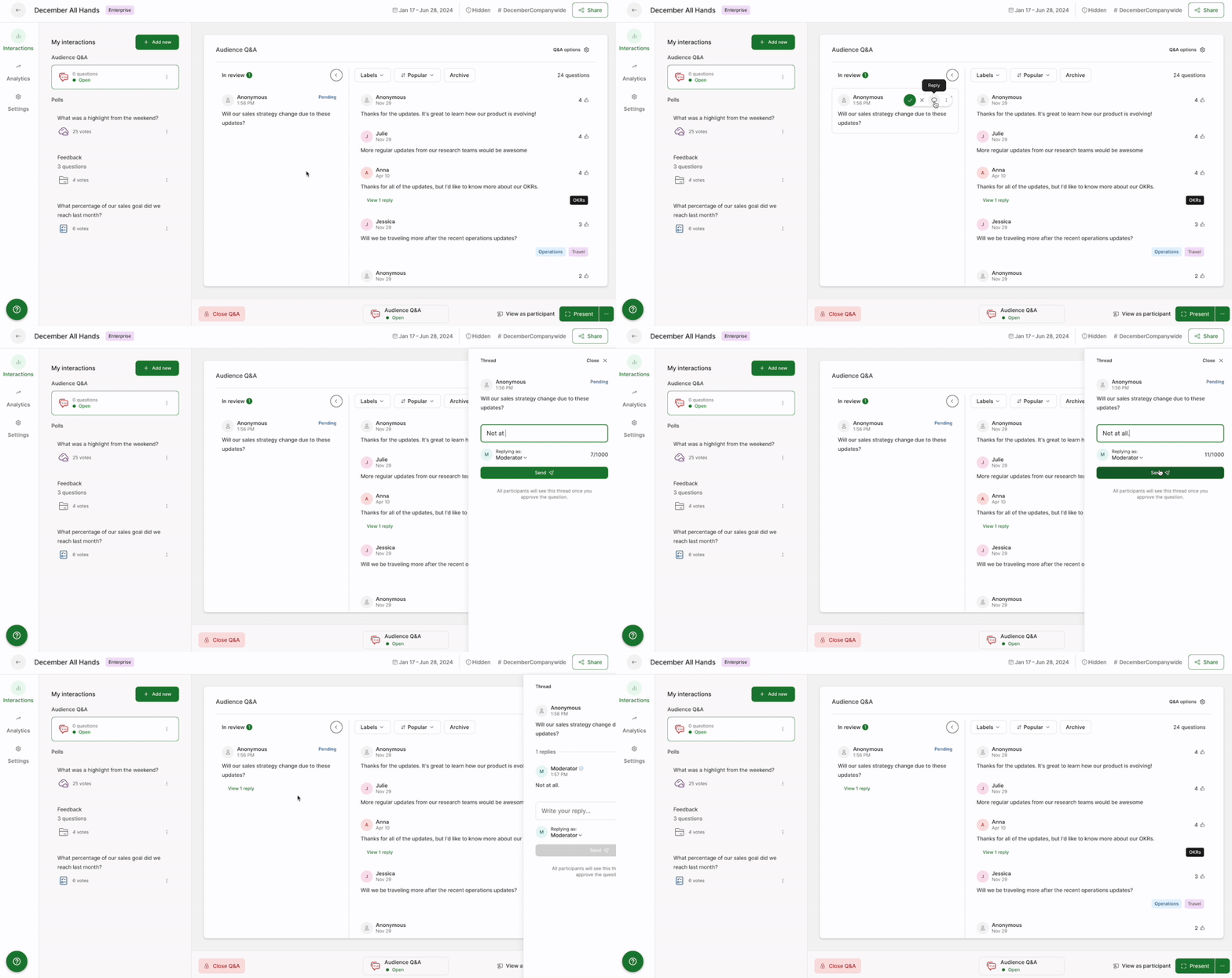
Only the participant who submitted the question will see the reply. Dismissing the question moves it to your archive, but it will remain visible to the single participant.
If a pending question with a private reply is then approved, the private reply will then become publicly visible for all participants to see
Learn more: