



Live polling is an effective way of keeping your audience engaged. Once any participant submits a vote or answer, the results are instantly updated in your host view, on participants’ devices, and in the Present mode.
In this article:
Poll results in Host mode
Once you start a poll, you’ll see the poll results live as they come in.
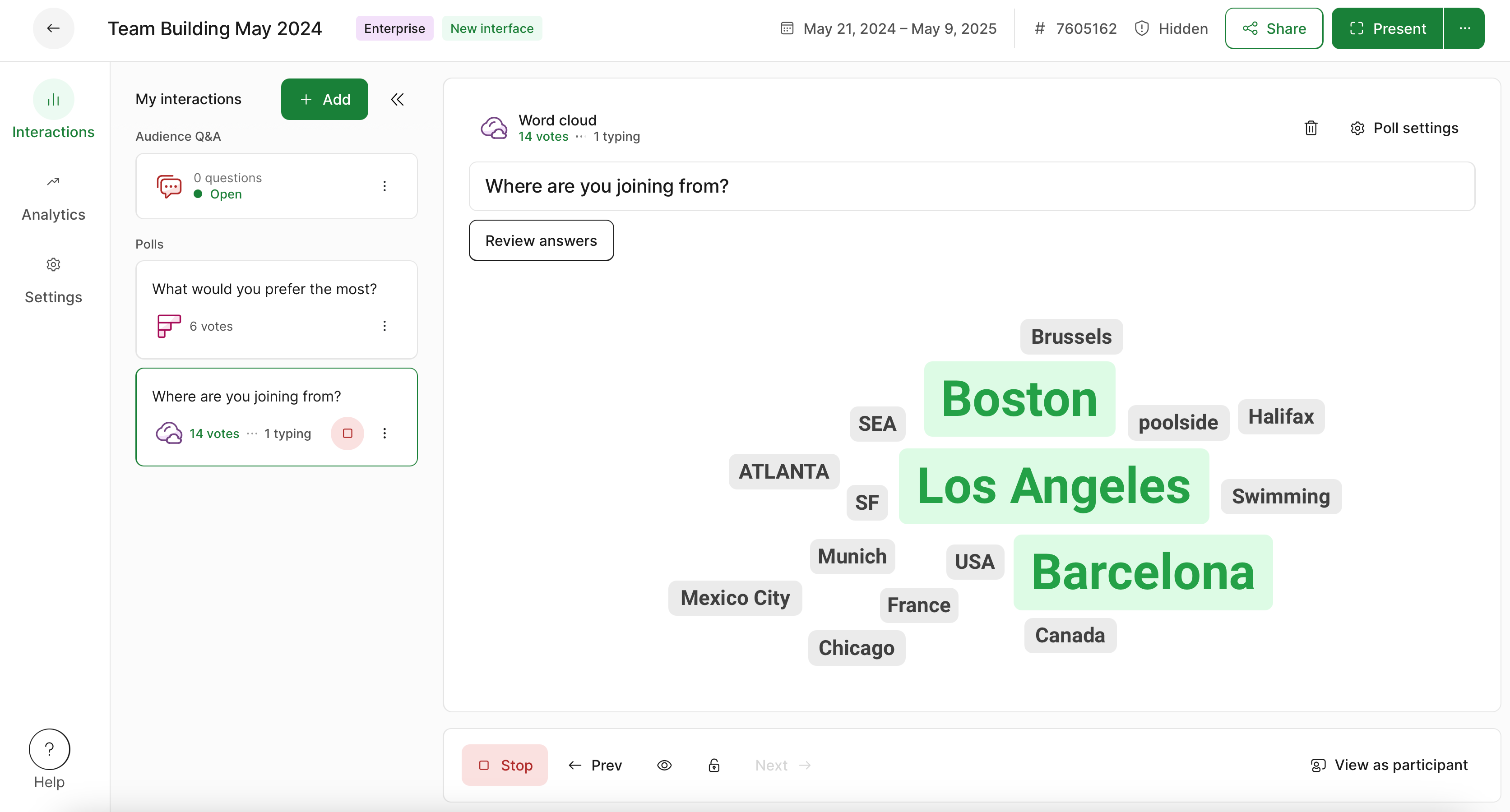
Poll results in Present mode
Open the Present mode by clicking the green Present button in the top right corner. Then simply share your screen with your participants so everyone can see and easily follow the poll results.
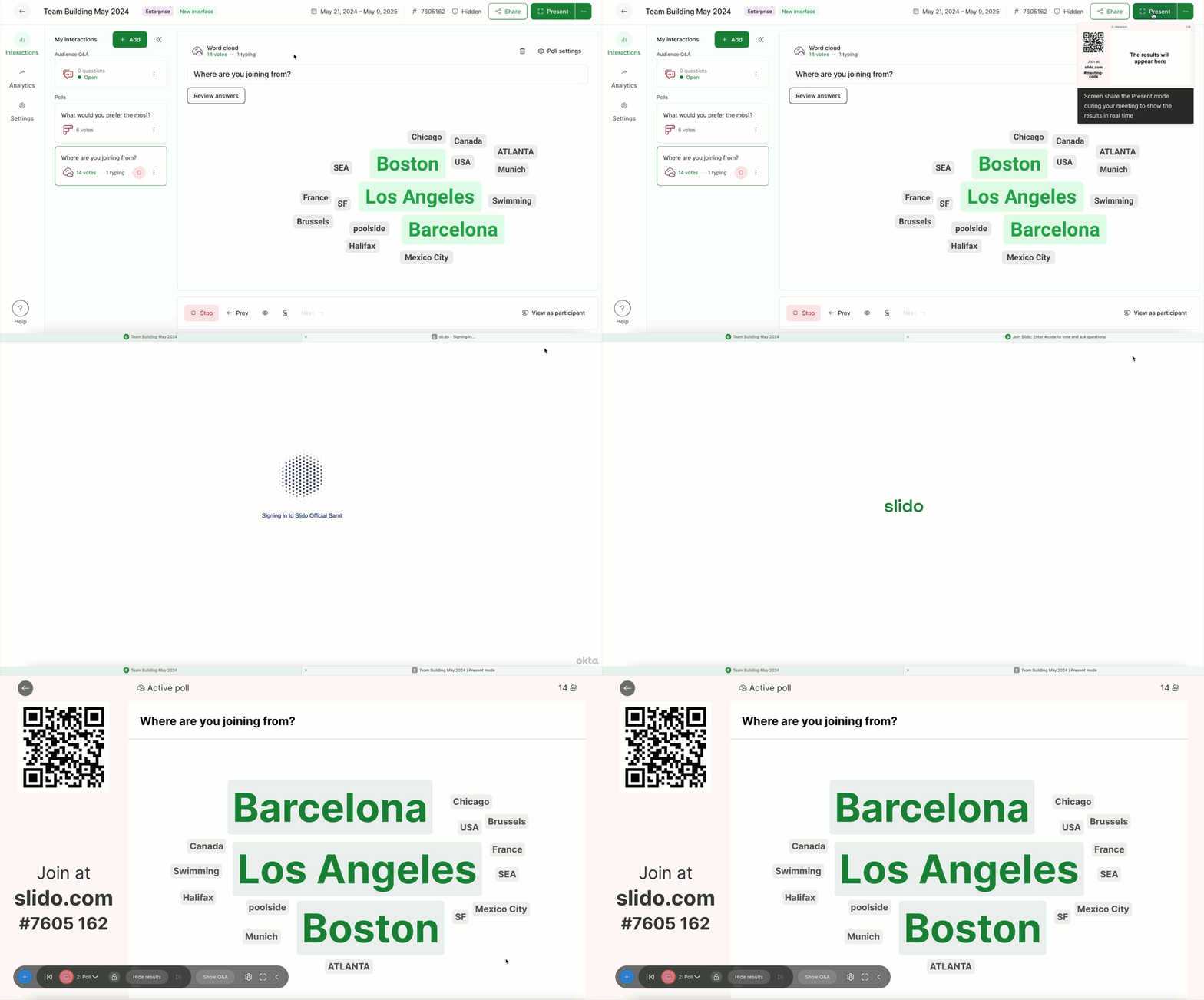
Pro tip: Use the control bar to manage all polling and Q&A directly from Present mode. See our guide for more info.
Poll results in Participant mode
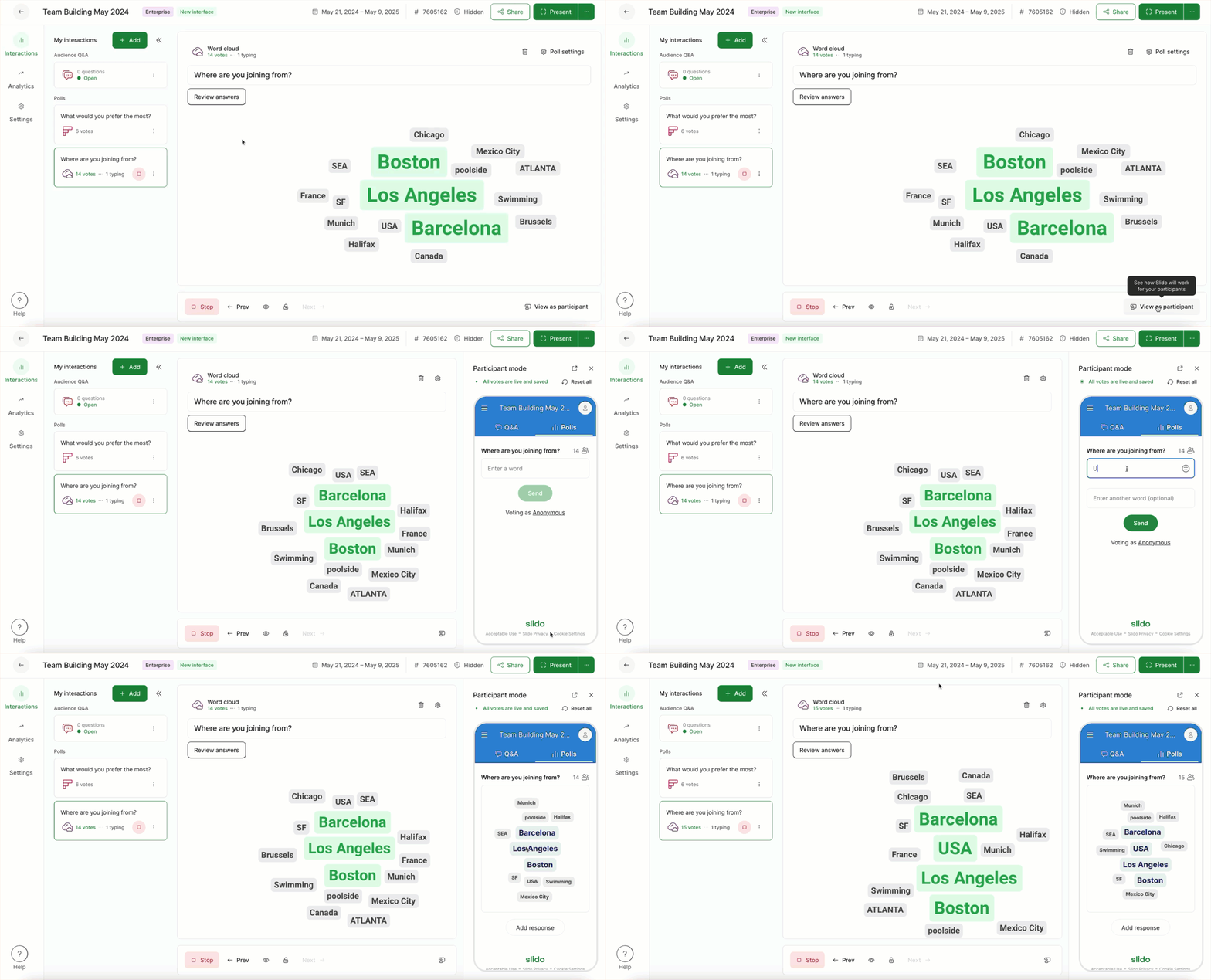
Once a participant responds to a poll, the results update in real-time on their devices (unless the host has chosen to hide them). You can always click the View as participant option in the bottom right corner to see exactly what participants are seeing.
In Present and Participant modes, survey results can only be displayed one poll at a time.
Learn more: