



In Slido Q&A, questions that are answered or those you don't need to see anymore can be hidden from both Present and Participant modes. You can do so either by clicking the Mark as answered or Archive options.
Either option will move the question to the Archive tab, but they’ll be labeled as Answered or Archived.
In this article:
Mark a question as answered
- Go to your Audience Q&A interaction
- Hover over the question and click on the checkmark icon
The question is then moved to the Archive section and labeled as Answered.
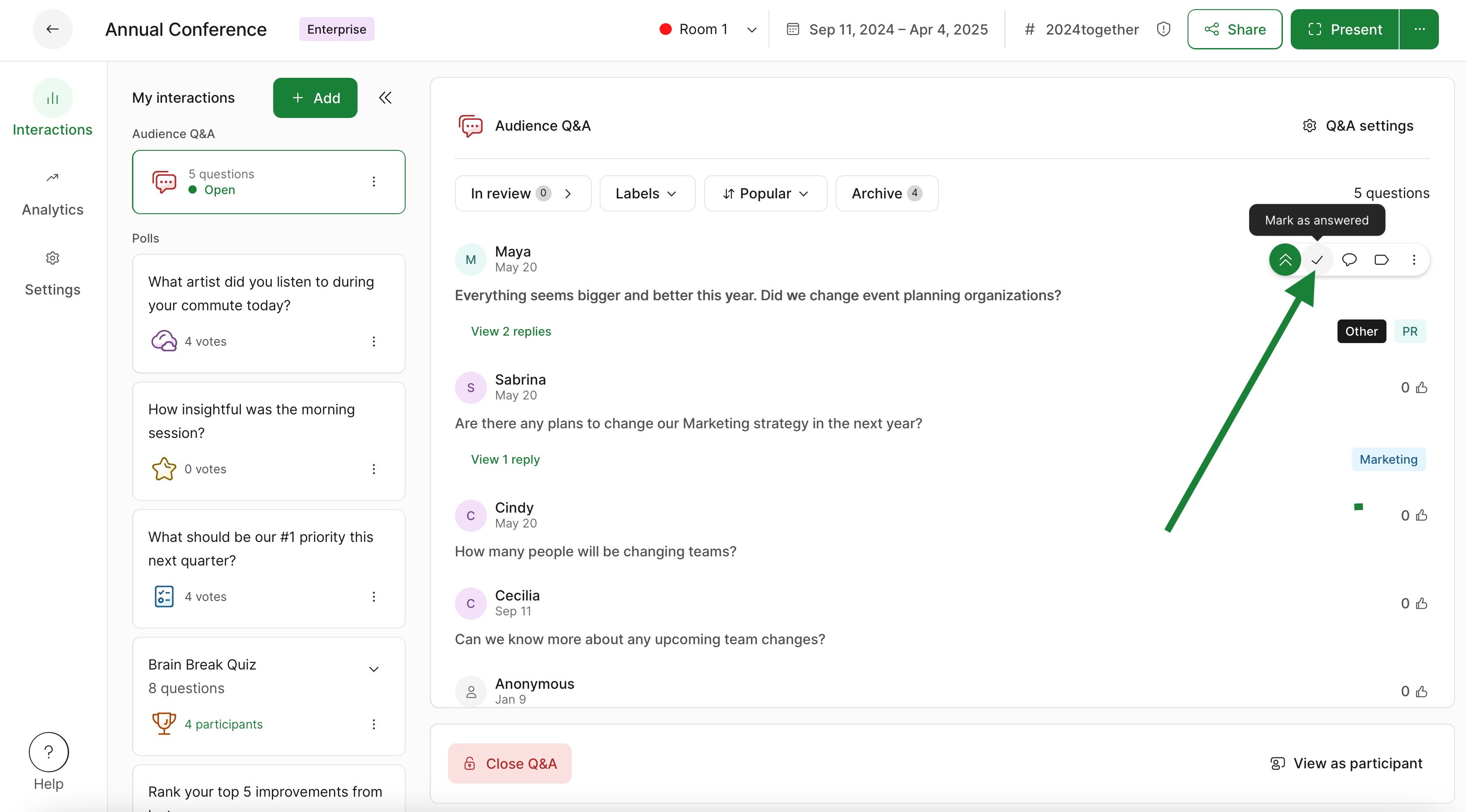
Once a question is archived, it is no longer visible to participants.
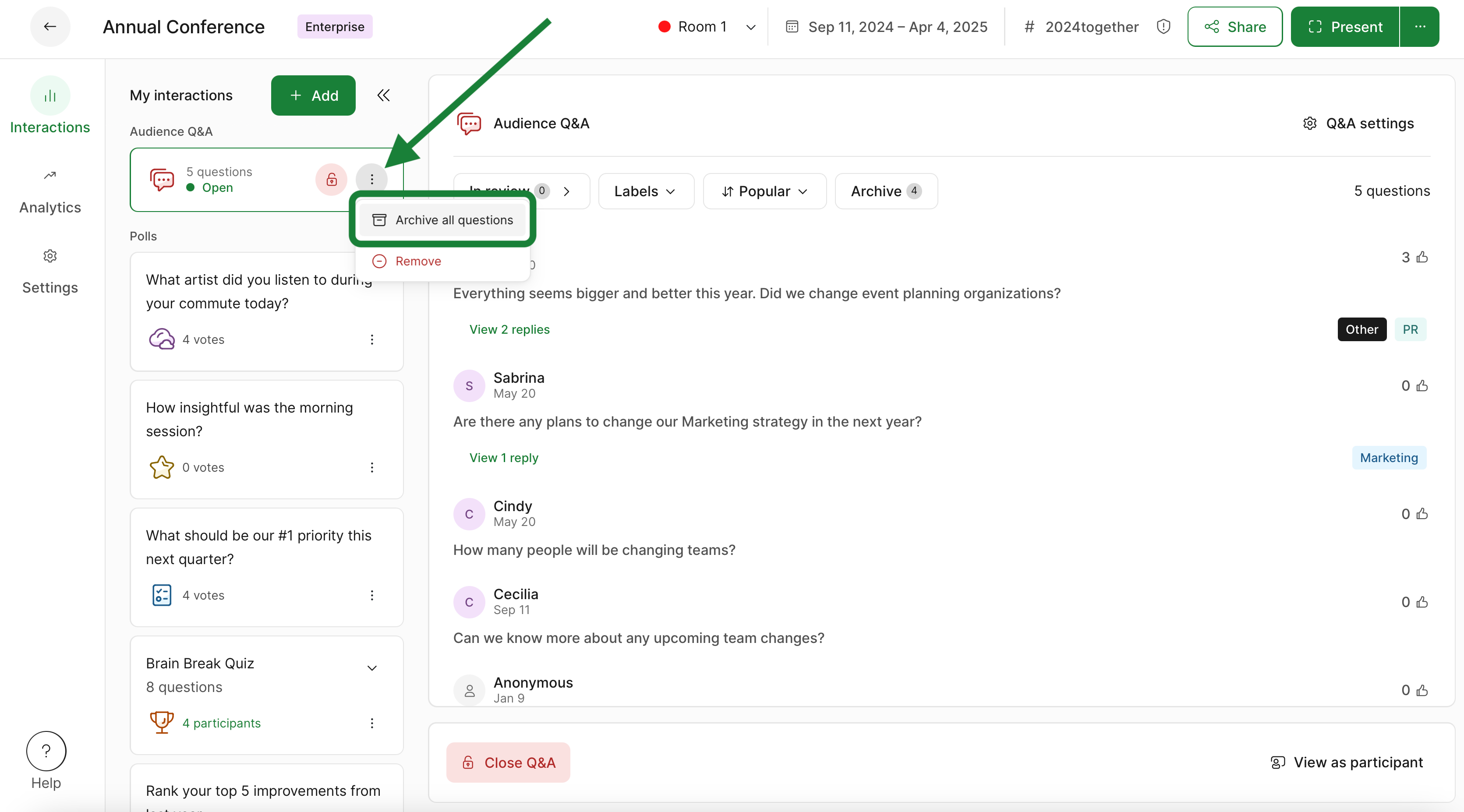
Archive all questions
- Go to your Audience Q&A interaction
- Click the three-dot menu
- Select Archive all questions
Access archived questions
To access questions that have been archived or marked as answered, simply click the Archive option at the top of your Q&A.
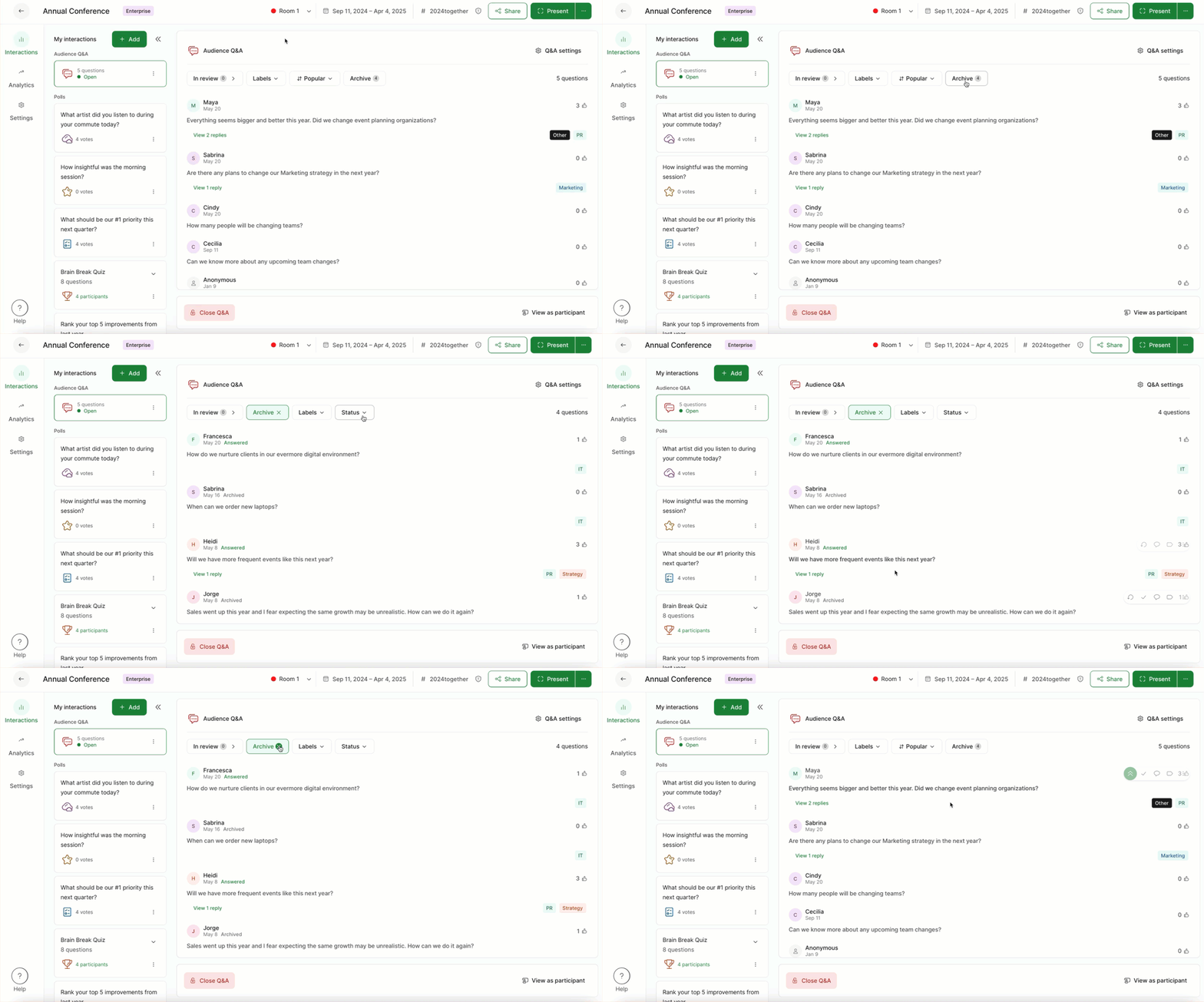
If you’re using Q&A Moderation, dismissed questions will also be available in the Archive.
Restore archived questions
If you need to restore any questions from the Archive, you can hover over them and select the Restore option. Restored questions will then become visible again for participants.
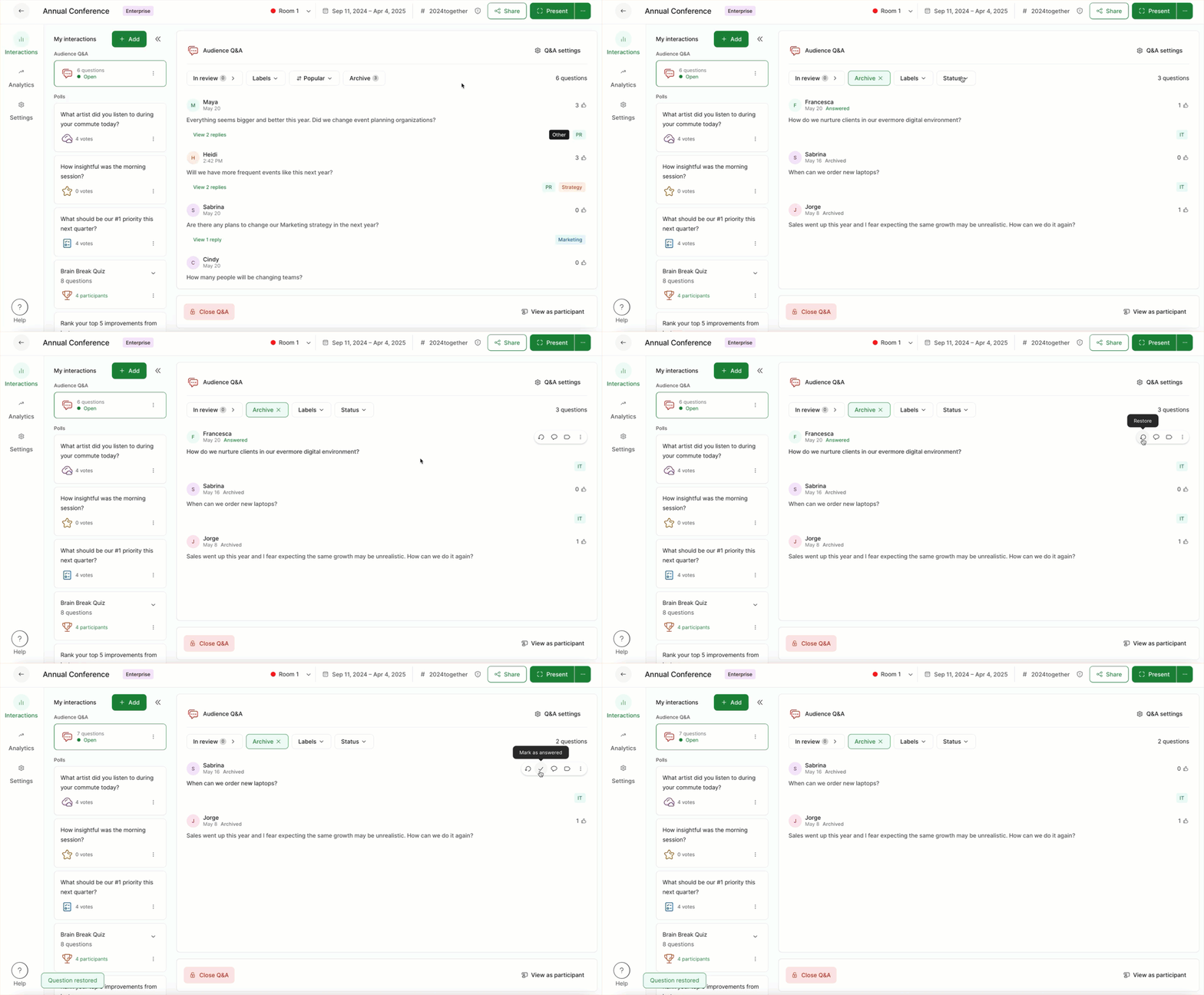
If you restore a question that was Dismissed via Q&A Moderation, the question will return to the In review stage. You’ll need to approve it from there in order for participants to see it.
Learn more: