



In Slido Q&A, you can sort questions by their popularity, when they were submitted, or by their Label. This helps organize your Q&A in a way that works best for you.
Popularity is determined by the number of upvotes a question has.
The options for will vary depending on where you are sorting them.
Change the order in Present mode
In Present mode, you can sort questions by their popularity or by the most recent/oldest submissions. To change the order, simply click on Popular in the upper right corner and select another option.
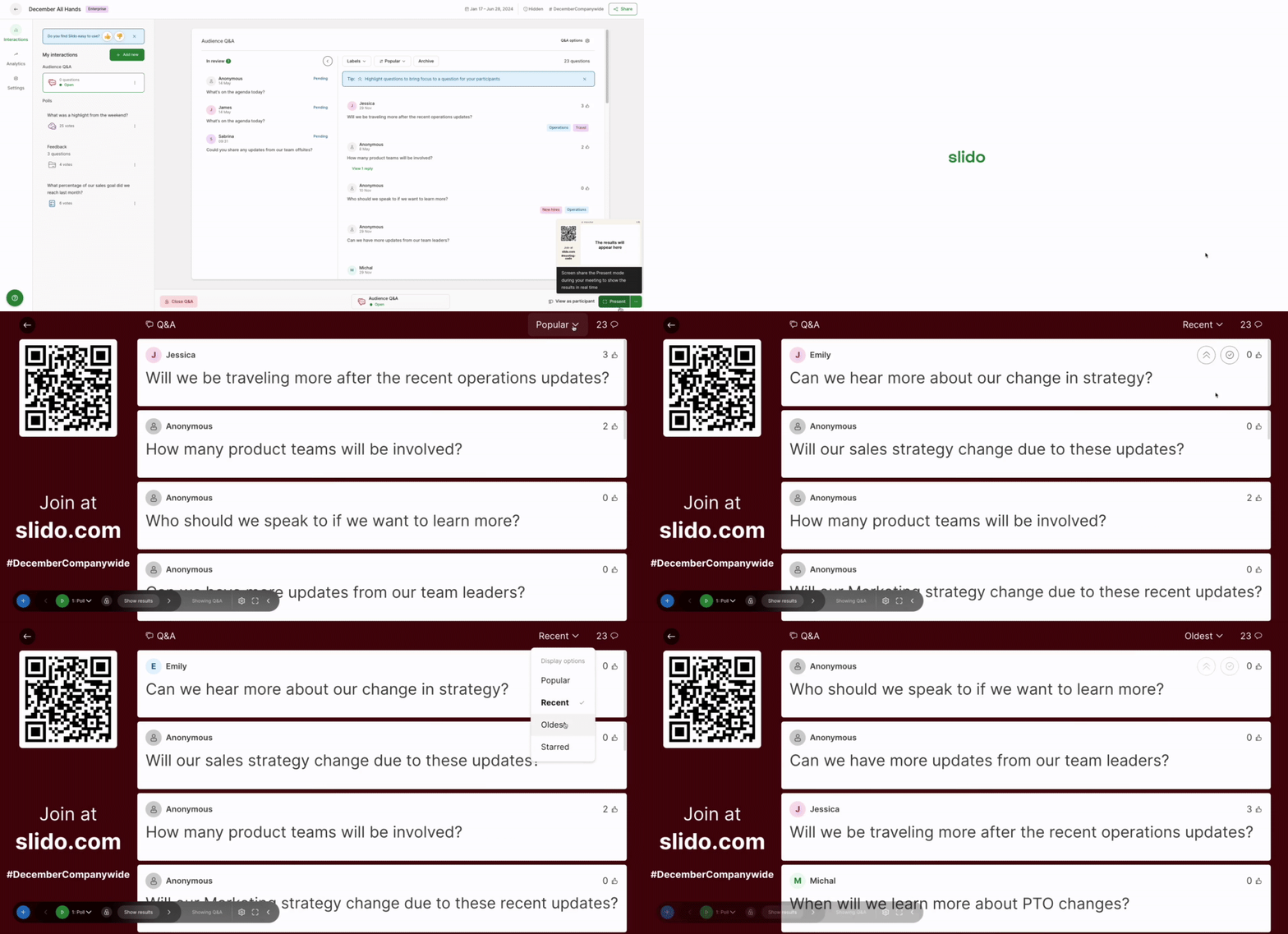
You can also filter your questions by Label in Present mode. Learn more in our Labels guide.
Change the order in Host mode
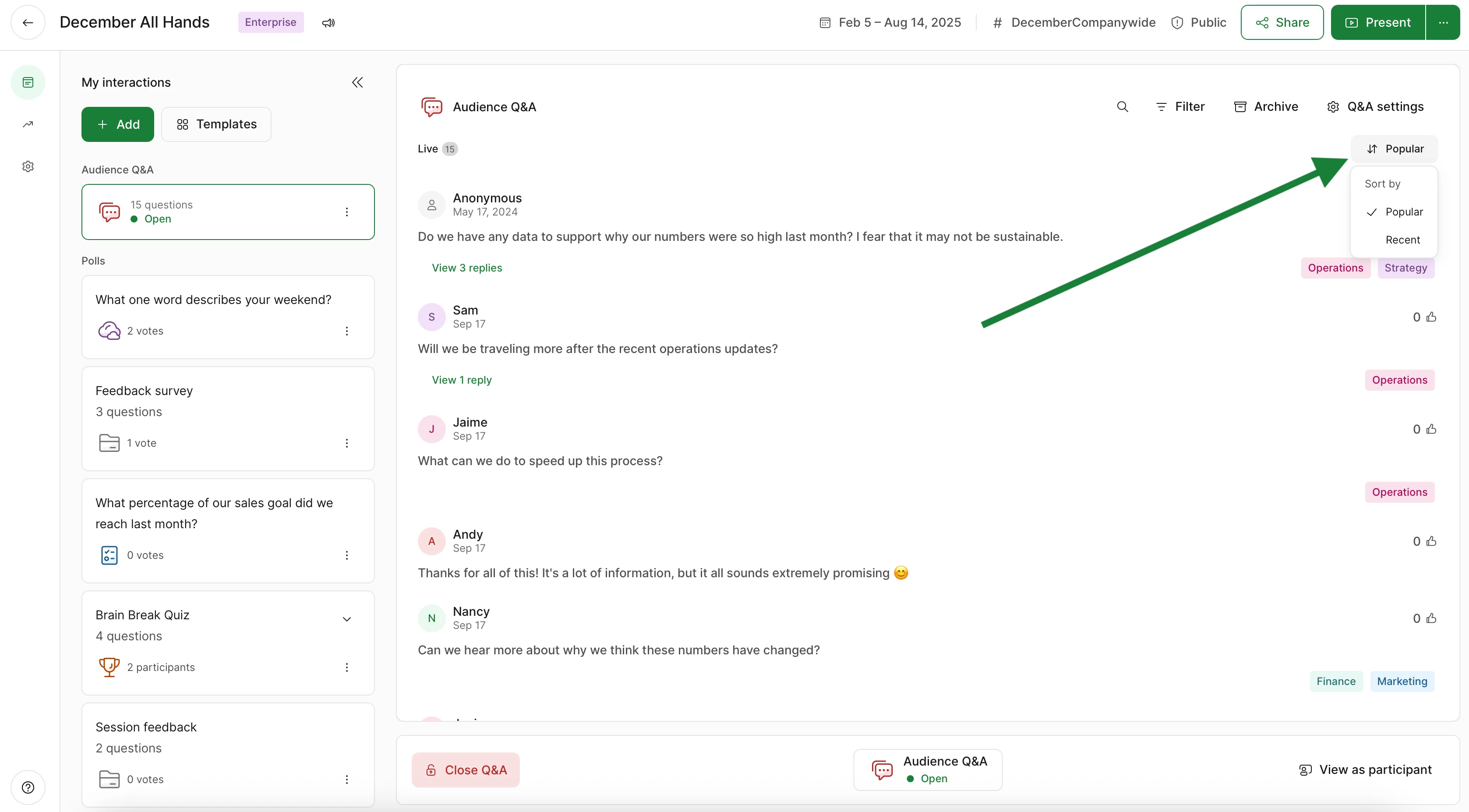
In Host mode, you can sort questions by their popularity, the most recent submissions, or by their Labels.
Use the Popular button to switch between Popular and Recent questions.
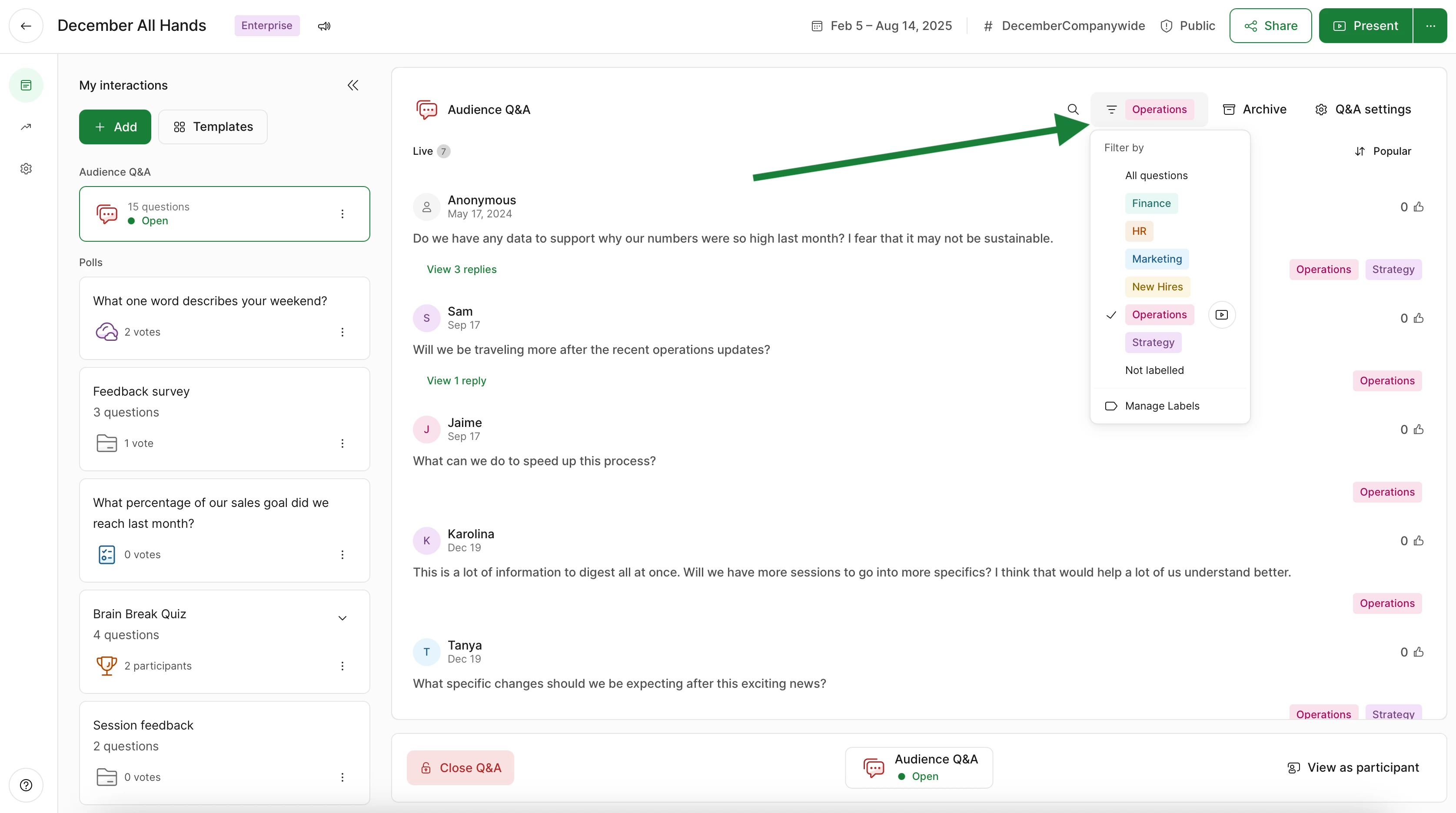
If you’re using Labels, you can filter questions that way, too. Just click the Filter icon and choose a Label.
Changing the order of questions in Host mode does not affect how participants see them.
Changing the order in Participant mode
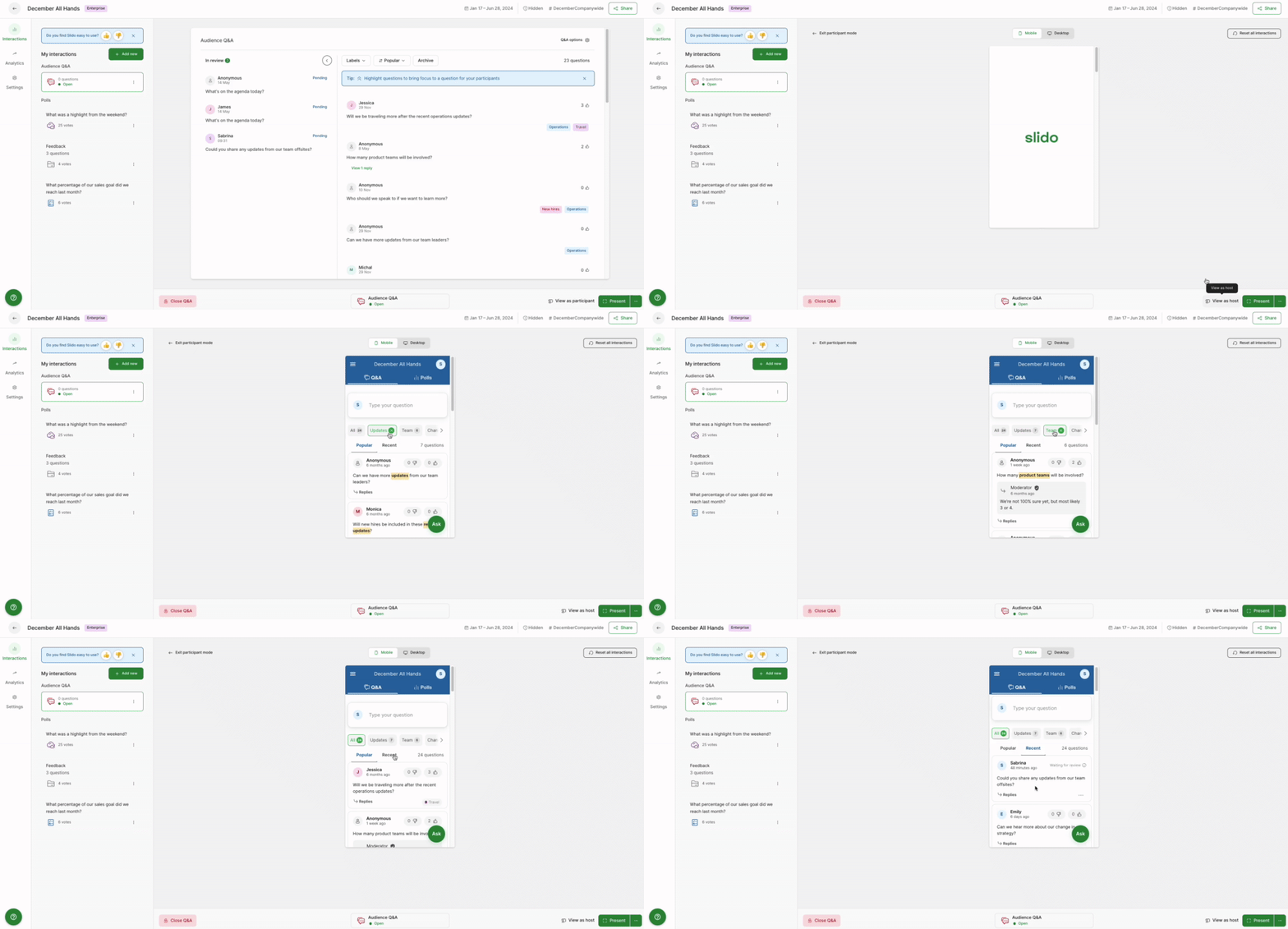
By default, participants will see questions sorted by popularity on their devices. However, they can always change this to view the most recent.
Curious about more?