



Where was your plan purchased?
A number of new US customers complete checkout through Cisco Store. Your Slido plan works in the same way, but billing and subscription management may happen in a different place.
- If your order confirmation or invoice is from Cisco Systems, Inc., follow the Cisco Store instructions.
- If it is from Slido s.r.o., follow the Slido instructions below.
- Not sure? Check the company named on your order confirmation or invoice.
Slido’s annual plans give you unlimited slidos for a full calendar year. To make sure you don’t lose access to your paid features, you’ll want to renew your license before it expires. If you purchased your plan through Cisco Store you can manage your plan and turn on automatic renewal through the Cisco Store Account Manager.
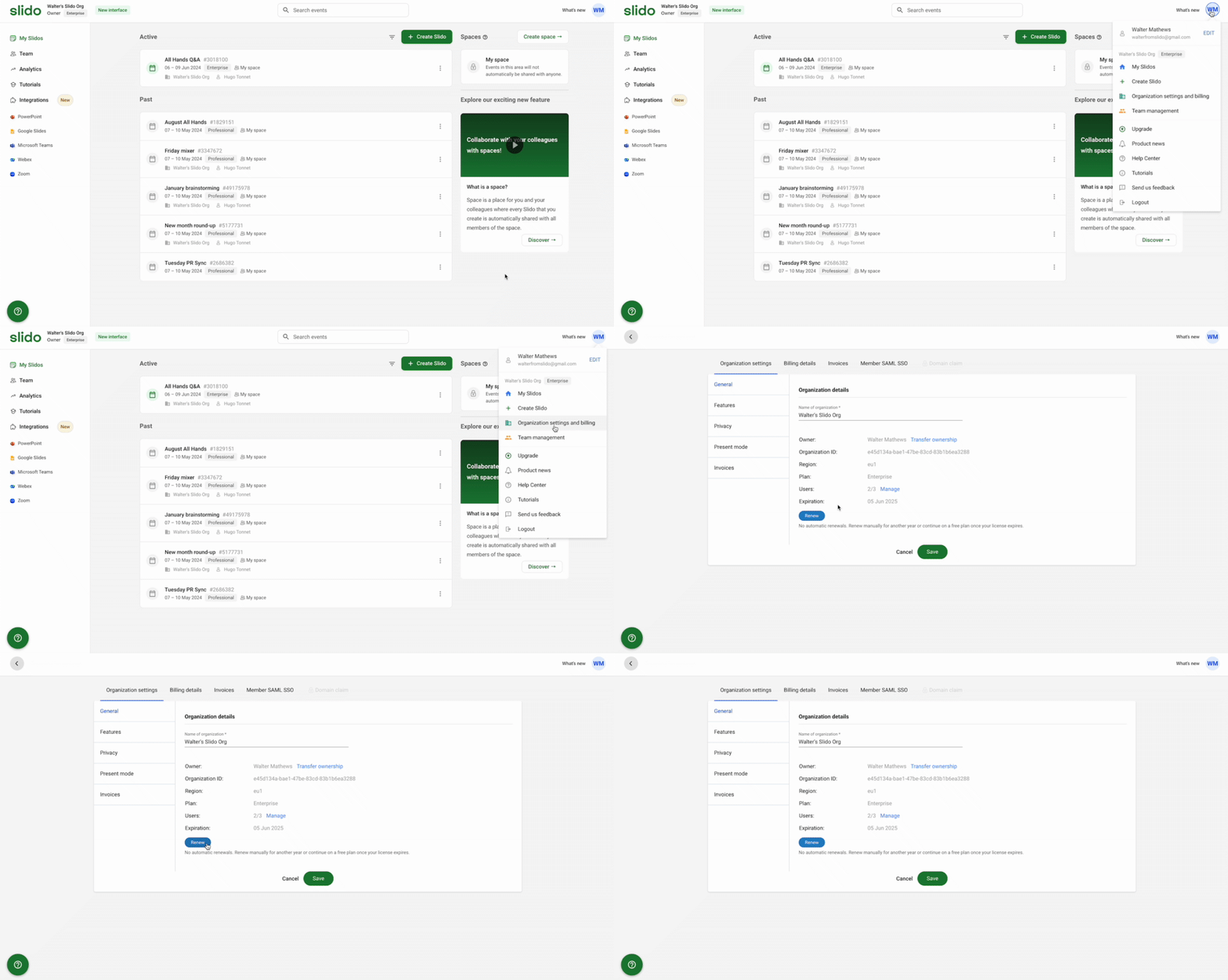
To view the expiration date from your account:
- Click your initials in the upper right corner
- Select Organization settings and billing
See your expiration date listed under Organization details and click Renew if needed.
Learn more in our Organization settings guide.
Curious about more?