A new checkout experience is coming for some new US customers
Slido's product announcements and monthly news roundups.
Recently active
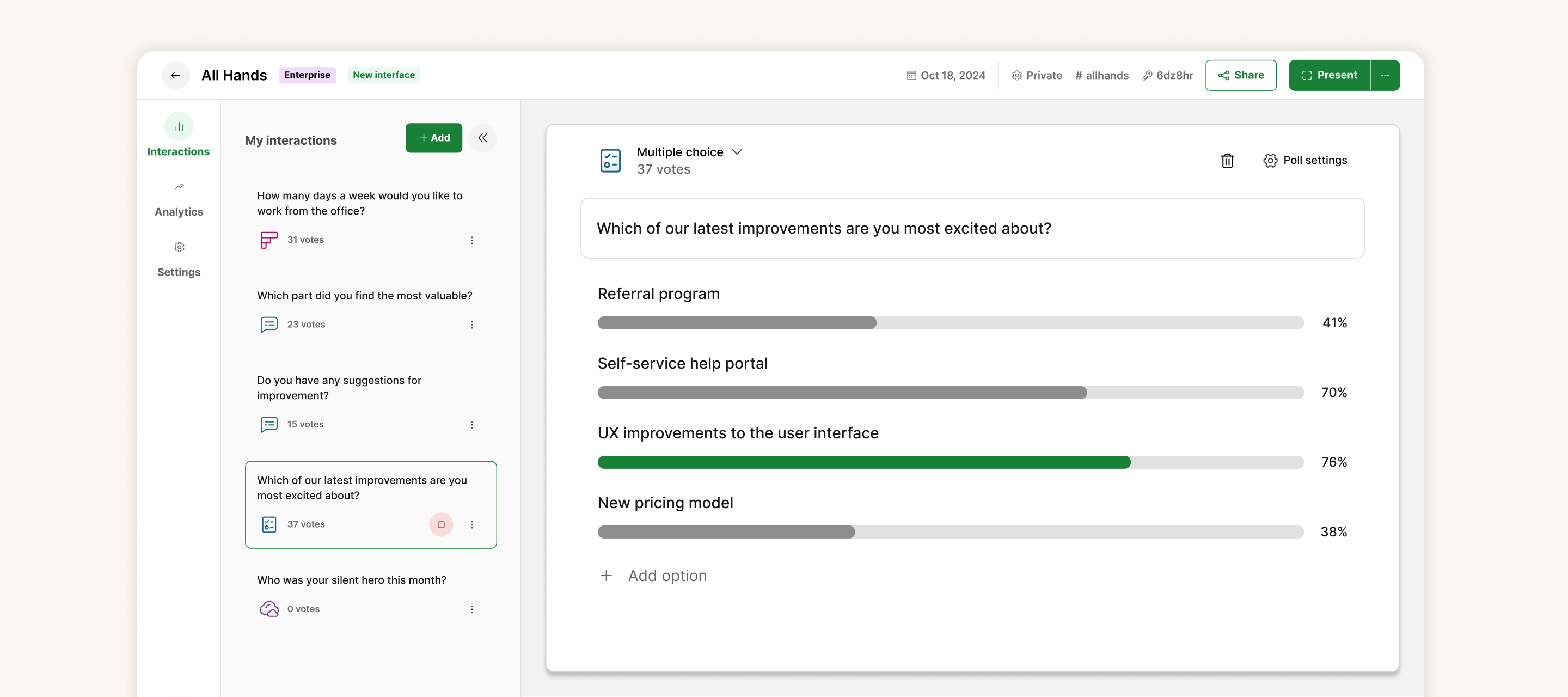
Slido’s new interface is now permanent for all users 🚀 Although we are saying goodbye to some elements, the new interface experience is much more intuitive, putting ease of use and efficiency at the forefront. See below for the details and context behind our decisions:Features returning before May 27th Features that may return in the future Features leaving permanently Features returning before May 27th Ability to search within your Q&AUPDATE: Released for all users as of May 27th ✅ Improved ability to share announcements with your audienceUPDATE: Released for all users as of May 5th ✅ Reuse polls you’ve previously createdUPDATE: Released for all users as of May 6th ✅ Poll templates for getting you started UPDATE: Released for all users as of March 18th ✅ Ability to filter Q&A by Label in Present modeUPDATE: Released for all users as of May 23rd ✅ Features that may return in the future The ability to group polls together (similar to the Sessions feature) is one opti
The month of April brings more exciting product updates from Slido HQ 🎉There has been a lot going on, so here's a summary of everything that's new in our world 🌎 🗳️ Improved voting experience in Microsoft Teams To provide your Microsoft Teams participants with the best experience, we've made voting easy! Voting options in Microsoft TeamsWhat’s changed:No more pop-ups for voting: The meeting chat is notified when a host activates or deactivates a poll. Chat notifications: A notification will appear in the Teams chat window, prompting attendees to go directly to the poll. Incase you miss it, a red dot will also appear on the Slido icon to indicate that the poll is active. See your interactions history easily: The new poll notifications that appear in Teams chat, allows everyone in the meeting to follow along with questions asked and open and closed polls, even after the meeting ends!you can see a full overview of Slido’s changes to Microsoft Teams in our showcase article and try i
We’re excited to share recent updates to Slido for Microsoft Teams which helps make the experience better for both hosts and participants. Enlarged layout for pre-meeting preparationPreparation for your meeting with Slido in the Teams calendar is now more intuitive and organized. You can add your interactions from the left sidebar, and create, edit and preview the Slido content in the main area. Preparing Slido in Teams calendar Improved voting experienceWhen you launch or deactivate a poll, a chat notification is sent to the meeting chat. Your participants can vote on an active poll after clicking the Send your vote button, which opens the Slido sidebar. These chat notifications replace the previous experience using pop-ups. Previous experience with pop-ups for voting New experience using chat notifications with a button for voting As a host, you will no longer vote in the poll directly in Teams. Clicking the call-to-action in adaptive card opens the Slido sidebar to an admin view,
Buckle up! We have some great product updates for you this March 🌼We've been busy, so here's a recap of what's new 😎 🚀 Slido for PowerPoint for macOS is finally here! The most requested and anticipated integration of all time here at Slido, has arrived 👀 and it’s looking great, even if we do say so ourselves! You can start presenting with us straight away:Install Slido for PowerPoint. You can download it here. Slido will then appear in the PowerPoint menu. Create your polls. Insert polls, Quizzes, or even a Q&A, directly into your slides. Your Slido attendees can then join and vote from their devices using a link or QR code.Check out our help center article for essential requirements and troubleshooting tips. 📍Smoother presentations with Slido We have a new and improved intuitive results picker, making your presentations a breeze! Results Picker in Slido’s sidebarOur design ensures that the poll results are easily customizable and adaptable to different types of polls, s
This month, our Product news is short and sweet, much like February 🍬 Here’s what we’ve been up to, and what updates you can expect to see 👀 🎉 A new home for Slido Integrations Explore all Slido integrations in one place and learn more about their functionality to start using Slido in your preferred tool!Using PowerPoint, Teams, or Zoom?Go to Event settings and you’ll see the Integrations tab between Customization and Slido labs 👏 Integrations in Event Settings ✨ Improvements to the Integrations tab Running with the theme of integrations this month, we’ve made some improvements to our settings in the left hand menu of Slido, as well as a super colorful overview page. How cool is that? Improvements to Integrations Integrations are now mobile friendly and accessible with alignment and integrations now appearing in the mobile menu, too 📱 🗨️ Windows Update for Slido for PowerPointRecommended for all of our users, there’s an update and some bug fixes for PowerPoint 🧰These include: F
Can you believe it? We just said goodbye to 2023 and it’s already nearing the end of January 2024 😮But with the brand new year comes brand new Slido updates. And we have some new and exciting product releases that we just know you’ll love 😍 🎉 Slido for PowerPoint on macOS (beta) is here The wait is finally over. Our teams have been hard at work building the macOS PowerPoint integration for quite some time and we’re beyond excited to release it to you. Head on over to our Slido for PowerPoint homepage and request your early access. Slido for PowerPoint 🖼 Add images and gifs to polls in video integrations Are you using Slido’s integrations with Webex, Zoom, or Microsoft Teams? Now you can add images and gifs to your polls directly from the integration sidebar. You can search for and add images from Pexels or gifs from Giphy without ever leaving your meeting window 💪 Add gifs and images to polls The ability to upload custom images directly from your Webex, Zoom, or Microsoft Teams w
Where has the year gone? We’ve welcomed November without noticing here at Slido HQ. Our team has some exciting product releases and updates coming up that you should check out before the years out 👀. 🔍 Slido for Zoom is live The wait is over, our Integration with Zoom is here 🚀Whether you want to run an all-hands Q&A, determine priorities with a poll, or run a team building quiz, you can do all of that without leaving Zoom. There will be no switching for you or your participants. Slido for Zoom is Live 🗣️ New sidebar in Microsoft Teams You will now be able to view all your polls, surveys, quizzes, and Q&A on a single screen called My interactions. By default, Q&A is enabled. With a simplified design, the new sidebar features include: Live poll editing, easier navigation, and a better user interface Accessibility and dark mode improvements Using drag-and-drop to reorder interactions In a live meeting, you can swap SlidosUse Slido’s sidebar in Microsoft TeamsUse Teams? t
Greetings! Can you believe it’s already October? The year has been flying by and the holidays will be here before we know it. Before that though, our team has some exciting product releases and updates that we think you’ll love 😍 💡 Improved Q&A performance Believe it or not, Slido now performs much faster when managing your Q&A session (say what?!). When highlighting, archiving, or even marking questions as answered, Slido moves quicker than ever. 🔒 Slido for Windows updates We’re always working to strengthen and boost all of our integrations. This month we’ve added security upgrades and overall performance enhancements to Slido for Windows. 🌎 Region included in Organization Settings Slido license owners will now see their specific region listed within their account. Check it out by opening up your Organization settings looking under the General tab. 📣 This is especially helpful for clients who integrate their Slido data with Theta Lake and need to specify their re
The time has flown here at Slido HQ, so now you’re fresh and ready to settle into your end of year routines.For now, we’d love to share something new for September then recap what features you may have missed over the Summer. 🔒Changes to SAML SSO for Participants SAML Based SSO We have simplified our process of SAML SSO setup, making things easier for you and your organization. How does it work?Centralization & simplification: Only Slido admins and account owners can upload the SAML XML file into the organization settings. Once this is set on the organization level, end-users won’t be able to work with SAML XML file anymore, as it will be automatically propagated from the organization settings. Improved privacy: Slido admins and account owners can enforce SAML SSO on all events in the organization (including all past and future events) without the exceptions of any individual event. 👉 Check out our Community article on all things SSO for more info 👈 🎥 A Reminder: Zoom is com
Schools out for the Summer break, but we’re still ticking over here at Slido, bringing you the latest improvements and releases in July’s product news! 🎉 🗣️Apps support for anonymous (guest) participants in Teams Participants not logged in to their Microsoft accounts or guests that would usually need to join through a browser now get the full Slido experience. It's now seamless for guests to join Teams from a browser. No more switching between tabs!Guest participants can now: Use the sidebar Receive popups See Present mode with share to stage on Microsoft Teams Guest participants in Teams Schedule a Teams meeting with Slido and try it out or learn more about how to use Slido for Teams. 🖵 New Slido launch screen in WebexTo continue with the theme of updates, we have a new launch screen in Webex 🚀Slido Q&A can now be added as an interaction to your meetings from the Webex sidebar. Slido in WebexQ: What does this mean for you? A: This means, there are no tabs to switch between
Hello August! 👋Whilst we wonder where this year has gone 💨, here's our August product news with the latest improvements and releases! 📊Share your event analytics for longer You asked, we listened! The share link for event analytics is now valid for up to 60 days. This means any participants or colleagues you choose to share your data reports with have plenty of time to get up to speed with the insights after an event has passed. Choose when your share link expires to AnalyticsTo share and set your expiry for the link, Select the green Share Analytics button from the right hand side of the Analytics tab in your event. A pop up like the above visual will appear on the left. Now you’re all set! 🚀 Slido Spaces is here!With Slido Spaces, you can now organize your events into teams, meetings, projects or clients. A simpler way to collaborate on recurring meetings without having to share access every time. Find out more about how you can bring teamwork and collaboration to another level
Summer is here at Slido HQ and we’re keeping it fresh for you with Microsoft Teams improvements, an exciting new integration with our friends at Vidcast and changes to Slido admin.As ever, your feedback is super important to us, we’d be delighted to hear what you think!💪 💻Participant authorization in Microsoft Teams is now automatic Participants are now automatically verified on joining their Teams meeting. This means that they no longer need to: Log in with their SSO (If they use this) Or, Enter a passcode for a protected Slido This is available to all Teams users. In order to get started and use this feature, your Teams admin will need to approve the permissions in their Teams admin center. If any participant comes from a different organization or is a ‘guest’ not logged into Teams, they will be asked to enter a passcode. ▶️Slido has teamed up with Vidcast To add to the freshness this month, the Slido and Vidcast integration is here 🎉With the Slido and Vidcast integration, you c
The summer is fast approaching here at Slido HQ but we’re not slowing down just yet! This month’s updates include the all new Analytics, and Google Slides and PowerPoint integrations improvements.We love hearing your feedback and can’t wait to hear what you think! 💪 📊 New Slido AnalyticsWe’ve redesigned our event Analytics, and you can now see how your meetings are performing - allowing you to better understand how engaged your participants are, analyze trends in the data, and share the results with your team. With Analytics, you can now: Track the engagement of participants in polls and Q&A Discover trends behind the numbers and sentiment of your Q&A Quickly share your poll results and Q&A topics as imagesLearn more about the all new Slido Analytics 👇📤 New Data Report in AnalyticsThis new features replaces Infographics and allows you to share, with a link, any combination of engagement overview, Q&A insights or Poll insights.You can create or disable new sharing l
We’re happy to share our latest rollout, Slido’s new Analytics with you, where you can improve your understanding and gain valuable insights of your meetings 📊Our redesigned event Analytics lets you see how your meetings are performing. You can better understand how engaged your participants are, analyze trends in the data, and share the results with your team. With Analytics, you can now: Compare engagement levels across multiple meetings Discover trends behind the numbers and sentiment of your Q&A Quickly share your poll results and Q&A topics as imagesWe’ve introduced a fully redesigned page to help you make sense of the data you collect. So, what kind of insights can you gain about your meetings?Deepen your understanding of participant engagement, overall, in polls, and in Q&A sessions Explore trends in the data and get a sense of participant sentiment Create customizable data reports (previously known as infographics) to share the results via a link Compare the su
We’re working on revamping Slido Community! Our goal is to build a new destination for tips, tricks and best practices on using Slido - AND - we want to build it with you! Can you spare 30 minutes for a call with our amazing user researcher, Emma to discuss what you would like to see?You can choose a time slot that works best for you here: https://calendly.com/emartin-slido/slido-30-minute-research-call-help-resources Thank you so much for your help! 💚
It’s official! The days are finally getting warmer in CET and we’re full of excitement for sunshine at Slido HQ. To brighten your days further, check out some exciting improvements we’ve made this month, particularly to our Q&A feature and Teams integration. We can’t wait to hear what you think! 🌞 💡Q&A topics are out of Beta and Slido Labs Have you had your share of answering the duplicated questions in Q&A? Say no more! Our Q&A topics are now automatically available for questions submitted in English. If a certain topic or keyword is repeated in at least three live questions, it will become a filter in the Q&A section. Topics in Slido You can use these topics to filter duplicate questions or address similar questions in one go. 🚀 Voting in Microsoft Teams pop-up during presentationsHow about adding some much-needed “pop” to your Teams meetings? Microsoft Teams now opens Slido as a pop-up for participants when polls are automatically activated during your Google
The clocks have changed for some of us around the world, but that hasn’t stopped us working hard here at Slido HQ! 🕛It's time to share your poll results. This month, we've been improving our analytics to make sharing easier and more visually appealing, as well as some neat improvements to our Microsoft Teams integrations and Webex Q&A.We’re big fans of feedback here at Slido, feel free to share your thoughts! 🗣️ 📊More improvements to Analytics and Polls Introducing our new section of event analytics, the aim of which is to provide you with an easier way to digest and share the results of your polls in Slido. Poll Insights User view As an extra convenience, you can also download and/or copy the poll images to your clipboard that you can then present in a slide deck, an email, or even your internal messaging system. Screenshots are a thing of the past! Download image or copy to clipboard Event analytics for US Slido events are now fully supported by US1 Cluster 🚀 Microsoft Teams
We’ve had Valentines and a bunch of exciting updates for you in Slido this February ❤️Off the back of our amazing updates in January, bringing our users Pexels, we’re leveling up again with GIPHY, allowing you to express yourselves facilitating meetings with a gif 🎉 We also have improvements to MS Teams functionality and updates for your Slido Analytics. We can't wait to hear what you think 😎 📹 Brighten up your meetings with GIFs Make your Polls Pop ✨ add GIF’s to Polls, with GIPHY!GIPHY is the no.1 source for the best and newest GIFs and animated stickers online. Add funny GIFs, reaction GIFs, and stickers to your polls by choosing a keyword and you’re all set!Perfect for a stress-free facilitation providing visual context with ease, as well as some light-hearted fun that can boost your team's morale and build trust 😊The best part is, it’s available for everyone!**not compatible with Google Slides or PowerPoint integration Adding GIF’s to your Slido polls 🚀 MS Teams integration
Happy New Year, Slido community! 🎉 We hope you’ve had a restful holiday season and we’d like to thank you for your feedback, suggestions and questions in 2022 💚 If we learned anything last year, it’s that collaboration is absolutely crucial in every team. To start off the year, we’re partnering with Pexels to bring you a library of free images for your polls. We’re also releasing Spaces, a brand new feature for collaboration, improving your MS Teams integration experience and enhancing security with Theta Lake 🚀 🎨 Pexels in Slido: Bring Your Polls to Life with Free ImagesYou can now choose from hundreds of thousands of royalty-free images and add them to your poll in one click! ✨ If you want to use an image poll but don’t have an image to upload, the Pexels integration provides you with a vast library of images you can add instead.➡️ Learn more about how to use Pexels in Slido here and get 7 Tips on taking your polls to the next level with Pexels here. ⚡️Collaborating even easier
Compliance Challenges of Deploying Audience Interaction Platforms For meeting hosts in regulated industries such as financial services, balancing productivity and compliance is a challenge as they try to lead more effective meetings and events. In regulated industries, engaging audiences through polls and Q&As also involves ensuring that their digital communications comply with retention, supervision, and review requirements. Financial services organizations, in particular, must preserve e-communications for monitoring and supervision including MiFID II,SEC 17a-4 and public disclosure requests. Archiving of all content, such as live polls, Q&As, surveys, or crowd-sourced ideas, are included in this process. Each year, regulators levy hundreds of millions of dollars in fines for failing to monitor communications. There are few compliance solutions for archiving electronic communications from audience interaction platforms such as Slido. As a result, financial services companies
Slido has teamed with Pexels - the source of free images, to bring creativity to your live polls.You can now choose from the hundreds of thousands freely-usable pictures and add any image to your poll in one click!Excited? So are we! Here’s how Pexels work in Slido: Create a poll. Click ‘Upload an image’. Choose your preferred image from the library. Hit save. Once you’re ready to run the poll, display it on full screen and encourage your audience to vote. You can manage your polls easily via the handy control panel at the bottom of your screen. 👍 TipKeep the poll results hidden while your teammates send in their votes. Only once you’re ready to display the voting results on screen, hit ‘Show results’. Why should you try Pexels in Slido?If you have previously used Slido’s image polls, the Pexels integration will provide you with an additional advantage - besides uploading your own image into a poll, you will now be able to choose from a vast library of readily available image
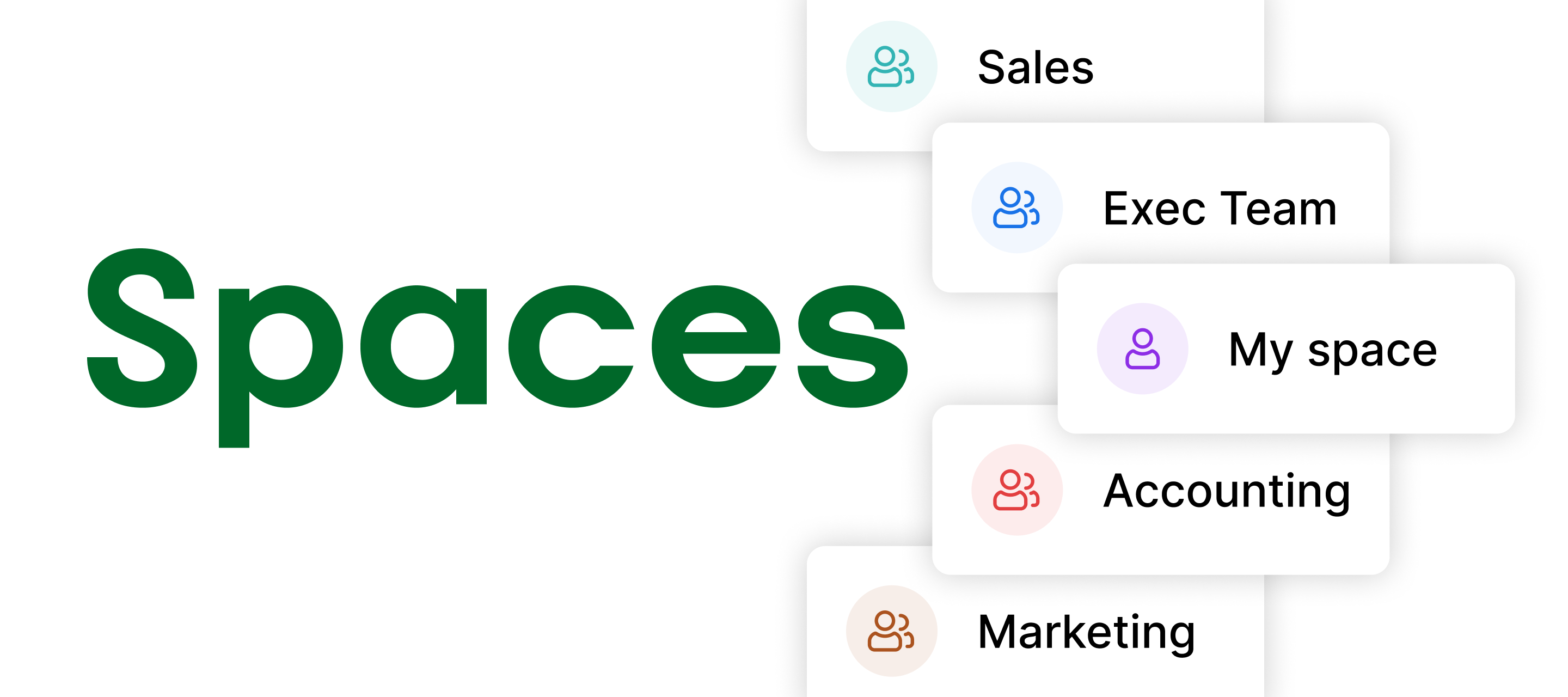
We’re thrilled to introduce our easiest collaboration feature yet: Slido Spaces. Spaces allow you to categorize and share meetings with your colleagues automatically - without the hassle of inviting everyone manually. What’s more, you can say goodbye to an endless list of slidos in your dashboard. Spaces let you organize your slidos based on a meeting type, project, team or client – whatever suits you best. So, how does it work? Create a space and give it a name, e.g. All-hands meetings or Execs Invite the relevant members of your organization into this space Create and work on slidos all with the same access rights What can you do in Spaces? Categorize your slidos based on a team, meeting, project, client etc. Easily collaborate on recurring meetings without having to share access every time Benefit from space-specific analytics, templates, settings and more (Coming in future) Who can use Spaces?Spaces are available to all customers on our Enterprise and Institution plans.
Happy Holidays and an amazing New Year! 🎉 Thank you for your continuous support in 2022. Enjoy your time off, relax & recharge.We look forward to seeing you in 2023 💚
In this winding down month here at Slido before we're all gearing up for the festive season ahead, why not take a peek at our short-but-sweet Product News from November 😎 Integrations 🌐 Slido now supported in Webex Webcast Available in Webcast, with a few limitations. Webcast currently only supports Q&A, Multiple choice and Rating polls. Slido in Webex Webcast 🚪 Support for Multiple rooms, now in Webex sidebarMultiple rooms support is available in the Webex sidebar. Try it out! Multiple rooms in Webex Sidebar Q&A📈 New look in Q&A AnalyticsQ&A analytics has a fresh look, new insights and automatic detection of question sentiment. This is limited to events run in English, but can be manually applied for all languages, and also if you don’t agree with the sentiments captured in English 🎉New Q&A Analytics 📩 Download an image of your Q&A resultsShare your insights from meetings more easily with the option to download the results of your Q&A word cloud and s
We made a few changes to Slido admin sidebar in Webex to improve your experience during meetings and webinars. Introducing new look of Slido sidebar in WebexUpdated 4 November: You can select from multiple rooms you created in advance in Slido directly in Webex sidebarUpdated 2 November: We’re turning on the new sidebar for everyone and multiple rooms are coming in mid November!Updated 26 May: The new sidebar in Webex is now live for everyone by default!Updated 20 July: New settings were added to the Slido sidebar in Webex On December 1, 2022 we turned on the new look for everyone and removed the option to switch between the two versions. What’s new: Intuitive user experience and modern look New polls design, support for quiz and results download Localization support Intuitive user experience and modern lookThe new interface is designed specifically for use in Webex. It’s simplified and easy to navigate. If you’re yet to get to know Slido, tooltips and system messages will help you g
Already have an account? Login
Enter your E-mail address. We'll send you an e-mail with instructions to reset your password.